Select the call tree tab when clicking a node in the activity graph#4331
Conversation
| } | ||
| return state; | ||
| case 'FOCUS_CALL_TREE': | ||
| return 'calltree'; |
There was a problem hiding this comment.
I'm not a huge fan of this lastVisibleThreadTabSlug, it's missing some corner cases (for example when navigating using the URL only, either loading a URL with another slug than calltree at load time, or navigating with back/forward). But I didn't want to change all of this now :-)
(reminder: this state links the network chart and the network track, so that when changing the track back to another track, we go back at the previous selected tab too)
| expect(getCallNodePath()).toEqual(['j', 'k', 'l']); | ||
| }); | ||
|
|
||
| it('when clicking a stack, this selects the call tree panel', function () { |
There was a problem hiding this comment.
I couldn't find a test using the activity graph, but using the stack graph canvas works too :-D
Codecov ReportBase: 88.32% // Head: 88.33% // Increases project coverage by
Additional details and impacted files@@ Coverage Diff @@
## main #4331 +/- ##
=======================================
Coverage 88.32% 88.33%
=======================================
Files 282 282
Lines 25225 25229 +4
Branches 6795 6797 +2
=======================================
+ Hits 22281 22285 +4
Misses 2731 2731
Partials 213 213
Help us with your feedback. Take ten seconds to tell us how you rate us. Have a feature suggestion? Share it here. ☔ View full report at Codecov. |
|
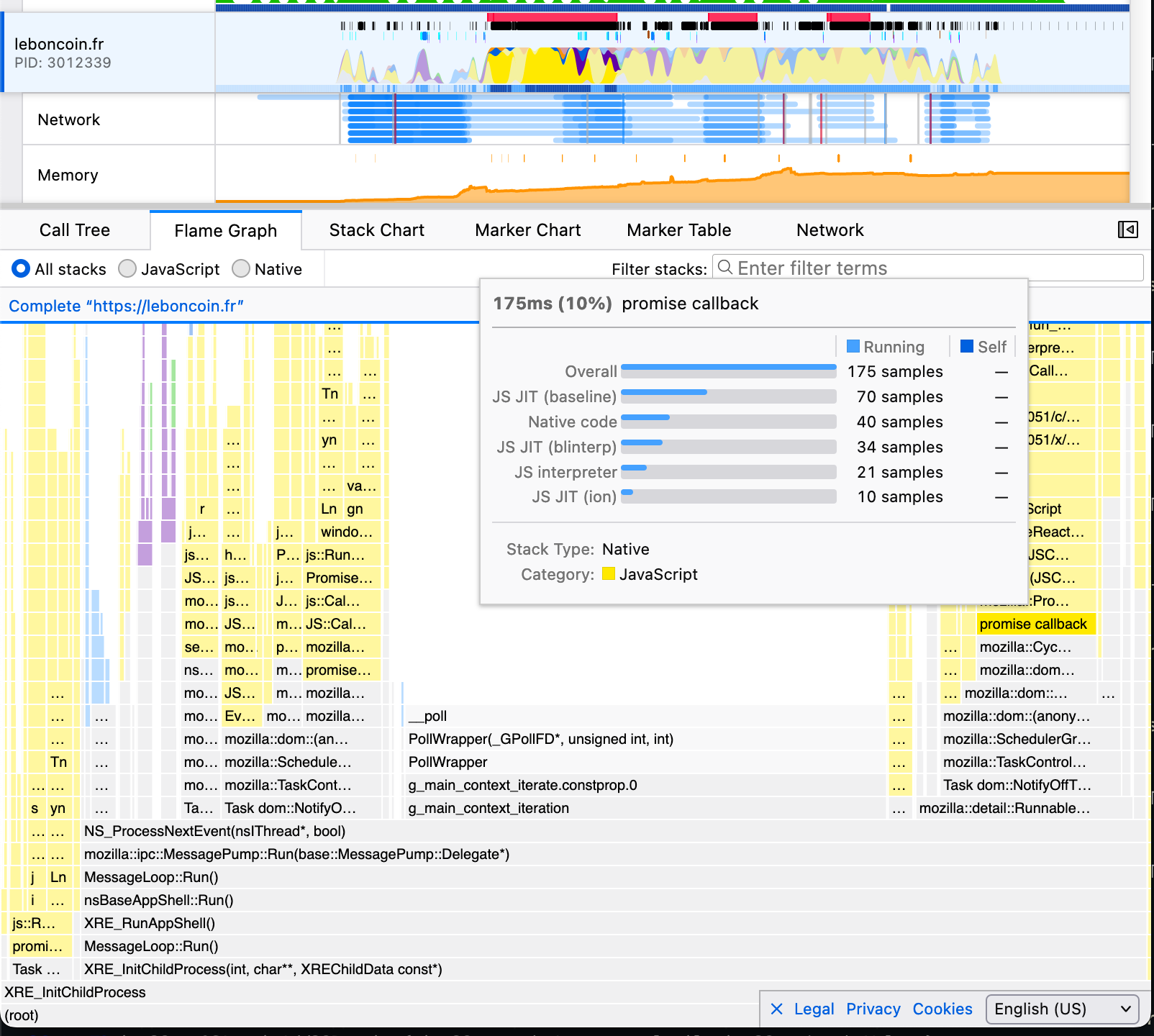
I'm a bit sad the stack chart and flame graph don't get used. I agree the selection is kind of worthless for those charts. Maybe this could be a different bug, but what would be useful is selecting the root-most frame of the category that is being rendered to the chart. For example clicking on the chart on the flame or stack charts could select the following:
|
|
I was thinking of something different: that we highlight the whole call node path when selecting one call node . |
 canova
left a comment
canova
left a comment
There was a problem hiding this comment.
Thanks!
I agree with @gregtatum's comment. I think it would be nice if we can keep the tab the same for flame graph and stack chart and highlight the node somehow. Although not sure whether to highlight the whole call node or selecting the root-most in the category. It would be good to discuss it in an issue I guess.
STR:
=> as a user, I expect the call tree to be displayed.
Note: I considered not doing it when the flame graph or the stack chart was selected, but when I tried it with the flame graph, I found it not useful: indeed the selected nodes are usually at the bottom of a stack with only a small selftime, so they're barely visible in the flame graph, and same for the stack chart. The call tree is much more useful for these nodes.
Example profile: