Skip to content

Topic metadata label updates#3578

Merged
bjester merged 3 commits intolearningequality:unstablefrom
rtibbles:meta_inheritance
Sep 7, 2022
Merged

Topic metadata label updates#3578
bjester merged 3 commits intolearningequality:unstablefrom
rtibbles:meta_inheritance

Conversation

@rtibbles
Copy link
Copy Markdown
Member

Summary

Description of the change(s) you made

  • Does a minor refactor of the publish code to do a depth first traversal of the content node tree, in order to more easily pass down inheritance (should also make it easier to optimize this code in future)
  • Makes categories, resource_types, grade_levels, and learner_needs 'inheritable' fields, whereby setting it on an ancestor topic will set it on any descendant node as well
  • Prevents learning_activities and accessibility_labels being set on topics at publish
  • Prevents learning_activities, accessibility_labels, and completion_criteria from being set in the edit modal
  • Adds backend tests for all the publish update

Screenshots (if applicable)

Learning activity is disabled for topics, other fields are just hidden.
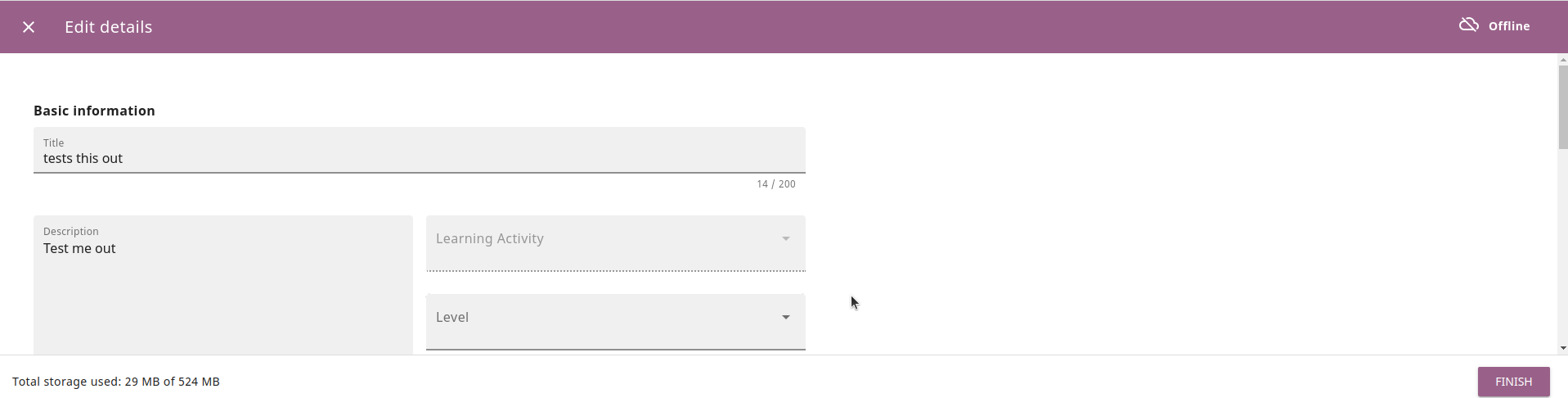
image

Reviewer guidance

How can a reviewer test these changes?

Add metadata labels to topics. Confirm they are on descendants on publish. Check unit tests to this effect.

Are there any risky areas that deserve extra testing?

References

Fixes #3424

Allow inheritance of some metadata fields from ancestor topics.
Do not publish learning activities on topics.
Remove inheritance from accessibility labels.
Copy link
Copy Markdown
Member

@bjester bjester left a comment

Choose a reason for hiding this comment

The reason will be displayed to describe this comment to others. Learn more.

LGTM

@bjester bjester merged commit 021ad4e into learningequality:unstable Sep 7, 2022
@rtibbles rtibbles deleted the meta_inheritance branch September 7, 2022 22:04
@pcenov
Copy link
Copy Markdown
Member

pcenov commented Sep 20, 2022

@rtibbles apologies but I'm struggling to understand the QA verification steps on this one - could you add steps for a use case scenario?

@rtibbles
Copy link
Copy Markdown
Member Author

The simplest scenario would be:

  1. Set subject metadata on a folder.
  2. Include at least one resource in the folder.
  3. Publish the channel.
  4. Import channel to Kolibri.
  5. Search for that subject in Kolibri.
  6. See the resource that was put in the folder.

@pcenov
Copy link
Copy Markdown
Member

pcenov commented Sep 21, 2022

Thanks @rtibbles, looks like that it's functioning exactly as described.

Some questions/considerations:

  1. One possible problem would be on the Kolibri side where filtering by any of the inherited values causes all subfolders of the main folder to be shown in the search results which is not really helpful.
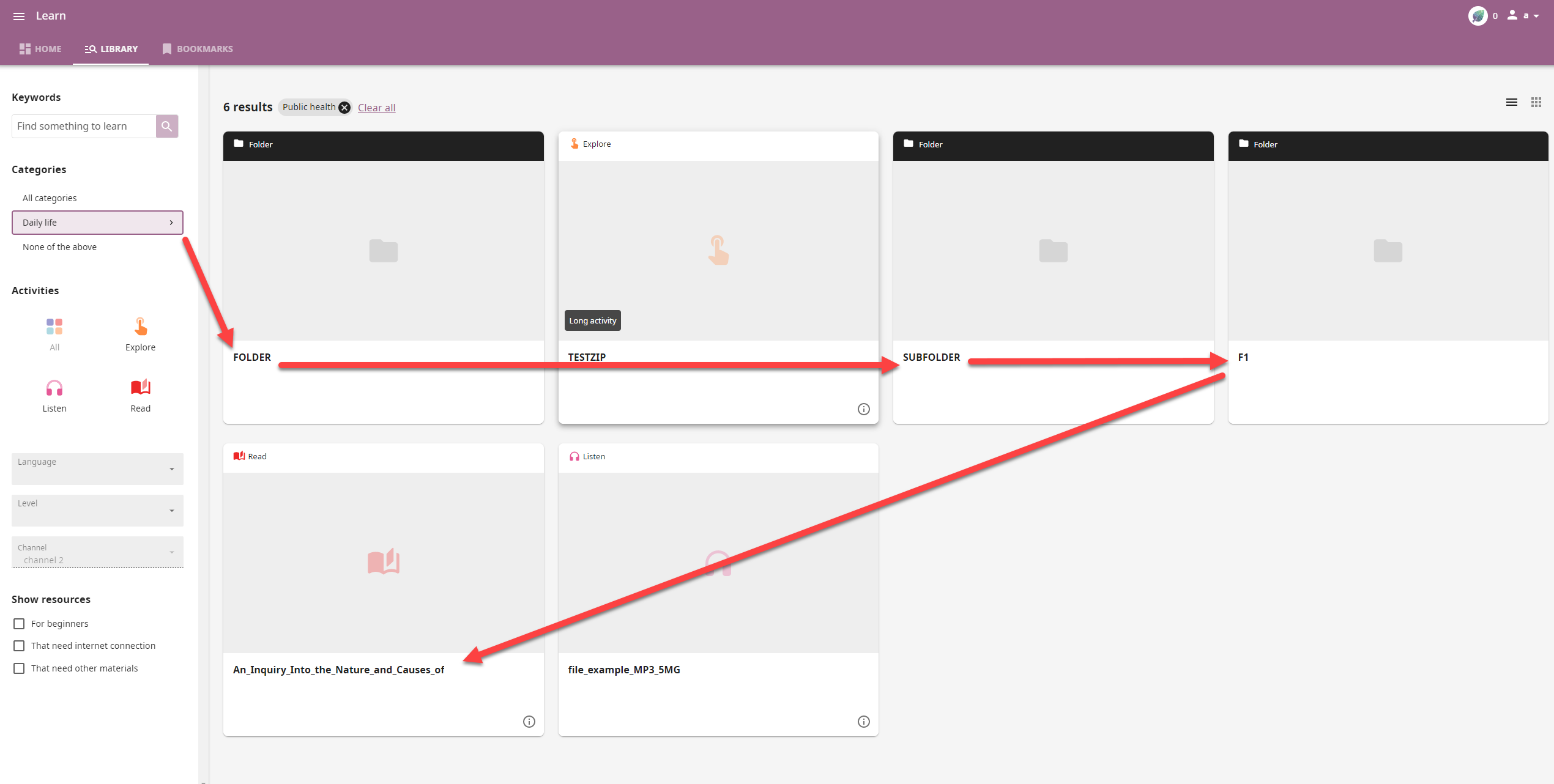
    For example in the following case I am interested mainly in the .epub file, but I get to see the main folder, which is labeled FOLDER, a subfolder and then the actual F1 folder in which the file is located:

2022-09-21_14-55-29

  1. If you are automatically setting the categories, resource_types, grade_levels, and learner_needs on any descendant node on publish shouldn't these be visible in the Details of the said descendant folders/resources in Studio? Currently they are not and as a Studio user I would not be aware that they've been added behind the scenes and will probably go ahead and start adding them manually.

  2. Is it intentional that the Language value which is set on the main folder is not inherited along with the rest?

cc @radinamatic

@rtibbles
Copy link
Copy Markdown
Member Author

One possible problem would be on the Kolibri side where filtering by any of the inherited values causes all subfolders of the main folder to be shown in the search results which is not really helpful.
For example in the following case I am interested mainly in the .epub file, but I get to see the main folder, which is labeled FOLDER, a subfolder and then the actual F1 folder in which the file is located:

Hrm, yeah, this isn't great - a compromise here would be to cause the properties to be inherited by descendant resources, but not descendant folders, does that seem workable?

If you are automatically setting the categories, resource_types, grade_levels, and learner_needs on any descendant node on publish shouldn't these be visible in the Details of the said descendant folders/resources in Studio? Currently they are not and as a Studio user I would not be aware that they've been added behind the scenes and will probably go ahead and start adding them manually.

We should definitely resolve that in the future, but for now this was a quick fix to allow us to do some manual adding of these labels quickly.

Is it intentional that the Language value which is set on the main folder is not inherited along with the rest?

I do think we should probably do this - I was just focusing on the novel metadata that we added in Kolibri 0.15.

Could you open an issue for 2) I will resolve 1 and 3 in hotfixes ASAP if the solution seems workable to you.

@rtibbles rtibbles mentioned this pull request Sep 23, 2022
7 tasks
@rtibbles
Copy link
Copy Markdown
Member Author

1 and 3 fixed in #3671
2 filed here: #3672

Sign up for free to join this conversation on GitHub. Already have an account? Sign in to comment

Projects

None yet

Development

Successfully merging this pull request may close these issues.

Update publishing to propagate metadata changes to descendant nodes on publish

3 participants