Observed behavior
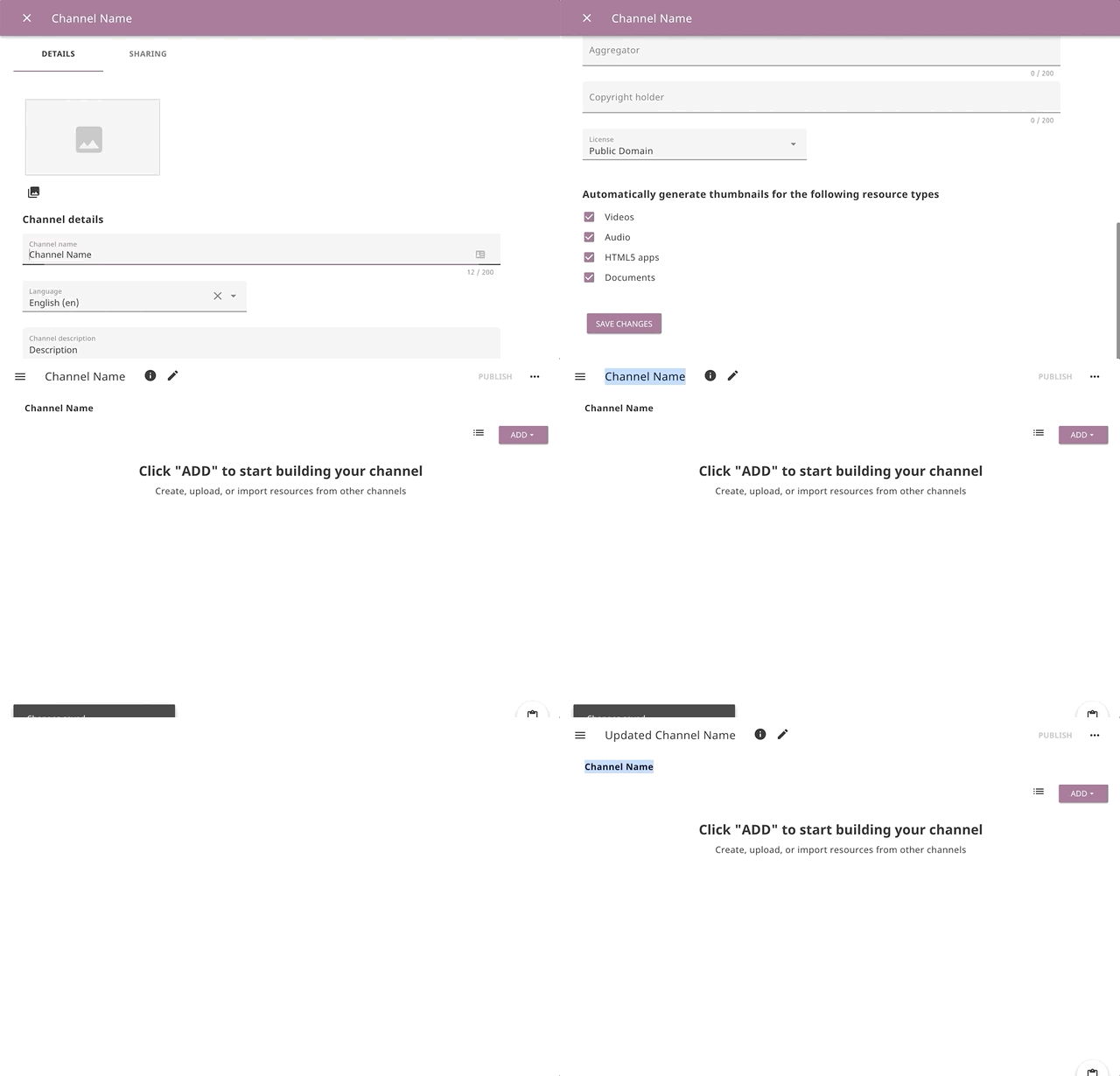
When I update a channel name in the edit channel details modal and close the modal before /sync is called, a new channel name is visible (very briefly) in the channel editor page title, but then it changes back to the previous, outdated, channel name.
Expected behavior
A new channel name is displayed in the title of the channel editor.
User-facing consequences
Users can't see their updates until the page reload. This can cause confusion about whether data has been saved properly.
Additional information
Steps to reproduce the issue
Assume that I am logged in to Studio and have a Channel with the name "Channel Name" that I can edit
- Open the channel editor
- Click the pencil icon to load the channel's edit details page
- Change the channel name to "Updated Channel Name"
- Click the "Save Changes" button
- Make sure to close the channel's edit details page before
/sync gets called
- See the new name "Updated Channel Name" (it may happen so fast that you won't notice, though) in the title area of the channel editor page (upper left corner)
- See the name to change to the previous "Channel Name"
Usage Details
Observed behavior
When I update a channel name in the edit channel details modal and close the modal before
/syncis called, a new channel name is visible (very briefly) in the channel editor page title, but then it changes back to the previous, outdated, channel name.Expected behavior
A new channel name is displayed in the title of the channel editor.
User-facing consequences
Users can't see their updates until the page reload. This can cause confusion about whether data has been saved properly.
Additional information
/syncrequest while on the edit channel details modalSteps to reproduce the issue
Assume that I am logged in to Studio and have a Channel with the name "Channel Name" that I can edit
/syncgets calledUsage Details