Modify Avatar to add imageStyles when image error#12908
Conversation
|
@sketchydroide @parasharrajat One of you needs to copy/paste the Reviewer Checklist from here into a new comment on this PR and complete it. If you have the K2 extension, you can simply click: [this button] |
|
CLA Assistant Lite bot All contributors have signed the CLA ✍️ ✅ |
|
I have read the CLA Document and I hereby sign the CLA |
|
recheck |
|
If you notice the offline avatar shape change in the videos. Its another bug that is currently being fixed. Here is the issue associated with it Took a while to hunt down but i was gonna report it my self. |
 sketchydroide
left a comment
sketchydroide
left a comment
There was a problem hiding this comment.
looks like what it was agreed
|
@parasharrajat let me know once you are done with review :) |
|
Now, we just need to filter the extra background color that is being applied to the icon. It looks a little darker as mentioned in #12645 (comment). I think it won't be safe to remove the fill condition which sets the offline color. Instead, remove the background from the image style for the new View you added but keep it for the image. You can apply whatever you think is best. But test it carefully. This is the most used component in the app. |
|
@parasharrajat I just extended the component. Tested it on a few platforms looks good to me. |
|
@parasharrajat apologies on the styling. still getting used to the app. |
Co-authored-by: Rajat Parashar <parasharrajat@users.noreply.github.com>
|
This does not make sense to me. Could you please add a basic offline test?
etc. |

|
@parasharrajat considering our changes are only applied when this.state.imageError is true Then isnt a better test to set this.state.imageError = true and run through the app. basically testing if all components where using the area of code i changed ? |
|
That is a better test for developers but can QA team change the code on staging? we should write QA steps in a way that a non-technical person is able to test them. |
|
@parasharrajat The steps under the QA section should cover that. as it will be in airplane mode(offline mode) |
|
i updated the offline section to refer the QA section if that helps. |
Screenshots🔲 iOS / native
🔲 iOS / Safari
🔲 MacOS / Desktop
🔲 MacOS / Chrome
🔲 Android / Chrome... 🔲 Android / native
|
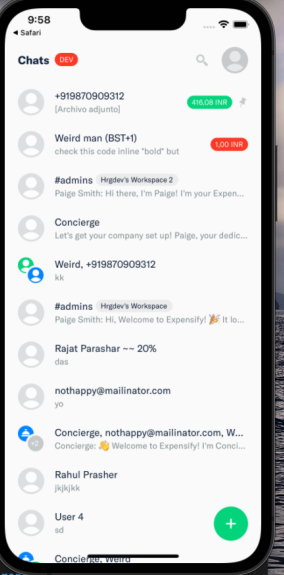
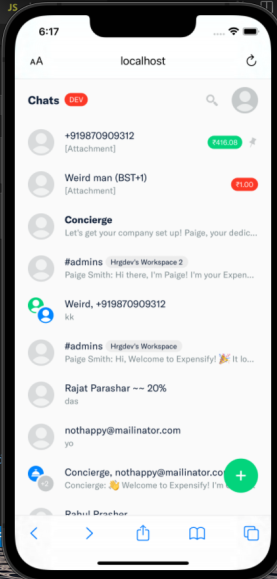
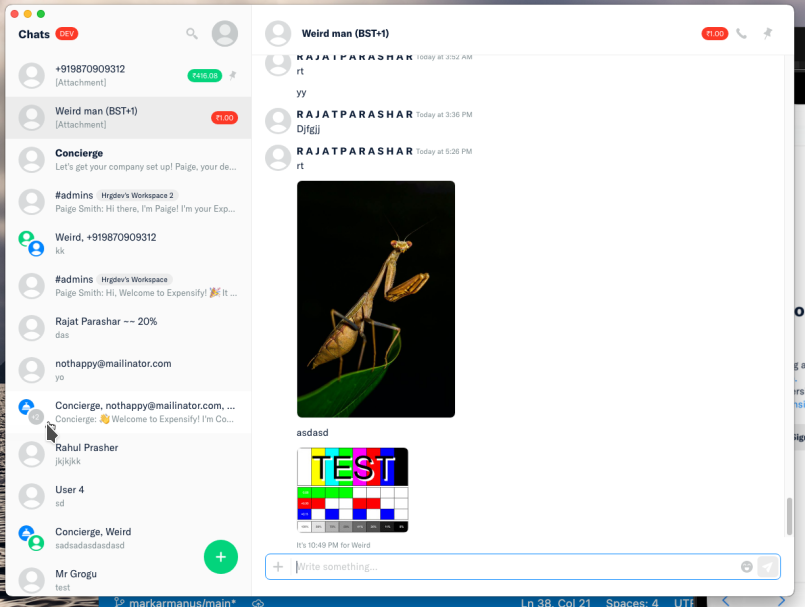
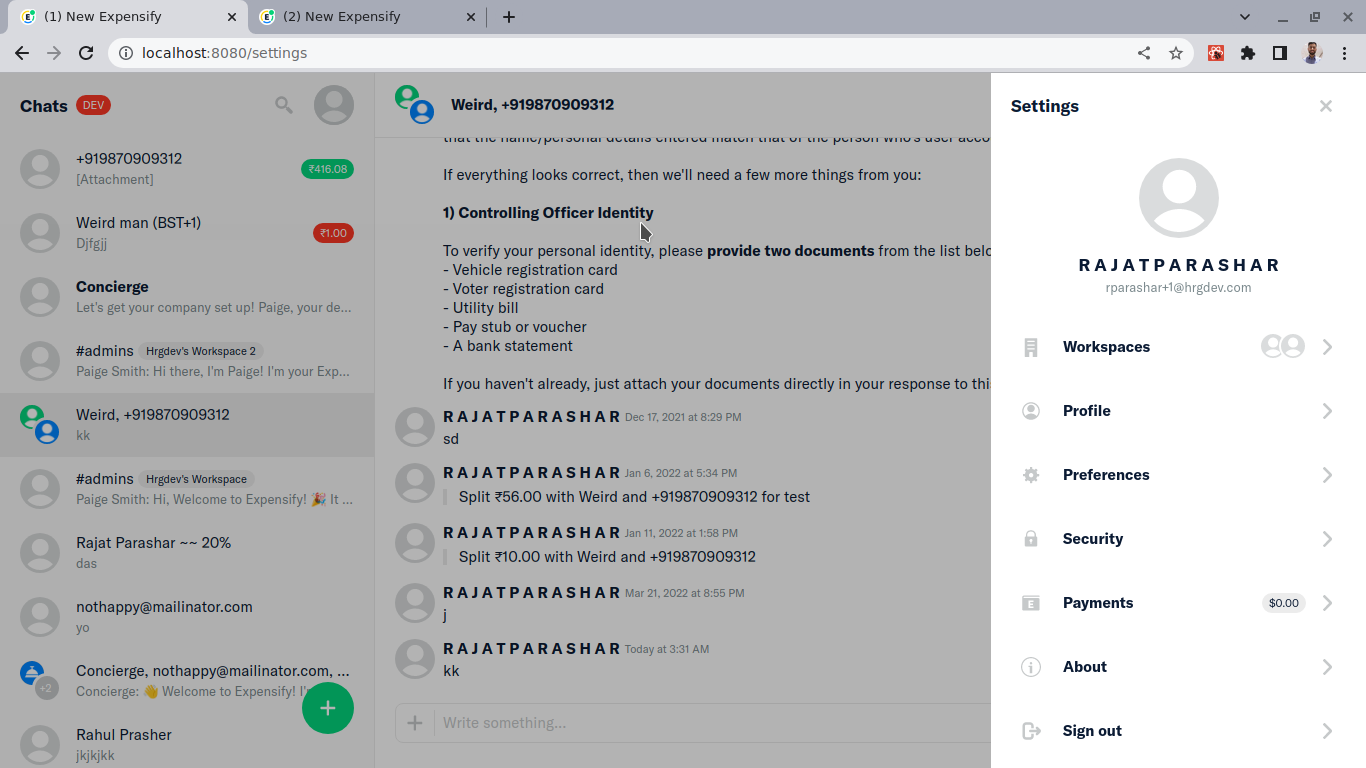
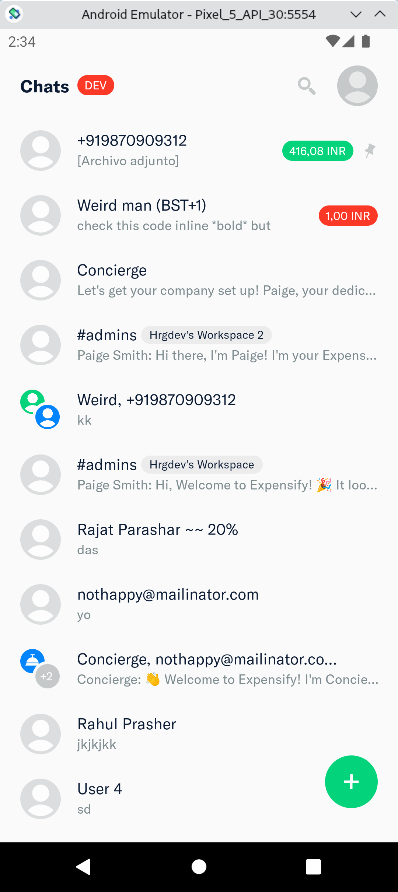
|
@parasharrajat is the build issue on ios related to yoga ? |
|
There was cache issue which is resolved now. |
 parasharrajat
left a comment
parasharrajat
left a comment
There was a problem hiding this comment.
Reviewer Checklist
- I have verified the author checklist is complete (all boxes are checked off).
- I verified the correct issue is linked in the
### Fixed Issuessection above - I verified testing steps are clear and they cover the changes made in this PR
- I verified the steps for local testing are in the
Testssection - I verified the steps for Staging and/or Production testing are in the
QA stepssection - I verified the steps cover any possible failure scenarios (i.e. verify an input displays the correct error message if the entered data is not correct)
- I turned off my network connection and tested it while offline to ensure it matches the expected behavior (i.e. verify the default avatar icon is displayed if app is offline)
- I verified the steps for local testing are in the
- I checked that screenshots or videos are included for tests on all platforms
- I included screenshots or videos for tests on all platforms
- I verified tests pass on all platforms & I tested again on:
- iOS / native
- Android / native
- iOS / Safari
- Android / Chrome
- MacOS / Chrome
- MacOS / Desktop
- If there are any errors in the console that are unrelated to this PR, I either fixed them (preferred) or linked to where I reported them in Slack
- I verified proper code patterns were followed (see Reviewing the code)
- I verified that any callback methods that were added or modified are named for what the method does and never what callback they handle (i.e.
toggleReportand notonIconClick). - I verified that comments were added to code that is not self explanatory
- I verified that any new or modified comments were clear, correct English, and explained "why" the code was doing something instead of only explaining "what" the code was doing.
- I verified any copy / text shown in the product was added in all
src/languages/*files - I verified any copy / text that was added to the app is correct English and approved by marketing by adding the
Waiting for Copylabel for a copy review on the original GH to get the correct copy. - I verified proper file naming conventions were followed for any new files or renamed files. All non-platform specific files are named after what they export and are not named "index.js". All platform-specific files are named for the platform the code supports as outlined in the README.
- I verified the JSDocs style guidelines (in
STYLE.md) were followed
- I verified that any callback methods that were added or modified are named for what the method does and never what callback they handle (i.e.
- If a new code pattern is added I verified it was agreed to be used by multiple Expensify engineers
- I verified that this PR follows the guidelines as stated in the Review Guidelines
- I verified other components that can be impacted by these changes have been tested, and I retested again (i.e. if the PR modifies a shared library or component like
Avatar, I verified the components usingAvatarhave been tested & I retested again) - I verified all code is DRY (the PR doesn't include any logic written more than once, with the exception of tests)
- I verified any variables that can be defined as constants (ie. in CONST.js or at the top of the file that uses the constant) are defined as such
- If a new component is created I verified that:
- A similar component doesn't exist in the codebase
- All props are defined accurately and each prop has a
/** comment above it */ - The file is named correctly
- The component has a clear name that is non-ambiguous and the purpose of the component can be inferred from the name alone
- The only data being stored in the state is data necessary for rendering and nothing else
- For Class Components, any internal methods passed to components event handlers are bound to
thisproperly so there are no scoping issues (i.e. foronClick={this.submit}the methodthis.submitshould be bound tothisin the constructor) - Any internal methods bound to
thisare necessary to be bound (i.e. avoidthis.submit = this.submit.bind(this);ifthis.submitis never passed to a component event handler likeonClick) - All JSX used for rendering exists in the render method
- The component has the minimum amount of code necessary for its purpose, and it is broken down into smaller components in order to separate concerns and functions
- If a new CSS style is added I verified that:
- A similar style doesn't already exist
- The style can't be created with an existing StyleUtils function (i.e.
StyleUtils.getBackgroundAndBorderStyle(themeColors.componentBG)
- If the PR modifies a generic component, I tested and verified that those changes do not break usages of that component in the rest of the App (i.e. if a shared library or component like
Avataris modified, I verified thatAvataris working as expected in all cases) - If the PR modifies a component related to any of the existing Storybook stories, I tested and verified all stories for that component are still working as expected.
- I have checked off every checkbox in the PR reviewer checklist, including those that don't apply to this PR.
cc: @sketchydroide
🎀 👀 🎀 C+ reviewed
|
@sketchydroide any updates on the PR ? |
|
sorry but you had to wait for me to get back to work :D |
|
✋ This PR was not deployed to staging yet because QA is ongoing. It will be automatically deployed to staging after the next production release. |
|
🚀 Deployed to staging by @sketchydroide in version: 1.2.32-0 🚀
|
|
🚀 Deployed to production by @luacmartins in version: 1.2.32-2 🚀
|
|
🚀 Deployed to production by @luacmartins in version: 1.2.32-2 🚀
|
Details
Simply the avatar component was applying the style to the Image component. But not the Icon component. The icon component is used when This.state.imageError is true. which could happen when there is a problem loading the avatar image. To solive it i wrap the Icon in a View and apply the styles to it.
Fixed Issues
$ #12645
$ #12645 (comment)
Tests
Offline tests
The changes are only applied when the app is offline. So for offline tests simply run through the QA steps below to confirm the component styling is still proper while offline.
QA Steps
The test here could be done by having Airplane mode on. That seems to trigger the altenrative version of the component where the issue existed. So to test the app we need to check the component is still working properly (only style changes applied) in the entire app on all platforms on Airplane mode.
Note: because if you have airplane mode you might not be able to access some pages (i.e you need internet to login) You might have to toggle between on/off for airplane mode a few times while testing.
PR Author Checklist
I linked the correct issue in the
### Fixed Issuessection aboveI wrote clear testing steps that cover the changes made in this PR
TestssectionOffline stepssectionQA stepssectionI included screenshots or videos for tests on all platforms
I ran the tests on all platforms & verified they passed on:
I verified there are no console errors (if there's a console error not related to the PR, report it or open an issue for it to be fixed)
I followed proper code patterns (see Reviewing the code)
toggleReportand notonIconClick)src/languages/*filesWaiting for Copylabel for a copy review on the original GH to get the correct copy.STYLE.md) were followedIf a new code pattern is added I verified it was agreed to be used by multiple Expensify engineers
I followed the guidelines as stated in the Review Guidelines
I tested other components that can be impacted by my changes (i.e. if the PR modifies a shared library or component like
Avatar, I verified the components usingAvatarare working as expected)I verified all code is DRY (the PR doesn't include any logic written more than once, with the exception of tests)
I verified any variables that can be defined as constants (ie. in CONST.js or at the top of the file that uses the constant) are defined as such
I verified that if a function's arguments changed that all usages have also been updated correctly
If a new component is created I verified that:
/** comment above it */thisproperly so there are no scoping issues (i.e. foronClick={this.submit}the methodthis.submitshould be bound tothisin the constructor)thisare necessary to be bound (i.e. avoidthis.submit = this.submit.bind(this);ifthis.submitis never passed to a component event handler likeonClick)If a new CSS style is added I verified that:
StyleUtils.getBackgroundAndBorderStyle(themeColors.componentBG)If the PR modifies a generic component, I tested and verified that those changes do not break usages of that component in the rest of the App (i.e. if a shared library or component like
Avataris modified, I verified thatAvataris working as expected in all cases)If the PR modifies a component related to any of the existing Storybook stories, I tested and verified all stories for that component are still working as expected.
I have checked off every checkbox in the PR author checklist, including those that don't apply to this PR.
PR Reviewer Checklist
The reviewer will copy/paste it into a new comment and complete it after the author checklist is completed
### Fixed Issuessection aboveTestssectionOffline stepssectionQA stepssectiontoggleReportand notonIconClick).src/languages/*filesWaiting for Copylabel for a copy review on the original GH to get the correct copy.STYLE.md) were followedAvatar, I verified the components usingAvatarhave been tested & I retested again)/** comment above it */thisproperly so there are no scoping issues (i.e. foronClick={this.submit}the methodthis.submitshould be bound tothisin the constructor)thisare necessary to be bound (i.e. avoidthis.submit = this.submit.bind(this);ifthis.submitis never passed to a component event handler likeonClick)StyleUtils.getBackgroundAndBorderStyle(themeColors.componentBG)Avataris modified, I verified thatAvataris working as expected in all cases)Screenshots
Web
Screen.Recording.2022-11-21.at.9.38.03.PM.mp4
Mobile Web - Chrome
Screen.Recording.2022-11-21.at.10.57.44.PM.mp4
Mobile Web - Safari
Screen.Recording.2022-11-21.at.10.34.22.PM.mp4
Desktop
Screen.Recording.2022-11-21.at.9.31.42.PM.mp4
iOS
Screen.Recording.2022-11-21.at.11.40.02.PM.mp4
Android
Screen.Recording.2022-11-21.at.10.23.31.PM.mov