 * Cinnamon version (cinnamon --version) 4.0.10
   - Please specify if you are using the daily builds PPA (https://launchpad.net/~linuxmint-daily-build-team/+archive/ubuntu/daily-builds). No.
 * Distribution - (Mint 17.2, Arch, Fedora 25, etc...) 19.1
 * Graphics hardware *and* driver used: Intel UHD Graphics 620; 3.0 Mesa 18
 * 32 or 64 bit: 64
 * Attach /home/<username>/.xsession-errors, or /var/log/syslog
Issue
When using the panel configuration window (pictured below), and where the panel in question is hidden (set to auto-hide), a thin red line indicates which panel is being edited.
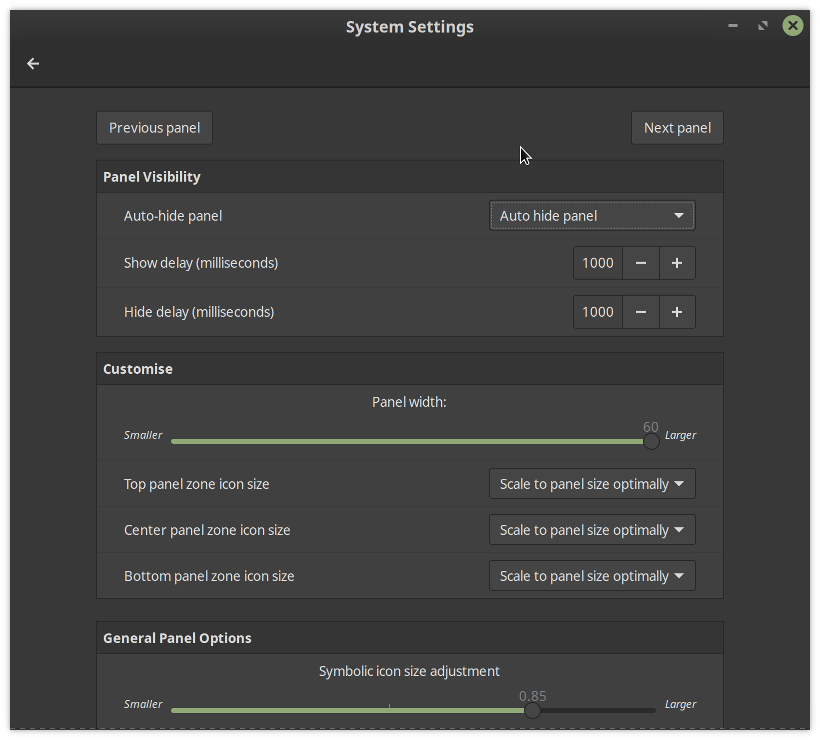
The line appears at the screen edge where the panel appears. On my system, with three hidden panels, this line is very hard to see and hence I cannot know which panel I am editing.
I am not managing to capture the red line in screenshots, for some reason.
Steps to reproduce
Have three hidden panels. Try to edit one of them.
Expected behaviour
A more visible indication of which panel is being edited. A thicker line - three times as thick, perhaps? - would do it.
Other information
Issue
When using the panel configuration window (pictured below), and where the panel in question is hidden (set to auto-hide), a thin red line indicates which panel is being edited.
The line appears at the screen edge where the panel appears. On my system, with three hidden panels, this line is very hard to see and hence I cannot know which panel I am editing.
I am not managing to capture the red line in screenshots, for some reason.
Steps to reproduce
Have three hidden panels. Try to edit one of them.
Expected behaviour
A more visible indication of which panel is being edited. A thicker line - three times as thick, perhaps? - would do it.
Other information