Summary
All the deleted channels are visible in the Account > Delete account section.
Category
BUG
Usage Details
Tested at: https://studio.learningequality.org/
- Windows 10
- Browser: Chrome, Firefox, Edge (latest versions)
How to reproduce
Preconditions: Channels created
- Login to Studio
- Delete a channel
- Go to Settings > Account tab
- Scroll down to Delete account section
- See the deleted channel listed
Screenshots
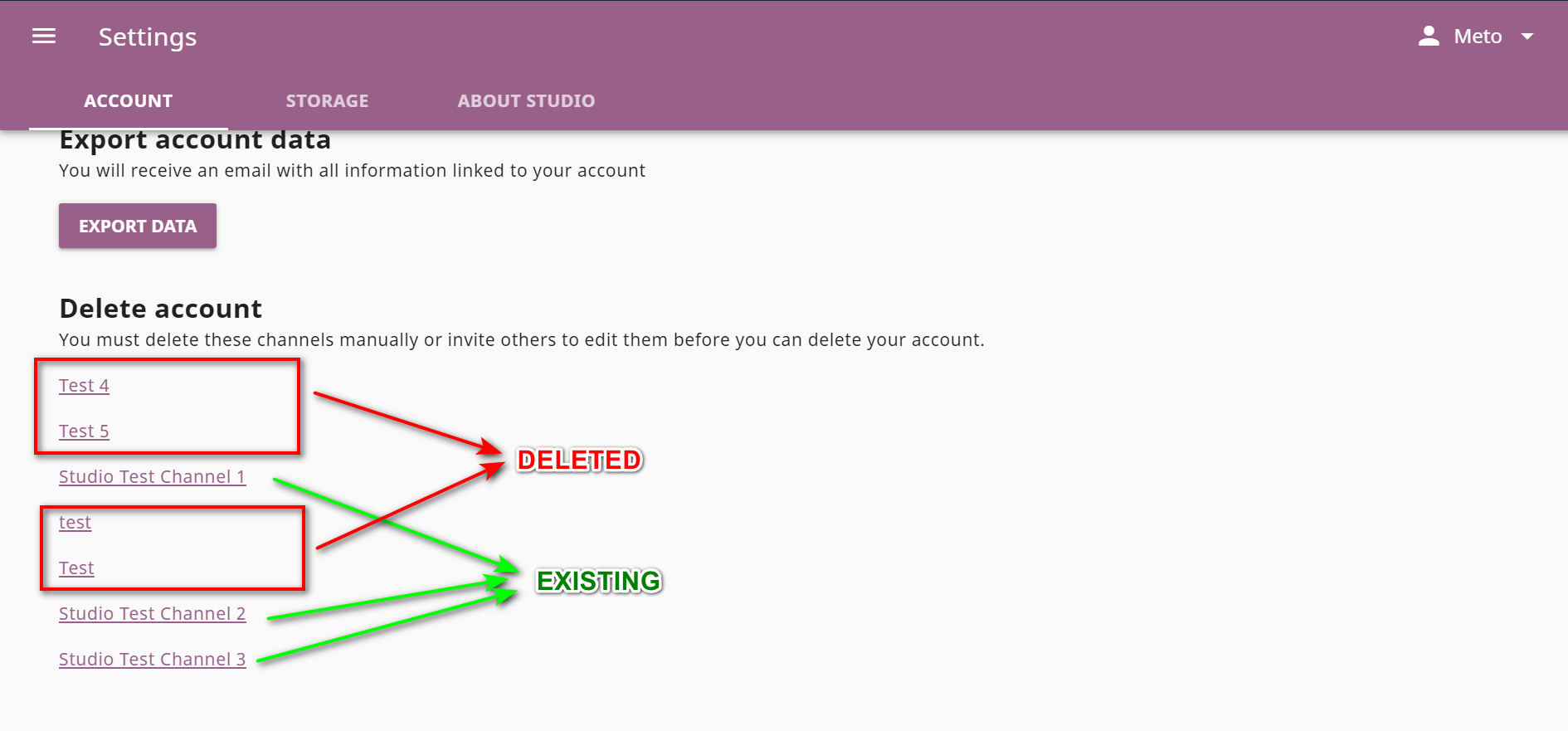
Real-life consequences (anything community should be aware of, for instance how it affects end users)
User is unable to delete an account
Summary
All the deleted channels are visible in the Account > Delete account section.
Category
BUG
Usage Details
Tested at: https://studio.learningequality.org/
How to reproduce
Preconditions: Channels created
Screenshots
Real-life consequences (anything community should be aware of, for instance how it affects end users)
User is unable to delete an account