


One Identity Safeguard Powershell module and scripting resources.
Check out our samples to get started scripting to Safeguard!
One Identity open source projects are supported through One Identity GitHub issues and the One Identity Community. This includes all scripts, plugins, SDKs, modules, code snippets or other solutions. For assistance with any One Identity GitHub project, please raise a new Issue on the One Identity GitHub project page. You may also visit the One Identity Community to ask questions. Requests for assistance made through official One Identity Support will be referred back to GitHub and the One Identity Community forums where those requests can benefit all users.
safeguard-ps will use v4 API by default starting with version 7.0. It is
possible to continue using the v3 API by passing in the -Version parameter
when creating a connection or calling A2A. There is also a new cmdlet
Switch-SafeguardConnectionVersion for changing API version after connection.
Safeguard for Privileged Passwords 7.X hosts both the v3 and v4 APIs. New coding projects should target the v4 API, and existing projects can be migrated over time. Notification will be given to customers many releases in advance of any plans to remove the v3 API. There are currently no plans to remove the v3 API.
# Use v3 instead of v4 when connecting
# Existing scripts can be updated to work with safeguard-ps 7.0 just by adding -Version 3
# to the Connect-Safeguard command line.
> Connect-Safeguard 192.168.123.123 local Admin -Pkce -Version 3
Password: *********
Login Successful.
# All subsequent commands will use v3, use -Verbose for any cmdlet to see URL details

# Override version for Invoke-SafeguardMethod and A2A cmdlets
# Most cmdlets don't allow a Version parameter, but the generic invoke method and A2A cmdlets do.
> Invoke-SafeguardMethod Core GET Users -Version 3
> Get-SafeguardA2aPassword 192.168.123.123 -Version 3 -Thumbprint 42F9C3D01608604DB7065B86F306BED1D396B90B -ApiKey MP03DQ3hOCYZeOgCGXGQ1Cilwf1S8QYbdWvg2O7i14A=

# You can switch API versions after connection using this cmdlet
> Switch-SafeguardConnectionVersion -Version 3
# Then, switch back
> Switch-SafeguardConnectionVersionThis Powershell module is published to the
PowerShell Gallery
to make it as easy as possible to install using the built-in Import-Module cmdlet.
It can also be updated using the Update-Module to get the latest functionality.
By default Powershell modules are installed for all users, and you need to be running Powershell as an Administrator to install for all users.
> Install-Module safeguard-psOr, you can install them just for you using the -Scope parameter which will
never require Administrator permission:
> Install-Module safeguard-ps -Scope CurrentUserOr you may need to use the new method:
> Install-PSResource -Name safeguard-psNote, Install-PSResource doesn't load the newly installed module into the current
session. You must import the new version or start a new session to use the updated
module.
If you want to upgrade from the PowerShell Gallery you should use:
> Update-Module safeguard-psOr, for a specific user:
> Update-Module safeguard-ps -Scope CurrentUserIf you run into errors while upgrading make sure that you upgrade for all users
if the module was originally installed for all users. If the module was originally
installed for just the current user, be sure to use the -Scope parameter to again
specify CurrentUser when running the Update-Module cmdlet.
To install a pre-release version of safeguard-ps you need to use the latest version
of PowerShellGet if you aren't already. Windows comes with one installed, but you
want the newest and it requires the -Force parameter to get it.
If you don't have PowerShellGet, run:
> Install-Module PowerShellGet -ForceRestart your Powershell shell. Then, you can install a pre-release version of safeguard-ps by running:
> Install-Module -Name safeguard-ps -AllowPrereleaseOnce you have loaded the module, you can connect to Safeguard using the
Connect-Safeguard cmdlet. If you do not have SSL properly configured, you
must use the -Insecure parameter to avoid SSL trust errors.
Authentication in Safeguard is based on OAuth2. Starting with recent versions
of Safeguard for Privileged Passwords, the Resource Owner Grant (ROG) is
disabled by default. This means the traditional username/password login
requires the -Pkce parameter to use the Proof Key for Code Exchange (PKCE)
flow instead.
The recommended way to connect with a username and password is:
> Connect-Safeguard -Insecure 192.168.123.123 local Admin -Pkce
Password: ********
Login Successful.
Alternatively, you can use the -Browser parameter for a fully interactive
browser-based login. This is the best option when using two-factor
authentication or external identity providers, as the built-in secure token
service can redirect you to multiple authentication providers through the
browser agent. This authentication mechanism uses the Authorization Code
Grant of OAuth2.
> Connect-Safeguard -Insecure 192.168.123.123 -Browser
Login Successful.
If your appliance still has Resource Owner Grant enabled, the legacy login
style (without -Pkce or -Browser) will continue to work:
> Connect-Safeguard -Insecure 192.168.123.123 local Admin
Password: ********
Login Successful.
The Connect-Safeguard cmdlet will create a session variable that includes
your access token and connection information. This makes it easier to call
other cmdlets provided by the module.
Client certificate authentication is also available in Connect-Safeguard.
This can be done either using a PFX certificate file or a SHA-1 thumbprint
of a certificate stored in the Current User personal certificate store.
Once you are logged in, you can call any cmdlet listed below. For example:
> Get-SafeguardUser AdminIf you do not have rights to access a particular portion of the Web API, you will be presented with an error message saying authorization is required.
> Get-SafeguardAsset
Invoke-RestMethod : {"Code":60108,"Message":"Authorization is required for this request.","InnerError":null}
When you are finished, you can close the session or call the
Disconnect-Safeguard cmdlet to invalidate and remove your access token.
Use the Get-SafeguardCommand to see what is available from the module.
Since there are so many cmdlets in safeguard-ps you can use filters to find exactly the cmdlet you are looking for.
For example:
> Get-SafeguardCommand Get Account Dir

CommandType     Name                                               Version    Source
-----------     ----                                               -------    ------
Function        Get-SafeguardDirectoryAccount                      2.1.0.9... safeguard-ps
The version of safeguard-ps mirrors the version of Safeguard that it was developed and tested against. However, the build numbers (fourth number) should not be expected to match.
For Example:
safeguard-ps 2.2.152 would correspond to Safeguard 2.2.0.6958.
This does not mean that safeguard-ps 2.2.152 won't work at all with Safeguard 2.4.0.7846. For the most part the cmdlets will still work, but you may occasionally come across things that are broken.
For the best results, please try to match the first two version numbers of the safeguard-ps module to the first two numbers of the Safeguard appliance you are communicating with. The most important thing for safeguard-ps is the version of the Safeguard Web API, which will never change between where only the third and fourth numbers differ.
As of version 2.2.x, safeguard-ps began using a three digit version number. It also now supports prerelease builds. This is so the next version of safeguard-ps can be developed in lock step with the Safeguard product.
Dropping the third number is insignificant as the Safeguard Web API never changes in those releases.
Safeguard 2.7 shipped with a new version of the Safeguard API (v3). The safeguard-ps 2.7 module was updated to use the v3 API by default. Safeguard 2.7 serves both the v2 and v3 APIs, but the v3 version of the API is the only one guaranteed to work. Please try to match the first and second version numbers between Safeguard and safeguard-ps as instructed above to avoid any compatibility issues.
Once you have configured your A2A registration in Safeguard, you can get the information to call Safeguard A2A by running the following:
> Get-SafeguardA2aCredentialRetrievalInformationThis will report the certificate thumbprint you need to use as well as the API key required to request a specific account password.
The best practice is to install your user certificate in the Windows User Certificate Store (user the Personal folder). Then, you can reference the certificate securely in safeguard-ps just using the thumbprint.
You can see the thumbprints of certificates currently installed in your Windows User Certificate Store using the following command:
> Get-ChildItem Cert:\CurrentUser\MyTo retrieve a password via A2A from PowerShell use Get-SafeguardA2aPassword.
For example:
> Get-SafeguardA2aPassword 10.5.5.5 -Thumbprint 756766BB590D7FA9CA9E1971A4AE41BB9CEC82F1 -ApiKey JeD9HIgGZM+CYZcVk6YHDNCp4W36DNsjS1TDi+S5HzI=Safeguard 2.6 added the capability of returning CSV from the API by passing in an Accept header set to 'text/csv'. Several reporting cmdlets were built on this functionality.
Run:
> Get-SafeguardCommand reportto see all of these reporting cmdlets.
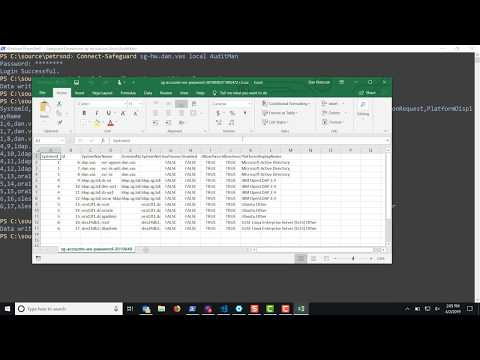
The following video shows how the reporting cmdlets work, including parameters for opening the output directly in Excel.
PowerShell development can be done many ways, this is just one way with Visual Studio Code.
- Install Visual Studio Code
- Clone this repository.
- Start Visual Studio Code.
- Open root folder of safeguard-ps.
- Create or modify the scripts and save the changes.
-
Open a Terminal in Visual Studio Code and execute the following.
If you have installed the safeguard-ps module uninstall it.
Remove-Module safeguard-psInstall the new or modified scripts.
./install-local.ps1 -
Test your changes
Before testing any new changes you must run
Remove-Module safeguard-pscleanup-local.ps1andinstall-local.ps1.
Every cmdlet supports Get-Help for detailed usage information. Use
Get-SafeguardCommand to search for cmdlets by keyword at any time.
Aliases are shown in parentheses where available.
Get-SafeguardCommandGet-SafeguardBannerOpen-CsvInExcel
Connect-SafeguardDisconnect-SafeguardInvoke-SafeguardMethodGet-SafeguardAccessTokenStatusUpdate-SafeguardAccessTokenGet-SafeguardLoggedInUserSwitch-SafeguardConnectionVersionConfirm-SafeguardStaAcceptance
Get-SafeguardIdentityProviderTypeGet-SafeguardPlatformFind-SafeguardPlatformGet-SafeguardTimeZoneGet-SafeguardTransferProtocol
Get-SafeguardLicenseInstall-SafeguardLicenseUninstall-SafeguardLicense
Get-SafeguardTrustedCertificateInstall-SafeguardTrustedCertificateUninstall-SafeguardTrustedCertificateGet-SafeguardSslCertificateInstall-SafeguardSslCertificateUninstall-SafeguardSslCertificateGet-SafeguardSslCertificateForApplianceSet-SafeguardSslCertificateForApplianceClear-SafeguardSslCertificateForApplianceGet-SafeguardAuditLogSigningCertificateInstall-SafeguardAuditLogSigningCertificateUninstall-SafeguardAuditLogSigningCertificateGet-SafeguardCertificateSigningRequest(Get-SafeguardCsr)New-SafeguardCertificateSigningRequest(New-SafeguardCsr)Remove-SafeguardCertificateSigningRequest(Remove-SafeguardCsr)New-SafeguardTestCertificatePki
Get-SafeguardNetworkInterfaceSet-SafeguardNetworkInterfaceGet-SafeguardDnsSuffixSet-SafeguardDnsSuffix
Get-SafeguardStatusGet-SafeguardVersionTest-SafeguardVersionGet-SafeguardHealthGet-SafeguardApplianceAvailabilityGet-SafeguardApplianceStateWait-SafeguardApplianceStateOnlineGet-SafeguardApplianceVerificationGet-SafeguardTimeSet-SafeguardTimeGet-SafeguardApplianceUptimeGet-SafeguardApplianceNameSet-SafeguardApplianceNameGet-SafeguardApplianceDnsSuffixSet-SafeguardApplianceDnsSuffixGet-SafeguardApplianceDnsNameInvoke-SafeguardApplianceShutdownInvoke-SafeguardApplianceRebootInvoke-SafeguardApplianceFactoryResetGet-SafeguardSupportBundleGet-SafeguardSupportBundleQuickGlanceGet-SafeguardPatchClear-SafeguardPatchSet-SafeguardPatchInstall-SafeguardPatchGet-SafeguardBackupNew-SafeguardBackupRemove-SafeguardBackupExport-SafeguardBackupImport-SafeguardBackupRestore-SafeguardBackupSave-SafeguardBackupToArchiveGet-SafeguardBmcConfigurationEnable-SafeguardBmcConfigurationDisable-SafeguardBmcConfigurationSet-SafeguardBmcAdminPasswordGet-SafeguardTls12OnlyStatusEnable-SafeguardTls12OnlyDisable-SafeguardTls12OnlyTest-SafeguardAuditLogArchive
Invoke-SafeguardPingInvoke-SafeguardTelnetInvoke-SafeguardTracerouteInvoke-SafeguardArpInvoke-SafeguardNetstatInvoke-SafeguardNsLookupInvoke-SafeguardShowRoutesInvoke-SafeguardCldapPingInvoke-SafeguardClusterPingInvoke-SafeguardClusterThroughputInvoke-SafeguardMemberPingInvoke-SafeguardMemberThroughputGet-SafeguardDiagnosticPackageSet-SafeguardDiagnosticPackageClear-SafeguardDiagnosticPackageInvoke-SafeguardDiagnosticPackageGet-SafeguardDiagnosticPackageLogGet-SafeguardDiagnosticPackageStatus
Get-SafeguardClusterMemberAdd-SafeguardClusterMemberRemove-SafeguardClusterMemberGet-SafeguardClusterHealthGet-SafeguardClusterPrimarySet-SafeguardClusterPrimaryEnable-SafeguardClusterPrimaryGet-SafeguardClusterOperationStatusUnlock-SafeguardCluster(Clear-SafeguardClusterOperation)Get-SafeguardClusterSummaryGet-SafeguardClusterPlatformTaskLoadStatusGet-SafeguardClusterPlatformTaskQueueStatusGet-SafeguardClusterVpnIpv6Address
Get-SafeguardSessionClusterSet-SafeguardSessionClusterJoin-SafeguardSessionClusterSplit-SafeguardSessionClusterGet-SafeguardSessionSplitClusterRemove-SafeguardSessionSplitClusterGet-SafeguardSessionClusterAccessRequestBrokerEnable-SafeguardSessionClusterAccessRequestBrokerDisable-SafeguardSessionClusterAccessRequestBrokerGet-SafeguardSessionClusterAuditStreamEnable-SafeguardSessionClusterAuditStreamDisable-SafeguardSessionClusterAuditStream
Connect-SafeguardSpsDisconnect-SafeguardSpsInvoke-SafeguardSpsMethodOpen-SafeguardSpsTransactionClose-SafeguardSpsTransaction(Save-SafeguardSpsTransaction)Get-SafeguardSpsTransactionClear-SafeguardSpsTransactionShow-SafeguardSpsTransactionChangeShow-SafeguardSpsEndpointGet-SafeguardSpsInfoGet-SafeguardSpsVersionGet-SafeguardSpsLoginMethodGet-SafeguardSpsSupportBundleGet-SafeguardSpsWelcomeWizardStatusComplete-SafeguardSpsWelcomeWizardEnable-SafeguardSpsRemoteAccess(Enable-SafeguardSpsSra)Disable-SafeguardSpsRemoteAccess(Disable-SafeguardSpsSra)Invoke-SafeguardSpsStarlingJoinBrowserRemove-SafeguardSpsStarlingJoinGet-SafeguardSpsFirmwareSlotImport-SafeguardSpsFirmwareInstall-SafeguardSpsFirmwareInstall-SafeguardSpsUpgradeTest-SafeguardSpsFirmware
Get-SafeguardIdentityProviderGet-SafeguardAuthenticationProviderSet-SafeguardAuthenticationProviderAsDefaultClear-SafeguardAuthenticationProviderAsDefaultGet-SafeguardUserFind-SafeguardUserNew-SafeguardUserEdit-SafeguardUserRemove-SafeguardUserEnable-SafeguardUserDisable-SafeguardUserRename-SafeguardUserSet-SafeguardUserPasswordImport-SafeguardUserNew-SafeguardUserImportTemplateGet-SafeguardUserLinkedAccountAdd-SafeguardUserLinkedAccountRemove-SafeguardUserLinkedAccountGet-SafeguardUserPreferenceSet-SafeguardUserPreferenceRemove-SafeguardUserPreferenceSync-SafeguardUserGroupAuthenticationProvider
Get-SafeguardAssetPartitionNew-SafeguardAssetPartitionEdit-SafeguardAssetPartitionRemove-SafeguardAssetPartitionGet-SafeguardAssetPartitionOwnerAdd-SafeguardAssetPartitionOwnerRemove-SafeguardAssetPartitionOwnerEnter-SafeguardAssetPartitionExit-SafeguardAssetPartitionGet-SafeguardCurrentAssetPartition
Get-SafeguardAssetFind-SafeguardAssetNew-SafeguardAssetEdit-SafeguardAssetRemove-SafeguardAssetTest-SafeguardAssetImport-SafeguardAssetNew-SafeguardAssetImportTemplateSync-SafeguardDirectoryAsset
Get-SafeguardAssetAccountFind-SafeguardAssetAccountNew-SafeguardAssetAccountEdit-SafeguardAssetAccountRemove-SafeguardAssetAccountEnable-SafeguardAssetAccountDisable-SafeguardAssetAccountSet-SafeguardAssetAccountPasswordNew-SafeguardAssetAccountRandomPasswordTest-SafeguardAssetAccountPasswordInvoke-SafeguardAssetAccountPasswordChangeSet-SafeguardAssetAccountSshKeyTest-SafeguardAssetAccountSshKeyInvoke-SafeguardAssetAccountSshKeyChangeInvoke-SafeguardAssetSshHostKeyDiscoveryImport-SafeguardAssetAccountImport-SafeguardAssetAccountPasswordImport-SafeguardAssetAccountSshKeyNew-SafeguardAssetAccountImportTemplateNew-SafeguardAssetAccountPasswordImportTemplateNew-SafeguardAssetAccountSshKeyImportTemplate
Get-SafeguardCustomPlatformNew-SafeguardCustomPlatformEdit-SafeguardCustomPlatformRemove-SafeguardCustomPlatformNew-SafeguardCustomPlatformAssetSet-SafeguardCustomPlatformAssetParameterGet-SafeguardCustomPlatformScriptParameterImport-SafeguardCustomPlatformScriptExport-SafeguardCustomPlatformScriptTest-SafeguardCustomPlatformScript
Get-SafeguardDirectoryNew-SafeguardDirectoryEdit-SafeguardDirectoryRemove-SafeguardDirectoryTest-SafeguardDirectorySync-SafeguardDirectoryGet-SafeguardDirectoryMigrationDataGet-SafeguardDirectoryIdentityProviderNew-SafeguardDirectoryIdentityProviderEdit-SafeguardDirectoryIdentityProviderRemove-SafeguardDirectoryIdentityProviderSync-SafeguardDirectoryIdentityProviderGet-SafeguardDirectoryIdentityProviderDomainGet-SafeguardDirectoryIdentityProviderSchemaMappingSet-SafeguardDirectoryIdentityProviderSchemaMapping
Get-SafeguardDirectoryAccountFind-SafeguardDirectoryAccountNew-SafeguardDirectoryAccountEdit-SafeguardDirectoryAccountRemove-SafeguardDirectoryAccountSet-SafeguardDirectoryAccountPasswordNew-SafeguardDirectoryAccountRandomPasswordTest-SafeguardDirectoryAccountPasswordInvoke-SafeguardDirectoryAccountPasswordChange
Get-SafeguardPasswordProfileNew-SafeguardPasswordProfileEdit-SafeguardPasswordProfileRemove-SafeguardPasswordProfileRename-SafeguardPasswordProfileCopy-SafeguardPasswordProfileGet-SafeguardPasswordProfileAccountAdd-SafeguardPasswordProfileAccountRemove-SafeguardPasswordProfileAccountGet-SafeguardPasswordProfileAssetAdd-SafeguardPasswordProfileAssetRemove-SafeguardPasswordProfileAssetGet-SafeguardAccountPasswordRuleNew-SafeguardAccountPasswordRuleEdit-SafeguardAccountPasswordRuleRemove-SafeguardAccountPasswordRuleRename-SafeguardAccountPasswordRuleCopy-SafeguardAccountPasswordRuleGet-SafeguardPasswordCheckScheduleNew-SafeguardPasswordCheckScheduleEdit-SafeguardPasswordCheckScheduleRemove-SafeguardPasswordCheckScheduleRename-SafeguardPasswordCheckScheduleCopy-SafeguardPasswordCheckScheduleGet-SafeguardPasswordChangeScheduleNew-SafeguardPasswordChangeScheduleEdit-SafeguardPasswordChangeScheduleRemove-SafeguardPasswordChangeScheduleRename-SafeguardPasswordChangeScheduleCopy-SafeguardPasswordChangeScheduleNew-SafeguardScheduleNew-SafeguardScheduleDailyNew-SafeguardScheduleWeeklyNew-SafeguardScheduleMonthlyByDayNew-SafeguardScheduleMonthlyByDayOfWeek
User Groups:
Get-SafeguardUserGroupNew-SafeguardUserGroupEdit-SafeguardUserGroupRemove-SafeguardUserGroupGet-SafeguardUserGroupMemberAdd-SafeguardUserGroupMemberRemove-SafeguardUserGroupMember
Asset Groups:
Get-SafeguardAssetGroupNew-SafeguardAssetGroupEdit-SafeguardAssetGroupRemove-SafeguardAssetGroupGet-SafeguardAssetGroupMemberAdd-SafeguardAssetGroupMemberRemove-SafeguardAssetGroupMember
Account Groups:
Get-SafeguardAccountGroupNew-SafeguardAccountGroupEdit-SafeguardAccountGroupRemove-SafeguardAccountGroupGet-SafeguardAccountGroupMemberAdd-SafeguardAccountGroupMemberRemove-SafeguardAccountGroupMember
Dynamic Groups:
Get-SafeguardDynamicAssetGroupNew-SafeguardDynamicAssetGroupEdit-SafeguardDynamicAssetGroupGet-SafeguardDynamicAccountGroupNew-SafeguardDynamicAccountGroupEdit-SafeguardDynamicAccountGroup
Get-SafeguardEntitlementNew-SafeguardEntitlementEdit-SafeguardEntitlementRemove-SafeguardEntitlementAdd-SafeguardEntitlementMemberRemove-SafeguardEntitlementMemberGet-SafeguardAccessPolicyAdd-SafeguardAccessPolicyEdit-SafeguardAccessPolicyRemove-SafeguardAccessPolicyGet-SafeguardAccessPolicyScopeItemGet-SafeguardAccessPolicyAccessRequestPropertyGet-SafeguardAccessPolicySessionPropertyGet-SafeguardPolicyAssetFind-SafeguardPolicyAssetGet-SafeguardPolicyAccountFind-SafeguardPolicyAccount
Get-SafeguardAccessRequestFind-SafeguardAccessRequestNew-SafeguardAccessRequestEdit-SafeguardAccessRequestClose-SafeguardAccessRequestApprove-SafeguardAccessRequestDeny-SafeguardAccessRequest(Revoke-SafeguardAccessRequest)Assert-SafeguardAccessRequestGet-SafeguardActionableRequestGet-SafeguardMyRequestGet-SafeguardMyApprovalGet-SafeguardMyReviewGet-SafeguardRequestableAccount(Get-SafeguardMyRequestable)Find-SafeguardRequestableAccount(Find-SafeguardMyRequestable)Get-SafeguardAccessRequestPassword(Get-SafeguardAccessRequestCheckoutPassword)Copy-SafeguardAccessRequestPasswordGet-SafeguardAccessRequestSshHostKeyGet-SafeguardAccessRequestSshKeyGet-SafeguardAccessRequestSshUrlGet-SafeguardAccessRequestRdpFileGet-SafeguardAccessRequestRdpUrlGet-SafeguardAccessRequestApiKeyGet-SafeguardAccessRequestActionLogStart-SafeguardAccessRequestSessionStart-SafeguardAccessRequestWebSession
Get-SafeguardTagFind-SafeguardTagNew-SafeguardTagUpdate-SafeguardTagRemove-SafeguardTagGet-SafeguardTagOccurrenceGet-SafeguardAssetTagAdd-SafeguardAssetTagRemove-SafeguardAssetTagUpdate-SafeguardAssetTagGet-SafeguardAssetAccountTagAdd-SafeguardAssetAccountTagRemove-SafeguardAssetAccountTagUpdate-SafeguardAssetAccountTagTest-SafeguardAssetTaggingRuleTest-SafeguardAssetAccountTaggingRule
Get-SafeguardEventFind-SafeguardEventGet-SafeguardEventNameGet-SafeguardEventCategoryGet-SafeguardEventPropertyGet-SafeguardEventSubscriptionFind-SafeguardEventSubscriptionNew-SafeguardEventSubscriptionEdit-SafeguardEventSubscriptionRemove-SafeguardEventSubscription
Service:
Get-SafeguardA2aServiceStatusEnable-SafeguardA2aServiceDisable-SafeguardA2aService
Registrations:
Get-SafeguardA2aNew-SafeguardA2aEdit-SafeguardA2aRemove-SafeguardA2a
Credential Retrieval Configuration:
Get-SafeguardA2aCredentialRetrievalInformationGet-SafeguardA2aCredentialRetrievalAdd-SafeguardA2aCredentialRetrievalRemove-SafeguardA2aCredentialRetrievalGet-SafeguardA2aCredentialRetrievalIpRestrictionSet-SafeguardA2aCredentialRetrievalIpRestrictionClear-SafeguardA2aCredentialRetrievalIpRestrictionGet-SafeguardA2aCredentialRetrievalApiKeyReset-SafeguardA2aCredentialRetrievalApiKey
Access Request Broker Configuration:
Get-SafeguardA2aAccessRequestBrokerSet-SafeguardA2aAccessRequestBrokerClear-SafeguardA2aAccessRequestBrokerGet-SafeguardA2aAccessRequestBrokerIpRestrictionSet-SafeguardA2aAccessRequestBrokerIpRestrictionClear-SafeguardA2aAccessRequestBrokerIpRestrictionGet-SafeguardA2aAccessRequestBrokerApiKeyReset-SafeguardA2aAccessRequestBrokerApiKey
Credential Retrieval (calling A2A):
Get-SafeguardA2aRetrievableAccountGet-SafeguardA2aPasswordSet-SafeguardA2aPasswordGet-SafeguardA2aPrivateKeySet-SafeguardA2aPrivateKeyGet-SafeguardA2aApiKeySecret
Access Request Broker (calling A2A):
New-SafeguardA2aAccessRequest
Invoke-SafeguardStarlingJoinBrowserInvoke-SafeguardStarlingJoinGet-SafeguardStarlingJoinUrlGet-SafeguardStarlingJoinInstanceGet-SafeguardStarlingSubscriptionNew-SafeguardStarlingSubscriptionRemove-SafeguardStarlingSubscriptionGet-SafeguardStarlingSettingSet-SafeguardStarlingSetting
Get-SafeguardReportA2aEntitlementGet-SafeguardReportAccountGroupMembershipGet-SafeguardReportAccountWithoutPasswordGet-SafeguardReportAssetAccountPasswordHistory(Get-SafeguardPasswordHistory)Get-SafeguardReportAssetGroupMembershipGet-SafeguardReportAssetManagementConfigurationGet-SafeguardReportDailyAccessRequestGet-SafeguardReportDailyPasswordChangeFailGet-SafeguardReportDailyPasswordChangeSuccessGet-SafeguardReportDailyPasswordCheckFailGet-SafeguardReportDailyPasswordCheckSuccessGet-SafeguardReportPasswordLastChangedGet-SafeguardReportUserEntitlementGet-SafeguardReportUserGroupMembership
Get-SafeguardArchiveServerNew-SafeguardArchiveServerEdit-SafeguardArchiveServerRemove-SafeguardArchiveServerTest-SafeguardArchiveServer
Get-SafeguardApplianceSettingSet-SafeguardApplianceSettingGet-SafeguardCoreSettingSet-SafeguardCoreSettingGet-SafeguardDebugSettingsSet-SafeguardDebugSettingsEnable-SafeguardTlsLoggingDisable-SafeguardTlsLoggingGet-SafeguardSyslogServerNew-SafeguardSyslogServerEdit-SafeguardSyslogServerRemove-SafeguardSyslogServer
Get-SafeguardDeletedAssetRemove-SafeguardDeletedAssetRestore-SafeguardDeletedAssetGet-SafeguardDeletedAssetAccountRemove-SafeguardDeletedAssetAccountRestore-SafeguardDeletedAssetAccountGet-SafeguardDeletedUserRemove-SafeguardDeletedUserRestore-SafeguardDeletedUserGet-SafeguardPurgeSettingsUpdate-SafeguardPurgeSettingsReset-SafeguardPurgeSettings
Get-SafeguardAuditLog