Skip to content

Add New Default Workspace Avatars - #15280

Merged
grgia merged 27 commits into
mainfrom
georgia-new-workspace-avatars
Mar 3, 2023
Merged

Add New Default Workspace Avatars#15280
grgia merged 27 commits into
mainfrom
georgia-new-workspace-avatars

Conversation

@grgia

@grgia grgia commented Feb 19, 2023

Copy link
Copy Markdown
Contributor

Details

We are adding the new default workspace avatars (SVGs) as part of the new branding changes.

image

The default workspace avatar is dynamically created by determining the first appearing letter/number of the workspace title. If none, then the workspace defaults to the building icon. For example, Expensify would result in an E, !Expensify would result in an E, and ! would result in a building.

Similarly, the title is used to randomly select a color pairing. Because default avatars are not currently stored in memory, this ensures that the default avatar colors remain consistent. The title is stripped from any trailing whitespace. Therefore, Expensify will have a different color than Expensify 1 and so on.

Whenever an avatar is used, we need to know three things in order to properly style it:

  1. Is this a workspace avatar or a user avatar? (square, circle)
  2. Who is this avatar for? (user/login, workspace/name)
  3. What is the source URL of this avatar, if any? (user-uploaded, none)

I refactored <Avatar> to take in this information (type, name, source)
This will mean <Avatar> will be able to own the default avatar calculations. This also means that we can later support more types of avatars if needed (rooms, etc).

I will be following up this PR with another PR to clean up the default avatars for users.

Current Branch:

Screen.Recording.2023-02-18.at.4.42.05.PM.mov

Fixed Issues

$ #12259

Tests

  • Verify that no errors appear in the JS console

  • Verified that A-Z/0-9 and building SVG all work by changing the title of the workspace

  • Verified that changing the title (but not the first letter) of the workspace results in a color change

  • Verified that using a user-uploaded workspace avatar works

  • Completed QA steps below.

Offline tests

QA Steps

  • Verify that no errors appear in the JS console
  • Create 5 Workspaces
  • Add a user-uploaded avatar to two of them, and ensure that it looks correct (square border) on all pages.
  • Remove the user-uploaded avatar from one, and ensure that it now uses a default avatar.
  • For the other 4, name them with different first letters. Ensure that they get a correct SVG avatar on all pages.
  • Add a member to each workspace.

Repeat this with both the user-uploaded workspace and the normal workspace:

  • In a Workspace Chat (header, large icon)
  • In the LHN.
  • In the Search Bar http://localhost:8080/search
  • In the settings page - http://localhost:8080/settings
  • On the workspaces page - http://localhost:8080/settings/workspaces
  • On a single workspaces space - http://localhost:8080/workspace/{workspace ID}
  • On a single workspaces settings - http://localhost:8080/workspace/{workspace ID}/settings

Because this modified the Avatar Component, we will also check that user avatars look correct. Make sure you have at least 1 avatar that uses a user-uploaded avatar to reference before checking these pages:

  • In a Chat (header, large icon, message icon)
  • In the LHN.
  • In the Search Bar http://localhost:8080/search
  • In the settings page - http://localhost:8080/settings
  • On Profile page - http://localhost:8080/settings/profile
  • On Details Page http://localhost:8080/details?{login}
  • In attachment modal http://localhost:8080/details?{login} -> Click on Avatar
  • On a single workspaces space - http://localhost:8080/workspace/{workspace ID}
  • On a single workspaces settings - http://localhost:8080/workspace/{workspace ID}/settings
  • On IOU/Send - http://localhost:8080/iou/send
  • On IOU/Request - http://localhost:8080/iou/request
  • On IOU/Split - http://localhost:8080/iou/split
  • On the IOU previews with a chat with IOUs
  • On IOU details page - http://localhost:8080/iou/details/{report ID}/{iou ID}
  • On New group page - http://localhost:8080/new/group
  • On New chat page - http://localhost:8080/new/chat
  • On workspace manage members page - http://localhost:8080/workspace/{workspace ID}/members

PR Author Checklist

  • I linked the correct issue in the ### Fixed Issues section above
  • I wrote clear testing steps that cover the changes made in this PR
    • I added steps for local testing in the Tests section
    • I added steps for the expected offline behavior in the Offline steps section
    • I added steps for Staging and/or Production testing in the QA steps section
    • I added steps to cover failure scenarios (i.e. verify an input displays the correct error message if the entered data is not correct)
    • I turned off my network connection and tested it while offline to ensure it matches the expected behavior (i.e. verify the default avatar icon is displayed if app is offline)
    • I tested this PR with a High Traffic account against the staging or production API to ensure there are no regressions (e.g. long loading states that impact usability).
  • I included screenshots or videos for tests on all platforms
  • I ran the tests on all platforms & verified they passed on:
    • Android / native
    • Android / Chrome
    • iOS / native
    • iOS / Safari
    • MacOS / Chrome / Safari
    • MacOS / Desktop
  • I verified there are no console errors (if there's a console error not related to the PR, report it or open an issue for it to be fixed)
  • I followed proper code patterns (see Reviewing the code)
    • I verified that any callback methods that were added or modified are named for what the method does and never what callback they handle (i.e. toggleReport and not onIconClick)
    • I verified that comments were added to code that is not self explanatory
    • I verified that any new or modified comments were clear, correct English, and explained "why" the code was doing something instead of only explaining "what" the code was doing.
    • I verified any copy / text shown in the product is localized by adding it to src/languages/* files and using the translation method
      • If any non-english text was added/modified, I verified the translation was requested/reviewed in #expensify-open-source and it was approved by an internal Expensify engineer. Link to Slack message:
    • I verified all numbers, amounts, dates and phone numbers shown in the product are using the localization methods
    • I verified any copy / text that was added to the app is correct English and approved by marketing by adding the Waiting for Copy label for a copy review on the original GH to get the correct copy.
    • I verified proper file naming conventions were followed for any new files or renamed files. All non-platform specific files are named after what they export and are not named "index.js". All platform-specific files are named for the platform the code supports as outlined in the README.
    • I verified the JSDocs style guidelines (in STYLE.md) were followed
  • If a new code pattern is added I verified it was agreed to be used by multiple Expensify engineers
  • I followed the guidelines as stated in the Review Guidelines
  • I tested other components that can be impacted by my changes (i.e. if the PR modifies a shared library or component like Avatar, I verified the components using Avatar are working as expected)
  • I verified all code is DRY (the PR doesn't include any logic written more than once, with the exception of tests)
  • I verified any variables that can be defined as constants (ie. in CONST.js or at the top of the file that uses the constant) are defined as such
  • I verified that if a function's arguments changed that all usages have also been updated correctly
  • If a new component is created I verified that:
    • A similar component doesn't exist in the codebase
    • All props are defined accurately and each prop has a /** comment above it */
    • The file is named correctly
    • The component has a clear name that is non-ambiguous and the purpose of the component can be inferred from the name alone
    • The only data being stored in the state is data necessary for rendering and nothing else
    • For Class Components, any internal methods passed to components event handlers are bound to this properly so there are no scoping issues (i.e. for onClick={this.submit} the method this.submit should be bound to this in the constructor)
    • Any internal methods bound to this are necessary to be bound (i.e. avoid this.submit = this.submit.bind(this); if this.submit is never passed to a component event handler like onClick)
    • All JSX used for rendering exists in the render method
    • The component has the minimum amount of code necessary for its purpose, and it is broken down into smaller components in order to separate concerns and functions
  • If any new file was added I verified that:
    • The file has a description of what it does and/or why is needed at the top of the file if the code is not self explanatory
  • If a new CSS style is added I verified that:
    • A similar style doesn't already exist
    • The style can't be created with an existing StyleUtils function (i.e. StyleUtils.getBackgroundAndBorderStyle(themeColors.componentBG)
  • If the PR modifies a generic component, I tested and verified that those changes do not break usages of that component in the rest of the App (i.e. if a shared library or component like Avatar is modified, I verified that Avatar is working as expected in all cases)
  • If the PR modifies a component related to any of the existing Storybook stories, I tested and verified all stories for that component are still working as expected.
  • If a new page is added, I verified it's using the ScrollView component to make it scrollable when more elements are added to the page.
  • I have checked off every checkbox in the PR author checklist, including those that don't apply to this PR.

Screenshots/Videos

Web
Screen.Recording.2023-02-21.at.11.06.04.AM.mov
Mobile Web - Chrome
Screen.Recording.2023-02-21.at.11.09.33.AM.mov
Mobile Web - Safari
Screen.Recording.2023-02-21.at.11.06.56.AM.mov
Desktop
Screen.Recording.2023-02-21.at.11.12.58.AM.mov
iOS
Screen.Recording.2023-02-21.at.11.08.40.AM.mov
Android
Screen.Recording.2023-02-21.at.11.10.41.AM.mov

@grgia grgia self-assigned this Feb 19, 2023
@grgia
grgia requested a review from shawnborton February 19, 2023 00:44
@shawnborton

Copy link
Copy Markdown
Contributor

This might be my fault but looks like the default workspace avatar is missing one of the three lines to make it look like a building:
image

Let me know if you need a new svg for that.

@shawnborton

Copy link
Copy Markdown
Contributor

Otherwise this is looking dope!

@grgia
grgia marked this pull request as ready for review February 21, 2023 20:11
@grgia
grgia requested a review from a team as a code owner February 21, 2023 20:11
@grgia grgia changed the title [WIP] Add New Default Workspace Avatars Add New Default Workspace Avatars Feb 21, 2023
@melvin-bot
melvin-bot Bot requested review from aldo-expensify and mananjadhav and removed request for a team February 21, 2023 20:12
@MelvinBot

Copy link
Copy Markdown
Contributor

@mananjadhav @aldo-expensify One of you needs to copy/paste the Reviewer Checklist from here into a new comment on this PR and complete it. If you have the K2 extension, you can simply click: [this button]

Comment thread src/components/Icon/index.js Outdated
fill: themeColors.icon,
small: false,
inline: false,
isSVGAvatar: false,

Copy link
Copy Markdown
Collaborator

Choose a reason for hiding this comment

The reason will be displayed to describe this comment to others. Learn more.

qq, I remember we added this in the last PR, just to share some knowledge, why we removed it now?

Copy link
Copy Markdown
Contributor Author

Choose a reason for hiding this comment

The reason will be displayed to describe this comment to others. Learn more.

Rather than have the Icon component handle avatar styles, I decided that the Avatar component should own all things avatars. Therefore, I replaced the styling with additionalStyles and pass in the correct avatar styles from within the component instead.

Copy link
Copy Markdown
Contributor Author

Choose a reason for hiding this comment

The reason will be displayed to describe this comment to others. Learn more.

That said, I will remove isWorkspaceAvatar too!

Comment thread src/components/MultipleAvatars.js
Comment thread src/components/RoomHeaderAvatars.js Outdated

/** Flag to choose between avatar image or an icon */
iconType: PropTypes.oneOf([CONST.ICON_TYPE_AVATAR, CONST.ICON_TYPE_ICON]),
iconType: PropTypes.oneOf([CONST.ICON_TYPE_AVATAR, CONST.ICON_TYPE_ICON, CONST.ICON_TYPE_WORKSPACE]),

Copy link
Copy Markdown
Collaborator

Choose a reason for hiding this comment

The reason will be displayed to describe this comment to others. Learn more.

nab, or probably an overkill. Do we want to create this as a prop in avatarPropTypes? and use that instead of importing this everywhere?

@grgia grgia Feb 24, 2023

Copy link
Copy Markdown
Contributor Author

Choose a reason for hiding this comment

The reason will be displayed to describe this comment to others. Learn more.

I think no, but only because we can have different iconTypes:
MenuItem can take in:

[CONST.ICON_TYPE_AVATAR, CONST.ICON_TYPE_ICON, CONST.ICON_TYPE_WORKSPACE]

Whereas Avatars take in:

 [CONST.ICON_TYPE_AVATAR, CONST.ICON_TYPE_WORKSPACE]

Although one option would be that we could make separate propTypes for these. Like MenuItemIconTypes and AvatarIconTypes. What are your thoughts given that?

@mananjadhav mananjadhav left a comment

Copy link
Copy Markdown
Collaborator

Choose a reason for hiding this comment

The reason will be displayed to describe this comment to others. Learn more.

Did one round of review, and raised some comments. I think I'll need one more review as there are 20+ files to review.

@aldo-expensify

aldo-expensify commented Mar 3, 2023

Copy link
Copy Markdown
Contributor

Reviewer Checklist

  • I have verified the author checklist is complete (all boxes are checked off).
  • I verified the correct issue is linked in the ### Fixed Issues section above
  • I verified testing steps are clear and they cover the changes made in this PR
    • I verified the steps for local testing are in the Tests section
    • I verified the steps for Staging and/or Production testing are in the QA steps section
    • I verified the steps cover any possible failure scenarios (i.e. verify an input displays the correct error message if the entered data is not correct)
    • I turned off my network connection and tested it while offline to ensure it matches the expected behavior (i.e. verify the default avatar icon is displayed if app is offline)
  • I checked that screenshots or videos are included for tests on all platforms
  • I included screenshots or videos for tests on all platforms
  • I verified tests pass on all platforms & I tested again on:
    • Android / native
    • Android / Chrome
    • iOS / native
    • iOS / Safari
    • MacOS / Chrome / Safari
    • MacOS / Desktop
  • If there are any errors in the console that are unrelated to this PR, I either fixed them (preferred) or linked to where I reported them in Slack
  • I verified proper code patterns were followed (see Reviewing the code)
    • I verified that any callback methods that were added or modified are named for what the method does and never what callback they handle (i.e. toggleReport and not onIconClick).
    • I verified that comments were added to code that is not self explanatory
    • I verified that any new or modified comments were clear, correct English, and explained "why" the code was doing something instead of only explaining "what" the code was doing.
    • I verified any copy / text shown in the product is localized by adding it to src/languages/* files and using the translation method
    • I verified all numbers, amounts, dates and phone numbers shown in the product are using the localization methods
    • I verified any copy / text that was added to the app is correct English and approved by marketing by adding the Waiting for Copy label for a copy review on the original GH to get the correct copy.
    • I verified proper file naming conventions were followed for any new files or renamed files. All non-platform specific files are named after what they export and are not named "index.js". All platform-specific files are named for the platform the code supports as outlined in the README.
    • I verified the JSDocs style guidelines (in STYLE.md) were followed
  • If a new code pattern is added I verified it was agreed to be used by multiple Expensify engineers
  • I verified that this PR follows the guidelines as stated in the Review Guidelines
  • I verified other components that can be impacted by these changes have been tested, and I retested again (i.e. if the PR modifies a shared library or component like Avatar, I verified the components using Avatar have been tested & I retested again)
  • I verified all code is DRY (the PR doesn't include any logic written more than once, with the exception of tests)
  • I verified any variables that can be defined as constants (ie. in CONST.js or at the top of the file that uses the constant) are defined as such
  • If a new component is created I verified that:
    • A similar component doesn't exist in the codebase
    • All props are defined accurately and each prop has a /** comment above it */
    • The file is named correctly
    • The component has a clear name that is non-ambiguous and the purpose of the component can be inferred from the name alone
    • The only data being stored in the state is data necessary for rendering and nothing else
    • For Class Components, any internal methods passed to components event handlers are bound to this properly so there are no scoping issues (i.e. for onClick={this.submit} the method this.submit should be bound to this in the constructor)
    • Any internal methods bound to this are necessary to be bound (i.e. avoid this.submit = this.submit.bind(this); if this.submit is never passed to a component event handler like onClick)
    • All JSX used for rendering exists in the render method
    • The component has the minimum amount of code necessary for its purpose, and it is broken down into smaller components in order to separate concerns and functions
  • If any new file was added I verified that:
    • The file has a description of what it does and/or why is needed at the top of the file if the code is not self explanatory
  • If a new CSS style is added I verified that:
    • A similar style doesn't already exist
    • The style can't be created with an existing StyleUtils function (i.e. StyleUtils.getBackgroundAndBorderStyle(themeColors.componentBG)
  • If the PR modifies a generic component, I tested and verified that those changes do not break usages of that component in the rest of the App (i.e. if a shared library or component like Avatar is modified, I verified that Avatar is working as expected in all cases)
  • If the PR modifies a component related to any of the existing Storybook stories, I tested and verified all stories for that component are still working as expected.
  • If a new page is added, I verified it's using the ScrollView component to make it scrollable when more elements are added to the page.
  • If the main branch was merged into this PR after a review, I tested again and verified the outcome was still expected according to the Test steps.
  • I have checked off every checkbox in the PR reviewer checklist, including those that don't apply to this PR.

Screenshots/Videos

Web
Screen.Recording.2023-03-02.at.4.57.58.PM.mov
Mobile Web - Chrome
Screen.Recording.2023-03-02.at.5.01.45.PM.mov
Mobile Web - Safari
Screen.Recording.2023-03-02.at.6.03.38.PM.mov
Desktop
Screen.Recording.2023-03-02.at.6.05.59.PM.mov
iOS
Screen.Recording.2023-03-02.at.5.53.32.PM.mov
Android

Screenshot 2023-03-02 at 6 03 00 PM

@grgia
grgia requested a review from aldo-expensify March 3, 2023 00:45
@aldo-expensify

aldo-expensify commented Mar 3, 2023

Copy link
Copy Markdown
Contributor

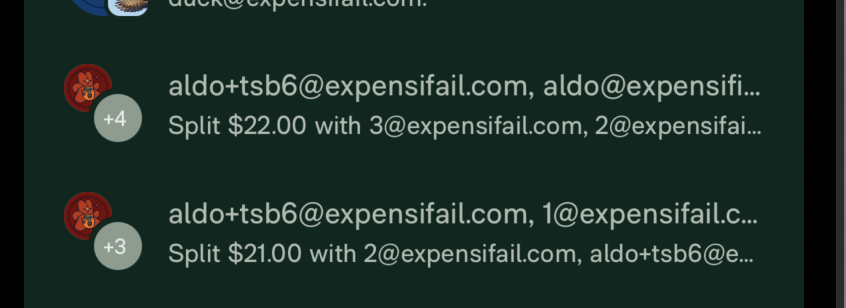
@grgia , when there are more than 4 WPs, you can still see the 4th workspace avatar plus the +count on top of it:

image

I other cases, you don't show the avatar anymore, just the +count which makes it more readable. For example:

image

Should we apply the same technique?

cc @shawnborton

Edit: I see now that avatar is darker when the +count is on top, so maybe this is how we designed it.

@aldo-expensify

aldo-expensify commented Mar 3, 2023

Copy link
Copy Markdown
Contributor

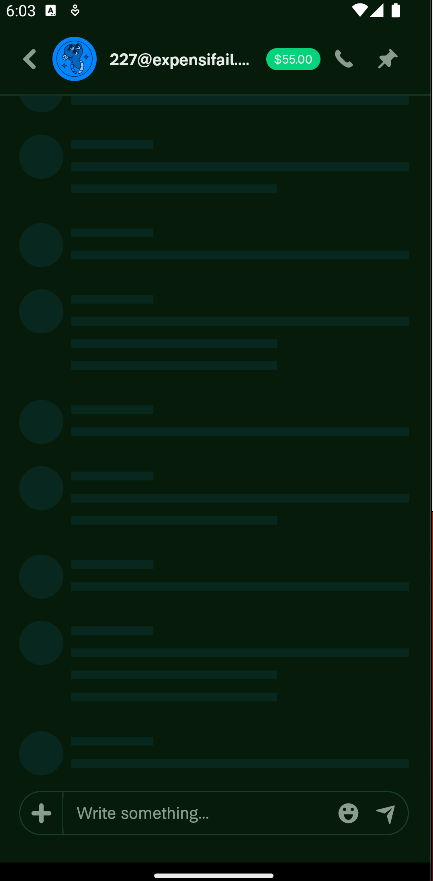
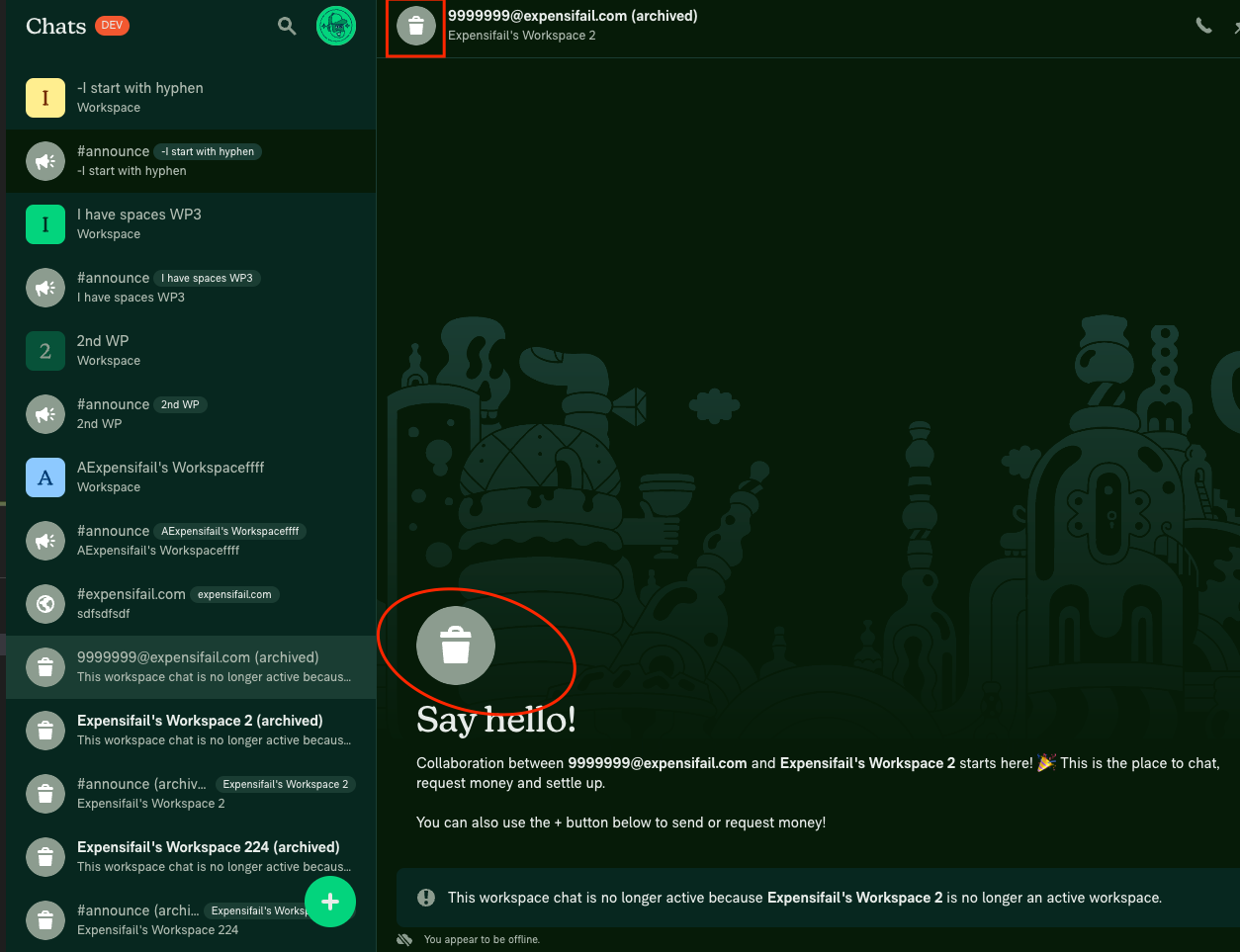
I'm wondering if a trashed workspace should have a square icon preserving the shape of workspace icons:

image

If it makes sense, I'm ok with leaving it for a follow up PR to avoid delaying this more.

@aldo-expensify aldo-expensify left a comment

Copy link
Copy Markdown
Contributor

Choose a reason for hiding this comment

The reason will be displayed to describe this comment to others. Learn more.

Looks good and tested well for me.

If if if we decide to do something about this two comments:

#15280 (comment)
#15280 (comment)

We can do it in a follow up PR, no need to hold the PR on that.

Going to leave unmerged, in case you want to wait for @rushatgabhane to have a look. Feel free to merge when you think is appropriate!

@grgia

grgia commented Mar 3, 2023

Copy link
Copy Markdown
Contributor Author

I'm going to go ahead and merge this one to avoid conflicts!

I made two issues for the above comments that I'll fix in a follow up PR:
#15635
#15636

@grgia
grgia merged commit 9953eb8 into main Mar 3, 2023
@grgia
grgia deleted the georgia-new-workspace-avatars branch March 3, 2023 03:07
@mananjadhav

Copy link
Copy Markdown
Collaborator

I tested on web and desktop. I’ll finish the checklist in an hour and raise if any issues. Can be picked as a follow up PR.

@OSBotify

OSBotify commented Mar 3, 2023

Copy link
Copy Markdown
Contributor

✋ This PR was not deployed to staging yet because QA is ongoing. It will be automatically deployed to staging after the next production release.

@mananjadhav

Copy link
Copy Markdown
Collaborator

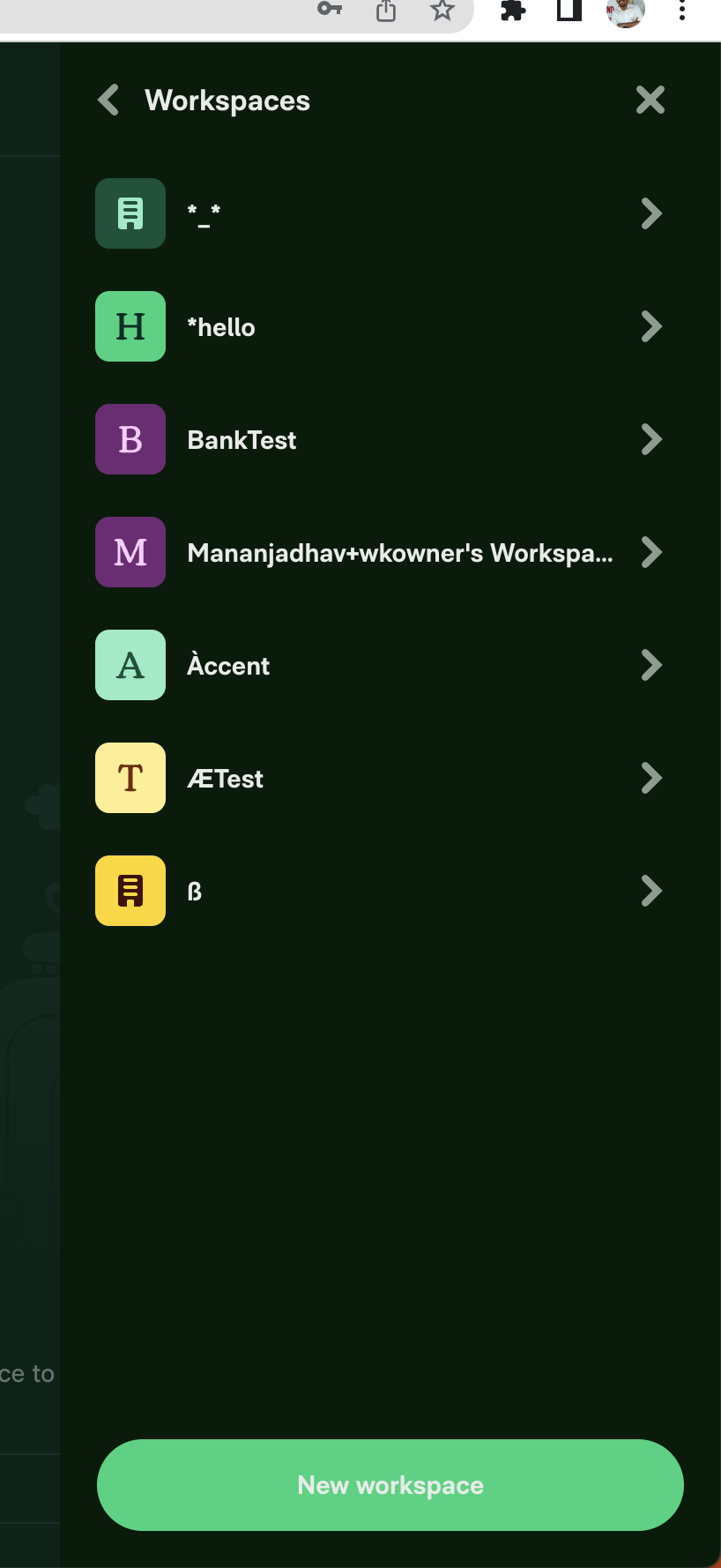
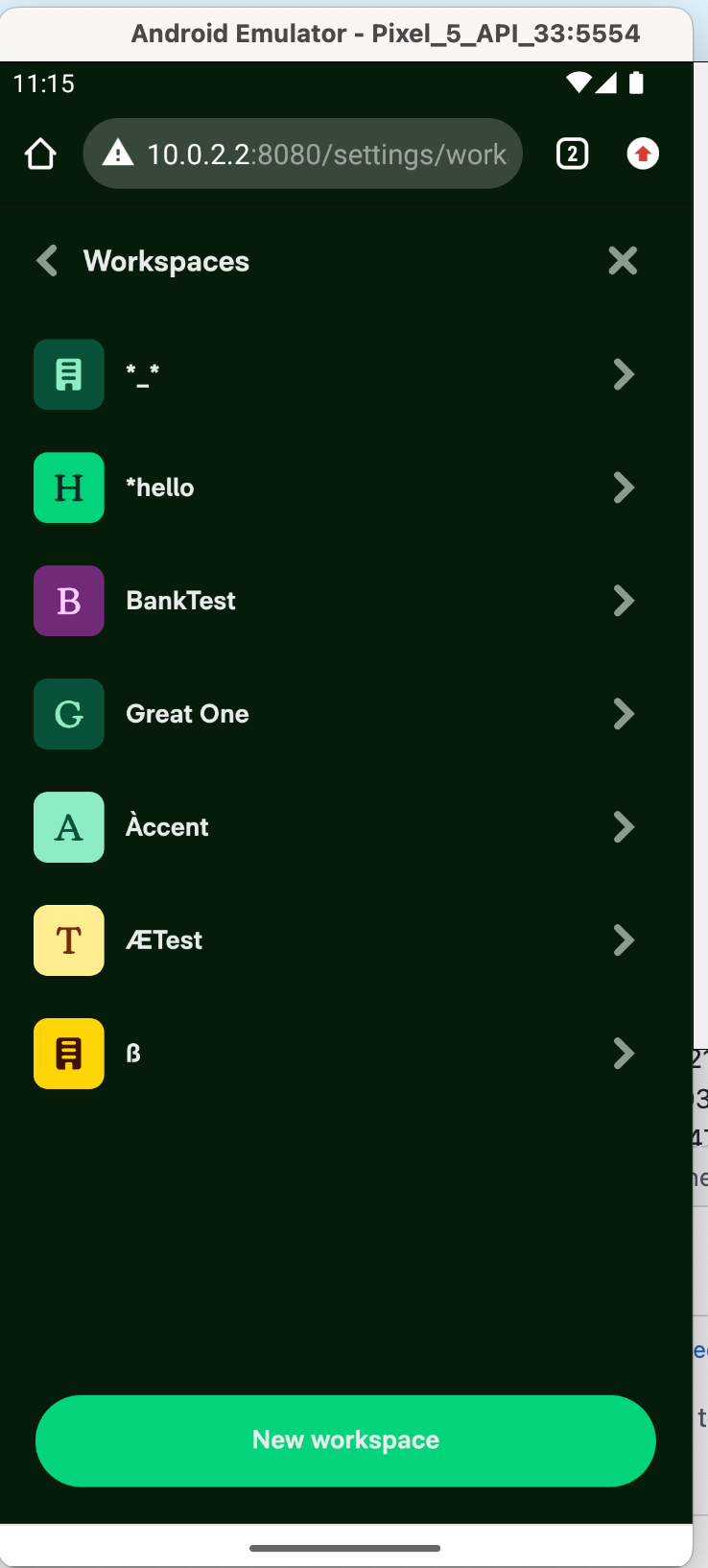
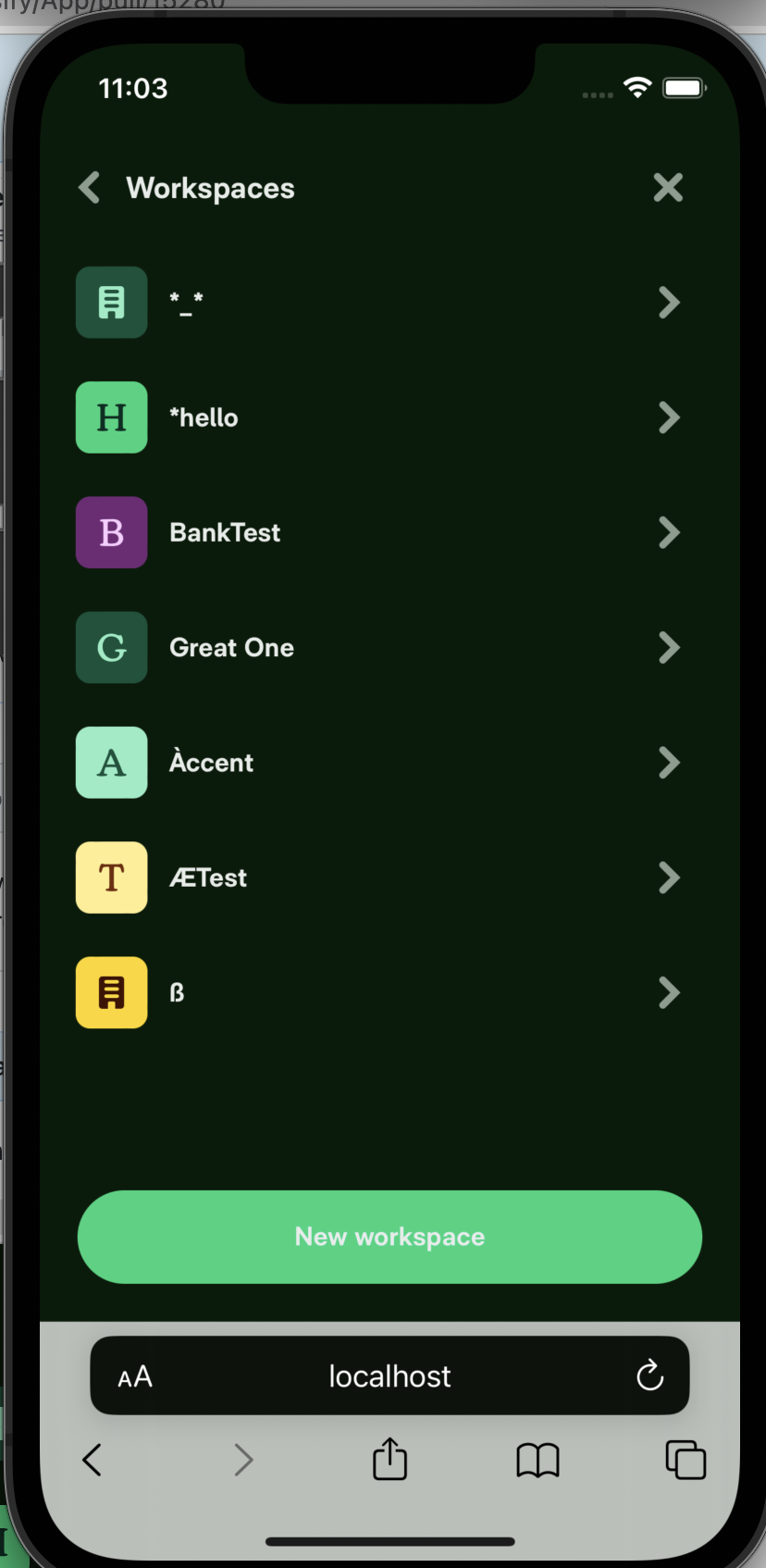
@grgia @shawnborton Here are different cases for the workspace title

Screenshot 2023-03-03 at 10 55 19 AM

If you notice *hello and ÆTest, the first characters are ignored and the workspace avatar picks from the second symbol. Is that the expected output? or does it needs to be fixed?

@mananjadhav

Copy link
Copy Markdown
Collaborator

Reviewer Checklist

  • I have verified the author checklist is complete (all boxes are checked off).
  • I verified the correct issue is linked in the ### Fixed Issues section above
  • I verified testing steps are clear and they cover the changes made in this PR
    • I verified the steps for local testing are in the Tests section
    • I verified the steps for Staging and/or Production testing are in the QA steps section
    • I verified the steps cover any possible failure scenarios (i.e. verify an input displays the correct error message if the entered data is not correct)
    • I turned off my network connection and tested it while offline to ensure it matches the expected behavior (i.e. verify the default avatar icon is displayed if app is offline)
  • I checked that screenshots or videos are included for tests on all platforms
  • I included screenshots or videos for tests on all platforms
  • I verified tests pass on all platforms & I tested again on:
    • Android / native
    • Android / Chrome
    • iOS / native
    • iOS / Safari
    • MacOS / Chrome / Safari
    • MacOS / Desktop
  • If there are any errors in the console that are unrelated to this PR, I either fixed them (preferred) or linked to where I reported them in Slack
  • I verified proper code patterns were followed (see Reviewing the code)
    • I verified that any callback methods that were added or modified are named for what the method does and never what callback they handle (i.e. toggleReport and not onIconClick).
    • I verified that comments were added to code that is not self explanatory
    • I verified that any new or modified comments were clear, correct English, and explained "why" the code was doing something instead of only explaining "what" the code was doing.
    • I verified any copy / text shown in the product is localized by adding it to src/languages/* files and using the translation method
    • I verified all numbers, amounts, dates and phone numbers shown in the product are using the localization methods
    • I verified any copy / text that was added to the app is correct English and approved by marketing by adding the Waiting for Copy label for a copy review on the original GH to get the correct copy.
    • I verified proper file naming conventions were followed for any new files or renamed files. All non-platform specific files are named after what they export and are not named "index.js". All platform-specific files are named for the platform the code supports as outlined in the README.
    • I verified the JSDocs style guidelines (in STYLE.md) were followed
  • If a new code pattern is added I verified it was agreed to be used by multiple Expensify engineers
  • I verified that this PR follows the guidelines as stated in the Review Guidelines
  • I verified other components that can be impacted by these changes have been tested, and I retested again (i.e. if the PR modifies a shared library or component like Avatar, I verified the components using Avatar have been tested & I retested again)
  • I verified all code is DRY (the PR doesn't include any logic written more than once, with the exception of tests)
  • I verified any variables that can be defined as constants (ie. in CONST.js or at the top of the file that uses the constant) are defined as such
  • If a new component is created I verified that:
    • A similar component doesn't exist in the codebase
    • All props are defined accurately and each prop has a /** comment above it */
    • The file is named correctly
    • The component has a clear name that is non-ambiguous and the purpose of the component can be inferred from the name alone
    • The only data being stored in the state is data necessary for rendering and nothing else
    • For Class Components, any internal methods passed to components event handlers are bound to this properly so there are no scoping issues (i.e. for onClick={this.submit} the method this.submit should be bound to this in the constructor)
    • Any internal methods bound to this are necessary to be bound (i.e. avoid this.submit = this.submit.bind(this); if this.submit is never passed to a component event handler like onClick)
    • All JSX used for rendering exists in the render method
    • The component has the minimum amount of code necessary for its purpose, and it is broken down into smaller components in order to separate concerns and functions
  • If any new file was added I verified that:
    • The file has a description of what it does and/or why is needed at the top of the file if the code is not self explanatory
  • If a new CSS style is added I verified that:
    • A similar style doesn't already exist
    • The style can't be created with an existing StyleUtils function (i.e. StyleUtils.getBackgroundAndBorderStyle(themeColors.componentBG)
  • If the PR modifies a generic component, I tested and verified that those changes do not break usages of that component in the rest of the App (i.e. if a shared library or component like Avatar is modified, I verified that Avatar is working as expected in all cases)
  • If the PR modifies a component related to any of the existing Storybook stories, I tested and verified all stories for that component are still working as expected.
  • If a new page is added, I verified it's using the ScrollView component to make it scrollable when more elements are added to the page.
  • If the main branch was merged into this PR after a review, I tested again and verified the outcome was still expected according to the Test steps.
  • I have checked off every checkbox in the PR reviewer checklist, including those that don't apply to this PR.

Screenshots/Videos

Web
web-workspace-avatar.mov
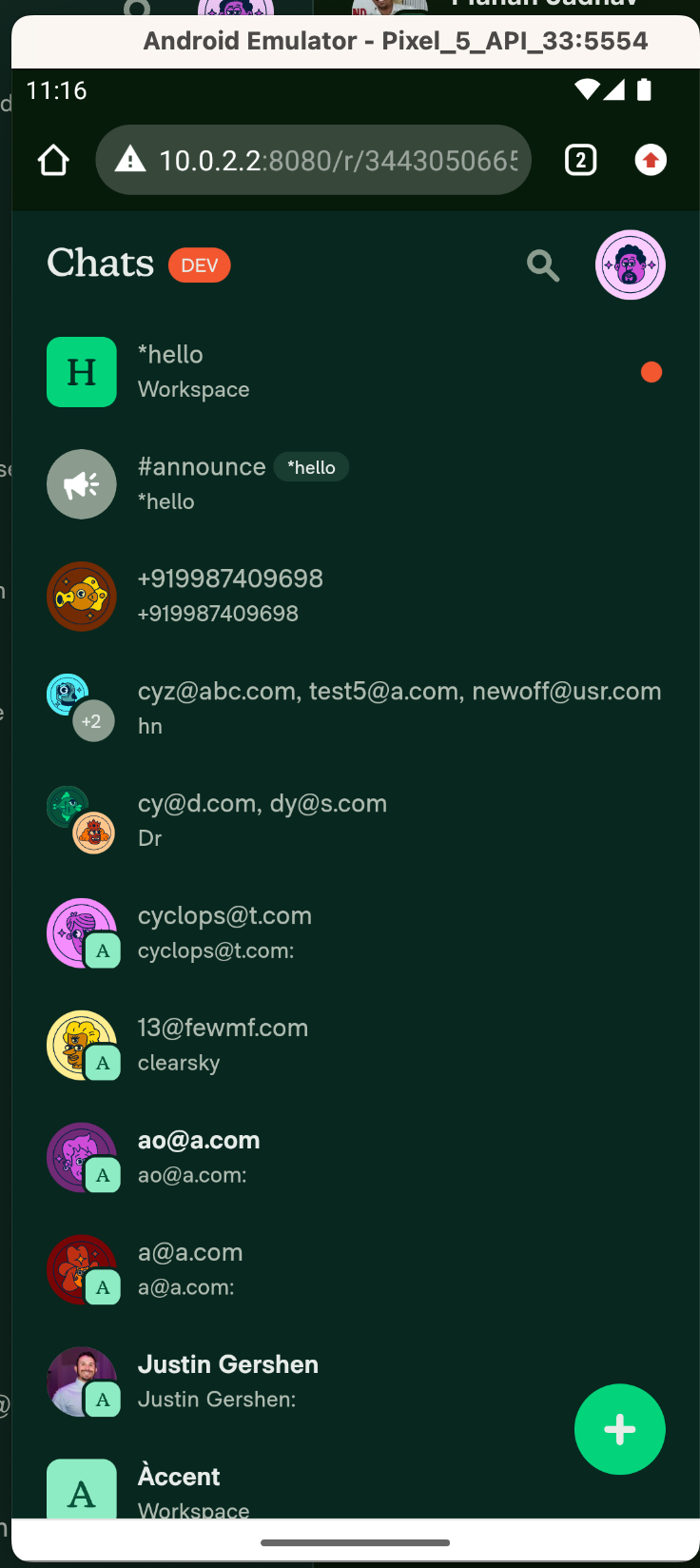
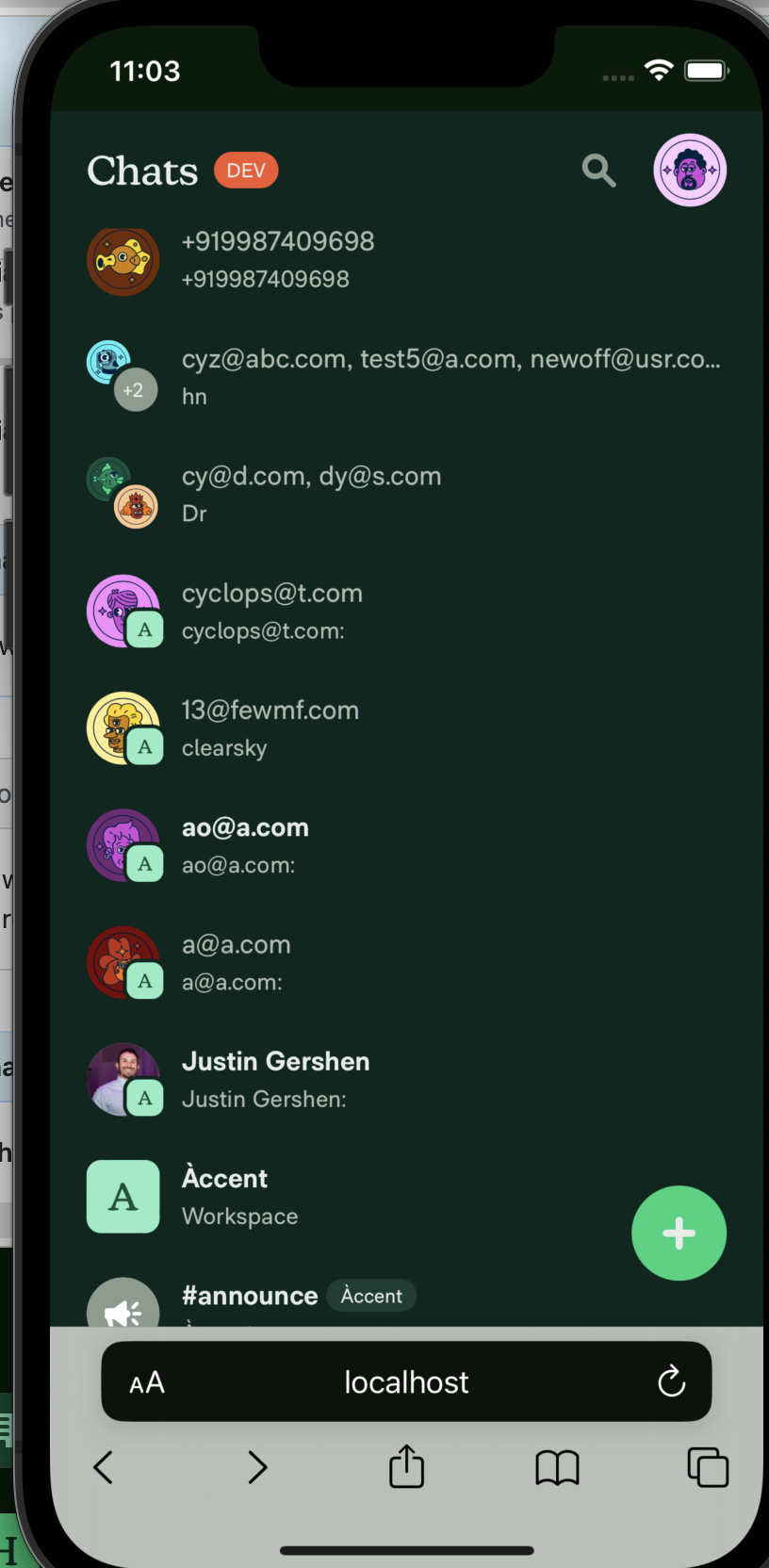
Mobile Web - Chrome Screenshot 2023-03-03 at 11 15 24 AM Screenshot 2023-03-03 at 11 16 59 AM
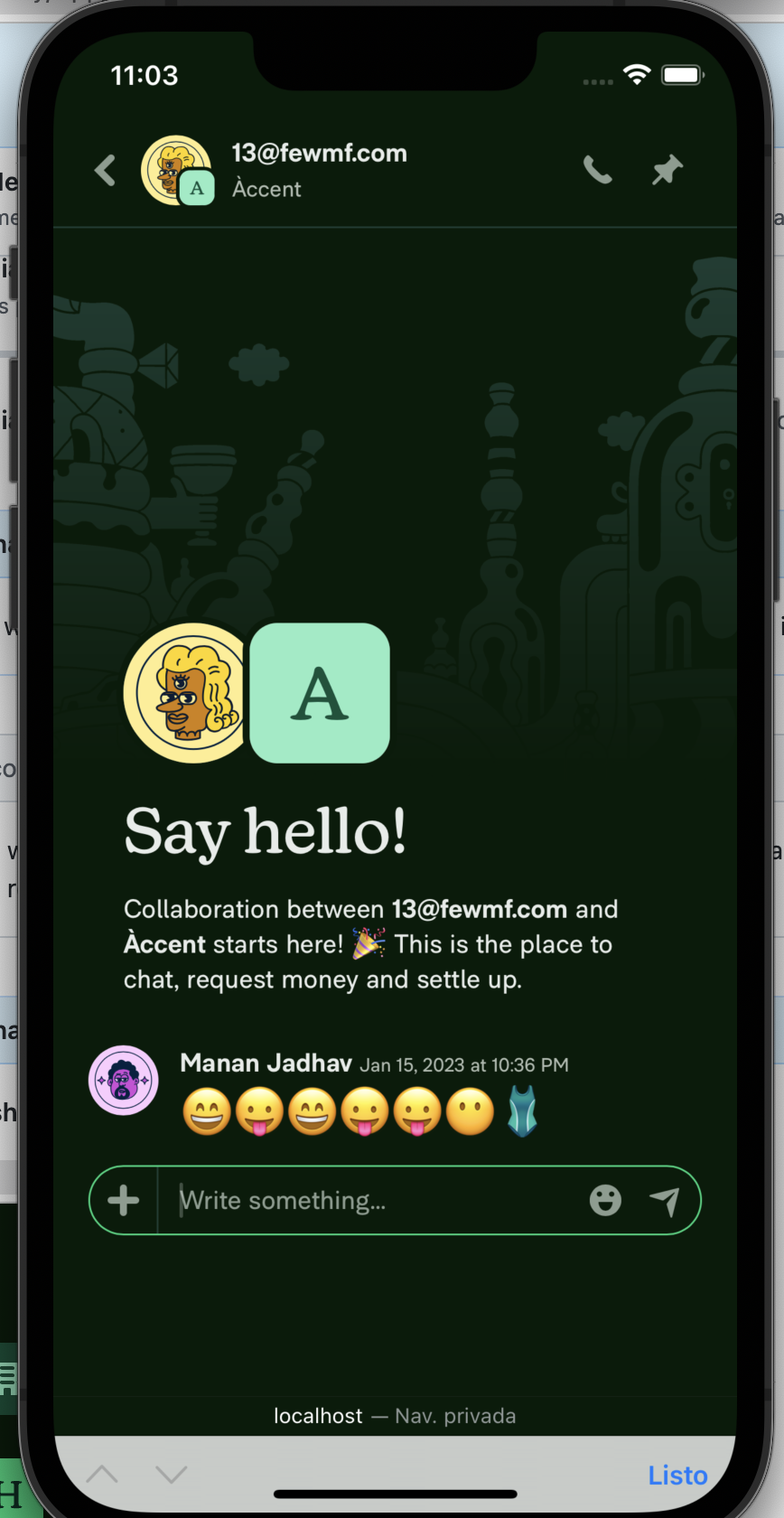
Mobile Web - Safari Screenshot 2023-03-03 at 11 03 35 AM Screenshot 2023-03-03 at 11 03 21 AM Screenshot 2023-03-03 at 11 03 09 AM
Desktop
desktop-workspace-avatar.mov
iOS
Screen.Recording.2023-03-03.at.11.10.54.AM.mov
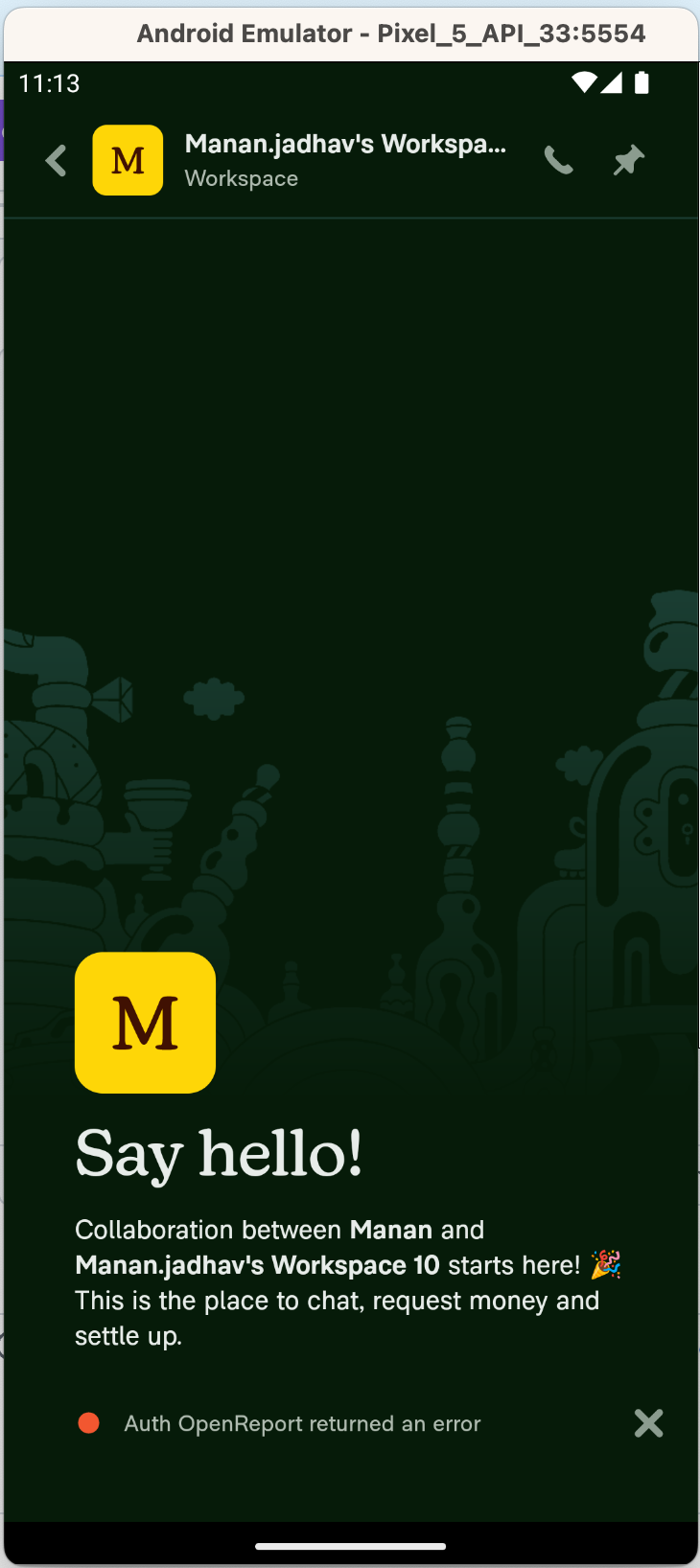
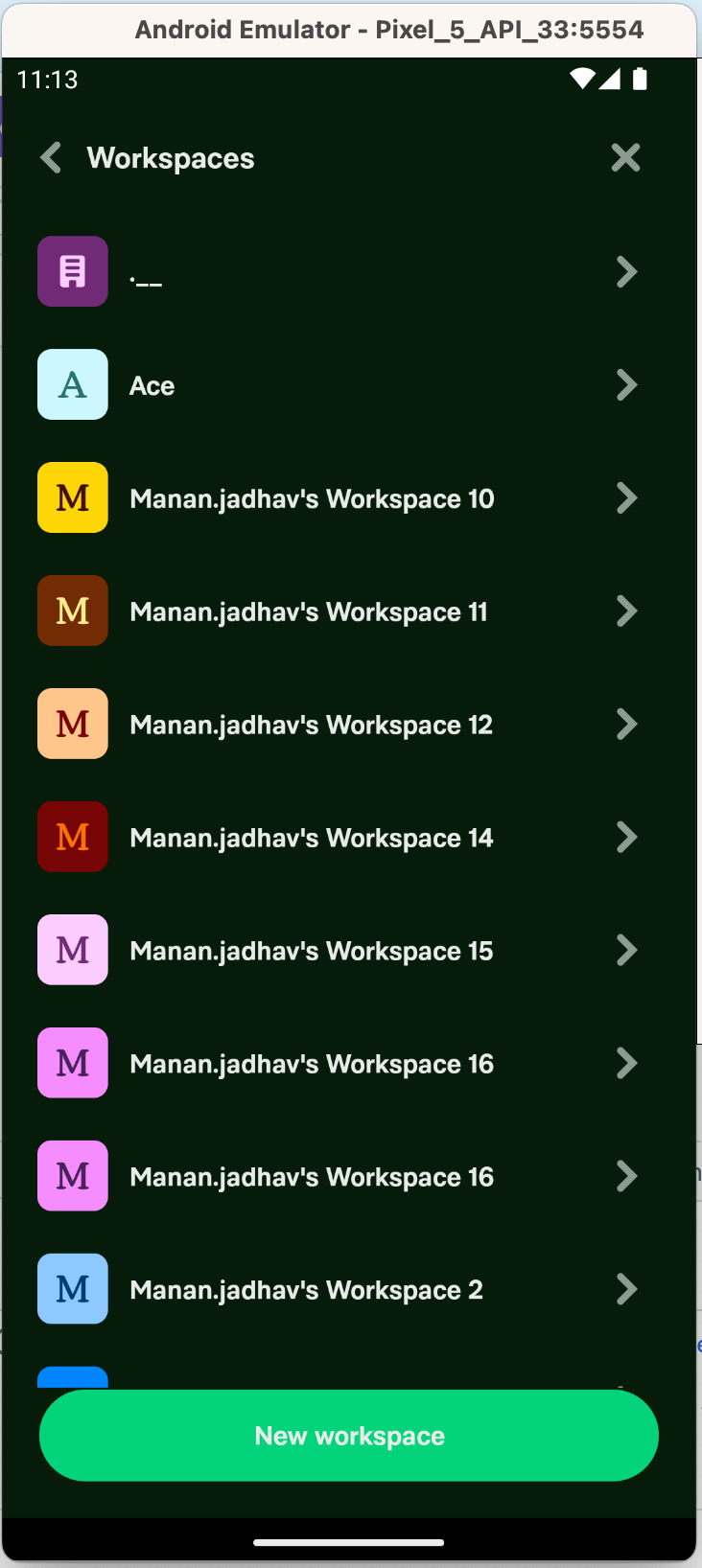
Android Screenshot 2023-03-03 at 11 13 47 AM Screenshot 2023-03-03 at 11 13 09 AM

@shawnborton

Copy link
Copy Markdown
Contributor

I other cases, you don't show the avatar anymore, just the +count which makes it more readable. For example: Should we apply the same technique?

I don't think so, no. If anything, we can bump down the opacity of the overlay. But this style matches what it looks like when you start a DM with multiple people:
image

(Also wow, I did not realize Concierge would send a message when I created that test group 😨 )

Anyways, thank you Georgia for pushing this through, it's beautiful!!

@shawnborton

Copy link
Copy Markdown
Contributor

@mananjadhav for your comment here, I think this is okay for now. Let's just be diligent about this when the inevitable bug reports come in. But yeah, I don't think we're going to have actual real workspaces come in with these kinds of characters just yet, so let's make people aware that we are purposely choosing not to address this for the time being.

@OSBotify

OSBotify commented Mar 6, 2023

Copy link
Copy Markdown
Contributor

🚀 Deployed to staging by https://github.com/grgia in version: 1.2.79-0 🚀

platform result
🤖 android 🤖 success ✅
🖥 desktop 🖥 success ✅
🍎 iOS 🍎 success ✅
🕸 web 🕸 success ✅

@OSBotify

OSBotify commented Mar 7, 2023

Copy link
Copy Markdown
Contributor

🚀 Deployed to production by https://github.com/roryabraham in version: 1.2.79-0 🚀

platform result
🤖 android 🤖 success ✅
🖥 desktop 🖥 success ✅
🍎 iOS 🍎 success ✅
🕸 web 🕸 success ✅

@s77rt

s77rt commented Mar 27, 2023

Copy link
Copy Markdown
Member

This PR introduced a regression here #15697 due to missing offline tests.

@arosiclair

Copy link
Copy Markdown
Contributor

Hey 👋🏾, it seems like we first implemented square workspace icons with this PR. However, the shape of the mask we use for cropping uploaded workspace avatars wasn't updated from a circle to a square as well which resulted in this bug.

{_.map(iconsToDisplay, (val, index) => (
<View key={`${val}${index}`} style={[styles.justifyContentCenter, styles.alignItemsCenter]}>
{_.map(iconsToDisplay, (icon, index) => (
<View key={`${icon.source}${index}`} style={[styles.justifyContentCenter, styles.alignItemsCenter]}>

Copy link
Copy Markdown
Contributor

Choose a reason for hiding this comment

The reason will be displayed to describe this comment to others. Learn more.

Using source as key cause a regression #28074

Copy link
Copy Markdown
Collaborator

Choose a reason for hiding this comment

The reason will be displayed to describe this comment to others. Learn more.

Thanks for the note @narefyev91.

icons: [ReportUtils.getAvatar(item.avatar, item.login)],
icons: [{
source: ReportUtils.getAvatar(item.avatar, item.login),
name: item.login,

Copy link
Copy Markdown
Contributor

Choose a reason for hiding this comment

The reason will be displayed to describe this comment to others. Learn more.

Coming from #29645
Not sure if this issue was present at the time this PR was created, but we should have used formatPhoneNumber from withLocalize

name: props.formatPhoneNumber(details.login),

Sign up for free to join this conversation on GitHub. Already have an account? Sign in to comment

Labels

None yet

Projects

None yet

Development

Successfully merging this pull request may close these issues.

10 participants