If you haven’t already, check out our contributing guidelines for onboarding and email contributors@expensify.com to request to join our Slack channel!
Action Performed:
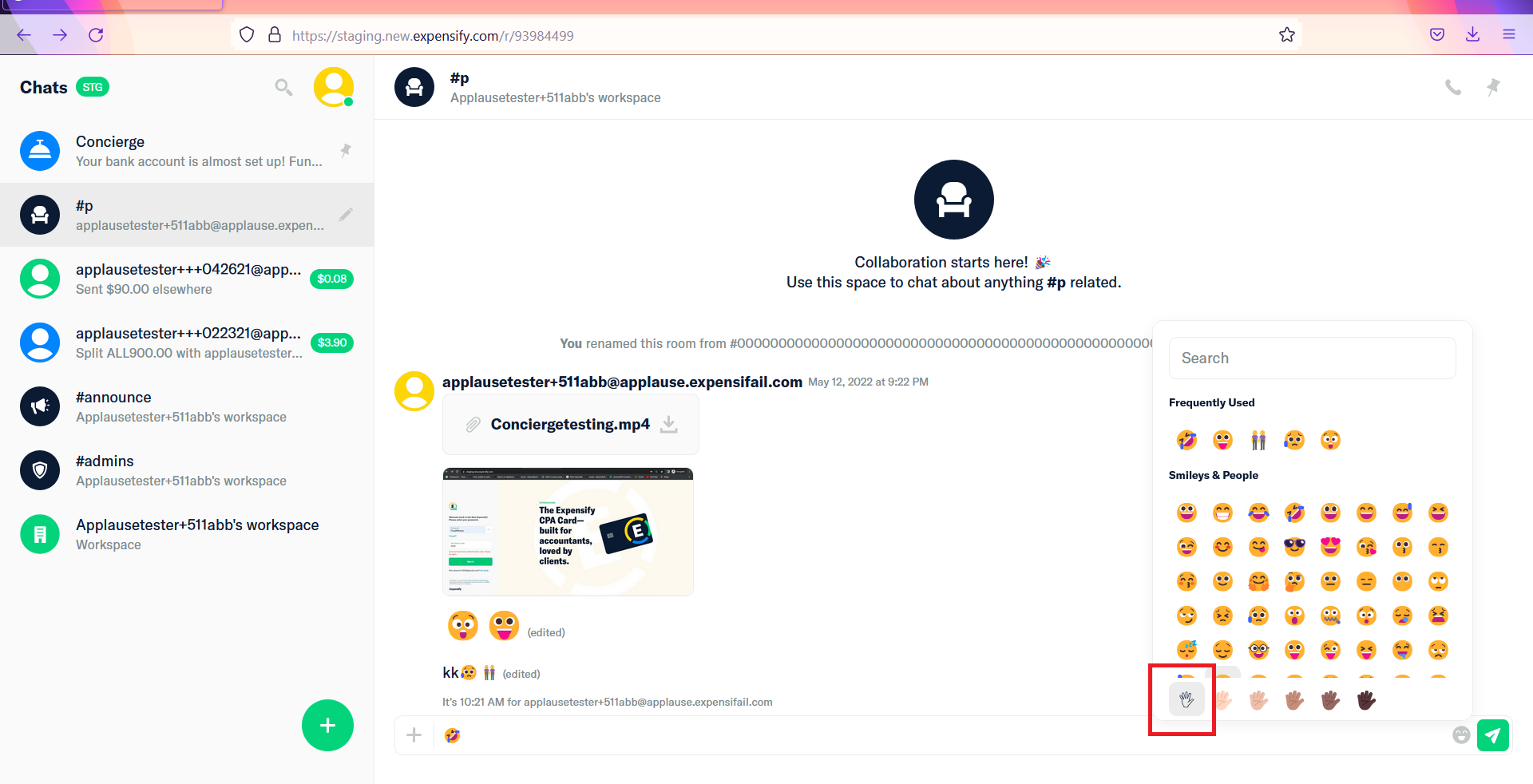
- Go to https://staging.new.expensify.com/
- Click on Emoji
- Select first option on skin tone
Expected Result:
First skin tone option has light yellow color in Firefox & shows weird UI in Safari
Actual Result:
First skin tone option is broken in Firefox & UI is broken in Safari Web
Workaround:
Visual
Platform:
Where is this issue occurring?
Version Number: 1.1.65.3
Reproducible in staging?: Y
Reproducible in production?: Y
Email or phone of affected tester (no customers):
Logs: https://stackoverflow.com/c/expensify/questions/4856
Notes/Photos/Videos:
Upwork job URL: https://www.upwork.com/jobs/~01935f62be2a68928d
Issue reported by: Applause - Exploratory & @parasharrajat & Tushu17
Slack conversation:
View all open jobs on GitHub
If you haven’t already, check out our contributing guidelines for onboarding and email contributors@expensify.com to request to join our Slack channel!
Action Performed:
Expected Result:
First skin tone option has light yellow color in Firefox & shows weird UI in Safari
Actual Result:
First skin tone option is broken in Firefox & UI is broken in Safari Web
Workaround:
Visual
Platform:
Where is this issue occurring?
Version Number: 1.1.65.3
Reproducible in staging?: Y
Reproducible in production?: Y
Email or phone of affected tester (no customers):

Logs: https://stackoverflow.com/c/expensify/questions/4856
Notes/Photos/Videos:
Upwork job URL: https://www.upwork.com/jobs/~01935f62be2a68928d
Issue reported by: Applause - Exploratory & @parasharrajat & Tushu17
Slack conversation:
View all open jobs on GitHub