If you haven’t already, check out our contributing guidelines for onboarding and email contributors@expensify.com to request to join our Slack channel!
Action Performed:
- Add account to
freePlan beta
- Login to new.expensify.com
- Create a workspace
- Select
Get Started in Expensify Card tab of workspace
- Choose "Connect Manually" option
Expected Result:
There should be some space between the two field outlines for routing/account number.
Actual Result:
The two field outlines are basically overlapping with each other.
Notes/Photos/Videos: Any additional supporting documentation
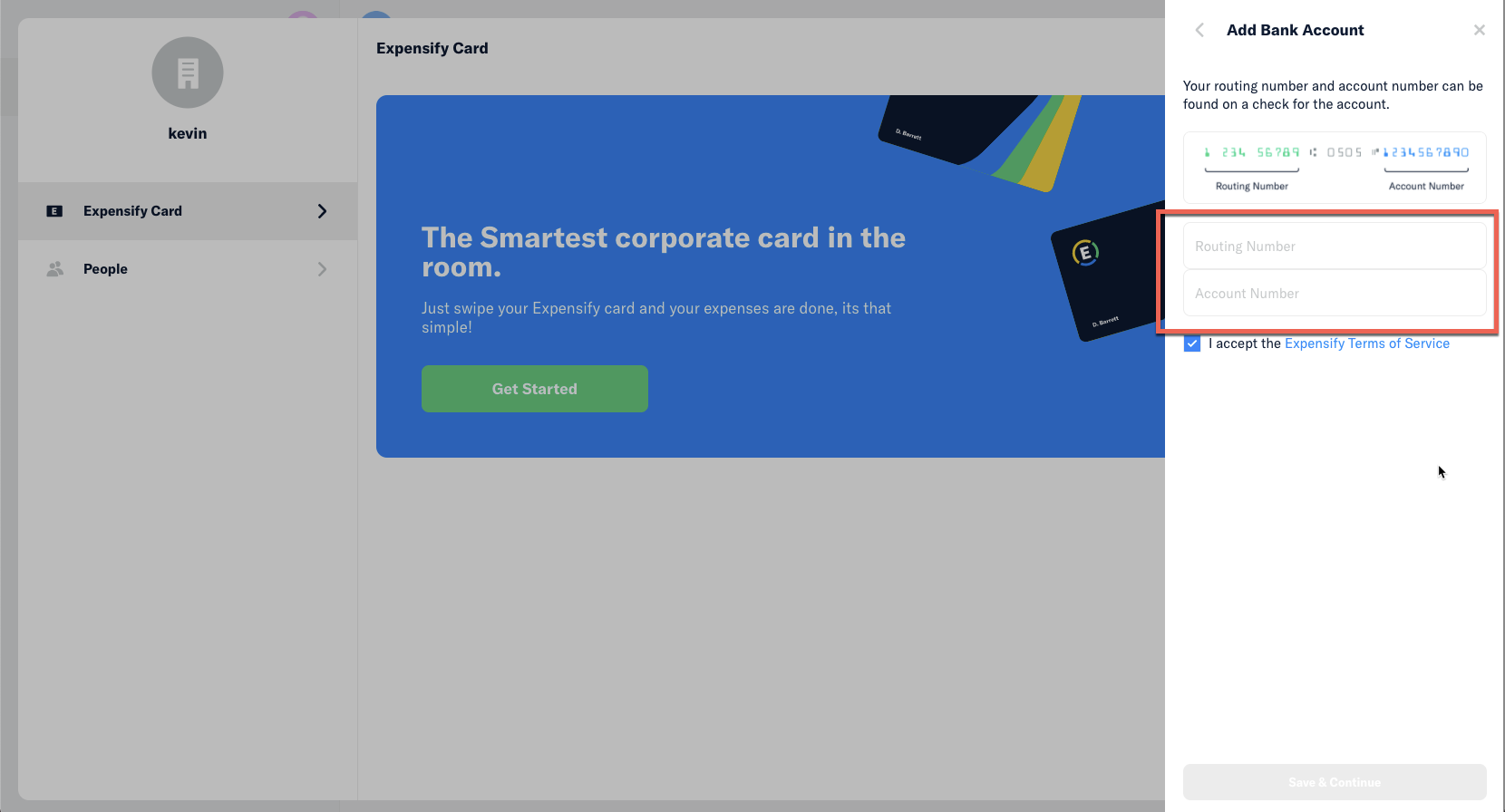
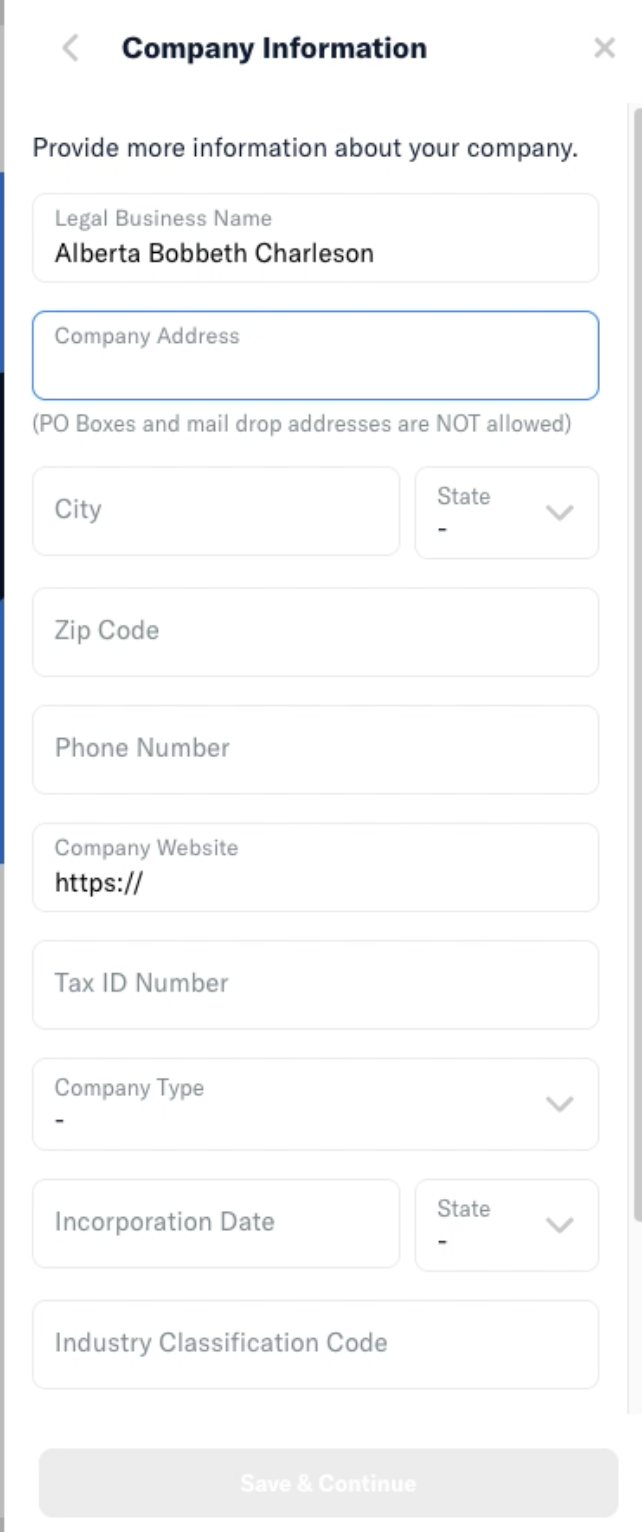
@shawnborton curious for your thoughts here, but I would expect some spacing between these two fields, similar to how we space out all other fields in subsequent steps of this flow. For example, in the Company Information Step:
View all open jobs on GitHub
If you haven’t already, check out our contributing guidelines for onboarding and email contributors@expensify.com to request to join our Slack channel!
Action Performed:
freePlanbetaGet Startedin Expensify Card tab of workspaceExpected Result:
There should be some space between the two field outlines for routing/account number.
Actual Result:
The two field outlines are basically overlapping with each other.
Notes/Photos/Videos: Any additional supporting documentation

@shawnborton curious for your thoughts here, but I would expect some spacing between these two fields, similar to how we space out all other fields in subsequent steps of this flow. For example, in the Company Information Step:
View all open jobs on GitHub