When creating a distance request on mWeb (iOS/Safari), we're seeing that the Next button is about 25% or so cut off. This could happen for any number of reasons:
- User is using a small screen mobile phone
- User also has the mobile app downloaded, and accordingly, sees the "smart" banner to use the app (my example below).
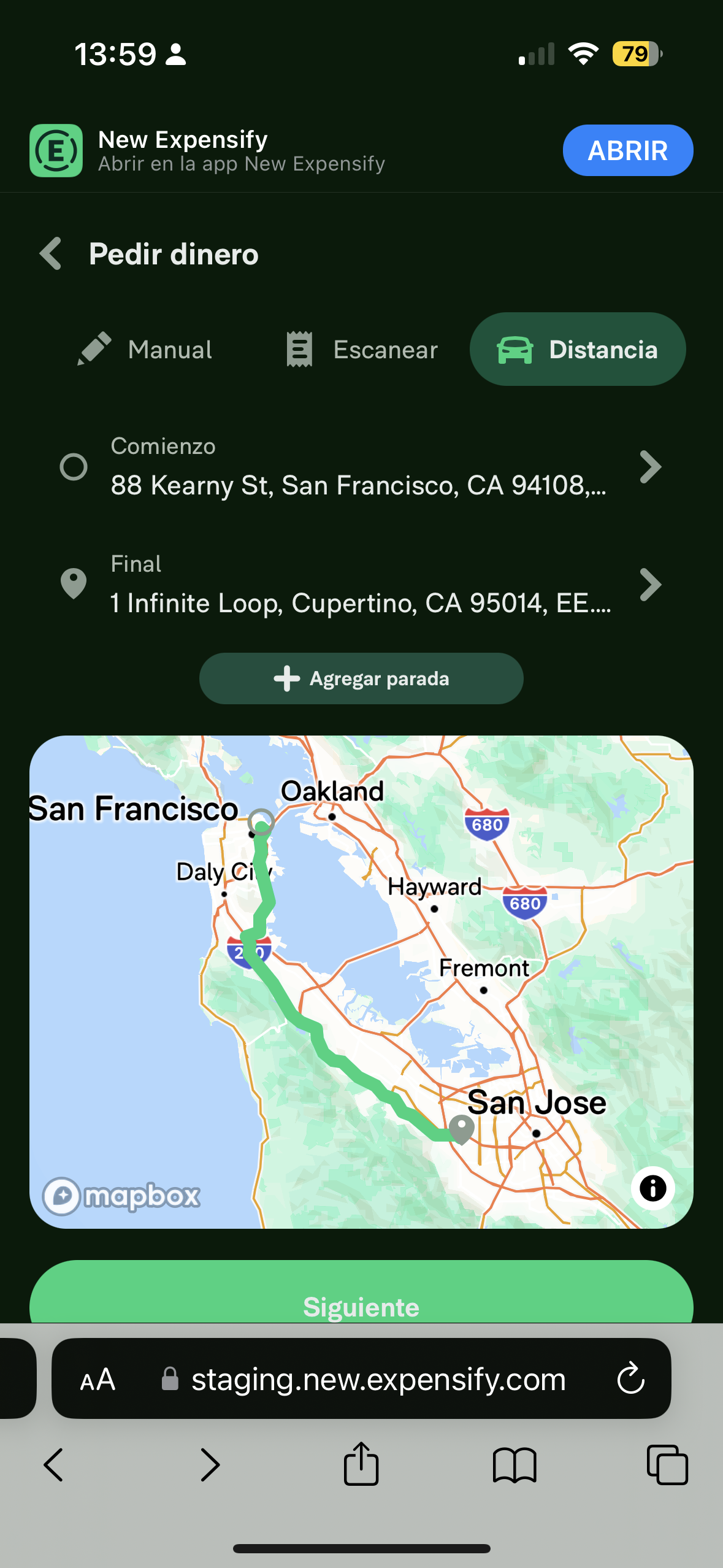
Whatever the case, we need to ensure that the Next button isn't cut off. Some potential solutions might be:
- Dynamically decrease the size of the mileage map
- Bottom dock the
Next button so that it's always right above the bottom of the scroll view
I tend to favor the last one though we can use this issue to discuss.
Upwork Automation - Do Not Edit
- Upwork Job URL: https://www.upwork.com/jobs/~011c7d29a4ac924ce8
- Upwork Job ID: 1698781518139650048
- Last Price Increase: 2023-09-04
- Automatic offers:
- fedirjh | Reviewer | 26495852
- jeet-dhandha | Contributor | 26495854
When creating a distance request on mWeb (iOS/Safari), we're seeing that the
Nextbutton is about 25% or so cut off. This could happen for any number of reasons:Whatever the case, we need to ensure that the
Nextbutton isn't cut off. Some potential solutions might be:Nextbutton so that it's always right above the bottom of the scroll viewI tend to favor the last one though we can use this issue to discuss.
Upwork Automation - Do Not Edit