If you haven’t already, check out our contributing guidelines for onboarding and email contributors@expensify.com to request to join our Slack channel!
Action Performed:
- Go to settings
- Click on any workspace
- Click on members
Expected Result:
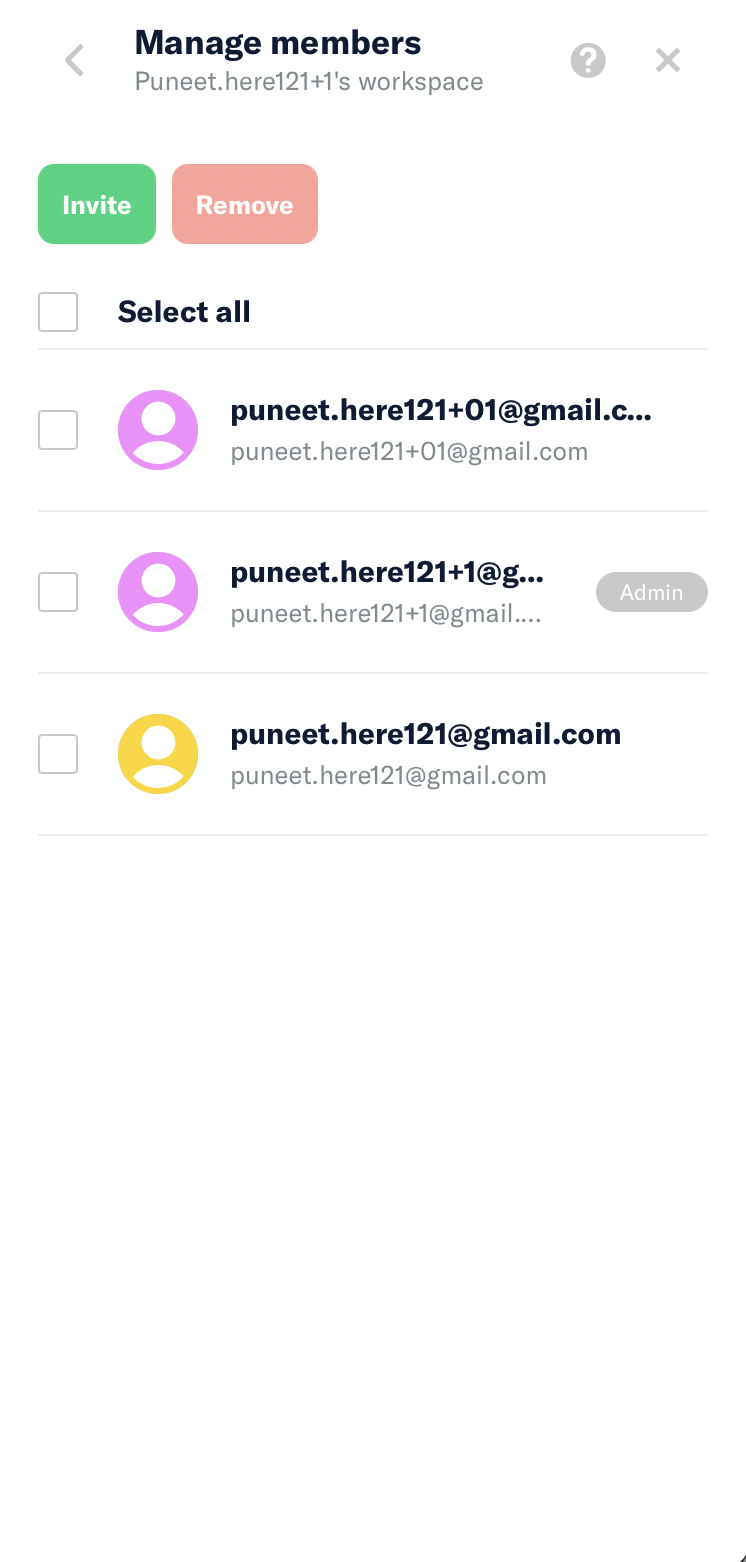
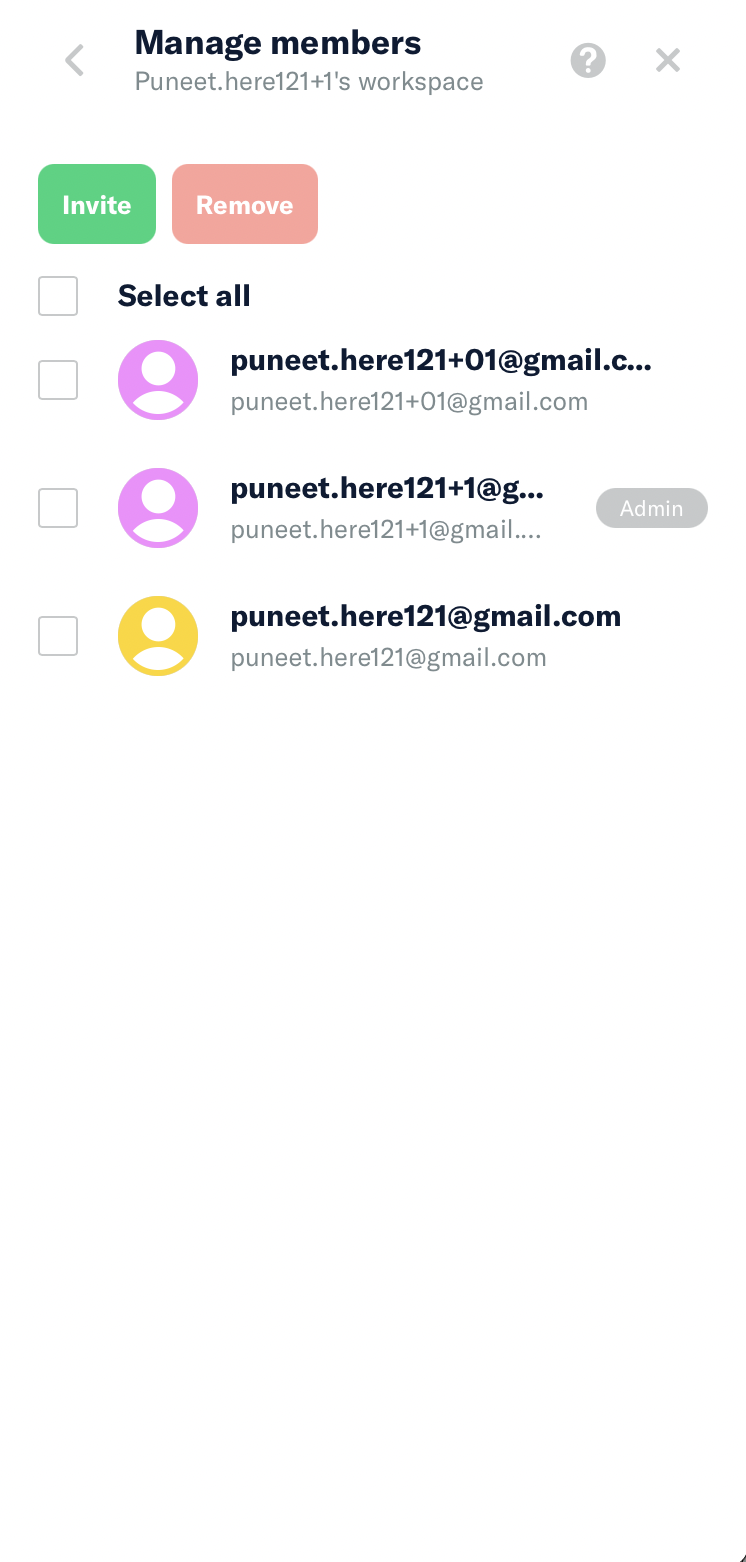
You should be seeing border above and below all the members
Actual Result:
There's no border around members
Workaround:
unknown
Platform:
Where is this issue occurring?
- Web
- iOS
- Android
- Desktop App
- Mobile Web
Version Number: 1.1.88-0
Reproducible in staging?: Y
Reproducible in production?: Y
Email or phone of affected tester (no customers):
Logs: https://stackoverflow.com/c/expensify/questions/4856
Notes/Photos/Videos: Any additional supporting documentation
Expensify/Expensify Issue URL:
Issue reported by: @Puneet-here
Slack conversation: https://expensify.slack.com/archives/C01GTK53T8Q/p1658865768953769
View all open jobs on GitHub
If you haven’t already, check out our contributing guidelines for onboarding and email contributors@expensify.com to request to join our Slack channel!
Action Performed:
Expected Result:
You should be seeing border above and below all the members
Actual Result:
There's no border around members
Workaround:
unknown
Platform:
Where is this issue occurring?
Version Number: 1.1.88-0


Reproducible in staging?: Y
Reproducible in production?: Y
Email or phone of affected tester (no customers):
Logs: https://stackoverflow.com/c/expensify/questions/4856
Notes/Photos/Videos: Any additional supporting documentation
Expensify/Expensify Issue URL:
Issue reported by: @Puneet-here
Slack conversation: https://expensify.slack.com/archives/C01GTK53T8Q/p1658865768953769
View all open jobs on GitHub