A group of users need to work with a single dataset, but with different data.
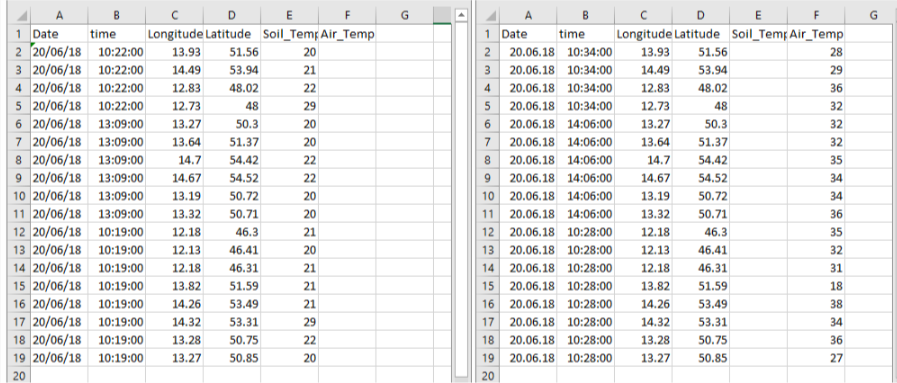
One scenario that I would like to happen is to have two different datasets like below. Two censors records the temperature from the soil and the air, in the same day and the same location.
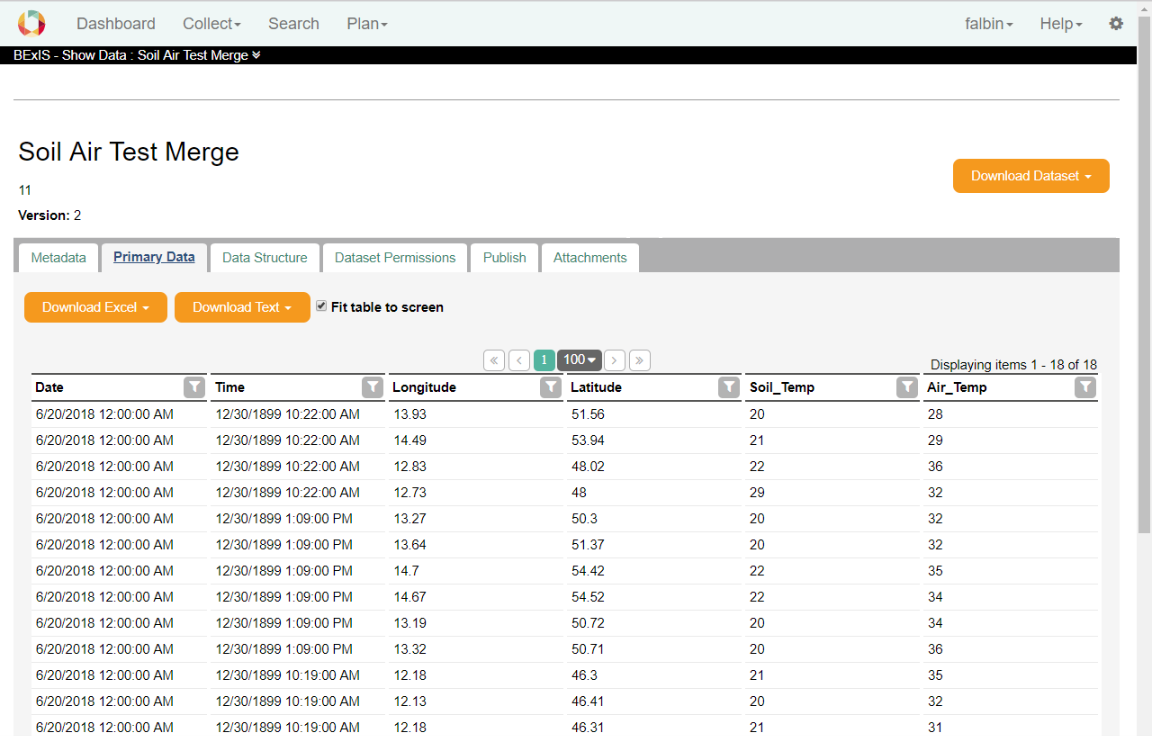
I created a dataset with the following structure and I expect to have merged tables:
But with current functions I am able to only update or append two tables. By update I will lost the information of one column. By append my dataset grows with no sence.
It is not effective to force users to download the entire dataset, update it on their computer and upload it again. Each user has downloaded the data structure once and work with it.
Solution
There are two ways (or probably more) to do that kind of merge:
First: Develop merge method as a function.
Second: Add a merge option close update and append in the upload data workflow.
A group of users need to work with a single dataset, but with different data.
One scenario that I would like to happen is to have two different datasets like below. Two censors records the temperature from the soil and the air, in the same day and the same location.
I created a dataset with the following structure and I expect to have merged tables:
But with current functions I am able to only update or append two tables. By update I will lost the information of one column. By append my dataset grows with no sence.
It is not effective to force users to download the entire dataset, update it on their computer and upload it again. Each user has downloaded the data structure once and work with it.
Solution
There are two ways (or probably more) to do that kind of merge:
First: Develop merge method as a function.
Second: Add a merge option close update and append in the upload data workflow.