
HomeLab CheatSheet & AwesomeList
Created for the HomeLab Group on Simplex Chat
The goal of this repo is to become your map to help you navigate the HomeLabbing experience.
This page will be updated randomly with new information, so stay tuned. (contributions welcome!)
Note: many of the hardware suggestions here are mostly the best items in their class for the lowest prices.
Hardware tables have average used prices from ebay.com as of 2/17/2026
ToDo:
- Update table of contents... ✅
- Add CPU Tables ✅
- Add more hardware information including more Nic models / HBA models / Enterprise drive models and information.
- Add more general filesystem information / ZFS information / tips with more links to obscure useful information that will help manage ZFS better.
- Add more software/Self hosting options and guide links.
- Add more proxmox related information and helpful guides, including those related to GPU passthrough, LXCs, etc
-
- Before we begin: The Learning Path
- Beyond Privacy: Resilience
- Evaluating Software
- The Hidden Costs of Convenience
- Optimal Minimal Setup Device: Lenovo Tiny PCs
-
Enterprise SATA/SAS HDDs - BackBlaze Hard Drive Failure Data By Year - Data summary
- SSD/Nvme Drives
- Enterprise NVMe / M.2 Drives with Endurance
- Consumer NVMe / M.2 Drives
- Consumer vs. Enterprise Price Comparison
-
- Intel CPUs
- AMD CPUs
-
- Turbo Boost – Power, Heat & How to Disable It
- Disabling Turbo Boost in BIOS (Recommended Method)
- Steps
- Disabling Turbo Boost on Linux
- Method A — Using rc.local
- Method B — Using intel-noturbo
- Disabling Turbo Boost on Windows
- When Should You Disable Turbo
- Turbo OFF is useful for
- Power & Temperature Impact
-
- Intel Management Engine (ME)
- Notable documented vulnerabilities / advisories
- Neutralization / mitigation options (community + vendor)
- AMD Platform Security Processor (PSP) / AMD Secure Processor
- Documented vulnerabilities and research
- Reverse-engineering / tools
- Neutralization / mitigation
- ARM TrustZone & Trusted Execution Environments (TEE)
- Real research showing TEE risks
- Cross-Technology Comparison (high level)
- Tools, Mitigations & Privacy-focused Vendors
- Intel ME
- AMD PSP
- ARM TrustZone / TEEs
- Selected authoritative sources
- Intel Management Engine (ME)
-
Vendors & Projects Offering Open Firmware / Reduced Proprietary Firmware Hardware
- Community Open Firmware Projects
- Vendors & Distributions Shipping Open Firmware
- Additional Hardware & Architecture Notes
-
Intel GPUs
-
Nvidia GPUS
- NVIDIA RTX 10 Series (Pascal)
- NVIDIA GTX 16 Series (Turing)
- NVIDIA RTX 20 Series (Turing)
- NVIDIA RTX 30 Series (Ampere)
- NVIDIA RTX 40 Series (Ada Lovelace)
- NVIDIA RTX 50 Series (Blackwell)
- NVIDIA Quadro / Professional GPUs
- NVIDIA RTX A-Series (Professional GPUs)
- NVIDIA Tesla Series
-
AMD GPUs
- AMD Radeon RX 5000 Series (RDNA1)
- AMD Radeon RX 6000 Series (RDNA2)
- AMD Radeon RX 7000 Series (RDNA3)
- AMD Radeon RX 9000 Series (RDNA4)
- AMD Pro/Compute GPUs
Before we begin: The Learning Path
Homelabbing is not just a hobby, it’s an education. To build and maintain your own digital infrastructure, you must acquire a body of knowledge, develop reasoning skills, and eventually share your expertise with others. This journey mirrors the classical trivium: a three‑stage process of learning that has produced independent thinkers for centuries. Understanding this path will help you navigate your own growth, from the first time you plug in a Raspberry Pi to the moment you help a friend troubleshoot their own server.
In the classical model, the first stage is grammar, the gathering of raw materials. Young students memorized facts, vocabulary, and rules without yet understanding their deeper connections. This stage corresponds to the “poll‑parrot” phase described by Dorothy L. Sayers, where learning by heart is easy and even pleasurable.
In your homelab journey, the grammar stage is about:
- Learning the vocabulary of hardware: CPU generations, RAM types, storage interfaces (SATA, NVMe, SAS), network speeds.
- Understanding basic operations: installing an operating system, navigating the command line, editing configuration files.
- Memorizing common commands:
ls,cd,grep,systemctl,docker run. - Building a mental catalog of available tools: Proxmox, TrueNAS, pfSense, Jellyfin, Audiobookshelf.
At this stage, you follow tutorials blindly. You copy commands without fully grasping why they work. You might install a service because someone else recommended it, and you accept that certain settings are “best practices.” This is not a weakness, it is the necessary foundation. As Sayers noted, “it is a great mistake to suppose that a child cannot readily enjoy and remember things that are beyond his power to analyze.” The same holds for the novice homelabber.
Recommended activities for the grammar stage:
- Follow step‑by‑step guides (like those in this repository) to set up your first server.
- Keep a notebook (digital or physical) of commands and configurations that worked.
- Join forums and observe / absorb the language of the community before contributing.
The second stage, dialectic (or logic), is where you begin to connect the dots. Sayers called this the “pert” age, a time of contradiction, argument, and a hunger to understand why things are the way they are. In the classical curriculum, dialectic trained students to detect fallacies, construct arguments, and reason from first principles.
For the homelabber, this stage involves:
- Troubleshooting when things break. Why did the container stop? Why is the network slow? What do those log messages mean?
- Understanding trade‑offs: Why choose ZFS over EXT4? Why put a service in a Docker container instead of a VM? Why use Alpine Linux instead of Ubuntu?
- Designing with intent: Instead of following a tutorial, you begin to plan your own network topology, considering security, redundancy, and future growth.
- Questioning received wisdom: Is that “best practice” really best for your situation? What assumptions underlie the guide you followed?
This is where you move from being a consumer of knowledge to an active participant in your own learning. You start to see patterns: many Linux problems are solved by checking permissions and logs; many network issues trace back to DNS or firewall rules. You develop mental models that let you predict outcomes and diagnose failures without reaching for Google every time.
Recommended activities for the dialectic stage:
- Break things intentionally and fix them. Set up a test environment where failure is safe.
- Write down your reasoning when you make a design decision. Later, revisit it—was your logic sound?
- Participate in discussions on forums or chat groups, explaining your solutions to others.
- Read error messages carefully and learn to interpret them.
The final stage of the trivium is rhetoric, the ability to express ideas persuasively and elegantly. In classical education, this was the goal of the entire process: to produce a person who could not only think clearly but also communicate effectively. Sayers associated this stage with the “poetic” age, where creativity and synthesis flourish.
In homelabbing, rhetoric manifests as:
- Documenting your setup so others can learn from it. This might be a blog post, a GitHub repository, or even just a well‑organized README.
- Contributing to open‑source projects: reporting bugs, submitting patches, or translating documentation.
- Teaching friends, family, or online communities. Answering questions on forums, creating video tutorials, or giving a talk at a local meetup.
- Designing elegant solutions that are not only functional but also maintainable and aesthetically pleasing. This might mean automating deployments with Ansible, writing clean configuration files, or building a custom dashboard.
Rhetoric is the stage where your knowledge becomes a gift to others. It completes the learning loop: you internalized the grammar, wrestled with the logic, and now you can pass on what you’ve learned helping newcomers begin their own journey.
Recommended activities for the rhetoric stage:
- Write a detailed explanation of a project you completed, including the problems you faced and how you solved them.
- Share your configuration files (with secrets redacted) on GitHub.
- Answer questions on platforms like Reddit’s r/homelab or the Proxmox community forum.
- Mentor someone who is just starting out.
The trivium is not a one‑time progression; it is a spiral. As you encounter new technologies, you will return to the grammar stage, learning new vocabulary, new commands, new hardware. Then you will apply dialectic to understand and troubleshoot, and eventually you will reach a point where you can teach others. Each cycle deepens your mastery.
This is the true purpose of a homelab: not just to run services, but to cultivate your own mind. In an age of manufactured consent and centralized platforms, self‑hosting is an act of intellectual independence. It keeps alive the tools of learning that Sayers feared we had lost. By following this path, you become not only a better sysadmin but a more thoughtful, capable human being.
This section is meant to be a living document—add your own insights and references as you discover them. The homelab is not just a collection of hardware; it’s a statement about how you choose to live in the digital world.
Beyond Privacy: Resilience
Privacy is often the first reason people discover self‑hosting. The desire to keep your data out of the hands of corporations and advertisers is a powerful motivator. But once you begin down this path, you quickly realize that privacy is only the beginning. What you are truly building is resilience, the ability to withstand disruption, adapt to change, and maintain control over your digital life regardless of external circumstances.
Resilience is not just about protecting secrets. It is about ensuring that your systems continue to function when the services you rely on disappear, when networks go down, when laws change, or when the platforms you once trusted reveal themselves to be unreliable or actively hostile.
Centralized platforms offer convenience, but they also create single points of failure. When Facebook suffered a major outage in 2021, billions of people lost access to communication, business contacts, and even entry to physical locations that required Facebook login.[1] When Google decides to “sunset” a product, years of user data and workflow integrations vanish overnight.[2] When a platform changes its terms of service or content moderation policies, entire communities can be displaced or silenced.
Self‑hosting distributes this risk. Your services run on your hardware, under your control. If a cloud provider goes down, your local server keeps running. If a social media platform bans a user you follow, your own federated instance can still reach them. If a corporation decides to monetize user data in a new way, your data is not part of that transaction.
This is not about paranoia—it is about recognizing the structural fragility of centralized systems and choosing to build something more robust.
-
Isaac, Mike, and Kellen Browning. “Facebook, Instagram, WhatsApp Outage: Services Restored After Nearly Six Hours.” The New York Times, Oct. 4, 2021. https://www.nytimes.com/2021/10/04/technology/facebook-down.html
-
“Google’s Graveyard.” Killed by Google. https://killedbygoogle.com/
True resilience begins with infrastructure independence. This means:
-
Power autonomy: Solar panels, battery backups, and low‑power hardware (like the Lenovo Tiny PCs recommended in this guide) can keep your services running during grid outages. Fuller’s vision of a world running on “daily income of Sun energy” is not just a utopian dream, it is a practical strategy for resilience.
-
Network diversity: Multiple internet connections (fiber, cable, LTE fallback) and mesh networking can maintain connectivity when one path fails. Tools like pfSense or OPNsense allow you to bond connections and fail over automatically.
-
Hardware redundancy: Spare drives, a cold spare server, or even a Raspberry Pi that can take over critical functions in an emergency. The ZFS file system, with its self‑healing capabilities, ensures that data corruption is detected and repaired before it spreads.[1]
-
Geographic distribution: For the truly dedicated, running services at a friend’s house or a remote location ensures that a local disaster (fire, flood, theft) does not destroy everything.
Each layer of independence adds to your ability to weather storms—literal and metaphorical.
- “ZFS: The Last Word in File Systems.” OpenZFS Documentation. https://openzfs.github.io/openzfs-docs/
Commercial platforms are not designed for long‑term data preservation. They are designed to maximize engagement and ad revenue. Features come and go. Old posts are buried. Accounts are deleted after periods of inactivity. The platform’s interests are not your interests.
When you self‑host, you take responsibility for your own data longevity. This means:
-
Choosing open formats: Plain text, Markdown, SQLite, and other well‑documented formats ensure that your data remains readable decades from now, regardless of what software is fashionable.
-
Regular backups: The 3‑2‑1 rule (three copies, two media types, one off‑site) is not just for enterprises. Automated backups to a remote server or a friend’s house protect against hardware failure and ransomware.
-
Planned obsolescence resistance: When you control the software, you can keep running it as long as it meets your needs. You are not forced to upgrade because a vendor discontinued support. If you eventually migrate, you control the timeline and the process.
This is the digital equivalent of storing grain for the winter. It is work, but it buys freedom from the next harvest’s uncertainty.
When Twitter changed hands in 2022, many users suddenly found themselves uncertain about the platform’s future. Would it remain stable? Would moderation policies shift? Would their communities scatter?
Federated platforms like Mastodon (for microblogging) and Matrix (for chat) (or better yet Simplex Chat (see why users are leaving matrix below with link #[2]) ), offer an alternative. They are built on protocols, not corporate promises. You can host your own instance, and your users can still communicate with users on other instances. If one instance shuts down, the network remains intact.
Self‑hosting extends this principle to every aspect of online life. A personal Nextcloud (or CryptPad) instance replaces Google Drive. Jellyfin replaces Netflix. Audiobookshelf replaces Audible. Bitwarden (Or KeePassXC) replaces a password manager’s cloud. Each of these tools not only protects your privacy but ensures that your access to your own data does not depend on a company’s continued existence.
-
Conger, Kate, and Ryan Mac. “Twitter’s Chaotic First Week Under Elon Musk.” The New York Times, Nov. 4, 2022. https://www.nytimes.com/2022/11/04/technology/twitter-elon-musk-chaos.html
-
Why We Abandoned Matrix: The Dark Truth About User Security and Safety
Perhaps the most insidious fragility of modern platforms is cognitive. Algorithms are optimized to keep you engaged, not to keep you informed or fulfilled. They amplify outrage, feed confirmation bias, and create filter bubbles that distort your perception of reality.[1] The “Dead Internet Theory” suggests that much of what you encounter online may not even be human—bots and AI generating content to manipulate discourse.[2]
When you self‑host, you reclaim your attention. RSS feeds let you curate your own news stream. Self‑hosted recommendation engines (like Tubearchivist for YouTube content) can suggest videos based on your own viewing history, not a corporate profit model. Your media server plays what you choose, when you choose, without autoplaying something designed to keep you on the couch.
This is cognitive resilience: the ability to think clearly without algorithmic manipulation.
-
Pariser, Eli. The Filter Bubble: What the Internet Is Hiding from You. Penguin Press, 2011.
-
IlluminatiPirate. “Dead Internet Theory: Most of the Internet is Fake.” Agora Road, 2021. https://forum.agoraroad.com/index.php?threads/dead-internet-theory-most-of-the-internet-is-fake.3011/
Resilience also has an ethical component. Centralized platforms have been used to facilitate human trafficking, child exploitation, and other crimes. A 2021 report found that Facebook was the primary recruitment tool for sex traffickers in the United States.[1] Courts have recognized that platforms can be held liable when they knowingly benefit from such exploitation.[2]
By self‑hosting, you avoid supporting a system that profits from—or fails to prevent—these abuses. You also gain the ability to create safe, private spaces for communities that might otherwise be vulnerable to harassment or exploitation on mainstream platforms.
-
De Chant, Tim. “Facebook is a hub of sex trafficking recruitment in the US, report says.” Ars Technica, June 10, 2021. https://arstechnica.com/tech-policy/2021/06/facebook-is-a-hub-of-sex-trafficking-recruitment-in-the-us-report-says/
-
Cipriano, Andrea. “Facebook Liable for Human Trafficking Connections: Court Ruling.” The Crime Report, June 28, 2021. Archived at https://web.archive.org/web/20240810163040/https://thecrimereport.org/2021/06/28/facebook-liable-for-human-trafficking-connections-court-ruling/
Ultimately, resilience is a mindset. It is the recognition that the digital world is not stable, that the services you rely on today may not exist tomorrow, and that the only reliable insurance is your own skill and preparation. This is why the homelab community values documentation, sharing, and mentorship. We are not just building servers; we are building a culture of mutual aid and technical competence.
The tools and techniques in this guide are not ends in themselves. They are means to an end: a digital life that can withstand shocks, adapt to change, and remain under your control. In Fuller’s terms, you are moving from being a passive consumer of the “Grunch” to an active participant in your own destiny.
This section is meant to be a living document—add your own insights and references as you discover them. The homelab is not just a collection of hardware; it’s a statement about how you choose to live in the digital world.
Evaluating Software
Every tool you add to your homelab is a commitment. It will consume disk space, memory, and CPU cycles. It may open network ports, introduce dependencies, and create new avenues for attack. It might be abandoned by its developers, forcing you to migrate years of accumulated data. Choosing software wisely is therefore one of the most important skills you can develop.
This section provides a framework for evaluating software, not just technically, but philosophically. The goal is to help you select tools that align with your values, respect your resources, and remain useful for the long term.
The first question to ask about any piece of software is simple: Is it alive?
A dead project is not necessarily useless—many mature tools work perfectly for years without updates. But you should know what you are getting into. An abandoned project may have unpatched security vulnerabilities, may not work with newer operating systems, and may leave you stranded when you finally need to migrate.
Signs of a healthy project:
- Recent commits: Code changes in the last month or two.
- Active issue tracker: Maintainers responding to bug reports and feature requests.
- Regular releases: Not necessarily frequent, but predictable.
- Community: A forum, chat room, or subreddit where users help each other.
- Documentation: Clear, up‑to‑date guides for installation and configuration.
Signs of a dying or dead project:
- No commits in over a year.
- Pull requests ignored or piled up.
- Critical bugs unaddressed.
- Website down or documentation missing.
This does not mean you should automatically reject old software. The UNIX philosophy values simplicity and stability; many command‑line tools from the 1970s are still the best choice for their tasks. But for complex applications like web services, an active upstream is essential for security and compatibility.
Software licensing is not just a legal formality, it reflects the values of the developers and the long‑term viability of the project.
Open source (OSI‑approved) licenses grant you the freedom to inspect, modify, and redistribute the code. This is the foundation of the self‑hosting community. When you run open source software, you are not dependent on a single vendor. If the project dies, you can fork it. If you find a bug, you can fix it yourself or pay someone to do so.
Copyleft licenses (like the GPL) go further, requiring that derivative works also be open source. This ensures that improvements benefit everyone, not just a corporation that builds on community work.
Permissive licenses (MIT, BSD, Apache) allow proprietary forks. This can lead to situations where a company takes open source code, adds value, and keeps the improvements closed—but it also maximizes adoption and contribution from corporate users.
Source‑available licenses (like the Commons Clause or various “fair source” licenses) allow you to see the code but not use it for certain purposes (often commercial). These are controversial in the open source community and may signal a project that is trying to have it both ways—soliciting community contributions while reserving the right to compete against them.[1]
Proprietary software should generally be avoided in a homelab unless there is no viable alternative. You cannot audit it, you cannot fix it, and you are at the mercy of the vendor’s business decisions. When the vendor goes out of business or changes its pricing model, you lose.
- “The Anatomy of a Source‑Available License.” OSI, 2021. https://opensource.org/node/1090
Modern software development often prioritizes developer convenience over user efficiency. The result is the “software bloat” phenomenon described in the Stack Overflow article: apps that are exponentially larger than their predecessors without providing corresponding value.[1]
When evaluating a tool, consider:
-
Language and runtime: Is it written in a compiled language like C, Go, or Rust? Those produce small, self‑contained binaries. Or does it require a heavy runtime like Python, Node.js, or the JVM? That may be acceptable, but you should understand the cost.
-
Dependencies: How many libraries does it pull in? Each dependency is a potential source of bugs, security issues, and maintenance headaches. Tools that “vendor” their dependencies (include them in the repository) are often more stable than those that rely on a constantly shifting ecosystem.
-
Base image size: For Docker containers, check the image size on Docker Hub. A 1GB container for a simple web app is a red flag. Alpine‑based images are often much smaller and more secure.
-
Resource usage at idle: A service that sits in the background should not consume gigabytes of RAM or peg a CPU core. Tools like
htop,docker stats, orbtmcan help you measure.
The homelab community values efficiency. Running lean software means you can do more with less hardware, save on electricity, and reduce heat and noise. It also means your services are more likely to run well on older or low‑power hardware, increasing your options for resilient deployment.
- Lyman, Isaac. “Is software getting worse?” Stack Overflow Blog, Dec. 25, 2023. https://stackoverflow.blog/2023/12/25/is-software-getting-worse/
Security is not a binary property—it is a practice. When evaluating software, look for signs that the developers take security seriously.
- How are vulnerabilities handled? Is there a security policy? A place to report issues confidentially? Do they publish security advisories?
- Do they follow the principle of least privilege? Does the software need to run as root, or can it be confined to a user with minimal permissions?
- Are there known vulnerabilities? Check the project’s issue tracker and sites like CVE Details or Snyk. A history of unpatched critical issues is a warning sign.
Remember that security is also your responsibility. Even the most secure software can be misconfigured. The difference is that with open source, you have the ability to audit and fix problems yourself.
A tool that is powerful but requires constant manual intervention may not be the right choice for a long‑term homelab. Consider:
- How is it configured? YAML, JSON, TOML, a web UI? Is the configuration well‑documented? Can it be stored in version control?
- How is it updated? Does it support automatic updates? Can you update via package manager, Docker pull, or git pull? A manual process that requires re‑entering configuration is error‑prone.
- Does it require a database? SQLite is lightweight and self‑contained; PostgreSQL or MySQL add complexity but offer better performance for multi‑user scenarios.
- Does it require external services? Some “self‑hosted” tools still phone home to a vendor‑controlled server for certain features. That may violate your privacy goals.
The ideal tool is one you can install, configure, and then mostly forget—until you need to use it.
Even the best‑documented software will eventually puzzle you. A strong community can make the difference between a quick fix and hours of frustration.
- Forums, chat rooms, or subreddits where users help each other.
- Response time to issues on GitHub or GitLab.
- Quality of documentation: README, wiki, example configurations.
- Third‑party tutorials and blog posts about the software.
A vibrant community is also a hedge against abandonment. If the original maintainers move on, someone else may pick up the torch.
Finally, consider whether the software aligns with the values discussed in the “Why Self‑Host” and “Resilience” sections.
- Does it respect user privacy? Does it include telemetry that sends data home? Can that be disabled?
- Is it developed by a corporation with conflicting incentives? A tool from a company that also offers a hosted version may gradually become less useful for self‑hosters as the company prioritizes its paid product.
- Does it encourage lock‑in? Does it use proprietary data formats? Can you export your data easily?
- Is it part of a healthy ecosystem? Tools that interoperate with others (like those supporting standard protocols—CalDAV, CardDAV, RSS, ActivityPub) give you flexibility to mix and match.
No tool is perfect. The goal is to make informed trade‑offs. A slightly heavier tool with a friendly community may be a better choice than a minimal one with no support. The key is to evaluate consciously rather than installing the first thing you find.
Over time, you will develop your own criteria and preferences. The homelab community thrives on sharing not just configurations but experiences—what worked, what didn’t, and why. By contributing your own evaluations, you help others make better choices and strengthen the ecosystem for everyone.
The Hidden Costs of Convenience
Convenience is seductive. The ability to sign up a server in seconds, to store files in someone else’s data center, to let algorithms curate your entertainment, these are genuine advances. They have lowered the barrier to entry for countless people and enabled forms of collaboration that were impossible a generation ago.
But convenience is not free. Every service you outsource, every platform you rely on, every default you accept carries a price. Some of these costs are obvious: subscription fees, bandwidth overages, hardware upgrades. Others are hidden—subtracted from your privacy, your autonomy, your attention, and ultimately your resilience.
Understanding these hidden costs is essential to making informed choices about when to embrace convenience and when to resist it.
The most deceptive cost is attached to services that appear to cost nothing. Social media platforms, search engines, email providers, and cloud storage services that do not charge money are not charities—they are businesses whose product is you.
When you use a “free” service, you pay with:
-
Your data: Every click, every search, every pause on a video is recorded, analyzed, and used to build a profile of your interests, habits, relationships, and vulnerabilities. These profiles are sold to advertisers, data brokers, and political campaigns. The 2018 Facebook–Cambridge Analytica scandal was not an aberration; it was a revelation of the normal operation of the industry [1]
-
Your attention: Platforms are engineered to maximize engagement, not to serve your needs. Infinite scroll, autoplay, notification spam—these are not bugs; they are features designed to keep you on the site longer, exposing you to more ads. The result is a generation struggling with attention deficits and digital exhaustion. [2]
-
Your autonomy: Algorithms determine what you see and what you don’t. They shape your perception of the world, your political views, your purchasing decisions. You are no longer a user; you are a subject of a behavioral modification system.
The “free” model is a transfer of wealth and power from the many to the few. It is the digital equivalent of the ancient land grants that Buckminster Fuller described—a mechanism for concentrating control under the guise of progress.[3]
-
Isaak, Jim, and Mina J. Hanna. “User Data Privacy: Facebook, Cambridge Analytica, and Privacy Protection.” IEEE Computer 51, no. 8 (2018): 56–59.
-
Newport, Cal. Digital Minimalism. Portfolio, 2019.
-
Fuller, R. Buckminster. Grunch of Giants. St. Martin’s Press, 1983.
The surveillance economy is not limited to obvious advertising platforms. It has become infrastructure. Windows 10 and 11 include telemetry that reports your activities to Microsoft.[1] Google’s “digital ID” initiatives aim to make your identity itself a trackable asset.[2] Smart home devices listen for wake words and sometimes more.[3] Modern cars record your location, speed, and even conversations.[4]
This is not conspiracy theory; it is documented practice. A 2023 investigation found that automakers shared driving data with insurers, who used it to raise rates.[5] Ring doorbell cameras have been accessed by employees and shared with law enforcement without warrants.[6] The devices you buy are often not truly yours.
Self‑hosting is a way to reclaim ownership. When you run your own services on your own hardware, you decide what data is collected and who can access it. This does not require paranoia, it requires awareness of the hidden costs built into every “connected” device.
-
“Windows 11 and Windows 10 telemetry.” Microsoft Learn. https://learn.microsoft.com/en-us/windows/privacy/configure-windows-diagnostic-data-in-your-organization
-
Sing, Evie Kim. “Google expands digital ID capabilities across the U.K. and US, adds new privacy features.” Identity Week, Apr. 30, 2025. Archived at https://web.archive.org/web/20250503134929/https://identityweek.net/google-expands-digital-id-capabilities-across-the-u-k-and-us-adds-new-privacy-features/
-
“Smart Speaker Data Collection.” Consumer Reports, 2021. https://www.consumerreports.org/privacy/smart-speaker-data-collection/
-
“Cars Are Becoming Data Collection Machines.” Wired, 2023. https://www.wired.com/story/cars-data-collection-privacy/
-
“How car data is used to raise insurance rates.” The Markup, 2023. https://themarkup.org/privacy/2023/05/10/how-car-data-is-used-to-raise-insurance-rates
-
“Amazon’s Ring Doorbell Camera Has a Long History of Privacy Issues.” Vice, 2021. https://www.vice.com/en/article/amazons-ring-doorbell-camera-has-a-long-history-of-privacy-issues/
Another hidden cost is dependency. When you store your files in a proprietary cloud service, you become dependent on that company’s continued existence, pricing policies, and feature decisions. When you use a platform like Twitter or Facebook to build a community, that community can be severed by a single policy change.
This is not hypothetical. Google has killed over 200 products, many of which had loyal users who lost years of accumulated data.[1] When Twitter changed hands in 2022, the API changes that followed broke countless third‑party apps and automated workflows.[2] When a platform decides to ban a user or remove content, there is often no appeal.
Lock‑in also limits your future choices. If you want to leave a platform, you face a migration cost—exporting data, notifying contacts, rebuilding integrations. That cost is by design. It keeps you captive.
Self‑hosting eliminates lock‑in. Your data is stored in open formats. Your community can communicate via federated protocols that no single entity controls. If you want to move to different software, you can—because you own the infrastructure.
-
“Google’s Graveyard.” Killed by Google. https://killedbygoogle.com/
-
“Twitter’s API changes break third‑party apps.” TechCrunch, 2023. https://techcrunch.com/2023/02/02/twitter-api-third-party-apps/
The most personal hidden cost is cognitive. Platforms are designed to capture and hold your attention. They exploit psychological vulnerabilities: the fear of missing out, the desire for social validation, the pleasure of novelty. The result is a fragmented mind, unable to focus on deep work or sustained thought.
Nicholas Carr, in The Shallows, argued that the internet is reshaping our brains—reducing our capacity for deep reading and contemplation in favor of rapid, shallow processing.[1] The “Dead Internet Theory” suggests that much of what we encounter online may not even be human, further eroding trust in our own perceptions.[2]
When you self‑host, you can design your own information environment. RSS feeds let you curate news without algorithmic amplification. Self‑hosted media servers play what you choose, not what an algorithm predicts will keep you watching. Your chat system connects you to real people, not engagement‑optimized bots.
This is cognitive sovereignty: the ability to think clearly in a world designed to distract you.
-
Carr, Nicholas. The Shallows: What the Internet Is Doing to Our Brains. W.W. Norton, 2010.
-
IlluminatiPirate. “Dead Internet Theory: Most of the Internet is Fake.” Agora Road, 2021. https://forum.agoraroad.com/index.php?threads/dead-internet-theory-most-of-the-internet-is-fake.3011/
The final hidden cost is perhaps the most physical: the toll that our devices take on the planet. This is not just about electricity consumption, it is about mountains of electronic waste, rivers poisoned by mining operations, and communities stripped of clean water so that we can have the latest smartphone.
The term "planned obsolescence" was coined in the United States in the late 1920s, a business strategy of designing products with a limited useful life so they become obsolete, unfashionable, or non-functional after a certain period.[10] As one literature review notes, "creating goods with a limited lifetime led to increased consumption. It was a business strategy to create mass consumption, which the country needed in a time of economic crisis."[10]
There are multiple forms this takes:
- Technological obsolescence: Products become outdated because newer versions offer improved performance.
- Psychological obsolescence: Fashion and marketing trigger the desire to buy newer versions, regardless of need.
- Systemic obsolescence: Companies discontinue maintenance services or spare parts, making functional products unusable.
- Breakdown obsolescence: Products are deliberately designed with components that will fail after a predetermined number of cycles.[10]
The 2020 Apple "batterygate" case is a textbook example. Apple issued a software update that intentionally slowed down older iPhones, allegedly to frustrate consumers into discarding their existing phones and purchasing new ones rather than simply replacing the battery.[6] The company agreed to pay up to $500 million to settle the consumer fraud lawsuit.[6]
Increasingly, obsolescence is enforced through software rather than hardware failure. When Microsoft announced it was ending support for Windows 10 in October 2025, environmental and cybersecurity experts immediately raised alarms.[1] About 40 percent of all Windows users—hundreds of millions of devices—do not meet the technical requirements for Windows 11.[1][8]
According to one analysis, up to 240 million perfectly functional devices will inevitably end up in landfills because Microsoft will no longer provide security updates.[1][8] Right to Repair Europe warned that this move could generate over 700 million kilograms of e-waste as users are forced to upgrade or replace hardware.[4] The coalition noted that around 400 million devices remain unable to upgrade to Windows 11, leaving users facing limited choices: replace devices, pay for extended services, switch to open-source systems, or continue with unsupported and insecure software.[4]
This is not an isolated case. The Harvard Law Review notes that "software-dependent products now range from laptops and smartwatches to thermostats, medical equipment, toys and home appliances—all at risk of being rendered obsolete when manufacturers withdraw updates or stop providing security patches."[6] Right to Repair Europe warns that "software obsolescence undermines circularity strategies while driving environmental harm and unnecessary costs for consumers."[4]
Every discarded device must be replaced. And every new device requires raw materials—mined, refined, and processed at enormous environmental cost.
Nearly sixty million tons of electronic waste is discarded annually, much of it produced by planned obsolescence.[6] Electronic waste contains toxic materials such as lead, mercury, cadmium, and brominated flame retardants that leach into the surrounding environment, poisoning water supplies and wildlife.[6] As of 2019, electronic waste represented approximately sixty-two billion dollars' worth of tangible raw materials (such as gold and other scarce metals) that have been intentionally rendered useless.[6] Only about twenty percent of electronic waste is recycled; the remaining eighty percent ends up in landfills and other waste repositories.[6]
Lithium—critical for the batteries powering our portable devices—has its own devastating footprint. In Bolivia's Salar de Uyuni, the world's largest lithium deposit, mining operations create wastewater with arsenic levels nearly 50 parts per million in evaporation ponds—about 1,400 times higher than ecologically acceptable by U.S. Environmental Protection Agency standards.[9] Research also shows that long-term mining of lithium brines in other salt pans in Chile can cause groundwater levels to decline and land to subside.[9]
In Brazil's Jequitinhonha Valley, home to up to 85% of the country's known lithium deposits, communities report a different reality. At Sigma Lithium's Greentech plant, residents experience seismic waves from explosions at least twice a day, along with atmospheric pollution, water shortages, and increased community tensions.[5] The company's daily water license from the Jequitinhonha River (3.6 million liters) strains the already semi-arid region, equivalent to the amount consumed by 24,000 people.[5] Residents can no longer use river water because it causes itching, and now depend on water tanks that the company refills monthly. water so heavily chlorinated that the smell is overwhelming, and often runs out before the month is over.[5]
In Zimbabwe's Goromonzi and Buhera districts, where lithium mining companies siphon water from underground aquifers, local communities face a dual threat: dwindling water resources and escalating health issues.[7] Experts note that excessive water usage by lithium mines can deplete and contaminate local water sources, creating conditions favorable for water-borne diseases like diarrhoea, malaria, and Chagas.[7] Children are particularly vulnerable, with families struggling to access clean water for drinking, cooking, and washing.[7]
When you extend the life of your hardware by running open-source operating systems like Linux Mint, you directly reduce demand for new devices. Linux Mint was specifically designed for Windows users and requires only 2GB of RAM and 20GB of disk space to operate—well within the capabilities of hardware being discarded.[1][8]
Josiah Hester, a Georgia Tech researcher who studies computing and sustainability, puts it simply: "So much perfectly good hardware is obsolesced by force, when users are more than willing to give it a second life."[1][8]
Self-hosting is not a complete solution to the environmental crisis of technology. But it is a form of resistance against a system designed to turn your devices into timed paper weights, your water into corporate profit, and your community into a sacrifice zone for the next upgrade cycle.
-
Georgia Institute of Technology. “Microsoft Removing Support for Windows 10 Could Increase E-Waste, Cybersecurity Threats.” Oct. 22, 2025. https://www.cc.gatech.edu/news/microsoft-removing-support-windows-10-could-increase-e-waste-cybersecurity-threats
-
Williams, Gordon D.Z., et al. “The Water Quality Impacts of Legacy Hard-Rock Lithium Mining and Processing.” Environmental Science & Technology 59, no. 49 (Dec. 1, 2025): 26492-26505. https://www.eurekalert.org/news-releases/1115919
-
“Software support cut-offs will cause 'e-waste tsunami'.” letsrecycle.com, Oct. 13, 2025. https://www.letsrecycle.com/news/right-to-repair-warns-of-e-waste-tsunami-from-software-support-cut-offs/
-
“In Brazil's Jequitinhonha valley, communities share how to reduce lithium mining impacts.” Mongabay, Apr. 29, 2025. https://news.mongabay.com/2025/04/in-brazils-lithium-valley-communities-share-how-to-reduce-mining-impacts/
-
“Waste, Property, and Useless Things.” Harvard Law Review, Vol. 138, Issue 5, March 2025. https://harvardlawreview.org/print/vol-138/waste-property-and-useless-things/
-
“Water woes: How mining is depleting health in Zimbabwe's rural communities.” NewsDay Zimbabwe, Oct. 20, 2025. https://www.newsday.co.zw/local-news/article/200047471/water-woes-how-mining-is-depleting-health-in-zimbabwes-rural-communities
-
Georgia Institute of Technology. “Microsoft Removing Support for Windows 10 Could Increase E-Waste, Cybersecurity Threats.” College of Computing, Oct. 21, 2025. https://www.cc.gatech.edu/news/microsoft-removing-support-windows-10-could-increase-e-waste-cybersecurity-threats
-
“Examining the environmental effects of mining the world's largest lithium deposit.” IOM3, Apr. 29, 2025. https://www.iom3.org/resource/examining-the-environmental-effects-of-mining-the-world-s-largest-lithium-deposit.html
-
Rivera, Julio L., and Amrine Lallmahomed. “Environmental implications of planned obsolescence and product lifetime: a literature review.” International Journal of Sustainable Engineering 9 (2016): 119-129. https://www.tandfonline.com/doi/full/10.1080/19397038.2015.1099757
The point of examining these hidden costs is not to reject convenience altogether. Cloud services have genuine advantages: redundancy, scalability, geographic distribution. For many purposes, they are the right tool.
But the choice should be conscious. When you use a “free” service, know what you are paying with. When you store data in the cloud, have a backup plan. When you rely on a platform, understand that it may not always be there.
Self‑hosting is not about purity. It is about options. By maintaining your own infrastructure, you ensure that convenience does not become dependency. You retain the ability to choose—and that is the most valuable convenience of all.
Hardware:
Recommended Devices:


Lenovo Tiny PCs offer various hardware configurations, such as:
- Intel CPUs or AMD Ryzen CPUs
- Single NVMe + SATA 2.5in Drives
- 2x NVMe or 2x NVMe + PCIe Slot
- Nvidia Quadro P600/P620/P1000/T400/T600 (included with some models)
- A Quad Port NIC (popular for router setups, such as Opnsense/Pfsense )
- NVMe Expansion Card (adds 2x additional NVMe drives, providing up to 4x NVMe on some models)
- Idle Power Consumption: as low as 5-7W (depending on configuration)
- CPU TDP: Medium to Medium-High performance with 35W TDP CPUs
- RAM Support: 32GB to 128GB (depends on model, 2 slots)
- Mini PCIe Slots: For WiFi + Bluetooth cards
- USB Ports: 4-6 USB 3+ ports in newer models
Clarification: measured system idle depends on CPU model, storage devices, NICs, and OS power settings — expect higher real-world idle (typ. 8–20W for common configs). Use a real watt-meter to confirm.
These devices are small, powerful, and make perfect all-in-one mini servers for various use cases. The Intel versions even allow you to share the iGPU with Proxmox for multiple virtual machines.
Other mini PCs and SFF PCs can be worthwhile, but personally, I find the Lenovo Tiny PCs to be the most optimal, cost-effective options for home labs and other small-scale setups.
Lenovo Tiny PC Comparison Table:
| Model | CPU | Cores / Threads | Passmark CPU Bench | RAM Max | Drives / NVMe Slots | PCIe Slot | iGPU | Quick Sync | Idle Power* | Power (TDP) | Year | Best Use Case | Avg Used eBay.com Price (≈) |
|---|---|---|---|---|---|---|---|---|---|---|---|---|---|
| ThinkCentre M715q Gen2 | Ryzen 5 2400GE | 4C / 8T | 7192 | 32GB | 1x 2.5" / 1x M.2 | None | Vega 11 | N/A | ~7–10W | 35W | 2018 | Budget NAS, light Proxmox | ~$80 – $140 – common used M715q listings on eBay.com include Ryzen 5 / Ryzen Pro units around this range. |
| ThinkCentre M720Q | i5-8400T / i7-8700T | 6C / 6T – 6C / 12T | 7419 / 10225 | 32GB | 1x 2.5" / 1x M.2 | 1x PCIe 3.0 x8 (riser) | Intel UHD 630 | Gen8 | ~8–12W | 35W | 2018 | NAS, Network appliance, media server, Proxmox host | ~$120 – $200 – based on midspec ThinkCentre Tiny used listings (i5/i7 options). |
| ThinkCentre M920q | i5-8400T / i7-8700T | 6C / 6T – 6C / 12T | 7419 / 10225 | 32GB | 1x 2.5" / 1x M.2 | 1x PCIe 3.0 x8 (riser) | Intel UHD 630 | Gen8 | ~8–12W | 35W | 2018 | Same as M720Q + vPro enterprise features | ~$140 – $230 – slightly higher than M720Q used listings. |
| ThinkCentre M920x | i5-9400T / i7-9700T | 6C / 6T – 8C / 8T | 8148 / 10553 | 32GB | 2x M.2 | 1x PCIe 3.0 x8 | Intel UHD 630 | Gen9 | ~9–13W | 35W | 2019 | Dual NVMe NAS, serious homelab | ~$180 – $300 – typical for M920x used units with 2x NVMe capability. |
| ThinkCentre P330 | i5-9400T / i7-9700T | 6C / 6T – 8C / 8T | 8148 / 10553 | 64GB | 2x M.2 | 1x PCIe 3.0 x8 | Intel UHD 630 | Gen9 | ~9–13W | 35W | 2019 | Best 9th gen Tiny for virtualization | ~$220 – $350 – eBay listings for P330 Tiny machines cluster around this bracket. |
| ThinkCentre P340 | i5-9400T / i7-9700T | 6C / 6T – 8C / 8T | 8148 / 10553 | 64GB | 2x M.2 | 1x PCIe 3.0 x8 | Intel UHD 630 | Gen9 | ~8–11W | 35W | 2020 | Improved efficiency, better thermals | ~$250 – $400 – typical used pricing for P340 Tiny models. |
| ThinkCentre P350 | i7-11700T | 8C / 16T | 15363 | 64GB | 2x M.2 | 1x PCIe 4.0 capable | Intel UHD 750 | Gen11 | ~7–10W | 35W | 2021 | Best for Plex, heavy VM host | ~$350 – $550+ – eBay.com used/refurbished listings for P350 Tiny (e.g., i5 and i7 units ~US $375–$400+). |
links:
https://www.ebay.com/shop/m715q?_nkw=m715q "M715q | eBay"https://www.ebay.com/itm/167813873476 "Lenovo ThinkStation P350 Tiny Core i5 11500T 1.50GHz 16.0GB DDR4 512GB M.2 PC | eBay"
SFF Suggestion
One of the most cost effective SFF PCs for price vs hardware potential
HP z240 SFF

typically features an i7-6700 with 4x DDR4 ram slots and 64GB support. Plus it has 2x3.5 1x2.5 Hard drive slots, 1xNVME m.2 slot and 2xPci-e slots, as far as expansion options go for a SFF PC this one has a lot of options.
issues i have experienced:
- takes some work to get 64GB ram to boot properly doesn't seem to like ram in the wrong order
- built in iGPU doesn't always work / default back to itself after having a dGPU, so if you buy it used have a low profile dGPU handy. upside the bios allows for iGPU+dGPU and will boot with a dGPU such as a tesla that includes zero display ports
- be careful with the 2.5in sata. if the cables aren't sitting quite right they can snap the data port off the drive, found that one out the hard way. there is a lot packed into very little space in this model so you have to be a bit mindful.
| Model | CPU | Passmark CPU Bench | RAM Max | Drives/NVMe Slots | PCIe Slot | iGPU | Power (TDP) | Best Use Case | Rating | Avg Used eBay Price (USD) |
|---|---|---|---|---|---|---|---|---|---|---|
| HP z240 SFF | i7-6700 | 8037 | 64GB | 1x 2.5” + 2x 3.5” + 1xM.2 | 2x PCIe x16 | Intel HD 530 | ~65W | Proxmox host, AI/ML, multi-GPU dev | 7.5/10 | $90 – $160 |
| Dell Optiplex 3020 | i3-4150 | 3400 | 16GB | 1x 3.5” | 1x PCIe x16 | Intel HD 4400 | ~54W | light server, media server, backup server. | 4.5/10 | $40 – $90 |
Bios Mod - Install and boot from an NVMe SSD on a Dell OptiPlex 9020, 7020 or 3020
i have tested this on a Dell Optiplex 3020 and can verify it works if done properly.
NIC:
Intel I350 (Quad-Port 1GbE)
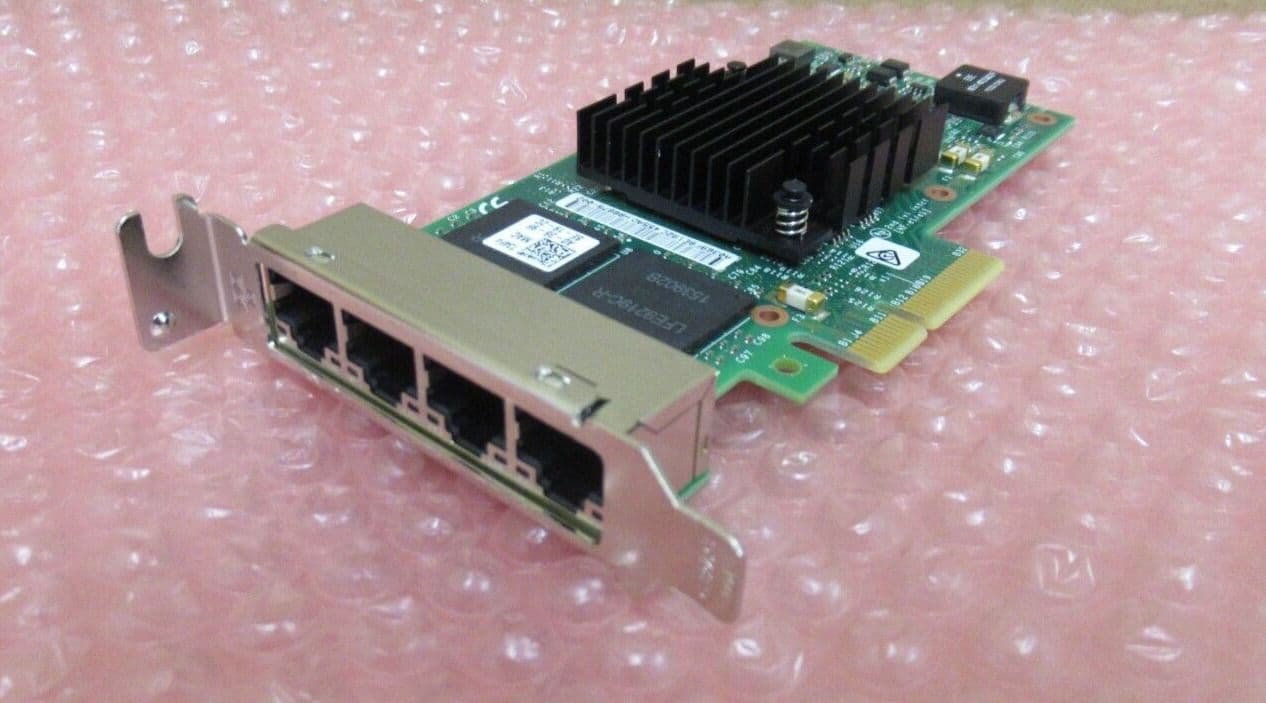
The Intel I350 (commonly the I350-T4 variant) is one of the most popular server-grade 1GbE NICs for homelab and virtualization use.
Why It’s Recommended:
• 4x independent 1GbE ports
• PCIe 2.1 x4 interface
• Very low CPU overhead
• Excellent Linux / BSD support
• Stable and widely supported in Proxmox, ESXi, TrueNAS, pfSense
Virtualization Features:
• SR-IOV (Single Root I/O Virtualization)
• VLAN tagging offload
• Checksum offloading
• Interrupt moderation
• PXE boot support
SR-IOV allows you to assign virtual functions of the NIC directly to VMs, reducing overhead and improving network performance in virtualized environments.
If you are not running VMs or advanced networking, a simpler Intel NIC (like I210/I211) may be sufficient.
Performance Notes:
• Each port is fully independent (not a simple switch internally)
• Can be bonded (LACP) for redundancy or throughput
• Ideal for firewall/router builds, lab segmentation, or Ceph/cluster networking
Power Usage:
• ~4–6W typical
• Runs relatively cool compared to older quad NICs
There are many counterfeit / cloned I350 cards on the used market.
Signs of genuine cards:
• Dell / HP / IBM branded versions are usually safe
• Proper Intel markings on controller chip
• Recognized correctly by lspci as Intel I350
Clones may:
• Have unstable drivers
• Fail under load
• Not support SR-IOV properly
| Model | Speed | Ports | Typical Used eBay (US) | SR-IOV in Proxmox VE | Notes |
|---|---|---|---|---|---|
| Intel X520-DA2 | 10 GbE SFP+ | 2 | ~$20 – $35 | ✅ | Works with SR-IOV on Proxmox; users report VF creation + passthrough working reliably. ([Proxmox Support Forum][1]) |
| Intel X520-SR2 | 10 GbE SFP+ | 2 | ~$15 – $30 | ✅ | Same 82599 chipset as DA2; known to show VFs. ([Proxmox Support Forum][1]) |
| Intel X710/XL710 | 10 GbE SFP+ | 2 | ~$30 – $80+ | ✅* | Works & shows VF capability in Proxmox (driver reports SR-IOV) but some quirks reported in specific boards/firmware. ([Proxmox Support Forum][2]) |
| Intel X540-T2 | 10 GbE Base-T | 2 | ~$50 – $70 | Has SR-IOV hardware & some community reports of use with Proxmox; less common than X520/X710. | |
| Intel X550-T2 | 10 GbE Base-T | 2 | ~$80 – $120 | Enterprise card with SR-IOV reported; Proxmox forum experience exists but is sparse. | |
| Intel E810 (25/100 GbE) | 25 GbE+ | 2 | ~$80 – $200+ | ✅ | Modern Intel SR-IOV capable device with Linux ice driver; not as cheap but Proxmox compatible. ([docs.starlingx.io][4]) |
| Mellanox ConnectX-4 / ConnectX-5 | 10/25/100 GbE | 1–2 | ~$30 – $150+ | ✅ | Strong SR-IOV support with mlx5 driver; documented config guides for Proxmox. ([docs.starlingx.io][5]) |
| Mellanox ConnectX-3 | 10 GbE SFP+ | 1–2 | ~$20 – $50 | Likely works if firmware flags are configured properly; community guides exist for config, but not as plug-and-play. ([Proxmox Support Forum][6]) | |
| Broadcom BCM57xxx / NetXtreme 10 GbE | 10 GbE | 2 | ~$50 – $120+ | Linux supports these, but SR-IOV support in Proxmox is inconsistent and depends on driver/firmware. | |
| Chelsio T4 / T5 / T6 10 GbE | 10 GbE | 1–2 | ~$30 – $80 | Driver declares VF support, but Proxmox forum experience is limited/sparse. | |
| Intel I350-T2 / T4 | 1 GbE | 2 / 4 | ~$15 – $40 | I350 can have SR-IOV in hardware per spec, but many users report mixed success under Proxmox; sometimes firmware lacks SR-IOV bits. ([Proxmox Support Forum][7]) | |
| Intel I210 / I225 / I226 | 1–2.5 GbE | 1–2 | ~$30 – $50 | ❌ | Generally not practical for SR-IOV in Proxmox — drivers either don’t expose VFs or they aren’t usable. |
| Realtek RTL8125 / RTL8xxx 2.5 GbE | 2.5 GbE | 1–2 | ~$30 – $40 | ❌ | No usable SR-IOV support in Linux drivers; never shows VFs in Proxmox. |
links:
https://forum.proxmox.com/threads/intel-i710-sr-iov.145534/ "Intel i710 SR-IOV | Proxmox Support Forum"https://forum.proxmox.com/threads/dell-x710-and-sr-iov.161459/ "Dell X710 and SR-IOV | Proxmox Support Forum"
https://www.nuface.tw/evaluating-proxmox-support-for-high-end-network-cards/ "Evaluating Proxmox Support for High-End Network Cards - Nuface Blog"
https://docs.starlingx.io/planning/kubernetes/verified-commercial-hardware.html "Kubernetes Verified Commercial Hardware — StarlingX documentation"
https://docs.starlingx.io/r/stx.5.0/planning/kubernetes/verified-commercial-hardware.html "Kubernetes Verified Commercial Hardware — StarlingX R5.0 documentation"
https://forum.proxmox.com/threads/how-to-configure-mellanox-connectx-3-cards-for-sriov-and-vfs.121927/ "How-to: configure Mellanox ConnectX-3 cards for SRIOV ..."
https://forum.proxmox.com/threads/sr-iov-not-working-for-intel-i350-t4.83026/ "SR-IOV Not working for Intel i350-T4 | Proxmox Support Forum"
SAS / HBA cards:
LSI / Inspur 9211-8i (Flashed to IT Mode)

The LSI 9211-8i is a classic 6Gb/s SAS HBA based on the LSI SAS2008 controller (PCIe 2.0 x8).
Originally released around 2008, it remains extremely popular in homelab setups due to price and reliability.
Important: It must be flashed to IT mode firmware for proper ZFS usage (Proxmox, TrueNAS, Unraid, etc.).
RAID firmware (IR mode) will force hardware RAID configuration and is NOT recommended for ZFS.
Technical Overview:
• 8x internal drives (2x SFF-8087)
• SAS2 – 6Gb/s per lane
• PCIe 2.0 x8 (~4GB/s total bandwidth)
• Full passthrough in IT mode
• Uses mpt2sas driver (excellent Linux/BSD support)
The SAS2008 chipset does NOT properly pass TRIM / UNMAP to SATA SSDs in most configurations.
For HDD arrays → perfectly fine.
For SSD pools → use a newer SAS3 HBA.
These models are frequently recommended on Proxmox forums, Level1Techs, and TrueNAS communities.
1) LSI 9207-8i (SAS2308)
• SAS2 (6Gb/s)
• PCIe 3.0 x8
• Better power efficiency than 9211
• TRIM/UNMAP passthrough works properly
• Uses mpt2sas driver
• Often ~$30–50 used
This is widely considered the “safe upgrade” from the 9211-8i.
2) LSI 9300-8i (SAS3008)
• SAS3 – 12Gb/s per lane
• PCIe 3.0 x8
• Full TRIM/UNMAP support
• Uses mpt3sas driver
• Lower latency and better SSD handling
• ~$50–80 used
Very commonly recommended for SSD ZFS pools.
Excellent Proxmox / Ceph / TrueNAS card.
3) OEM Variants (Often Cheaper)
Many rebranded versions exist:
• Dell HBA330
• Dell H330 (in IT mode)
• IBM M1215 (crossflashed)
• Fujitsu D3307
• Supermicro AOC-S3008L-L8e
These often use the same LSI SAS2308 or SAS3008 chipsets internally and can be significantly cheaper on the used market.
Always confirm chipset before buying.
Why Upgrade From 9211?
| Feature | 9211-8i | 9207-8i | 9300-8i |
|---|---|---|---|
| PCIe Gen | 2.0 | 3.0 | 3.0 |
| SAS Gen | SAS2 | SAS2 | SAS3 |
| TRIM | ❌ | ✅ | ✅ |
| SSD Friendly | ✅ | ✅ | |
| Idle Power | ~8–10W | ~6–8W | ~6–8W |
Note: full trim support requires IT firmware and driver support. Some versions of the mpt3sas driver break trim. otherwise it is required that the SSD to support RZAT (deterministic read zeros after trim)
| Model | Type | Ports / Speed | Est. US eBay Price | IT Mode Support | Passthrough to VM | TRIM/UNMAP Notes | Source |
|---|---|---|---|---|---|---|---|
| LSI 9211-8i (SAS2008) | HBA | 8 @ 6 Gb/s SAS | ~$30 – $60 | ✅ | ✅ | Proxmox forum: LSI 9211 passthrough to TrueNAS VM discussion ([Proxmox Support Forum][1]) | |
| LSI 9207-8i (SAS2308) | HBA | 8 @ 6 Gb/s SAS | ~$30 – $60 | ✅ | Proxmox passthrough working on older kernel; may have quirks ([Proxmox Support Forum][2]) | ||
| LSI 9300-8i (SAS3008) | HBA | 8 @ 12 Gb/s SAS | ~$40 – $90 | ✅ | User reports passing through 9300-8i and needing extra config (rombar etc.) ([Proxmox Support Forum][3]) | ||
| LSI 9300-16i (SAS3008) | HBA | 16 @ 12 Gb/s SAS | ~$80 – $150 | Users have flashed 9300-16i to IT mode for NAS setups ([Proxmox Support Forum][4]) | |||
| Dell PERC H310 (rebadged LSI9211) | HBA* | 8 @ 6 Gb/s SAS | ~$25 – $50 | ✅ | Flashing H310 to 9211-8i IT mode documented ([Thomas Aldrian][5]) | ||
| LSI MegaRAID 9271-8i / 9361 | RAID | 8 @ 6–12 Gb/s | ~$60 – $140 | *Possible (flash) | LSI RAID cards require conversion to IT for simple passthrough ([Proxmox Support Forum][4]) |
links:
https://forum.proxmox.com/threads/enabling-iommu-for-lsi-9211-8i-passhtrough.144619/ "Enabling IOMMU for LSI 9211-8i passhtrough"
https://forum.proxmox.com/threads/failing-sas-passthrough-on-proxmox-9-with-8-14-kernel.170165/ "Failing SAS Passthrough on Proxmox 9 with 8.14 kernel"
https://forum.proxmox.com/threads/sas3008-e-g-lsi-9300-8i-incompatible-with-proxmox.103159/ "SAS3008 (e.g. LSI 9300-8i) incompatible with Proxmox | Proxmox Support Forum"
https://forum.proxmox.com/tags/hba-passthrough/ "hba passthrough | Proxmox Support Forum"
https://weissnix4711.github.io/homelab/2024/05/14/dell-h310-it-mode/ "Dell PERC H310 raid card flashed to IT Mode - Thomas Aldrian"
Thermals:
All LSI cards run warm.
• Active airflow recommended
• Especially important in Lenovo Tiny builds
• Keep under ~70°C for stability
Bottom Line:
• Budget HDD-only array → 9211-8i is still unbeatable value
• Mixed HDD + SSD → 9207-8i is safer
• SSD-heavy / modern build → 9300-8i or SAS3008-based card
• Double check you buy a model with IT mode firmware for homelab use.
Enterprise HDD comparison table:
| Drive Model | Form Factor | Interface | Capacity Options | Workload Rating (TB/yr) | Watts (Idle/Active) | Avg Used eBay.com Price (≈) |
|---|---|---|---|---|---|---|
| HGST Ultrastar He10 / HC310 | 3.5" | SATA / SAS 12Gb | 10TB | 550 TB/yr | ~5.8W / ~9.5W | ~$90 – $240 – used 10TB HGST Ultrastar He10/SAS/SATA enterprise HDDs commonly sell around ~$90–$240 USD on eBay.com depending on condition and interface. (e.g., ~$95 sold listing; ~$138–$255+ active). |
| HGST Ultrastar He12 / HC320 | 3.5" | SATA / SAS 12Gb | 12TB | 550 TB/yr | ~6.0W / ~9.8W | ~$100 – $270+ – 12TB enterprise HGST/SAS drives often trade in this bracket on eBay.com, with prices influenced by condition and seller. (estimated from 10TB / similar listings). |
| HGST Ultrastar He14 / HC330 | 3.5" | SATA / SAS 12Gb | 14TB | 550 TB/yr | ~6.2W / ~10W | ~$120 – $300+ – Larger enterprise drives like 14TB models on eBay.com see listings in this range, though individual prices vary with health/state and SAS vs SATA. |
| HGST Ultrastar He16 / HC340 | 3.5" | SATA / SAS 12Gb | 16TB | 550 TB/yr | ~6.4W / ~10.2W | ~$140 – $330+ – 16TB enterprise drives (HGST/SAS/SATA) often appear near ~$140–$330+ on eBay.com. |
| HGST Ultrastar He18 / HC350 | 3.5" | SATA / SAS 12Gb | 18TB | 550 TB/yr | ~6.5W / ~10.4W | ~$150 – $350+ – Used 18TB enterprise HGST/SAS drives typically trade near this range. Listings vary by condition and seller. |
| WD Ultrastar DC HC500 (HGST Legacy) | 3.5" | SATA / SAS 12Gb | 8TB, 10TB | 550 TB/yr | ~5.6W / ~9.2W | ~$70 – $220 – Used WD/HGST 8–10TB enterprise drives on US eBay.com commonly fall in this range depending on capacity and condition. |
| WD Ultrastar DC HC550 | 3.5" | SATA / SAS 12Gb | 14TB, 16TB, 18TB | 550 TB/yr | ~5.8W / ~9.5W | ~$120 – $330+ – Enterprise DC HC550 drives often list around ~$120–$330+ on eBay.com based on large capacity used listings. |
| WD Ultrastar DC HC560 | 3.5" | SATA / SAS 12Gb | 20TB, 22TB | 550 TB/yr | ~6.0W / ~9.8W | ~$200 – $380+ – Larger 20–22TB enterprise WD DC HC560 used drives generally trade in this approximate price bracket on US eBay.com. |
| WD Ultrastar DC SA620 (SATA SSD/HDD Hybrid) | 2.5" | SATA 6Gb/s | 960GB — 7.68TB | N/A (SSHD) | ~2.9W / ~5.5W | ~$40 – $150 – Used SATA hybrid drives (SSHD) of similar capacities on eBay.com often list in the ~$40–$150 USD range. |
| WD Gold Enterprise HDDs | 3.5" | SATA 6Gb/s | 1TB — 18TB | 550 TB/yr | 5W — 10W (varies by size) | ~$50 – $330+ – Used WD Gold HDD enterprise drives vary by capacity: smaller (~1–4TB) often ~$50–$120, larger (~12–18TB) near ~$200–$330+ on eBay.com. |
| Seagate Exos X18 | 3.5" | SATA 6Gb/s | 10TB, 12TB, 14TB, 16TB, 18TB | 550 TB/yr | 5.3W / 9.4W | ~$120 – $340+ – Used Seagate Exos X18 enterprise drives typically appear around ~$120–$340+ USD on eBay.com depending on capacity and condition. |
| Seagate Exos X20 | 3.5" | SATA 6Gb/s | 16TB, 18TB, 20TB | 550 TB/yr | 5.4W / 9.4W | ~$180 – $400+ – Larger Exos X20 drives on eBay.com often trade for roughly ~$180–$400+ used, varying by model and health. |
| Seagate Exos 7E10 | 3.5" | SAS 12Gb/s | 1TB, 2TB, 4TB, 8TB | 550 TB/yr | 7.6W / 11.5W | ~$30 – $180 – Used smaller Exos enterprise drives (~1–8TB) on US eBay.com often list roughly ~$30–$180 depending on capacity and condition. |
| Toshiba MG09 Series | 3.5" | SATA / SAS | 14TB, 16TB, 18TB | 550 TB/yr | 4.2W / 8.3W | ~$130 – $300+ – Used Toshiba MG09 enterprise drives typically show prices around ~$130–$300+ USD on eBay.com. |
| Toshiba MG10 Series | 3.5" | SATA / SAS | 20TB, 22TB | 550 TB/yr | 4.4W / 8.6W | ~$200 – $380+ – Used Toshiba MG10 (20–22TB) enterprise drives eBay.com listings often in the ~$200–$380+ range. |
| Seagate Exos 10E2400 (2.4TB) | 2.5" | SAS 12Gb/s | 600GB, 900GB, 1.2TB, 1.8TB, 2.4TB | 550 TB/yr | 3.8W / 6.9W | ~$30 – $120 – Used 2.5" SAS enterprise drives (e.g., ~600GB–2.4TB) on eBay.com generally fall in the ~$30–$120 range. |
| Western Digital Ultrastar 10K600 | 2.5" | SAS 12Gb/s | 600GB, 900GB, 1.2TB | 550 TB/yr | 3.6W / 6.5W | ~$30 – $120 – Smaller SAS enterprise HDDs (10K RPM) used on eBay.com often list around ~$30–$120 USD depending on capacity. |
NOTES: in my opinion, HGST have the Lowest failure rates along side Western Digital.
Seagate / Toshiba models tend to have higher failure rates depending on models. but they are often cheaper, sometimes by a fair amount.
Seagates depending on the model can be the worst drives to purchase, so unless you want to research the specific model you are buying, you probably want HGST/WD.
Samsung HDDs also have fairly high failure rates. SSDs are good but HDDs are hit and miss.
BackBlaze Hard Drive Failure Data By Year
2024:
Reporting period: 1/1/2024 – 12/31/2024 inclusive
Drive models with drive count > 250 as of 12/31/2024 and drive days > 50,000 in 2024.
| MFG | Model | Size (TB) | Drive Count | Avg Age (months) | Drive Days | Drive Failures | AFR |
|---|---|---|---|---|---|---|---|
| HGST | HMS5C4040ALE640 | 4 | 263 | 95.5 | 327,114 | 4 | 0.45% |
| HGST | HMS5C4040BLE640 | 4 | 4,120 | 95.9 | 3,078,618 | 18 | 0.21% |
| HGST | HUH728080ALE600 | 8 | 1,084 | 79.8 | 400,697 | 18 | 1.64% |
| HGST | HUH721212ALE600 | 12 | 2,606 | 61.8 | 949,117 | 32 | 1.23% |
| HGST | HUH721212ALE604 | 12 | 13,313 | 43.3 | 4,786,933 | 435 | 3.32% |
| HGST | HUH721212ALN604 | 12 | 10,191 | 66.5 | 3,814,797 | 590 | 5.65% |
| Seagate | ST8000DM002 | 8 | 9,078 | 98.6 | 3,355,725 | 162 | 1.76% |
| Seagate | ST8000NM0055 | 8 | 13,534 | 87.0 | 5,020,845 | 356 | 2.59% |
| Seagate | ST10000NM0086 | 10 | 1,034 | 84.4 | 391,133 | 58 | 5.41% |
| Seagate | ST12000NM0007 | 12 | 1,038 | 61.3 | 400,953 | 125 | 11.38% |
| Seagate | ST12000NM0008 | 12 | 19,134 | 56.2 | 7,060,183 | 502 | 2.60% |
| Seagate | ST12000NM000J | 12 | 723 | 8.5 | 172,556 | 16 | 3.38% |
| Seagate | ST12000NM001G | 12 | 13,184 | 46.8 | 4,814,820 | 166 | 1.26% |
| Seagate | ST14000NM001G | 14 | 10,589 | 46.3 | 3,863,921 | 175 | 1.65% |
| Seagate | ST14000NM0138 | 14 | 1,321 | 48.9 | 498,291 | 73 | 5.35% |
| Seagate | ST16000NM001G | 16 | 33,600 | 28.6 | 11,737,654 | 226 | 0.70% |
| Seagate | ST16000NM002J | 16 | 461 | 25.8 | 168,170 | 1 | 0.22% |
| Toshiba | MG07ACA14TA | 14 | 37,703 | 49.7 | 13,729,393 | 414 | 1.10% |
| Toshiba | MG07ACA14TEY | 14 | 742 | 36.4 | 230,649 | 10 | 1.58% |
| Toshiba | MG08ACA16TA | 16 | 40,185 | 19.1 | 14,089,908 | 484 | 1.25% |
| Toshiba | MG08ACA16TE | 16 | 5,912 | 38.4 | 2,173,570 | 68 | 1.14% |
| Toshiba | MG08ACA16TEY | 16 | 5,163 | 36.9 | 1,889,434 | 82 | 1.58% |
| Toshiba | MG10ACA20TE | 20 | 5,943 | 3.8 | 631,665 | 15 | 0.87% |
| WDC | WUH721414ALE6L4 | 14 | 8,542 | 47.8 | 3,110,146 | 72 | 0.84% |
| WDC | WUH721816ALE6L0 | 16 | 3,016 | 36.2 | 1,103,215 | 37 | 1.22% |
| WDC | WUH721816ALE6L4 | 16 | 26,475 | 21.1 | 9,365,201 | 94 | 0.37% |
| WDC | WUH722222ALE6L4 | 22 | 30,000 | 5.8 | 4,741,582 | 139 | 1.07% |
| TOTALS | | | 298,954 | | 101,906,290 | 4,372 | 1.57% |
2023:
Reporting period: 1/1/2023 – 12/31/2023 inclusive
| MFG | Model | Drive Size | Drive Count | Avg Age (months) | Drive Days | Drive Failures | AFR |
|---|---|---|---|---|---|---|---|
| HGST | HMS5C4040ALE640 | 4TB | 1,950 | 85.5 | 1,182,145 | 12 | 0.37% |
| HGST | HMS5C4040BLE640 | 4TB | 10,260 | 86.0 | 4,219,579 | 44 | 0.38% |
| HGST | HUH728080ALE600 | 8TB | 1,103 | 68.0 | 401,471 | 27 | 2.45% |
| HGST | HUH728080ALE604 | 8TB | 89 | 77.6 | 33,059 | 5 | 5.52% |
| HGST | HUH721212ALE600 | 12TB | 2,606 | 50.5 | 938,602 | 21 | 0.82% |
| HGST | HUH721212ALE604 | 12TB | 13,144 | 33.1 | 4,780,695 | 125 | 0.95% |
| HGST | HUH721212ALN604 | 12TB | 10,532 | 56.0 | 3,829,510 | 387 | 3.69% |
| Seagate | ST4000DM000 | 4TB | 11,391 | 96.6 | 6,149,245 | 560 | 3.32% |
| Seagate | ST6000DX000 | 6TB | 882 | 104.0 | 322,461 | 6 | 0.68% |
| Seagate | ST8000DM002 | 8TB | 9,250 | 86.7 | 3,408,498 | 267 | 2.86% |
| Seagate | ST8000NM000A | 8TB | 204 | 14.1 | 52,876 | 0 | 0.00% |
| Seagate | ST8000NM0055 | 8TB | 13,914 | 74.9 | 5,144,580 | 543 | 3.85% |
| Seagate | ST10000NM0086 | 10TB | 1,097 | 72.5 | 410,970 | 74 | 6.57% |
| Seagate | ST12000NM0007 | 12TB | 1,162 | 49.6 | 440,056 | 96 | 7.96% |
| Seagate | ST12000NM0008 | 12TB | 19,449 | 44.7 | 7,128,136 | 573 | 2.93% |
| Seagate | ST12000NM000J | 12TB | 195 | 2.7 | 15,811 | 1 | 2.31% |
| Seagate | ST12000NM001G | 12TB | 13,108 | 35.5 | 4,700,930 | 153 | 1.19% |
| Seagate | ST14000NM000J | 14TB | 77 | 2.6 | 4,986 | 2 | 14.64% |
| Seagate | ST14000NM0018 | 14TB | 66 | 17.1 | 16,492 | 6 | 13.28% |
| Seagate | ST14000NM001G | 14TB | 10,693 | 34.4 | 3,905,366 | 193 | 1.80% |
| Seagate | ST14000NM0138 | 14TB | 1,400 | 36.9 | 528,390 | 116 | 8.01% |
| Seagate | ST16000NM001G | 16TB | 27,433 | 21.2 | 9,160,212 | 176 | 0.70% |
| Seagate | ST16000NM002J | 16TB | 463 | 13.7 | 123,261 | 2 | 0.59% |
| Seagate | ST18000NM000J | 18TB | 60 | 36.7 | 21,630 | 3 | 5.06% |
| Toshiba | MD04ABA400V | 4TB | 93 | 103.4 | 34,042 | 1 | 1.07% |
| Toshiba | HDWF180 | 8TB | 60 | 24.8 | 18,889 | 5 | 9.66% |
| Toshiba | MG07ACA14TA | 14TB | 37,913 | 37.8 | 13,827,478 | 426 | 1.12% |
| Toshiba | MG07ACA14TEY | 14TB | 649 | 27.6 | 219,865 | 8 | 1.33% |
| Toshiba | MG08ACA16TA | 16TB | 33,750 | 9.0 | 4,995,010 | 149 | 1.09% |
| Toshiba | MG08ACA16TE | 16TB | 5,960 | 26.5 | 2,140,932 | 56 | 0.95% |
| Toshiba | MG08ACA16TEY | 16TB | 5,230 | 24.9 | 1,894,368 | 58 | 1.12% |
| WDC | WUH721414ALE6L4 | 14TB | 8,471 | 36.5 | 3,066,209 | 36 | 0.43% |
| WDC | WUH721816ALE6L0 | 16TB | 3,053 | 24.2 | 996,710 | 9 | 0.33% |
| WDC | WUH721816ALE6L4 | 16TB | 21,607 | 11.6 | 5,707,555 | 47 | 0.30% |
| WDC | WUH722222ALE6L4 | 22TB | 2,442 | 2.4 | 126,956 | 2 | 0.58% |
| TOTAL (35 models) | | | 269,756 | | 89,946,975 | 4,189 | 1.70% |
2022:
Reporting period: 1/1/2022 – 12/31/2022 inclusive
| MFG | Model | Drive Size | Drive Count | Avg Age (months) | Drive Days | Drive Failures | AFR |
|---|---|---|---|---|---|---|---|
| HGST | HMS5C4040ALE640 | 4TB | 3,723 | 77.1 | 1,322,966 | 23 | 0.63% |
| HGST | HMS5C4040BLE640 | 4TB | 12,730 | 74.1 | 4,641,631 | 52 | 0.41% |
| HGST | HUH728080ALE600 | 8TB | 1,117 | 56.6 | 408,895 | 16 | 1.43% |
| HGST | HUH728080ALE604 | 8TB | 94 | 65.5 | 27,684 | 4 | 5.27% |
| HGST | HUH721212ALE600 | 12TB | 2,606 | 38.9 | 948,201 | 7 | 0.27% |
| HGST | HUH721212ALE604 | 12TB | 13,165 | 21.3 | 4,789,187 | 73 | 0.56% |
| HGST | HUH721212ALN604 | 12TB | 10,769 | 44.8 | 3,930,437 | 80 | 0.74% |
| Seagate | ST4000DM000 | 4TB | 18,246 | 85.9 | 6,699,353 | 633 | 3.45% |
| Seagate | ST6000DX000 | 6TB | 886 | 92.5 | 323,387 | 6 | 0.68% |
| Seagate | ST8000DM002 | 8TB | 9,523 | 74.6 | 3,505,962 | 189 | 1.97% |
| Seagate | ST8000NM000A | 8TB | 79 | 14.2 | 22,839 | 0 | 0.00% |
| Seagate | ST8000NM0055 | 8TB | 14,417 | 63.2 | 5,230,097 | 347 | 2.42% |
| Seagate | ST10000NM0086 | 10TB | 1,174 | 60.7 | 430,092 | 44 | 3.73% |
| Seagate | ST12000NM0007 | 12TB | 1,262 | 37.7 | 469,211 | 61 | 4.75% |
| Seagate | ST12000NM0008 | 12TB | 19,821 | 33.1 | 7,291,905 | 404 | 2.02% |
| Seagate | ST12000NM001G | 12TB | 12,623 | 24.9 | 4,515,095 | 116 | 0.94% |
| Seagate | ST14000NM001G | 14TB | 10,751 | 22.8 | 3,912,395 | 126 | 1.18% |
| Seagate | ST14000NM0138 | 14TB | 1,519 | 24.8 | 570,042 | 89 | 5.70% |
| Seagate | ST16000NM001G | 16TB | 20,393 | 13.6 | 6,057,376 | 142 | 0.86% |
| Seagate | ST16000NM002J | 16TB | 310 | 6.6 | 50,625 | 2 | 1.44% |
| Toshiba | MD04ABA400V | 4TB | 94 | 91.3 | 35,031 | 3 | 3.13% |
| Toshiba | MG07ACA14TA | 14TB | 38,182 | 26.0 | 13,921,635 | 385 | 1.01% |
| Toshiba | MG07ACA14TEY | 14TB | 552 | 20.7 | 184,247 | 8 | 1.58% |
| Toshiba | MG08ACA16TA | 16TB | 3,751 | 6.9 | 625,329 | 10 | 0.58% |
| Toshiba | MG08ACA16TE | 16TB | 5,936 | 14.7 | 2,167,676 | 93 | 1.57% |
| Toshiba | MG08ACA16TEY | 16TB | 5,286 | 12.9 | 1,362,038 | 24 | 0.64% |
| WDC | WUH721414ALE6L4 | 14TB | 8,410 | 24.8 | 3,065,102 | 10 | 0.12% |
| WDC | WUH721816ALE6L0 | 16TB | 2,701 | 14.9 | 938,328 | 3 | 0.12% |
| WDC | WUH721816ALE6L4 | 16TB | 10,801 | 4.6 | 1,313,668 | 13 | 0.36% |
| TOTAL (29 models) | | | 230,921 | | 78,760,434 | 2,963 | 1.37% |
Data Summary:
This summary is based strictly on the 2022, 2023, and 2024 AFR data provided above.
- Most consistent low failure rates across all three years
- Rarely exceeds 1.2% AFR
- Strong reliability trend overall
- Generally stable AFR (~1.0–1.5%)
- Few extreme outliers
- Consistent mid-range reliability
- Excellent reliability in 4TB models
- Some 12TB models show elevated AFR in 2023–2024
- Wider spread between best and worst models
- Largest variability across models
- Several high AFR spikes (5–11%+)
- Also includes some very reliable 16TB models
- Seagate ST8000NM000A (2022, 2023) – 0.00%
Note: Very small sample size.
-
WDC WUH721414ALE6L4
- 2022: 0.12%
- 2023: 0.43%
- 2024: 0.84%
-
WDC WUH721816ALE6L4
- 2022: 0.36%
- 2023: 0.30%
- 2024: 0.37%
-
HGST HMS5C4040BLE640
- 2022: 0.41%
- 2023: 0.38%
- 2024: 0.21%
-
Seagate ST16000NM001G
- 2022: 0.86%
- 2023: 0.70%
- 2024: 0.70%
- Seagate ST14000NM000J (2023) – 14.64%
- Seagate ST14000NM0018 (2023) – 13.28%
- Seagate ST12000NM0007 (2024) – 11.38%
- Toshiba HDWF180 (2023) – 9.66%
- Seagate ST14000NM0138 (2023) – 8.01%
- Seagate ST12000NM0007 (2023) – 7.96%
-
Seagate ST10000NM0086
- 2023: 6.57%
- 2024: 5.41%
-
HGST HUH721212ALN604
- 2023: 3.69%
- 2024: 5.65%
WDC — lowest and most stable AFR across all years.
Toshiba — stable, moderate AFR with few severe spikes.
HGST — excellent 4TB reliability, but some 12TB models show higher failure rates.
Seagate — wide performance spread; some models highly reliable, others with significant AFR spikes.
⚠ Note: AFR values are based on Backblaze fleet data and are influenced by drive count, age, and operational environment.
HDD Longevity
Consider this guide your manual. We need to take care of our hardware, we should not see it as disposable. i for example have a 1.5TB WD Green drive that is almost 20 years old now, it has been used the most of any drive i have, as my tmp drive, torrent drive, etc, this drive has been rewritten more times than i can remember and it still works. i have only lost roughly 2 out of 20+ of my large storage drives. this guide will detail how you can get the most of of your HDDs.
Achieving a multi-decade lifespan for a hard drive is less about luck and more about a philosophy: treat the drive as a precision electro-mechanical instrument that prefers stability and consistency over power-saving heroics. Let's break down the master protocol.
- Choose Enterprise-Grade, Not Consumer: Avoid "Desktop," "Green," or basic external drives. (while they will work and you can get a long life out of them, they enterprise is better.) Their firmware is often tuned for power savings and quiet operation, which can lead to aggressive power management that shortens life. Instead, select drives from the "Enterprise" or "NAS" (Network Attached Storage) lines of major manufacturers like:
- HGST: Ultrastar. ( i prefer the HelioSeal as it decreases resistence on the mechanical parts and also saves power, down side they are more expensive if you ever need data recovery serives but i do not plan to ever do that personally. )
- Western Digital: Ultrastar or Gold series . you can also use although the results are more so mixed, please refer to the BackBlaze data above on which models to avoid and which to focus on.
- Seagate: Exos or IronWolf Pro series
- Toshiba: MG Series Enterprise Capacity Drives .
- Why? These drives are built with more robust components, better vibration tolerance, and firmware designed for 24/7 operation and higher annual workloads (e.g., 550 TB per year) . They are engineered to last.
This is the most critical technical step, Many modern drives, even enterprise ones, have power-saving features that will mechanically wear out the drive long before its time. Our goal is to disable or drastically extend these timers in the drive's own firmware. This is a one-time configuration that tells the drive to behave.
The Prime Suspect: The Load_Cycle_Count
Every time the drive parks its read/write heads, it ticks off one "load cycle" from its rated life (often 300,000 to 600,000). In its default state, a drive might park the heads after only 8 seconds of inactivity . In a Linux system, this can cause hundreds of thousands of cycles in months, killing the drive. in my opinion this is the leading cause of hard drive failure.
The Solution: Firmware Modification
There are two main ways to stop the "parking madness," and they work best in tandem:
-
Method A: The Nuclear Option (Modify the
idle3timer)- Target: Western Digital drives that use the "IntelliPark" feature.
- The Tool: Western Digital's own
wdidle3.exe(a DOS utility) or the Linux equivalentidle3-tools. - The Command (Conceptual): You boot into a DOS environment or use the Linux tool to change the timer. The goal is to set it to a much higher value or disable it entirely.
wdidle3.exe /D– This disables the automatic head parking. The heads will now only park when the drive is fully powered down. This is the ideal state for longevity .
-
Method B: The OS-Level Command (Disable Advanced Power Management)
- Target: Most drives, including Seagate and others, that respond to the Advanced Power Management (APM) feature.
- The Tool: The Linux utility
hdparm. - The Command:
sudo hdparm -B 255 /dev/sdX(replacesdXwith your drive identifier, e.g.,sda). - What it does: A value of
-B 255tellshdparmto disable Advanced Power Management altogether on the drive . This prevents the drive from ever deciding to park its heads or spin down on its own. This is your primary weapon. - Verify: Check the result with
sudo hdparm -I /dev/sdX | grep -i "level". You want to see that APM is not enabled.
-
Bonus: Set a Sensible Standby Timer (Optional)
- Even with APM disabled, you might want the drive to spin down after a very long period of inactivity (like hours) to save a bit of wear on the spindle motor. This is not the same as head-parking.
- Use
hdparm -S 241 /dev/sdXto set a standby timeout. The value241corresponds to about 30 minutes. Multiply the value by 5 to get the number of seconds until standby . A value of0disables the standby timer.
To make this permanent on Linux, you must add the hdparm command to a startup script (like /etc/rc.local) so it runs every time the system boots.
A stable environment is non-negotiable for long lifespan.
- Temperature is the #1 Enemy: An HDD's failure rate is directly tied to heat.
- The "sweet spot" for maximum longevity is an average operating temperature of no more than 40°C .
- For every 5°C increase above 40°C, the failure rate can increase by 30% . Running a drive at 55°C more than doubles its chance of failure.
- Action: Ensure your case has excellent, continuous airflow over the drive. Monitor temperatures with tools like
smartctlor CrystalDiskInfo.
- Vibration Isolation:
- A spinning drive creates vibration. If not properly dampened, this vibration can be transmitted back to the drive, causing misalignment and extra work for the head actuator.
- Action: Securely mount the drive with all four screws. Use vibration-dampening grommets or a quality drive cage. Do not let the drive sit loosely in a bay .
- Stable Power:
- Use a high-quality power supply unit (PSU). A PSU with dirty power or voltage fluctuations can stress the drive's electronics over time.
You must be a vigilant caretaker.
- Befriend S.M.A.R.T. (Self-Monitoring, Analysis and Reporting Technology):
- Tools:
smartctl(from thesmartmontoolspackage in Linux) is your best friend. - What to Watch:
Load_Cycle_Count: This number should only increase when you boot or shut down the system. If it's climbing while the system is on, your fix in Phase 2 didn't work.Start_Stop_Count: This counts full spin-ups. This should also be low, corresponding to your power-on/power-off cycles.Reallocated_Sector_Count: If this number starts increasing, the drive is having trouble and is remapping bad sectors. This is an early sign of failure.Temperature: Ensure it stays consistently below 40°C.Power_On_Hours: This is your odometer. It will be interesting to see how high it goes.
- Tools:
Even if you follow every step perfectly, a mechanical device can still fail. for long term reliability, a single drive is never the answer. Your ultimate insurance policy is redundancy and backups.
- RAID is for Uptime: Use a RAID 1 (mirror) or RAID 5/6 array so that if one drive fails, your system keeps running and your data is safe on the other drives.
- Backups are for Data: Maintain a separate, offline backup. the data is more important than the drive.
By following this guide, you're not just hoping for longevity, you're engineering it.
Enterprise NVMe / M.2 Drives with Endurance
| Drive Model | Form Factor | Interface | Endurance (TBW/PBW) | Watts (Idle/Active) | Avg Used eBay.com Price (≈) |
|---|---|---|---|---|---|
| Intel Optane M10 (16GB) | M.2 2280 | PCIe 3.0 x2 | 365 TBW | 0.08W/2W | ~$5 – $15 (small Optane modules frequently listed cheap) |
| Intel Optane M10 (32GB) | M.2 2280 | PCIe 3.0 x2 | 182.5 TBW | 1W/3.5W | ~$20 – $35 (new/used available) |
| Intel Optane SSD 905P (480GB) | M.2/U.2/HHHL | PCIe 3.0 x4 | 17.52 PB | 6W/16.4W | ~$350 – $450 (used 480GB approx) |
| Intel Optane SSD 905P (960GB) | U.2/HHHL | PCIe 3.0 x4 | 17.52 PB | 6W/16.4W | ~$600 – $900 (used 960GB listings) |
| Samsung PM9A3 (960GB, 1920GB, 3840GB) | M.2 22110 | PCIe 4.0 x4 | 1.7 PBW / 3.5 PBW / 7.0 PBW | 3.5W/8W Avg | N/A (rare to no used eBay listings) |
| Seagate Nytro 5000 (1.6TB, 3.2TB, 6.4TB) | M.2 22110 | PCIe 3.0 x4 | 3.2 PBW | 9W Avg/12.5W Max | N/A (rare to no eBay used data) |
| Intel DC P5800X (400GB,800GB,1.6TB) | U.2 | PCIe 4.0 x4 | 73–292 PBW | 4.2W/18W | ~$900 – $1,200+ (varies hugely; some reports of ~$1,200-$2,000+) |
| ADATA XPG SX8200 Pro (256GB–2TB) | M.2 2280 | PCIe 3.0 x4 | 160–640 TBW | 0.05W/1.9W/4.1W Max | ~$70 – $110 (rough average for 1TB) (typical eBay used SSD pricing) |
| Intel DC P3700 400GB | PCIe Add-in Card | PCIe 3.0 x4 | 7.3 PBW | 4W/9W/12W | ~$50 – $90 (used PCIe P3700 cards) (typical older enterprise SSD prices) |
| Intel Optane P4801X 100GB | M.2 2280 | PCIe 3.0 x4 | 10.9 PBW | 3W/7W | ~$150 – $300 (occasional US eBay used listings) |
links:
https://www.reddit.com/r/DataHoarder/comments/1nferxo/i_finally_got_my_grail_intel_optane_p5800x_16t/ "I finally got my grail. Intel Optane P5800X 1.6T. This is gonna be a family heirloom"
Consumer NVMe / M.2 Drives
| Drive Model | Form Factor | Interface | Endurance (TBW) | Quality | Avg Used eBay.com Price (≈) |
|---|---|---|---|---|---|
| Crucial P3 1TB | M.2 2280 | PCIe 3.0 x4 | 220 TB | Cheap QLC Consumer | ~$25 – $50 (pre-owned listings range from ~$20–$95) |
| Samsung 980 1TB | M.2 2280 | PCIe 3.0 x4 | 600 TB | Normal TLC Consumer | ~$70 – $110 (used prices commonly ~$80–$120 on eBay) |
| Samsung 980 Pro 1TB | M.2 2280 | PCIe 4.0 x4 | 600 TB | Modern TLC Prosumer | ~$110 – $140 (used avg visible ~ $125) |
| Samsung 970 Pro 1TB | M.2 2280 | PCIe 3.0 x4 | 1,200 TB | End-of-Life MLC Prosumer | ~$180 – $260 (older enterprise SSD, used listings less frequent but often ~$200+) |
Enterprise drives are designed to handle much higher workloads and offer greater durability compared to consumer-grade drives. While consumer drives may seem more affordable, they often burn out quickly in high-write environments such as servers or when used with ZFS, which requires frequent read/write operations. Enterprise SSDs are built for sustained performance, higher endurance (TBW/PBW), and reliability, making them the preferable choice for demanding applications where data integrity and long-term use are crucial.

section in progress / to be updated
Intel:
14th Gen - Raptor Lake Refresh Desktop:
| Model | Cores / Threads | Passmark CPU Bench | TDP (W) | Turbo Power (W) | iGPU | Avg Used eBay.com Price (US) |
|---|---|---|---|---|---|---|
| Intel Core i9-14900K | 24C / 32T | ~60,305 | 125 | 253 | UHD 770 | ~$430 – $480 |
| Intel Core i9-14900KF | 24C / 32T | ~60,305 | 125 | 253 | None | ~$410 – $460 |
| Intel Core i9-14900 | 24C / 32T | ~49,272 | 65 | 219 | UHD 770 | ~$350 – $420 |
| Intel Core i7-14700K | 20C / 28T | ~53,653 | 125 | 253 | UHD 770 | ~$385 – $450 |
| Intel Core i7-14700KF | 20C / 28T | ~53,653 | 125 | 253 | None | ~$360 – $430 |
| Intel Core i7-14700 | 20C / 28T | ~46,680 | 65 | 219 | UHD 770 | ~$300 – $380 |
| Intel Core i5-14600K | 14C / 20T | ~39,199 | 125 | 181 | UHD 770 | ~$250 – $300 |
| Intel Core i5-14600KF | 14C / 20T | ~39,199 | 125 | 181 | None | ~$230 – $280 |
| Intel Core i5-14600 | 14C / 20T | ~33,182 | 65 | 154 | UHD 770 | ~$200 – $260 |
| Intel Core i5-14500 | 14C / 20T | ~31,282 | 65 | 154 | UHD 770 | ~$180 – $240 |
| Intel Core i5-14400 | 10C / 16T | ~25,242 | 65 | 148 | UHD 730 | ~$150 – $200 |
| Intel Core i5-14400F | 10C / 16T | ~25,786 | 65 | 148 | None | ~$140 – $190 |
| Intel Core i3-14100 | 4C / 8T | ~15,478 | 60 | 89 | UHD 730 | ~$90 – $130 |
| Intel Core i3-14100F | 4C / 8T | ~15,383 | 60 | 89 | None | ~$80 – $120 |
13th Gen - Raptor Lake Desktop:
| Model | Cores / Threads | Passmark CPU Bench | TDP (W) | Turbo Power (W) | iGPU | Avg Used eBay.com Price (US) |
|---|---|---|---|---|---|---|
| Intel Core i9-13900K | 24C / 32T | ~60,000 | 125 | 253 | UHD 770 | ~$370 – $440 |
| Intel Core i9-13900KF | 24C / 32T | ~60,000 | 125 | 253 | None | ~$350 – $420 |
| Intel Core i9-13900 | 24C / 32T | ~53,780 | 65 | 219 | UHD 770 | ~$300 – $380 |
| Intel Core i7-13700K | 16C / 24T | ~47,002 | 125 | 253 | UHD 770 | ~$320 – $400 |
| Intel Core i7-13700KF | 16C / 24T | ~47,002 | 125 | 253 | None | ~$300 – $380 |
| Intel Core i7-13700 | 16C / 24T | ~42,000 | 65 | 219 | UHD 770 | ~$250 – $320 |
| Intel Core i5-13600K | 14C / 20T | ~38,745 | 125 | 181 | UHD 770 | ~$220 – $280 |
| Intel Core i5-13600KF | 14C / 20T | ~38,745 | 125 | 181 | None | ~$200 – $260 |
| Intel Core i5-13600 | 14C / 20T | ~35,000 | 65 | 154 | UHD 770 | ~$180 – $240 |
| Intel Core i5-13500 | 14C / 20T | ~30,650 | 65 | 154 | UHD 770 | ~$160 – $220 |
| Intel Core i5-13400 | 10C / 16T | ~26,355 | 65 | 148 | UHD 730 | ~$130 – $180 |
| Intel Core i5-13400F | 10C / 16T | ~25,129 | 65 | 148 | None | ~$120 – $170 |
| Intel Core i3-13100 | 4C / 8T | ~17,500 | 60 | 89 | UHD 730 | ~$80 – $120 |
| Intel Core i3-13100F | 4C / 8T | ~17,500 | 60 | 89 | None | ~$70 – $110 |
12th Gen - Alder Lake Desktop:
| Model | Cores / Threads | Passmark CPU Bench | TDP (W) | Turbo Power (W) | iGPU | Avg Used eBay.com Price (US) |
|---|---|---|---|---|---|---|
| Intel Core i9-12900K | 16C / 24T | ~39,693 | 125 | 241 | UHD 770 | ~$300 – $400 |
| Intel Core i9-12900KF | 16C / 24T | ~39,693 | 125 | 241 | None | ~$280 – $380 |
| Intel Core i7-12700K | 12C / 20T | ~34,422 | 125 | 190 | UHD 770 | ~$220 – $300 |
| Intel Core i7-12700KF | 12C / 20T | ~34,422 | 125 | 190 | None | ~$200 – $280 |
| Intel Core i5-12600K | 10C / 16T | ~27,580 | 125 | 150 | UHD 770 | ~$150 – $220 |
| Intel Core i5-12600KF | 10C / 16T | ~27,580 | 125 | 150 | None | ~$140 – $200 |
| Intel Core i5-12400 | 6C / 12T | ~21,715 | 65 | 117 | UHD 730 | ~$100 – $150 |
| Intel Core i5-12400F | 6C / 12T | ~21,715 | 65 | 117 | None | ~$90 – $140 |
| Intel Core i3-12100 | 4C / 8T | ~15,380 | 60 | 89 | UHD 730 | ~$70 – $100 |
| Intel Core i3-12100F | 4C / 8T | ~15,380 | 60 | 89 | None | ~$60 – $90 |
11th Gen - Rocket Lake Desktop:
| Model | Cores / Threads | Passmark CPU Bench | TDP (W) | Turbo Power (W) | iGPU | Avg Used eBay.com Price (US) |
|---|---|---|---|---|---|---|
| Intel Core i9-11900K | 8C / 16T | ~29,069 | 125 | 251 | UHD 750 | ~$220 – $300 |
| Intel Core i9-11900KF | 8C / 16T | ~29,069 | 125 | 251 | None | ~$200 – $280 |
| Intel Core i7-11700K | 8C / 16T | ~24,438 | 125 | 251 | UHD 750 | ~$150 – $220 |
| Intel Core i7-11700KF | 8C / 16T | ~24,438 | 125 | 251 | None | ~$140 – $200 |
| Intel Core i5-11600K | 6C / 12T | ~20,461 | 125 | 224 | UHD 750 | ~$100 – $150 |
| Intel Core i5-11600KF | 6C / 12T | ~20,461 | 125 | 224 | None | ~$90 – $140 |
| Intel Core i5-11400 | 6C / 12T | ~18,810 | 65 | 154 | UHD 750 | ~$80 – $120 |
| Intel Core i5-11400F | 6C / 12T | ~18,810 | 65 | 154 | None | ~$70 – $110 |
| Intel Core i7-11700T | 8C / 16T | ~17,461 | 35 | 115 | UHD 750 | ~$130 – $180 (Low-power, good for homelab) |
10th Gen - Comet Lake Desktop:
| Model | Cores / Threads | Passmark CPU Bench | TDP (W) | Turbo Power (W) | iGPU | Avg Used eBay.com Price (US) |
|---|---|---|---|---|---|---|
| Intel Core i9-10900K | 10C / 20T | ~22,837 | 125 | 250 | UHD 630 | ~$200 – $280 |
| Intel Core i9-10900KF | 10C / 20T | ~22,837 | 125 | 250 | None | ~$180 – $260 |
| Intel Core i7-10700K | 8C / 16T | ~17,558 | 125 | 229 | UHD 630 | ~$130 – $190 |
| Intel Core i7-10700KF | 8C / 16T | ~17,558 | 125 | 229 | None | ~$120 – $180 |
| Intel Core i5-10600K | 6C / 12T | ~14,216 | 125 | 182 | UHD 630 | ~$90 – $130 |
| Intel Core i5-10600KF | 6C / 12T | ~14,216 | 125 | 182 | None | ~$80 – $120 |
| Intel Core i5-10400 | 6C / 12T | ~12,377 | 65 | 134 | UHD 630 | ~$70 – $100 |
| Intel Core i5-10400F | 6C / 12T | ~12,377 | 65 | 134 | None | ~$60 – $90 |
| Intel Core i3-10100 | 4C / 8T | ~8,960 | 65 | 90 | UHD 630 | ~$50 – $70 |
| Intel Core i3-10100F | 4C / 8T | ~8,960 | 65 | 90 | None | ~$40 – $60 |
9th Gen - Coffee Lake Refresh Desktop:
| Model | Cores / Threads | Passmark CPU Bench | TDP (W) | Turbo Power (W) | iGPU | Avg Used eBay.com Price (US) |
|---|---|---|---|---|---|---|
| Intel Core i9-9900K | 8C / 16T | ~18,307 | 95 | 210 | UHD 630 | ~$180 – $250 |
| Intel Core i9-9900KF | 8C / 16T | ~18,307 | 95 | 210 | None | ~$160 – $230 |
| Intel Core i7-9700K | 8C / 8T | ~17,398 | 95 | 210 | UHD 630 | ~$120 – $180 |
| Intel Core i7-9700KF | 8C / 8T | ~17,398 | 95 | 210 | None | ~$110 – $170 |
| Intel Core i5-9600K | 6C / 6T | ~13,257 | 95 | 170 | UHD 630 | ~$70 – $110 |
| Intel Core i5-9600KF | 6C / 6T | ~13,257 | 95 | 170 | None | ~$60 – $100 |
| Intel Core i5-9400 | 6C / 6T | ~11,064 | 65 | 140 | UHD 630 | ~$50 – $80 |
| Intel Core i5-9400F | 6C / 6T | ~11,064 | 65 | 140 | None | ~$45 – $75 |
| Intel Core i3-9100 | 4C / 4T | ~7,526 | 65 | 110 | UHD 630 | ~$35 – $55 |
| Intel Core i3-9100F | 4C / 4T | ~7,526 | 65 | 110 | None | ~$30 – $50 |
8th Gen - Coffee Lake Desktop:
| Model | Cores / Threads | Passmark CPU Bench | TDP (W) | Turbo Power (W) | iGPU | Avg Used eBay.com Price (US) |
|---|---|---|---|---|---|---|
| Intel Core i7-8700K | 6C / 12T | ~15,970 | 95 | 190 | UHD 630 | ~$100 – $150 |
| Intel Core i7-8700 | 6C / 12T | ~14,610 | 65 | 170 | UHD 630 | ~$90 – $140 |
| Intel Core i5-8600K | 6C / 6T | ~12,793 | 95 | 170 | UHD 630 | ~$60 – $90 |
| Intel Core i5-8400 | 6C / 6T | ~11,192 | 65 | 145 | UHD 630 | ~$50 – $80 |
| Intel Core i3-8100 | 4C / 4T | ~7,134 | 65 | 110 | UHD 630 | ~$35 – $55 |
7th Gen - Kaby Lake Desktop:
| Model | Cores / Threads | Passmark CPU Bench | TDP (W) | Turbo Power (W) | iGPU | Avg Used eBay.com Price (US) |
|---|---|---|---|---|---|---|
| Intel Core i7-7700K | 4C / 8T | ~12,321 | 91 | 165 | HD 630 | ~$80 – $120 |
| Intel Core i7-7700 | 4C / 8T | ~10,883 | 65 | 150 | HD 630 | ~$70 – $110 |
| Intel Core i5-7600K | 4C / 4T | ~9,130 | 91 | 150 | HD 630 | ~$50 – $80 |
| Intel Core i5-7500 | 4C / 4T | ~7,985 | 65 | 140 | HD 630 | ~$40 – $70 |
| Intel Core i3-7100 | 2C / 4T | ~5,052 | 51 | 90 | HD 630 | ~$25 – $40 |
6th Gen - Skylake Desktop:
| Model | Cores / Threads | Passmark CPU Bench | TDP (W) | Turbo Power (W) | iGPU | Avg Used eBay.com Price (US) |
|---|---|---|---|---|---|---|
| Intel Core i7-6700K | 4C / 8T | ~10,994 | 91 | 165 | HD 530 | ~$60 – $100 |
| Intel Core i7-6700 | 4C / 8T | ~9,851 | 65 | 150 | HD 530 | ~$50 – $80 |
| Intel Core i5-6600K | 4C / 4T | ~8,077 | 95 | 150 | None | ~$40 – $70 |
| Intel Core i5-6500 | 4C / 4T | ~7,342 | 65 | 135 | HD 530 | ~$35 – $60 |
| Intel Core i3-6100 | 2C / 4T | ~4,634 | 51 | 85 | HD 530 | ~$20 – $35 |
10th Gen - Cascade Lake-X (HEDT):
| Model | Cores / Threads | Passmark CPU Bench | TDP (W) | Turbo Power (W) | iGPU | Avg Used eBay.com Price (US) |
|---|---|---|---|---|---|---|
| Intel Core i9-10980XE | 18C / 36T | ~32,784 | 165 | 190 | None | ~$450 – $650 |
| Intel Core i9-10940X | 14C / 28T | ~27,907 | 165 | 190 | None | ~$300 – $400 |
| Intel Core i9-10920X | 12C / 24T | ~26,076 | 165 | 190 | None | ~$250 – $330 |
| Intel Core i9-10900X | 10C / 20T | ~22,472 | 165 | 190 | None | ~$200 – $280 |
9th Gen - Skylake-X Refresh (HEDT):
| Model | Cores / Threads | Passmark CPU Bench | TDP (W) | Turbo Power (W) | iGPU | Avg Used eBay.com Price (US) |
|---|---|---|---|---|---|---|
| Intel Core i9-9980XE | 18C / 36T | ~32,341 | 165 | 190 | None | ~$400 – $600 |
| Intel Core i9-9960X | 16C / 32T | ~29,882 | 165 | 190 | None | ~$300 – $420 |
| Intel Core i9-9940X | 14C / 28T | ~27,183 | 165 | 190 | None | ~$250 – $350 |
| Intel Core i9-9920X | 12C / 24T | ~24,567 | 165 | 190 | None | ~$200 – $280 |
| Intel Core i9-9900X | 10C / 20T | ~21,853 | 165 | 190 | None | ~$150 – $220 |
| Intel Core i7-9800X | 8C / 16T | ~18,036 | 165 | 190 | None | ~$100 – $150 |
7th & 8th Gen - Skylake-X / Kaby Lake-X (HEDT):
| Model | Cores / Threads | Passmark CPU Bench | TDP (W) | Turbo Power (W) | iGPU | Avg Used eBay.com Price (US) |
|---|---|---|---|---|---|---|
| Intel Core i9-7980XE | 18C / 36T | ~31,947 | 165 | 190 | None | ~$350 – $500 |
| Intel Core i9-7960X | 16C / 32T | ~28,862 | 165 | 190 | None | ~$250 – $350 |
| Intel Core i9-7940X | 14C / 28T | ~26,401 | 165 | 190 | None | ~$220 – $300 |
| Intel Core i9-7920X | 12C / 24T | ~22,991 | 140 | 165 | None | ~$180 – $250 |
| Intel Core i9-7900X | 10C / 20T | ~21,092 | 140 | 165 | None | ~$150 – $220 |
| Intel Core i7-7820X | 8C / 16T | ~17,227 | 140 | 165 | None | ~$120 – $170 |
| Intel Core i7-7800X | 6C / 12T | ~12,882 | 140 | 165 | None | ~$80 – $120 |
Granite Rapids-WS (Upcoming Xeon W-600 Series)
| Model | Cores / Threads | Passmark CPU Bench | TDP (W) | Turbo Power (W) | L3 Cache | Avg Used eBay.com Price (US) |
|---|---|---|---|---|---|---|
| Intel Xeon 698X | 86C / 172T | [Not yet available] | 350 | ~500 | 336 MB | Not yet available (Engineering sample) |
| Intel Xeon 696X | 64C / 128T | ~112,888 | 350 | ~450-500 | 336 MB | Not yet available (Engineering sample) |
| Intel Xeon 678X | TBD | [Not yet available] | 350 | TBD | 192 MB | Not yet available (Engineering sample) |
| Intel Xeon 676X | TBD | [Not yet available] | 350 | TBD | 144 MB | Not yet available (Engineering sample) |
| Intel Xeon 674X | TBD | [Not yet available] | 350 | TBD | 144 MB | Not yet available (Engineering sample) |
| Intel Xeon 658X | TBD | [Not yet available] | 350 | TBD | 144 MB | Not yet available (Engineering sample) |
| Intel Xeon 656 | TBD | [Not yet available] | TBD | TBD | 72 MB | Not yet available (Engineering sample) |
| Intel Xeon 654 | 18C / 36T | ~61,351 | TBD | TBD | 72 MB | Not yet available (Expected ~$1300 new) |
| Intel Xeon 638 | TBD | [Not yet available] | TBD | TBD | 72 MB | Not yet available (Engineering sample) |
| Intel Xeon 636 | TBD | [Not yet available] | TBD | TBD | 48 MB | Not yet available (Engineering sample) |
| Intel Xeon 634 | TBD | [Not yet available] | TBD | TBD | 48 MB | Not yet available (Engineering sample) |
Sapphire Rapids-WS (Xeon W-3400) - Socket 4677
| Model | Cores / Threads | Passmark CPU Bench | TDP (W) | Turbo Power (W) | L3 Cache | Avg Used eBay.com Price (US) |
|---|---|---|---|---|---|---|
| Intel Xeon w9-3495X | 56C / 112T | ~96,443 | 350 | 420 | 105 MB | ~$4,500 – $6,000 |
| Intel Xeon w9-3475X | 36C / 72T | ~74,000 | 300 | 360 | 82.5 MB | ~$3,200 – $4,200 |
| Intel Xeon w7-3465X | 28C / 56T | ~55,297 | 300 | 360 | 75 MB | ~$2,800 – $3,500 |
| Intel Xeon w7-3455 | 24C / 48T | ~48,000 | 270 | 324 | 67.5 MB | ~$2,200 – $2,900 |
| Intel Xeon w7-3445 | 20C / 40T | ~42,000 | 270 | 324 | 52.5 MB | ~$1,800 – $2,400 |
| Intel Xeon w5-3435X | 16C / 32T | ~35,000 | 270 | 324 | 45 MB | ~$1,400 – $1,900 |
| Intel Xeon w5-3425 | 12C / 24T | ~28,000 | 270 | 324 | 30 MB | ~$1,100 – $1,500 |
Sapphire Rapids-WS (Xeon W-2400) - Socket 4677
| Model | Cores / Threads | Passmark CPU Bench | TDP (W) | Turbo Power (W) | L3 Cache | Avg Used eBay.com Price (US) |
|---|---|---|---|---|---|---|
| Intel Xeon w7-2495X | 24C / 48T | ~45,000 | 225 | 270 | 45 MB | ~$2,100 – $2,700 |
| Intel Xeon w7-2475X | 20C / 40T | ~39,000 | 225 | 270 | 37.5 MB | ~$1,800 – $2,300 |
| Intel Xeon w5-2465X | 16C / 32T | ~33,000 | 200 | 240 | 33.75 MB | ~$1,400 – $1,900 |
| Intel Xeon w5-2455X | 12C / 24T | ~27,000 | 200 | 240 | 30 MB | ~$1,100 – $1,500 |
| Intel Xeon w5-2445 | 10C / 20T | ~23,000 | 175 | 210 | 26.25 MB | ~$900 – $1,200 |
| Intel Xeon w3-2435 | 8C / 16T | ~19,000 | 165 | 198 | 22.5 MB | ~$700 – $950 |
| Intel Xeon w3-2423 | 6C / 12T | ~14,500 | 120 | 144 | 15 MB | ~$350 – $500 |
Xeon Platinum (3rd & 4th Gen Scalable)
| Model | Cores / Threads | Passmark CPU Bench | TDP (W) | Socket | L3 Cache | Avg Used eBay.com Price (US) |
|---|---|---|---|---|---|---|
| Xeon Platinum 8376H | 28C / 56T | ~38,000 | 205 | LGA4189 | 38.5 MB | ~$6,000 – $6,500 |
| Xeon Gold 6544Y | 16C / 32T | ~29,000 | 270 | LGA4677 | 45 MB | ~$3,400 – $3,800 |
Xeon E5 v4 (Broadwell-EP) - LGA2011-3
| Model | Cores / Threads | Passmark CPU Bench | TDP (W) | Base / Turbo | L3 Cache | Avg Used eBay.com Price (US) |
|---|---|---|---|---|---|---|
| Xeon E5-2699 v4 | 22C / 44T | ~26,598 | 145 | 2.2 / 3.6 GHz | 55 MB | ~$350 – $500 |
| Xeon E5-2698 v4 | 20C / 40T | ~24,717 | 135 | 2.2 / 3.6 GHz | 50 MB | ~$300 – $450 |
| Xeon E5-2697A v4 | 16C / 32T | ~21,675 | 145 | 2.6 / 3.6 GHz | 40 MB | ~$250 – $350 |
| Xeon E5-2680 v4 | 14C / 28T | ~19,142 | 120 | 2.4 / 3.3 GHz | 35 MB | ~$180 – $260 |
| Xeon E5-2660 v4 | 14C / 28T | ~18,500 | 105 | 2.0 / 3.2 GHz | 35 MB | ~$150 – $220 |
| Xeon E5-2650L v4 | 14C / 28T | ~17,800 | 65 | 1.7 / 2.9 GHz | 35 MB | ~$140 – $200 (Low-power) |
| Xeon E5-2637 v4 | 4C / 8T | ~8,500 | 135 | 3.5 / 3.7 GHz | 15 MB | ~$40 – $70 |
| Xeon E5-2623 v4 | 4C / 8T | ~7,800 | 85 | 2.6 / 3.2 GHz | 10 MB | ~$35 – $60 |
Xeon E5 v1 (Sandy Bridge-EP) - LGA2011
| Model | Cores / Threads | Passmark CPU Bench | TDP (W) | Base / Turbo | L3 Cache | Avg Used eBay.com Price (US) |
|---|---|---|---|---|---|---|
| Xeon E5-2690 | 8C / 16T | ~13,634 | 135 | 2.9 / 3.8 GHz | 20 MB | ~$35 – $50 |
| Xeon E5-2680 | 8C / 16T | ~13,059 | 130 | 2.7 / 3.5 GHz | 20 MB | ~$30 – $45 |
| Xeon E5-2670 | 8C / 16T | ~12,258 | 115 | 2.6 / 3.3 GHz | 20 MB | ~$25 – $40 (Classic homelab favorite) |
| Xeon E5-2665 | 8C / 16T | ~11,894 | 115 | 2.4 / 3.1 GHz | 20 MB | ~$25 – $35 |
| Xeon E5-2660 | 8C / 16T | ~10,852 | 95 | 2.2 / 3.0 GHz | 20 MB | ~$20 – $30 |
| Xeon E5-2650 | 8C / 16T | ~10,215 | 95 | 2.0 / 2.8 GHz | 20 MB | ~$18 – $25 |
| Xeon E5-2643 | 4C / 8T | ~5,210 | 130 | 3.3 / 3.5 GHz | 10 MB | ~$15 – $25 |
| Xeon E5-2620 | 6C / 12T | ~7,344 | 95 | 2.0 / 2.5 GHz | 15 MB | ~$15 – $20 |
Xeon E5 v2 (Ivy Bridge-EP) - LGA2011
| Model | Cores / Threads | Passmark CPU Bench | TDP (W) | Base / Turbo | L3 Cache | Avg Used eBay.com Price (US) |
|---|---|---|---|---|---|---|
| Xeon E5-2697 v2 | 12C / 24T | ~22,852 | 130 | 2.7 / 3.5 GHz | 30 MB | ~$70 – $100 |
| Xeon E5-2695 v2 | 12C / 24T | ~22,021 | 115 | 2.4 / 3.2 GHz | 30 MB | ~$60 – $85 |
| Xeon E5-2690 v2 | 10C / 20T | ~19,550 | 130 | 3.0 / 3.6 GHz | 25 MB | ~$50 – $75 |
| Xeon E5-2680 v2 | 10C / 20T | ~19,134 | 115 | 2.8 / 3.6 GHz | 25 MB | ~$45 – $65 |
| Xeon E5-2670 v2 | 10C / 20T | ~17,967 | 115 | 2.5 / 3.3 GHz | 25 MB | ~$40 – $55 |
| Xeon E5-2667 v2 | 8C / 16T | ~15,818 | 130 | 3.3 / 4.0 GHz | 25 MB | ~$35 – $50 (High clock, great for gaming) |
| Xeon E5-2650 v2 | 8C / 16T | ~14,734 | 95 | 2.6 / 3.4 GHz | 20 MB | ~$30 – $45 |
| Xeon E5-2640 v2 | 8C / 16T | ~13,421 | 95 | 2.0 / 2.5 GHz | 20 MB | ~$25 – $35 |
| Xeon E5-2630 v2 | 6C / 12T | ~9,971 | 80 | 2.6 / 3.1 GHz | 15 MB | ~$20 – $30 |
| Xeon E5-2620 v2 | 6C / 12T | ~9,275 | 80 | 2.1 / 2.6 GHz | 15 MB | ~$18 – $25 |
| Xeon E5-2609 v2 | 4C / 4T | ~6,844 | 80 | 2.5 GHz (no turbo) | 10 MB | ~$10 – $15 |
Xeon E5 v3 (Haswell-EP) - LGA2011-3
| Model | Cores / Threads | Passmark CPU Bench | TDP (W) | Base / Turbo | L3 Cache | Avg Used eBay.com Price (US) |
|---|---|---|---|---|---|---|
| Xeon E5-2699 v3 | 18C / 36T | ~28,781 | 145 | 2.3 / 3.6 GHz | 45 MB | ~$150 – $220 |
| Xeon E5-2698 v3 | 16C / 32T | ~27,186 | 135 | 2.3 / 3.6 GHz | 40 MB | ~$130 – $180 |
| Xeon E5-2697 v3 | 14C / 28T | ~24,773 | 145 | 2.6 / 3.6 GHz | 35 MB | ~$110 – $160 |
| Xeon E5-2690 v3 | 12C / 24T | ~22,426 | 135 | 2.6 / 3.5 GHz | 30 MB | ~$90 – $130 |
| Xeon E5-2683 v3 | 14C / 28T | ~23,541 | 120 | 2.0 / 3.0 GHz | 35 MB | ~$80 – $120 (Great multi-thread value) |
| Xeon E5-2680 v3 | 12C / 24T | ~21,502 | 120 | 2.5 / 3.3 GHz | 30 MB | ~$70 – $100 |
| Xeon E5-2670 v3 | 12C / 24T | ~20,433 | 120 | 2.3 / 3.1 GHz | 30 MB | ~$60 – $85 |
| Xeon E5-2667 v3 | 8C / 16T | ~16,989 | 135 | 3.2 / 3.6 GHz | 20 MB | ~$50 – $75 (High clock) |
| Xeon E5-2650 v3 | 10C / 20T | ~17,620 | 105 | 2.3 / 3.0 GHz | 25 MB | ~$45 – $65 |
| Xeon E5-2640 v3 | 8C / 16T | ~14,588 | 90 | 2.6 / 3.4 GHz | 20 MB | ~$35 – $50 |
| Xeon E5-2630 v3 | 8C / 16T | ~13,645 | 85 | 2.4 / 3.2 GHz | 20 MB | ~$30 – $40 |
| Xeon E5-2620 v3 | 6C / 12T | ~7,790 | 85 | 2.4 / 3.2 GHz | 15 MB | ~$20 – $30 |
| Xeon E5-4640 v3 | 12C / 24T | ~10,372 | 105 | 1.9 / 2.6 GHz | 30 MB | ~$40 – $60 (Quad-socket capable) |
Xeon E3-1200 Series (Sandy Bridge to Haswell) - LGA1155/LGA1150
| Model | Cores / Threads | Passmark CPU Bench | TDP (W) | Base / Turbo | L3 Cache | Socket | Avg Used eBay.com Price (US) |
|---|---|---|---|---|---|---|---|
| Xeon E3-1290 v2 | 4C / 8T | ~9,935 | 87 | 3.7 / 4.1 GHz | 8 MB | LGA1155 | ~$50 – $70 |
| Xeon E3-1280 v2 | 4C / 8T | ~9,651 | 69 | 3.6 / 4.0 GHz | 8 MB | LGA1155 | ~$45 – $60 |
| Xeon E3-1270 v2 | 4C / 8T | ~9,359 | 69 | 3.5 / 3.9 GHz | 8 MB | LGA1155 | ~$40 – $55 |
| Xeon E3-1230 v2 | 4C / 8T | ~8,951 | 69 | 3.3 / 3.7 GHz | 8 MB | LGA1155 | ~$30 – $45 |
| Xeon E3-1220 v2 | 4C / 4T | ~6,750 | 69 | 3.1 / 3.5 GHz | 8 MB | LGA1155 | ~$20 – $30 |
| Xeon E3-1280 v3 | 4C / 8T | ~10,752 | 82 | 3.6 / 4.0 GHz | 8 MB | LGA1150 | ~$50 – $70 |
| Xeon E3-1270 v3 | 4C / 8T | ~10,516 | 80 | 3.5 / 3.9 GHz | 8 MB | LGA1150 | ~$45 – $60 |
| Xeon E3-1240 v3 | 4C / 8T | ~10,165 | 80 | 3.4 / 3.8 GHz | 8 MB | LGA1150 | ~$40 – $55 |
| Xeon E3-1230 v3 | 4C / 8T | ~9,989 | 80 | 3.3 / 3.7 GHz | 8 MB | LGA1150 | ~$35 – $50 |
| Xeon E3-1220 v3 | 4C / 4T | ~7,425 | 80 | 3.1 / 3.5 GHz | 8 MB | LGA1150 | ~$20 – $30 |
14th Gen - Raptor Lake Refresh / Arrow Lake Mobile:
| Model | Cores / Threads | Passmark CPU Bench | TDP (W) | Base / Turbo | iGPU | Avg Used eBay.com Price (US) |
|---|---|---|---|---|---|---|
| Intel Core i9-14900HX | 24C / 32T | ~43,427 - 45,250 | 55-157 | 2.4 / 5.8 GHz | UHD Graphics | ~$450 – $600 |
| Intel Core i7-14700HX | 20C / 28T | ~36,643 | 55-157 | 2.3 / 5.5 GHz | UHD Graphics | ~$350 – $480 |
| Intel Core Ultra 7 155H | 16C / 22T | ~29,831 | 28-115 | 1.4 / 4.8 GHz | Arc Graphics | ~$400 – $550 (Meteor Lake) |
| Intel Core Ultra 5 235HX | 14C / 14T | ~40,122 | 55-160 | 2.5 / 5.1 GHz | Arc Graphics | Not yet available (Arrow Lake-HX) |
| Intel Core i5-14600HX | 14C / 20T | ~32,000 | 55-157 | 2.3 / 5.2 GHz | UHD Graphics | ~$250 – $350 |
13th Gen - Raptor Lake Mobile:
| Model | Cores / Threads | Passmark CPU Bench | TDP (W) | Base / Turbo | iGPU | Avg Used eBay.com Price (US) |
|---|---|---|---|---|---|---|
| Intel Core i9-13980HX | 24C / 32T | ~51,837 - 54,483 | 55-157 | 2.2 / 5.6 GHz | UHD Graphics | ~$500 – $650 |
| Intel Core i9-13950HX | 24C / 32T | ~41,634 | 55-157 | 2.2 / 5.5 GHz | UHD Graphics | ~$450 – $600 |
| Intel Core i9-13900HX | 24C / 32T | ~51,739 | 55-157 | 2.2 / 5.4 GHz | UHD Graphics | ~$400 – $550 |
| Intel Core i7-13850HX | 20C / 28T | ~38,073 | 55-157 | 2.1 / 5.3 GHz | UHD Graphics | ~$350 – $480 |
| Intel Core i7-13700HX | 16C / 24T | ~32,985 | 55-157 | 2.1 / 5.0 GHz | UHD Graphics | ~$300 – $420 |
| Intel Core i7-13700H | 14C / 20T | ~27,160 | 45-115 | 2.4 / 5.0 GHz | Iris Xe Graphics | ~$250 – $350 |
| Intel Core i5-13600HX | 14C / 20T | ~28,078 | 55-157 | 2.6 / 5.0 GHz | UHD Graphics | ~$220 – $300 |
| Intel Core i5-13500H | 12C / 16T | ~22,790 | 45-95 | 2.6 / 4.7 GHz | Iris Xe Graphics | ~$180 – $250 |
| Intel Core i5-13420H | 8C / 12T | ~18,500 | 45-95 | 2.1 / 4.6 GHz | UHD Graphics | ~$150 – $200 |
| Intel Core i3-13100H | 4C / 8T | ~12,500 | 45-95 | 2.5 / 4.5 GHz | UHD Graphics | ~$100 – $150 |
12th Gen - Alder Lake Mobile:
| Model | Cores / Threads | Passmark CPU Bench | TDP (W) | Base / Turbo | iGPU | Avg Used eBay.com Price (US) |
|---|---|---|---|---|---|---|
| Intel Core i9-12950HX | 16C / 24T | ~33,651 | 55-157 | 2.3 / 5.0 GHz | UHD Graphics | ~$300 – $400 |
| Intel Core i9-12900H | 14C / 20T | ~26,800 | 45-115 | 2.5 / 5.0 GHz | Iris Xe Graphics | ~$250 – $350 |
| Intel Core i7-12850HX | 16C / 24T | ~35,000 | 55-157 | 2.1 / 4.8 GHz | UHD Graphics | ~$250 – $350 |
| Intel Core i7-12800H | 14C / 20T | ~28,000 | 45-115 | 2.4 / 4.8 GHz | Iris Xe Graphics | ~$200 – $280 |
| Intel Core i7-12700H | 14C / 20T | ~24,894 | 45-115 | 2.3 / 4.7 GHz | Iris Xe Graphics | ~$180 – $250 |
| Intel Core i5-12600H | 12C / 16T | ~22,000 | 45-95 | 2.7 / 4.5 GHz | Iris Xe Graphics | ~$150 – $200 |
| Intel Core i5-12500H | 12C / 16T | ~21,625 | 45-95 | 2.5 / 4.5 GHz | Iris Xe Graphics | ~$130 – $180 |
| Intel Core i5-12450H | 8C / 12T | ~15,643 | 45-95 | 2.0 / 4.4 GHz | UHD Graphics | ~$110 – $150 |
| Intel Core i3-1220P | 10C / 12T | ~14,500 | 28-64 | 1.5 / 4.4 GHz | UHD Graphics | ~$80 – $120 |
| Intel Core i3-1215U | 6C / 8T | ~9,500 | 15-55 | 1.2 / 4.4 GHz | UHD Graphics | ~$50 – $80 |
11th Gen - Tiger Lake / Rocket Lake Mobile:
| Model | Cores / Threads | Passmark CPU Bench | TDP (W) | Base / Turbo | iGPU | Avg Used eBay.com Price (US) |
|---|---|---|---|---|---|---|
| Intel Core i9-11980HK | 8C / 16T | ~22,781 | 45-65 | 2.6 / 5.0 GHz | UHD Graphics | ~$300 – $400 |
| Intel Core i9-11900H | 8C / 16T | ~21,963 | 45-65 | 2.5 / 4.9 GHz | UHD Graphics | ~$250 – $350 |
| Intel Core i7-11850H | 8C / 16T | ~20,911 | 45-65 | 2.5 / 4.8 GHz | UHD Graphics | ~$200 – $280 |
| Intel Core i7-11800H | 8C / 16T | ~20,254 | 45-65 | 2.3 / 4.6 GHz | UHD Graphics | ~$180 – $250 |
| Intel Core i5-11400H | 6C / 12T | ~15,261 | 45-65 | 2.7 / 4.5 GHz | UHD Graphics | ~$120 – $170 |
| Intel Core i5-11300H | 4C / 8T | ~10,629 | 28-35 | 3.1 / 4.4 GHz | Iris Xe Graphics | ~$90 – $130 |
| Intel Core i7-1165G7 | 4C / 8T | ~9,947 | 12-28 | 2.8 / 4.7 GHz | Iris Xe Graphics | ~$100 – $150 (Ultrabook) |
| Intel Core i5-1135G7 | 4C / 8T | ~8,493 | 12-28 | 2.4 / 4.2 GHz | Iris Xe Graphics | ~$70 – $110 |
| Intel Core i3-1115G4 | 2C / 4T | ~4,709 | 12-28 | 3.0 / 4.1 GHz | UHD Graphics | ~$40 – $60 |
10th Gen - Comet Lake / Ice Lake Mobile:
| Model | Cores / Threads | Passmark CPU Bench | TDP (W) | Base / Turbo | iGPU | Avg Used eBay.com Price (US) |
|---|---|---|---|---|---|---|
| Intel Core i9-10980HK | 8C / 16T | ~17,773 | 45-65 | 2.4 / 5.3 GHz | UHD Graphics | ~$250 – $350 |
| Intel Core i7-10870H | 8C / 16T | ~16,155 | 45 | 2.2 / 5.0 GHz | UHD Graphics | ~$150 – $220 |
| Intel Core i7-10750H | 6C / 12T | ~13,496 | 45 | 2.6 / 5.0 GHz | UHD Graphics | ~$120 – $180 |
| Intel Core i5-10400H | 4C / 8T | ~8,759 | 45 | 2.6 / 4.6 GHz | UHD Graphics | ~$80 – $120 |
| Intel Core i5-10300H | 4C / 8T | ~8,045 | 45 | 2.5 / 4.5 GHz | UHD Graphics | ~$60 – $90 |
| Intel Core i7-1065G7 | 4C / 8T | ~7,764 | 15-25 | 1.3 / 3.9 GHz | Iris Plus | ~$70 – $100 (Ice Lake) |
| Intel Core i5-1035G1 | 4C / 8T | ~6,721 | 15-25 | 1.0 / 3.6 GHz | UHD Graphics | ~$50 – $75 |
| Intel Core i3-1005G1 | 2C / 4T | ~3,805 | 15-25 | 1.2 / 3.4 GHz | UHD Graphics | ~$30 – $45 |
9th Gen - Coffee Lake Refresh Mobile:
| Model | Cores / Threads | Passmark CPU Bench | TDP (W) | Base / Turbo | iGPU | Avg Used eBay.com Price (US) |
|---|---|---|---|---|---|---|
| Intel Core i9-9980HK | 8C / 16T | ~16,135 | 45 | 2.4 / 5.0 GHz | UHD 630 | ~$200 – $280 |
| Intel Core i7-9850H | 6C / 12T | ~12,469 | 45 | 2.6 / 4.6 GHz | UHD 630 | ~$120 – $170 |
| Intel Core i7-9750H | 6C / 12T | ~12,043 | 45 | 2.6 / 4.5 GHz | UHD 630 | ~$100 – $150 |
| Intel Core i5-9400H | 4C / 8T | ~8,053 | 45 | 2.5 / 4.3 GHz | UHD 630 | ~$60 – $90 |
| Intel Core i5-9300H | 4C / 8T | ~7,365 | 45 | 2.4 / 4.1 GHz | UHD 630 | ~$50 – $75 |
| Intel Core i7-8565U | 4C / 8T | ~7,346 | 15 | 1.8 / 4.6 GHz | UHD 620 | ~$50 – $80 (Ultrabook) |
| Intel Core i5-8265U | 4C / 8T | ~6,442 | 15 | 1.6 / 3.9 GHz | UHD 620 | ~$40 – $60 |
| Intel Core i3-8145U | 2C / 4T | ~3,528 | 15 | 2.1 / 3.9 GHz | UHD 620 | ~$25 – $35 |
8th Gen - Coffee Lake / Whiskey Lake Mobile:
| Model | Cores / Threads | Passmark CPU Bench | TDP (W) | Base / Turbo | iGPU | Avg Used eBay.com Price (US) |
|---|---|---|---|---|---|---|
| Intel Core i7-8850H | 6C / 12T | ~12,332 | 45 | 2.6 / 4.3 GHz | UHD 630 | ~$70 – $100 |
| Intel Core i7-8750H | 6C / 12T | ~11,691 | 45 | 2.2 / 4.1 GHz | UHD 630 | ~$60 – $90 |
| Intel Core i5-8400H | 4C / 8T | ~7,723 | 45 | 2.5 / 4.2 GHz | UHD 630 | ~$45 – $65 |
| Intel Core i5-8300H | 4C / 8T | ~7,156 | 45 | 2.3 / 4.0 GHz | UHD 630 | ~$40 – $55 |
| Intel Core i7-8650U | 4C / 8T | ~6,927 | 15 | 1.9 / 4.2 GHz | UHD 620 | ~$40 – $60 (Ultrabook) |
| Intel Core i7-8550U | 4C / 8T | ~6,446 | 15 | 1.8 / 4.0 GHz | UHD 620 | ~$35 – $50 |
| Intel Core i5-8350U | 4C / 8T | ~5,990 | 15 | 1.7 / 3.6 GHz | UHD 620 | ~$30 – $45 |
| Intel Core i5-8250U | 4C / 8T | ~5,757 | 15 | 1.6 / 3.4 GHz | UHD 620 | ~$25 – $40 |
7th Gen - Kaby Lake Mobile:
| Model | Cores / Threads | Passmark CPU Bench | TDP (W) | Base / Turbo | iGPU | Avg Used eBay.com Price (US) |
|---|---|---|---|---|---|---|
| Intel Core i7-7920HQ | 4C / 8T | ~8,630 | 45 | 3.1 / 4.1 GHz | HD 630 | ~$60 – $90 |
| Intel Core i7-7820HQ | 4C / 8T | ~8,365 | 45 | 2.9 / 3.9 GHz | HD 630 | ~$50 – $75 |
| Intel Core i7-7700HQ | 4C / 8T | ~8,103 | 45 | 2.8 / 3.8 GHz | HD 630 | ~$45 – $65 |
| Intel Core i5-7440HQ | 4C / 4T | ~5,756 | 45 | 2.8 / 3.8 GHz | HD 630 | ~$30 – $45 |
| Intel Core i5-7300HQ | 4C / 4T | ~5,526 | 45 | 2.5 / 3.5 GHz | HD 630 | ~$25 – $40 |
| Intel Core i7-7660U | 2C / 4T | ~5,042 | 15 | 2.5 / 4.0 GHz | Iris Plus 640 | ~$30 – $45 (Ultrabook) |
| Intel Core i7-7600U | 2C / 4T | ~4,486 | 15 | 2.8 / 3.9 GHz | HD 620 | ~$25 – $40 |
| Intel Core i5-7300U | 2C / 4T | ~3,976 | 15 | 2.6 / 3.5 GHz | HD 620 | ~$20 – $30 |
| Intel Core i3-7100U | 2C / 4T | ~3,174 | 15 | 2.4 GHz (no turbo) | HD 620 | ~$15 – $25 |
6th Gen - Skylake Mobile:
| Model | Cores / Threads | Passmark CPU Bench | TDP (W) | Base / Turbo | iGPU | Avg Used eBay.com Price (US) |
|---|---|---|---|---|---|---|
| Intel Core i7-6920HQ | 4C / 8T | ~7,825 | 45 | 2.9 / 3.8 GHz | HD 530 | ~$40 – $60 |
| Intel Core i7-6820HQ | 4C / 8T | ~7,469 | 45 | 2.7 / 3.6 GHz | HD 530 | ~$35 – $50 |
| Intel Core i7-6700HQ | 4C / 8T | ~7,093 | 45 | 2.6 / 3.5 GHz | HD 530 | ~$30 – $45 |
| Intel Core i5-6440HQ | 4C / 4T | ~5,245 | 45 | 2.6 / 3.5 GHz | HD 530 | ~$20 – $30 |
| Intel Core i5-6300HQ | 4C / 4T | ~5,023 | 45 | 2.3 / 3.2 GHz | HD 530 | ~$18 – $25 |
| Intel Core i7-6600U | 2C / 4T | ~3,913 | 15 | 2.6 / 3.4 GHz | HD 520 | ~$20 – $30 (Ultrabook) |
| Intel Core i7-6500U | 2C / 4T | ~3,776 | 15 | 2.5 / 3.1 GHz | HD 520 | ~$18 – $25 |
| Intel Core i5-6300U | 2C / 4T | ~3,215 | 15 | 2.4 / 3.0 GHz | HD 520 | ~$15 – $22 |
| Intel Core i5-6200U | 2C / 4T | ~3,045 | 15 | 2.3 / 2.8 GHz | HD 520 | ~$12 – $18 |
| Intel Core i3-6100U | 2C / 4T | ~2,632 | 15 | 2.3 GHz (no turbo) | HD 520 | ~$10 – $15 |
AMD:
Ryzen 9000 Series (Granite Ridge) - AM5
| Model | Cores / Threads | Passmark CPU Bench | TDP (W) | Base / Turbo | iGPU | Avg Used eBay.com Price (US) |
|---|---|---|---|---|---|---|
| AMD Ryzen 9 9950X | 16C / 32T | ~66,021 | 170 | 4.3 / 5.7 GHz | Radeon Graphics | ~$550 – $650 |
| AMD Ryzen 9 9900X | 12C / 24T | ~49,392 | 120 | 4.4 / 5.6 GHz | Radeon Graphics | ~$380 – $450 |
| AMD Ryzen 7 9700X | 8C / 16T | ~32,643 | 65 | 3.8 / 5.5 GHz | Radeon Graphics | ~$280 – $350 |
| AMD Ryzen 5 9600X | 6C / 12T | ~30,032 | 65 | 3.9 / 5.4 GHz | Radeon Graphics | ~$180 – $230 |
Ryzen 7000 Series (Raphael) - AM5
| Model | Cores / Threads | Passmark CPU Bench | TDP (W) | Base / Turbo | iGPU | Avg Used eBay.com Price (US) |
|---|---|---|---|---|---|---|
| AMD Ryzen 9 7950X | 16C / 32T | ~62,457 | 170 | 4.5 / 5.7 GHz | Radeon Graphics | ~$450 – $550 |
| AMD Ryzen 9 7950X3D | 16C / 32T | ~62,595 | 120 | 4.2 / 5.7 GHz | Radeon Graphics | ~$500 – $600 |
| AMD Ryzen 9 7900X | 12C / 24T | ~48,233 | 170 | 4.7 / 5.6 GHz | Radeon Graphics | ~$320 – $400 |
| AMD Ryzen 9 7900X3D | 12C / 24T | ~49,019 | 120 | 4.4 / 5.6 GHz | Radeon Graphics | ~$380 – $450 |
| AMD Ryzen 7 7800X3D | 8C / 16T | ~35,047 | 120 | 4.2 / 5.0 GHz | Radeon Graphics | ~$350 – $420 (Excellent for gaming) |
| AMD Ryzen 7 7700X | 8C / 16T | ~35,170 | 105 | 4.5 / 5.4 GHz | Radeon Graphics | ~$220 – $280 |
| AMD Ryzen 7 7700 | 8C / 16T | ~31,821 | 65 | 3.8 / 5.3 GHz | Radeon Graphics | ~$200 – $260 |
| AMD Ryzen 5 7600X | 6C / 12T | ~24,952 | 105 | 4.7 / 5.3 GHz | Radeon Graphics | ~$150 – $200 |
| AMD Ryzen 5 7600 | 6C / 12T | ~23,587 | 65 | 3.8 / 5.1 GHz | Radeon Graphics | ~$140 – $190 |
| AMD Ryzen 5 7500F | 6C / 12T | ~22,850 | 65 | 3.7 / 5.0 GHz | None | ~$120 – $160 |
Ryzen 5000 Series (Vermeer) - AM4
| Model | Cores / Threads | Passmark CPU Bench | TDP (W) | Base / Turbo | iGPU | Avg Used eBay.com Price (US) |
|---|---|---|---|---|---|---|
| AMD Ryzen 9 5950X | 16C / 32T | ~45,564 | 105 | 3.4 / 4.9 GHz | None | ~$300 – $380 |
| AMD Ryzen 9 5900X | 12C / 24T | ~39,196 | 105 | 3.7 / 4.8 GHz | None | ~$220 – $280 |
| AMD Ryzen 9 5900 | 12C / 24T | ~35,328 | 65 | 3.0 / 4.7 GHz | None | ~$200 – $260 |
| AMD Ryzen 7 5800X3D | 8C / 16T | ~31,596 | 105 | 3.4 / 4.5 GHz | None | ~$250 – $320 (Excellent for gaming) |
| AMD Ryzen 7 5800X | 8C / 16T | ~27,736 | 105 | 3.8 / 4.7 GHz | None | ~$160 – $220 |
| AMD Ryzen 7 5700X | 8C / 16T | ~25,954 | 65 | 3.4 / 4.6 GHz | None | ~$140 – $190 |
| AMD Ryzen 7 5700G | 8C / 16T | ~23,991 | 65 | 3.8 / 4.6 GHz | Radeon Vega 8 | ~$150 – $200 (APU - good iGPU) |
| AMD Ryzen 5 5600X | 6C / 12T | ~21,544 | 65 | 3.7 / 4.6 GHz | None | ~$100 – $140 |
| AMD Ryzen 5 5600 | 6C / 12T | ~21,249 | 65 | 3.5 / 4.4 GHz | None | ~$90 – $130 |
| AMD Ryzen 5 5500 | 6C / 12T | ~18,498 | 65 | 3.6 / 4.2 GHz | None | ~$70 – $100 |
| AMD Ryzen 3 5300G | 4C / 8T | ~12,931 | 65 | 4.0 / 4.2 GHz | Radeon Vega 6 | ~$60 – $85 |
Ryzen 3000 Series (Matisse) - AM4
| Model | Cores / Threads | Passmark CPU Bench | TDP (W) | Base / Turbo | iGPU | Avg Used eBay.com Price (US) |
|---|---|---|---|---|---|---|
| AMD Ryzen 9 3950X | 16C / 32T | ~34,559 | 105 | 3.5 / 4.7 GHz | None | ~$250 – $320 |
| AMD Ryzen 9 3900X | 12C / 24T | ~29,755 | 105 | 3.8 / 4.6 GHz | None | ~$180 – $240 |
| AMD Ryzen 9 3900XT | 12C / 24T | ~30,636 | 105 | 3.8 / 4.7 GHz | None | ~$190 – $250 |
| AMD Ryzen 7 3800X | 8C / 16T | ~21,682 | 105 | 3.9 / 4.5 GHz | None | ~$120 – $160 |
| AMD Ryzen 7 3800XT | 8C / 16T | ~22,348 | 105 | 3.9 / 4.7 GHz | None | ~$130 – $170 |
| AMD Ryzen 7 3700X | 8C / 16T | ~20,735 | 65 | 3.6 / 4.4 GHz | None | ~$100 – $140 |
| AMD Ryzen 5 3600X | 6C / 12T | ~17,601 | 95 | 3.8 / 4.4 GHz | None | ~$70 – $100 |
| AMD Ryzen 5 3600 | 6C / 12T | ~17,060 | 65 | 3.6 / 4.2 GHz | None | ~$60 – $85 |
| AMD Ryzen 5 3500X | 6C / 6T | ~13,476 | 65 | 3.6 / 4.1 GHz | None | ~$50 – $70 |
| AMD Ryzen 3 3300X | 4C / 8T | ~10,342 | 65 | 3.8 / 4.3 GHz | None | ~$40 – $55 |
| AMD Ryzen 3 3100 | 4C / 8T | ~9,303 | 65 | 3.6 / 3.9 GHz | None | ~$35 – $50 |
Ryzen 2000 Series (Pinnacle Ridge) - AM4
| Model | Cores / Threads | Passmark CPU Bench | TDP (W) | Base / Turbo | iGPU | Avg Used eBay.com Price (US) |
|---|---|---|---|---|---|---|
| AMD Ryzen 7 2700X | 8C / 16T | ~16,438 | 105 | 3.7 / 4.3 GHz | None | ~$80 – $120 |
| AMD Ryzen 7 2700 | 8C / 16T | ~14,722 | 65 | 3.2 / 4.1 GHz | None | ~$70 – $100 |
| AMD Ryzen 5 2600X | 6C / 12T | ~13,493 | 95 | 3.6 / 4.2 GHz | None | ~$50 – $75 |
| AMD Ryzen 5 2600 | 6C / 12T | ~12,465 | 65 | 3.4 / 3.9 GHz | None | ~$40 – $60 |
| AMD Ryzen 5 2400G | 4C / 8T | ~9,114 | 65 | 3.6 / 3.9 GHz | Radeon Vega 11 | ~$50 – $75 (APU - good iGPU) |
| AMD Ryzen 3 2300X | 4C / 4T | ~7,442 | 65 | 3.5 / 4.0 GHz | None | ~$25 – $40 |
| AMD Ryzen 3 2200G | 4C / 4T | ~6,285 | 65 | 3.5 / 3.7 GHz | Radeon Vega 8 | ~$30 – $45 (APU) |
Ryzen 1000 Series (Summit Ridge) - AM4
| Model | Cores / Threads | Passmark CPU Bench | TDP (W) | Base / Turbo | iGPU | Avg Used eBay.com Price (US) |
|---|---|---|---|---|---|---|
| AMD Ryzen 7 1800X | 8C / 16T | ~14,406 | 95 | 3.6 / 4.0 GHz | None | ~$60 – $90 |
| AMD Ryzen 7 1700X | 8C / 16T | ~13,684 | 95 | 3.4 / 3.8 GHz | None | ~$50 – $75 |
| AMD Ryzen 7 1700 | 8C / 16T | ~13,020 | 65 | 3.0 / 3.7 GHz | None | ~$45 – $65 |
| AMD Ryzen 5 1600X | 6C / 12T | ~11,189 | 95 | 3.6 / 4.0 GHz | None | ~$35 – $50 |
| AMD Ryzen 5 1600 | 6C / 12T | ~10,428 | 65 | 3.2 / 3.6 GHz | None | ~$30 – $45 |
| AMD Ryzen 5 1500X | 4C / 8T | ~8,514 | 65 | 3.5 / 3.7 GHz | None | ~$25 – $35 |
| AMD Ryzen 5 1400 | 4C / 8T | ~7,413 | 65 | 3.2 / 3.4 GHz | None | ~$20 – $30 |
| AMD Ryzen 3 1300X | 4C / 4T | ~6,142 | 65 | 3.5 / 3.7 GHz | None | ~$18 – $25 |
| AMD Ryzen 3 1200 | 4C / 4T | ~5,466 | 65 | 3.1 / 3.4 GHz | None | ~$15 – $22 |
AMD FX Series (Bulldozer / Piledriver) - AM3+
| Model | Cores / Threads | Passmark CPU Bench | TDP (W) | Base / Turbo | iGPU | Avg Used eBay.com Price (US) |
|---|---|---|---|---|---|---|
| AMD FX-9590 | 8C / 8T | ~8,486 | 220 | 4.7 / 5.0 GHz | None | ~$40 – $60 |
| AMD FX-9370 | 8C / 8T | ~7,879 | 220 | 4.4 / 4.7 GHz | None | ~$35 – $50 |
| AMD FX-8350 | 8C / 8T | ~6,942 | 125 | 4.0 / 4.2 GHz | None | ~$25 – $40 |
| AMD FX-8320 | 8C / 8T | ~6,582 | 125 | 3.5 / 4.0 GHz | None | ~$20 – $30 |
| AMD FX-8300 | 8C / 8T | ~6,554 | 95 | 3.3 / 4.2 GHz | None | ~$18 – $25 |
| AMD FX-6350 | 6C / 6T | ~5,799 | 125 | 3.9 / 4.2 GHz | None | ~$15 – $22 |
| AMD FX-6300 | 6C / 6T | ~5,195 | 95 | 3.5 / 4.1 GHz | None | ~$12 – $18 |
| AMD FX-4350 | 4C / 4T | ~4,098 | 125 | 4.2 / 4.3 GHz | None | ~$10 – $15 |
| AMD FX-4300 | 4C / 4T | ~3,745 | 95 | 3.8 / 4.0 GHz | None | ~$8 – $12 |
AMD Phenom II Series (K10) - AM3
| Model | Cores / Threads | Passmark CPU Bench | TDP (W) | Base Clock | iGPU | Avg Used eBay.com Price (US) |
|---|---|---|---|---|---|---|
| AMD Phenom II X6 1100T | 6C / 6T | ~4,761 | 125 | 3.3 GHz | None | ~$20 – $30 |
| AMD Phenom II X6 1090T | 6C / 6T | ~4,534 | 125 | 3.2 GHz | None | ~$18 – $25 |
| AMD Phenom II X6 1075T | 6C / 6T | ~4,171 | 125 | 3.0 GHz | None | ~$15 – $22 |
| AMD Phenom II X4 980 | 4C / 4T | ~3,636 | 125 | 3.7 GHz | None | ~$12 – $18 |
| AMD Phenom II X4 970 | 4C / 4T | ~3,311 | 125 | 3.5 GHz | None | ~$10 – $15 |
| AMD Phenom II X4 965 | 4C / 4T | ~3,186 | 125 | 3.4 GHz | None | ~$8 – $12 |
| AMD Phenom II X4 955 | 4C / 4T | ~3,005 | 125 | 3.2 GHz | None | ~$7 – $10 |
| AMD Phenom II X4 945 | 4C / 4T | ~2,877 | 95 | 3.0 GHz | None | ~$6 – $9 |
| AMD Phenom II X3 740 | 3C / 3T | ~2,088 | 95 | 3.0 GHz | None | ~$5 – $8 |
| AMD Phenom II X2 565 | 2C / 2T | ~1,500 (est.) | 80 | 3.4 GHz | None | ~$4 – $6 |
EPYC 9004 Series (Genoa / Bergamo) - SP5
| Model | Cores / Threads | Passmark CPU Bench | TDP (W) | Base / Turbo | Socket | L3 Cache | Avg Used eBay.com Price (US) |
|---|---|---|---|---|---|---|---|
| Dual AMD EPYC 9754 | 256C / 512T | ~116,049 | 720 | 2.25 / 3.1 GHz | SP5 | 768 MB | ~$12,000 – $15,000 |
| Dual AMD EPYC 9654 | 192C / 384T | ~102,265 | 720 | 2.4 / 3.7 GHz | SP5 | 768 MB | ~$10,000 – $13,000 |
| AMD EPYC 9754 | 128C / 256T | ~94,745 | 360 | 2.25 / 3.1 GHz | SP5 | 384 MB | ~$6,500 – $8,500 |
| Dual AMD EPYC 9R14 | 192C / 192T | ~93,994 | 720 | 2.6 / 3.7 GHz | SP5 | 768 MB | ~$9,500 – $12,000 |
| Dual AMD EPYC 9554 | 128C / 256T | ~109,242 | 720 | 3.1 / 3.75 GHz | SP5 | 512 MB | ~$8,500 – $11,000 |
| AMD EPYC 9654 | 96C / 192T | ~124,119 | 360 | 2.4 / 3.7 GHz | SP5 | 384 MB | ~$5,500 – $7,500 |
| AMD EPYC 9554 | 64C / 128T | ~74,473 | 360 | 3.1 / 3.75 GHz | SP5 | 256 MB | ~$3,800 – $5,000 |
| AMD EPYC 9534 | 64C / 128T | ~65,204 | 280 | 2.45 / 3.7 GHz | SP5 | 256 MB | ~$3,200 – $4,200 |
| AMD EPYC 9374F | 32C / 64T | ~48,320 | 320 | 3.85 / 4.1 GHz | SP5 | 256 MB | ~$2,500 – $3,200 |
| AMD EPYC 9354 | 32C / 64T | ~46,562 | 280 | 3.25 / 3.8 GHz | SP5 | 256 MB | ~$2,000 – $2,700 |
| AMD EPYC 9254 | 24C / 48T | ~35,810 | 200 | 2.9 / 4.15 GHz | SP5 | 128 MB | ~$1,400 – $1,900 |
| AMD EPYC 9174F | 16C / 32T | ~32,009 | 320 | 4.1 / 4.4 GHz | SP5 | 256 MB | ~$1,500 – $2,000 |
| AMD EPYC 9124 | 16C / 32T | ~27,077 | 200 | 3.0 / 3.7 GHz | SP5 | 64 MB | ~$800 – $1,200 |
EPYC 7003 Series (Milan) - SP3
| Model | Cores / Threads | Passmark CPU Bench | TDP (W) | Base / Turbo | Socket | L3 Cache | Avg Used eBay.com Price (US) |
|---|---|---|---|---|---|---|---|
| Dual AMD EPYC 7R13 | 96C / 192T | ~70,382 | 450 | 2.65 / 3.3 GHz | SP3 | 192 MB | ~$4,500 – $6,000 |
| AMD EPYC 7763 | 64C / 128T | ~58,955 | 280 | 2.45 / 3.5 GHz | SP3 | 256 MB | ~$2,500 – $3,500 |
| AMD EPYC 7713 | 64C / 128T | ~54,805 | 225 | 2.0 / 3.675 GHz | SP3 | 256 MB | ~$2,200 – $3,000 |
| AMD EPYC 75F3 | 32C / 64T | ~44,618 | 280 | 2.95 / 4.0 GHz | SP3 | 256 MB | ~$1,800 – $2,400 |
| AMD EPYC 7543 | 32C / 64T | ~42,490 | 225 | 2.8 / 3.7 GHz | SP3 | 256 MB | ~$1,500 – $2,000 |
| AMD EPYC 7513 | 32C / 64T | ~40,168 | 200 | 2.6 / 3.65 GHz | SP3 | 128 MB | ~$1,200 – $1,700 |
| AMD EPYC 7443 | 24C / 48T | ~33,442 | 200 | 2.85 / 4.0 GHz | SP3 | 128 MB | ~$900 – $1,300 |
| AMD EPYC 7413 | 24C / 48T | ~31,661 | 180 | 2.65 / 3.6 GHz | SP3 | 128 MB | ~$800 – $1,100 |
| AMD EPYC 7343 | 16C / 32T | ~25,775 | 190 | 3.2 / 3.9 GHz | SP3 | 128 MB | ~$600 – $900 |
| AMD EPYC 7313 | 16C / 32T | ~24,439 | 155 | 3.0 / 3.7 GHz | SP3 | 128 MB | ~$500 – $750 |
| AMD EPYC 7R13 | 48C / 96T | [Not available on Passmark] | 225 | 2.65 GHz | SP3 | 48 MB | ~$1,500 – $2,200 |
EPYC 7002 Series (Rome) - SP3
| Model | Cores / Threads | Passmark CPU Bench | TDP (W) | Base / Turbo | Socket | L3 Cache | Avg Used eBay.com Price (US) |
|---|---|---|---|---|---|---|---|
| AMD EPYC 7H12 | 64C / 128T | ~51,187 | 280 | 2.6 / 3.3 GHz | SP3 | 256 MB | ~$1,800 – $2,500 |
| AMD EPYC 7742 | 64C / 128T | ~49,760 | 225 | 2.25 / 3.4 GHz | SP3 | 256 MB | ~$1,500 – $2,200 |
| AMD EPYC 7702 | 64C / 128T | ~47,150 | 200 | 2.0 / 3.35 GHz | SP3 | 256 MB | ~$1,300 – $1,900 |
| AMD EPYC 7F72 | 24C / 48T | ~28,421 | 240 | 3.2 / 3.7 GHz | SP3 | 192 MB | ~$700 – $1,000 |
| AMD EPYC 7502 | 32C / 64T | ~28,117 | 180 | 2.5 / 3.35 GHz | SP3 | 128 MB | ~$600 – $900 |
| AMD EPYC 7452 | 32C / 64T | ~26,340 | 155 | 2.35 / 3.35 GHz | SP3 | 128 MB | ~$500 – $750 |
| AMD EPYC 7402 | 24C / 48T | ~22,753 | 180 | 2.8 / 3.35 GHz | SP3 | 128 MB | ~$400 – $600 |
| AMD EPYC 7302 | 16C / 32T | ~18,511 | 155 | 3.0 / 3.3 GHz | SP3 | 128 MB | ~$250 – $400 |
| AMD EPYC 7282 | 16C / 32T | ~17,826 | 120 | 2.8 / 3.2 GHz | SP3 | 64 MB | ~$200 – $300 |
| AMD EPYC 7262 | 8C / 16T | ~13,875 | 155 | 3.2 / 3.4 GHz | SP3 | 128 MB | ~$150 – $220 |
EPYC 7001 Series (Naples) - SP3
| Model | Cores / Threads | Passmark CPU Bench | TDP (W) | Base / Turbo | Socket | L3 Cache | Avg Used eBay.com Price (US) |
|---|---|---|---|---|---|---|---|
| Dual AMD EPYC 7601 | 64C / 128T | ~37,945 | 360 | 2.2 / 2.7 GHz | SP3 | 128 MB | ~$500 – $700 |
| AMD EPYC 7601 | 32C / 64T | ~22,676 | 180 | 2.2 / 2.7 GHz | SP3 | 64 MB | ~$250 – $350 |
| Dual AMD EPYC 7551 | 64C / 128T | ~32,069 | 360 | 2.0 / 2.55 GHz | SP3 | 128 MB | ~$400 – $550 |
| AMD EPYC 7551 | 32C / 64T | ~19,868 | 180 | 2.0 / 2.55 GHz | SP3 | 64 MB | ~$200 – $280 |
| Dual AMD EPYC 7501 | 64C / 128T | ~31,487 | 340 | 2.0 / 2.6 GHz | SP3 | 128 MB | ~$350 – $500 |
| AMD EPYC 7501 | 32C / 64T | ~19,313 | 170 | 2.0 / 2.6 GHz | SP3 | 64 MB | ~$180 – $250 |
| Dual AMD EPYC 7401 | 48C / 96T | ~55,293 | 340 | 2.0 / 3.0 GHz | SP3 | 128 MB | ~$300 – $400 |
| AMD EPYC 7401 | 24C / 48T | ~17,263 | 170 | 2.0 / 3.0 GHz | SP3 | 64 MB | ~$150 – $200 |
| AMD EPYC 7371 | 16C / 32T | ~28,345 | 200 | 3.1 / 3.8 GHz | SP3 | 64 MB | ~$180 – $250 (High clock) |
| AMD EPYC 7281 | 16C / 32T | ~14,439 | 155 | 2.1 / 2.7 GHz | SP3 | 32 MB | ~$100 – $150 |
| AMD EPYC 7251 | 8C / 16T | ~8,126 | 120 | 2.1 / 2.9 GHz | SP3 | 32 MB | ~$60 – $90 |
Opteron 6300 Series (Warsaw / Abu Dhabi) - G34
| Model | Cores / Threads | Passmark CPU Bench | TDP (W) | Base / Turbo | Socket | L3 Cache | Avg Used eBay.com Price (US) |
|---|---|---|---|---|---|---|---|
| AMD Opteron 6386 SE | 16C / 16T | ~8,112 | 140 | 2.8 / 3.5 GHz | G34 | 16 MB | ~$30 – $45 |
| AMD Opteron 6378 | 16C / 16T | ~7,437 | 115 | 2.4 / 3.3 GHz | G34 | 16 MB | ~$25 – $35 |
| AMD Opteron 6376 | 16C / 16T | ~7,240 | 115 | 2.3 / 3.2 GHz | G34 | 16 MB | ~$20 – $30 |
| AMD Opteron 6344 | 12C / 12T | ~6,012 | 115 | 2.6 / 3.2 GHz | G34 | 16 MB | ~$15 – $25 |
| AMD Opteron 6338P | 12C / 12T | ~5,277 | 99 | 2.3 / 2.8 GHz | G34 | 8 MB | ~$12 – $20 (Low-power) |
| AMD Opteron 6328 | 8C / 8T | ~4,546 | 115 | 3.2 / 3.8 GHz | G34 | 16 MB | ~$10 – $15 |
| AMD Opteron 6320 | 8C / 8T | ~3,974 | 115 | 2.8 / 3.3 GHz | G34 | 16 MB | ~$8 – $12 |
Opteron 6200 Series (Interlagos) - G34
| Model | Cores / Threads | Passmark CPU Bench | TDP (W) | Base / Turbo | Socket | L3 Cache | Avg Used eBay.com Price (US) |
|---|---|---|---|---|---|---|---|
| AMD Opteron 6282 SE | 16C / 16T | ~7,324 | 140 | 2.6 / 3.0 GHz | G34 | 16 MB | ~$25 – $35 |
| AMD Opteron 6276 | 16C / 16T | ~6,578 | 115 | 2.3 / 3.2 GHz | G34 | 16 MB | ~$18 – $25 |
| AMD Opteron 6238 | 12C / 12T | ~5,243 | 115 | 2.6 / 3.2 GHz | G34 | 16 MB | ~$12 – $18 |
| AMD Opteron 6212 | 8C / 8T | ~4,012 | 115 | 2.6 / 3.2 GHz | G34 | 16 MB | ~$8 – $12 |
Opteron 6100 Series (Magny-Cours) - G34
| Model | Cores / Threads | Passmark CPU Bench | TDP (W) | Base Clock | Socket | L3 Cache | Avg Used eBay.com Price (US) |
|---|---|---|---|---|---|---|---|
| AMD Opteron 6176 SE | 12C / 12T | ~5,402 | 140 | 2.3 GHz | G34 | 12 MB | ~$20 – $30 |
| AMD Opteron 6174 | 12C / 12T | ~5,188 | 115 | 2.2 GHz | G34 | 12 MB | ~$15 – $25 |
| AMD Opteron 6168 | 12C / 12T | ~4,879 | 115 | 1.9 GHz | G34 | 12 MB | ~$12 – $18 |
| AMD Opteron 6136 | 8C / 8T | ~3,976 | 115 | 2.4 GHz | G34 | 12 MB | ~$8 – $12 |
| AMD Opteron 6128 | 8C / 8T | ~3,512 | 115 | 2.0 GHz | G34 | 12 MB | ~$6 – $10 |
| AMD Opteron 6164 HE | 12C / 12T | ~4,712 | 65 | 1.7 GHz | G34 | 12 MB | ~$15 – $22 (Low-power) |
| AMD Opteron 6128 HE | 8C / 8T | ~3,315 | 65 | 2.0 GHz | G34 | 12 MB | ~$8 – $12 (Low-power) |
Ryzen AI Max Series (Strix Halo) - 2025
| Model | Cores / Threads | Passmark CPU Bench | TDP (W) | Base / Turbo | iGPU | Avg Used eBay.com Price (US) |
|---|---|---|---|---|---|---|
| AMD Ryzen AI Max+ 395 | 16C / 32T | ~55,040 | 55 | 3.0 / 5.1 GHz | Radeon 8060S | Not yet available (New release) |
| AMD Ryzen AI Max+ PRO 395 | 16C / 32T | ~51,788 | 55 | 3.0 / 5.1 GHz | Radeon 8060S | Not yet available (New release) |
| AMD Ryzen AI Max 390 | 12C / 24T | ~42,070 | 55 | 3.2 / 5.0 GHz | Radeon 8050S | Not yet available (New release) |
| AMD Ryzen AI Max PRO 390 | 12C / 24T | ~43,237 | 55 | 3.2 / 5.0 GHz | Radeon 8050S | Not yet available (New release) |
| AMD Ryzen AI Max 385 | 8C / 16T | ~32,622 | 55 | 3.6 / 5.0 GHz | Radeon 8050S | Not yet available (New release) |
| AMD Ryzen AI Max PRO 385 | 8C / 16T | ~31,508 | 55 | 3.6 / 5.0 GHz | Radeon 8050S | Not yet available (New release) |
| AMD Ryzen AI Max PRO 380 | 6C / 12T | ~24,431 | 55 | 3.6 / 4.9 GHz | Radeon 8040S | Not yet available (New release) |
Ryzen AI 300 Series (Strix Point / Krackan Point) - 2024-2025
| Model | Cores / Threads | Passmark CPU Bench | TDP (W) | Base / Turbo | iGPU | Avg Used eBay.com Price (US) |
|---|---|---|---|---|---|---|
| AMD Ryzen AI 9 HX 370 | 12C / 24T | ~35,109 | 28 | 2.0 / 5.1 GHz | Radeon 890M | ~$500 – $650 |
| AMD Ryzen AI 9 HX 375 | 12C / 24T | ~34,764 | 28 | 2.0 / 5.1 GHz | Radeon 890M | ~$520 – $680 |
| AMD Ryzen AI 9 HX PRO 370 | 12C / 24T | ~32,904 | 28 | 2.0 / 5.1 GHz | Radeon 890M | ~$550 – $700 (Enterprise) |
| AMD Ryzen AI 9 HX PRO 375 | 12C / 24T | ~33,537 | 28 | 2.0 / 5.1 GHz | Radeon 890M | ~$560 – $720 (Enterprise) |
| AMD Ryzen AI 9 365 | 10C / 20T | ~30,304 | 28 | 2.0 / 5.0 GHz | Radeon 880M | ~$400 – $520 |
| AMD Ryzen AI 7 PRO 360 | 8C / 16T | ~22,106 | 28 | 2.0 / 5.0 GHz | Radeon 880M | ~$350 – $450 (Enterprise) |
| AMD Ryzen AI 7 350 | 8C / 16T | ~24,930 | 28 | 2.0 / 5.0 GHz | Radeon 860M | ~$300 – $400 |
| AMD Ryzen AI 7 PRO 350 | 8C / 16T | ~24,062 | 28 | 2.0 / 5.0 GHz | Radeon 860M | ~$320 – $420 (Enterprise) |
| AMD Ryzen AI 5 340 | 6C / 12T | ~19,659 | 28 | 2.0 / 4.8 GHz | Radeon 840M | ~$250 – $330 |
| AMD Ryzen AI 5 PRO 340 | 6C / 12T | ~19,422 | 28 | 2.0 / 4.8 GHz | Radeon 840M | ~$260 – $350 (Enterprise) |
| AMD Ryzen AI 5 330 | 4C / 8T | ~12,955 | 28 | 2.0 / 4.5 GHz | Radeon 820M | ~$200 – $270 |
Ryzen 7040 Series (Phoenix) - 2023
| Model | Cores / Threads | Passmark CPU Bench | TDP (W) | Base / Turbo | iGPU | Avg Used eBay.com Price (US) |
|---|---|---|---|---|---|---|
| AMD Ryzen 9 7945HX | 16C / 32T | ~54,191 | 55-75 | 2.5 / 5.4 GHz | Radeon 610M | ~$450 – $600 |
| AMD Ryzen 9 7940HS | 8C / 16T | ~32,000 | 35-54 | 4.0 / 5.2 GHz | Radeon 780M | ~$350 – $480 |
| AMD Ryzen 7 7840HS | 8C / 16T | ~28,500 | 35-54 | 3.8 / 5.1 GHz | Radeon 780M | ~$300 – $420 |
| AMD Ryzen 7 7840U | 8C / 16T | ~24,000 | 15-28 | 3.3 / 5.1 GHz | Radeon 780M | ~$280 – $380 |
| AMD Ryzen 5 7640HS | 6C / 12T | ~22,000 | 35-54 | 4.3 / 5.0 GHz | Radeon 760M | ~$220 – $300 |
| AMD Ryzen 5 7640U | 6C / 12T | ~19,000 | 15-28 | 3.5 / 4.9 GHz | Radeon 760M | ~$200 – $270 |
| AMD Ryzen 3 7440U | 4C / 8T | ~14,000 | 15-28 | 3.0 / 4.7 GHz | Radeon 740M | ~$150 – $200 |
Ryzen 7035 Series (Rembrandt-R) - 2023
| Model | Cores / Threads | Passmark CPU Bench | TDP (W) | Base / Turbo | iGPU | Avg Used eBay.com Price (US) |
|---|---|---|---|---|---|---|
| AMD Ryzen 9 6980HX | 8C / 16T | ~26,000 | 45+ | 3.3 / 5.0 GHz | Radeon 680M | ~$350 – $450 |
| AMD Ryzen 9 6980HS | 8C / 16T | ~25,000 | 35 | 3.3 / 5.0 GHz | Radeon 680M | ~$320 – $420 |
| AMD Ryzen 7 7735HS | 8C / 16T | ~22,000 | 35-54 | 3.2 / 4.75 GHz | Radeon 680M | ~$250 – $340 |
| AMD Ryzen 7 7735U | 8C / 16T | ~20,000 | 15-28 | 2.7 / 4.75 GHz | Radeon 680M | ~$230 – $320 |
| AMD Ryzen 5 7535HS | 6C / 12T | ~17,000 | 35-54 | 3.3 / 4.55 GHz | Radeon 660M | ~$180 – $250 |
| AMD Ryzen 5 7535U | 6C / 12T | ~15,500 | 15-28 | 2.9 / 4.55 GHz | Radeon 660M | ~$160 – $220 |
Ryzen 6000 Series (Rembrandt) - 2022
| Model | Cores / Threads | Passmark CPU Bench | TDP (W) | Base / Turbo | iGPU | Avg Used eBay.com Price (US) |
|---|---|---|---|---|---|---|
| AMD Ryzen 9 6980HX | 8C / 16T | ~25,800 | 45+ | 3.3 / 5.0 GHz | Radeon 680M | ~$300 – $400 |
| AMD Ryzen 9 6900HX | 8C / 16T | ~24,500 | 45+ | 3.3 / 4.9 GHz | Radeon 680M | ~$280 – $370 |
| AMD Ryzen 9 6900HS | 8C / 16T | ~23,800 | 35 | 3.3 / 4.9 GHz | Radeon 680M | ~$260 – $350 |
| AMD Ryzen 7 6800H | 8C / 16T | ~21,500 | 45 | 3.2 / 4.7 GHz | Radeon 680M | ~$220 – $300 |
| AMD Ryzen 7 6800U | 8C / 16T | ~19,500 | 15-28 | 2.7 / 4.7 GHz | Radeon 680M | ~$200 – $280 |
| AMD Ryzen 5 6600H | 6C / 12T | ~16,800 | 45 | 3.3 / 4.5 GHz | Radeon 660M | ~$160 – $220 |
| AMD Ryzen 5 6600U | 6C / 12T | ~15,200 | 15-28 | 2.9 / 4.5 GHz | Radeon 660M | ~$140 – $200 |
Ryzen 5000 Series (Cezanne / Barcelo) - 2021-2022
| Model | Cores / Threads | Passmark CPU Bench | TDP (W) | Base / Turbo | iGPU | Avg Used eBay.com Price (US) |
|---|---|---|---|---|---|---|
| AMD Ryzen 9 5980HX | 8C / 16T | ~22,500 | 45+ | 3.3 / 4.8 GHz | Radeon Vega 8 | ~$250 – $350 |
| AMD Ryzen 9 5980HS | 8C / 16T | ~21,800 | 35 | 3.0 / 4.8 GHz | Radeon Vega 8 | ~$230 – $320 |
| AMD Ryzen 9 5900HX | 8C / 16T | ~21,000 | 45+ | 3.3 / 4.6 GHz | Radeon Vega 8 | ~$220 – $300 |
| AMD Ryzen 7 5800H | 8C / 16T | ~19,500 | 45 | 3.2 / 4.4 GHz | Radeon Vega 8 | ~$180 – $250 |
| AMD Ryzen 7 5825U | 8C / 16T | ~17,985 | 15 | 2.0 / 4.5 GHz | Radeon Vega 8 | ~$160 – $220 |
| AMD Ryzen 5 5600H | 6C / 12T | ~15,500 | 45 | 3.3 / 4.2 GHz | Radeon Vega 7 | ~$130 – $180 |
| AMD Ryzen 5 5625U | 6C / 12T | ~14,648 | 15 | 2.3 / 4.3 GHz | Radeon Vega 7 | ~$120 – $160 |
| AMD Ryzen 3 5425U | 4C / 8T | ~10,500 | 15 | 2.7 / 4.1 GHz | Radeon Vega 6 | ~$80 – $110 |
Ryzen 4000 Series (Renoir) - 2020
| Model | Cores / Threads | Passmark CPU Bench | TDP (W) | Base / Turbo | iGPU | Avg Used eBay.com Price (US) |
|---|---|---|---|---|---|---|
| AMD Ryzen 9 4900H | 8C / 16T | ~19,500 | 45 | 3.3 / 4.4 GHz | Radeon Vega 8 | ~$200 – $280 |
| AMD Ryzen 9 4900HS | 8C / 16T | ~19,000 | 35 | 3.0 / 4.3 GHz | Radeon Vega 8 | ~$190 – $260 |
| AMD Ryzen 7 4800H | 8C / 16T | ~17,500 | 45 | 2.9 / 4.2 GHz | Radeon Vega 7 | ~$150 – $200 |
| AMD Ryzen 7 4800U | 8C / 16T | ~16,800 | 15 | 1.8 / 4.2 GHz | Radeon Vega 8 | ~$140 – $190 |
| AMD Ryzen 5 4600H | 6C / 12T | ~13,500 | 45 | 3.0 / 4.0 GHz | Radeon Vega 6 | ~$100 – $140 |
| AMD Ryzen 5 4600U | 6C / 12T | ~12,800 | 15 | 2.1 / 4.0 GHz | Radeon Vega 6 | ~$90 – $130 |
| AMD Ryzen 3 4300U | 4C / 4T | ~7,500 | 15 | 2.7 / 3.7 GHz | Radeon Vega 5 | ~$50 – $80 |
Ryzen 3000 Series (Picasso / Dali) - 2019-2020
| Model | Cores / Threads | Passmark CPU Bench | TDP (W) | Base / Turbo | iGPU | Avg Used eBay.com Price (US) |
|---|---|---|---|---|---|---|
| AMD Ryzen 7 3780U | 4C / 8T | ~8,500 | 15 | 2.3 / 4.0 GHz | Radeon Vega 11 | ~$80 – $120 |
| AMD Ryzen 7 3750H | 4C / 8T | ~8,200 | 35 | 2.3 / 4.0 GHz | Radeon Vega 10 | ~$70 – $100 |
| AMD Ryzen 7 3700U | 4C / 8T | ~7,800 | 15 | 2.3 / 4.0 GHz | Radeon Vega 10 | ~$60 – $90 |
| AMD Ryzen 5 3580U | 4C / 8T | ~7,200 | 15 | 2.1 / 3.7 GHz | Radeon Vega 9 | ~$55 – $80 |
| AMD Ryzen 5 3550H | 4C / 8T | ~6,800 | 35 | 2.1 / 3.7 GHz | Radeon Vega 8 | ~$50 – $75 |
| AMD Ryzen 5 3500U | 4C / 8T | ~6,500 | 15 | 2.1 / 3.7 GHz | Radeon Vega 8 | ~$45 – $65 |
| AMD Ryzen 3 3300U | 4C / 4T | ~5,684 | 15 | 2.1 / 3.5 GHz | Radeon Vega 6 | ~$35 – $50 |
| AMD Ryzen 3 3200U | 2C / 4T | ~3,800 | 15 | 2.6 / 3.5 GHz | Radeon Vega 3 | ~$25 – $40 |
Ryzen 2000 Series (Raven Ridge) - 2018
| Model | Cores / Threads | Passmark CPU Bench | TDP (W) | Base / Turbo | iGPU | Avg Used eBay.com Price (US) |
|---|---|---|---|---|---|---|
| AMD Ryzen 7 2800H | 4C / 8T | ~7,800 | 35-45 | 3.3 / 3.8 GHz | Radeon Vega 11 | ~$60 – $90 |
| AMD Ryzen 7 2700U | 4C / 8T | ~7,200 | 15 | 2.2 / 3.8 GHz | Radeon Vega 10 | ~$50 – $80 |
| AMD Ryzen 5 2600H | 4C / 8T | ~6,500 | 35-45 | 3.2 / 3.6 GHz | Radeon Vega 8 | ~$45 – $70 |
| AMD Ryzen 5 2500U | 4C / 8T | ~6,200 | 15 | 2.0 / 3.6 GHz | Radeon Vega 8 | ~$40 – $60 |
| AMD Ryzen 3 2300U | 4C / 4T | ~5,000 | 15 | 2.0 / 3.4 GHz | Radeon Vega 6 | ~$30 – $45 |
| AMD Ryzen 3 2200U | 2C / 4T | ~3,386 | 15 | 2.5 / 3.4 GHz | Radeon Vega 3 | ~$20 – $30 |
AMD FX Series (Excavator / Carrizo) - 2015-2016
| Model | Cores / Threads | Passmark CPU Bench | TDP (W) | Base / Turbo | iGPU | Avg Used eBay.com Price (US) |
|---|---|---|---|---|---|---|
| AMD FX-9830P | 4C / 4T | ~3,399 | 35-45 | 3.0 / 3.7 GHz | Radeon R7 | ~$25 – $40 |
| AMD FX-9800P | 4C / 4T | ~3,000 | 15 | 2.7 / 3.6 GHz | Radeon R7 | ~$20 – $30 |
| AMD FX-8800P | 4C / 4T | ~3,200 | 15-35 | 2.1 / 3.4 GHz | Radeon R7 | ~$18 – $25 |
| AMD FX-7500 | 4C / 4T | ~2,800 | 15-35 | 2.1 / 3.3 GHz | Radeon R7 | ~$15 – $22 |
AMD A-Series (Richland / Kaveri / Carrizo) - 2013-2015
| Model | Cores / Threads | Passmark CPU Bench | TDP (W) | Base / Turbo | iGPU | Avg Used eBay.com Price (US) |
|---|---|---|---|---|---|---|
| AMD A10-8700P | 4C / 4T | ~3,000 | 15 | 1.8 / 3.2 GHz | Radeon R6 | ~$15 – $25 |
| AMD A10-7400P | 4C / 4T | ~2,700 | 35 | 2.5 / 3.4 GHz | Radeon R6 | ~$12 – $20 |
| AMD A10-5750M | 4C / 4T | ~2,800 | 35 | 2.5 / 3.5 GHz | Radeon HD 8650G | ~$10 – $15 |
| AMD A10-5745M | 4C / 4T | ~2,753 | 25 | 2.1 / 2.9 GHz | Radeon HD 8610G | ~$8 – $12 |
| AMD A8-5550M | 4C / 4T | ~2,500 | 35 | 2.1 / 3.1 GHz | Radeon HD 8550G | ~$7 – $10 |
| AMD A6-5350M | 2C / 2T | ~1,400 | 35 | 2.9 / 3.5 GHz | Radeon HD 8450G | ~$5 – $8 |
AMD Phenom II / Turion (Champlain) - 2010-2011
| Model | Cores / Threads | Passmark CPU Bench | TDP (W) | Base Clock | iGPU | Avg Used eBay.com Price (US) |
|---|---|---|---|---|---|---|
| AMD Phenom II X4 N970 | 4C / 4T | ~2,200 (est.) | 35 | 2.2 GHz | None | ~$10 – $15 |
| AMD Phenom II X4 N950 | 4C / 4T | ~2,100 (est.) | 35 | 2.1 GHz | None | ~$8 – $12 |
| AMD Phenom II X3 N870 | 3C / 3T | ~1,700 (est.) | 35 | 2.3 GHz | None | ~$6 – $10 |
| AMD Phenom II X2 X640 BE | 2C / 2T | ~1,165 | 45 | 3.2 GHz | None | ~$5 – $8 |
| AMD Turion II Ultra 2.5GHz | 2C / 2T | ~1,000 (est.) | 35 | 2.5 GHz | None | ~$4 – $6 |
Disable Turbo Boost!
Modern Intel CPUs support Turbo Boost, a feature that automatically increases clock speeds above the base frequency when thermal and power headroom allow.
While this improves burst performance, it also significantly increases:
- ⚡ Power consumption (PL2 spikes)
- 🌡️ CPU temperature
- 🔊 Fan noise
- 🔋 Idle-to-load power variance
- 🖥️ Sustained heat output in small form factor systems
Turbo works by temporarily raising power limits (PL2) well above the rated TDP (PL1). For example, a 65W CPU may briefly pull 200W+ under turbo. In compact builds, homelabs, or always-on systems, this can:
- Cause thermal throttling
- Increase system instability
- Raise long-term power costs
- Increase VRM and PSU stress
Disabling Turbo Boost forces the CPU to remain at base clocks (PL1), reducing peak temperatures and flattening power spikes.
This is the most reliable and OS-independent method.
- Reboot your system.
- Enter BIOS/UEFI (usually
DEL,F2, orF10). - Navigate to:
- Advanced CPU Settings
- Processor Configuration
- Overclocking / Performance
- Locate one of the following options:
- Intel Turbo Boost
- Intel Turbo Boost Technology
- Turbo Mode
- Set it to Disabled.
- Save and exit.
Advantages:
- Completely prevents turbo at firmware level.
- Works across Linux, Windows, hypervisors, etc.
- Best method for servers and homelabs.
You can disable turbo at boot by writing to the Intel pstate driver.
Create the file:
/etc/rc.local
Ensure:
- Owner:
root - Group:
root - Permissions:
700(rwx------)
Add the following content:
#!/bin/sh
echo 1 > /sys/devices/system/cpu/intel_pstate/no_turbo
exit 0
Save the file.
Reboot and verify:
cat /sys/devices/system/cpu/intel_pstate/no_turboIf it returns:
1
Turbo is disabled.
Project:
https://github.com/ShyVortex/intel-noturbo
This provides a cleaner toggle utility for enabling/disabling turbo without manually editing system files.
Useful for:
- Laptops
- Testing thermals
- Scripted power profiles
Windows does not expose a simple Turbo toggle by default, but you can disable it via Power Options.
A commonly used method involves importing a .reg file that adds the hidden processor performance boost mode setting into Windows Power Options.
After importing:
- Open Power Options
- Edit your current power plan
- Go to:
Processor power management
- Set:
Processor performance boost mode → Disabled
This effectively disables Turbo Boost at the OS level.
Note:
BIOS-level disabling is more reliable. Windows-level disabling can sometimes be overridden by firmware or vendor utilities.
- Small form factor builds
- Passive cooling systems
- Homelabs
- Always-on servers
- Noise-sensitive environments
- Power efficiency optimization
- Thermal stability
| Scenario | Turbo ON | Turbo OFF |
|---|---|---|
| Peak Power | Very High (PL2 spikes) | Stable (PL1 only) |
| Max Temperature | 80–100°C common | 50–75°C typical |
| Fan Noise | High ramping | Much quieter |
| Sustained Load | May throttle | More stable |
Actual results depend on CPU generation and cooling.
Turbo boost Power consumption Examples in watts
PL1 = TDP - PL2 = Turbo Boost
| Processor | PL1 Power (W) | PL2 Power (W) | TAU (Seconds) |
|---|---|---|---|
| 11th Gen | |||
| Core i9-11900K | 125 | 251 | 56 |
| Core i7-11700K | 125 | 251 | 56 |
| Core i5-11600K | 125 | 224 | 56 |
| Core i9-11900 | 65 | 224 | 28/56 |
| Core i7-11700 | 65 | 224 | 28/56 |
| Core i5-11600, Core i5-11500, Core i5-11400 | 65 | 154 | 28/56 |
| Core i9-11900T | 35 | 115 | 28 |
| Core i7-11700T | 35 | 115 | 28 |
| Core i5-11600T | 35 | 84 | 28 |
| Core i9-10900K | 125 | 250 | 56 |
| 10th Gen | |||
| Core i7-10700K | 125 | 229 | 56 |
| Core i5-10600K | 125 | 182 | 56 |
| Core i9-10900 | 65 | 224 | 28 |
| Core i7-10700 | 65 | 224 | 28 |
| Core i5-10600, Core i5-10500, Core i5-10400 | 65 | 134 | 28 |
| Core i3-10320, Core i3-10300, Core i3-10100 | 65 | 90 | 28 |
| Pentium Gold 6500, Pentium Gold 6400, Celeron G5920, Celeron G5900 | 58 | 58 | 28 |
| Core i9-10900T | 35 | 123 | 28 |
| Core i7-10700T | 35 | 123 | 28 |
| Core i5-10000T | 35 | 92 | 28 |
| Core i3-10000T | 35 | 55 | 28 |
| Pentium Gold G6500T, Pentium Gold G6400T, Celeron 5900T | 35 | 42 | 28 |
Note: As you can see, this can result in up to 3.5x brief spikes in watt usage, which also drastically increases temps.
CPU backdoor modules
Modern CPU platforms embed trusted subsystems that run outside the control of the main OS. The most widely discussed components are:
- Intel Management Engine (ME) — a proprietary microcontroller inside Intel chipsets with deep hardware privileges and (in some configs) network access via AMT.
- AMD Platform Security Processor (PSP) — AMD’s ARM-based co-processor that implements secure boot and platform security.
- ARM TrustZone / Trusted Execution Environments (TEEs) — hardware partitioning widely used on ARM SoCs to create a Secure World for sensitive code.
These subsystems are closed-source and run below the OS, so researchers treat them as high-value attack surfaces. This report sticks to documented facts (CVE entries, vendor security advisories, academic and industry research) and includes links to the original sources.
The Intel Management Engine (ME) (sometimes referred to in parts as CSME/CSME firmware) is a separate microcontroller and firmware stack embedded in Intel chipsets. It performs platform management and security-related functions and is active whenever the system receives power. For details and security advisories see Intel’s product security center.
- Intel security advisories and firmware updates: Intel Product Security Center
Intel regularly publishes advisories for ME/CSME/AMT vulnerabilities. A few concrete, publicly documented advisories / CVEs:
-
INTEL-SA-01315 (Feb 2026) — Intel published chipset/CSME/AMT advisories describing denial-of-service and information-disclosure issues and issued firmware updates.
Intel INTEL-SA-01315 advisory -
INTEL-SA-00783 (2023 / revised 2024) — chipset/CSME advisory listing multiple issues; use this page to check affected platform lists and mitigation steps.
Intel INTEL-SA-00783 advisory -
INTEL-SA-00295 / CVE-2020-0594 — example AMT/ISM IPv6 out-of-bounds read issue allowing unauthenticated denial of service or information disclosure.
Intel INTEL-SA-00295 advisory (includes CVE list)
NVD: CVE-2020-0594 -
Historical AMT/ME CVEs (e.g., CVE-2017-5712) show remote exploitation of AMT/ME components when reachable.
NVD: CVE-2017-5712
What these mean: some ME/AMT/CSME CVEs can be triggered remotely (network) and operate outside the OS, which is why ME is treated as a serious platform risk when vulnerable firmware is present.
-
Firmware updates from OEMs are the primary official mitigation; apply vendor firmware. See Intel advisories linked above.
-
me_cleaner — community tool for partial de-blobbing / neutralization of Intel ME firmware images (reduces runtime functionality and attack surface). Use with caution; flashing modified firmware can brick devices.
me_cleaner (GitHub) -
Vendor approaches: some privacy-focused vendors and open-firmware initiatives attempt to neutralize or minimize ME at runtime (examples below). Behavior and support vary by model and Intel generation — no universal full-removal method exists for modern chips.
AMD PSP (Secure Processor / ASP) is an ARM Cortex-A5 (or similar) core integrated on AMD CPUs that runs a closed firmware stack (sometimes called ASP / Secure OS). PSP handles secure boot, measured boot functions, cryptographic services, and sometimes virtualization/security features.
- AMD product security and firmware bulletins: AMD Product Security
AMD publishes security bulletins covering PSP and related firmware issues. Representative examples:
-
AMD-SB-5001 (Feb 2024) — lists PSP-related CVEs such as CVE-2020-12930 and CVE-2020-12931 involving improper parameter handling in PSP drivers/kernels.
AMD-SB-5001 (PSP bulletin) -
AMD-SB-5002 (Aug 2024) — additional embedded processor firmware advisories and mitigation guidance.
AMD-SB-5002 (bulletin) -
CVE-2022-23820 / CVE-2022-23821 — high-severity firmware / SMM kernel issues affecting AMD client platforms (SMRAM/SPI ROM access and SMM buffer validation issues). See the NVD and AMD bulletin references for technical details and vendor mitigation guidance.
NVD: CVE-2022-23820
NVD: CVE-2022-23821
What these mean: PSP vulnerabilities commonly require local or privileged access to exploit, but they show that trusted firmware can contain exploitable issues with severe platform-level impact.
- PSPTool / PSPReverse — community tools for extracting and analyzing AMD PSP firmware blobs (useful for research, not for casual disabling).
PSPTool (GitHub) - Research papers demonstrate hardware fault injection and other attacks on AMD secure subsystems (e.g., fault injection research). Example: "One Glitch to Rule Them All" supplemental materials.
amd-sp-glitch (GitHub)
- AMD firmware is signed and required for platform initialization; there is no widely-used neutralizer like me_cleaner for PSP. Firmware updates from OEMs / AMD and secure BIOS settings are the main mitigations.
ARM TrustZone is an architectural extension that divides CPU execution into a Secure World and Normal World, enabling a Trusted Execution Environment (TEE) for secure operations (key storage, secure boot, payment, DRM). TrustZone is not a single closed firmware blob like ME/PSP; it is hardware with vendor-supplied Secure World firmware stacks (many of which are proprietary).
- ARM TrustZone technical overview: Arm: TrustZone for Cortex-A
-
Google Project Zero — "Trust Issues: Exploiting TrustZone TEEs" — in-depth analysis and exploits against real TrustZone TEEs (QSEE/Kinibi), demonstrating how TEE OSes lag in mitigations and how real attack chains were constructed.
Project Zero: Trust Issues: Exploiting TrustZone TEEs -
Academic/systematic reviews of TrustZone/TEE security show many practical attack vectors (TA revocation gaps, memory corruption, lack of modern mitigations).
SoK: Understanding Security Vulnerabilities in TrustZone TEEs (paper)
What these mean: TrustZone hardware is neutral or beneficial by design, but TEE firmware/Trusted Apps frequently contain exploitable problems because many implementations are closed and lack hardening.
| Property | Intel ME / CSME | AMD PSP / ASP | ARM TrustZone (TEE) |
|---|---|---|---|
| Runs below OS? | Yes | Yes | Yes (when Secure World active) |
| Independent network access | Yes (AMT / out-of-band on vPro) | No (not by default) | No (TEE doesn't usually manage NIC) |
| Firmware open? | No (proprietary) | No (proprietary) | TEE OS often proprietary; hardware spec public |
| Typical exploit vector | Network + local | Local / privileged | Local / privileged / side-channel |
| Neutralization available? | Partial (me_cleaner, vendor efforts) | Not generally | Not applicable (hardware feature) |
-
me_cleaner (GitHub) — tool to strip/neutralize ME firmware regions. Use with extreme caution; flashing modified firmware can brick devices.
https://github.com/corna/me_cleaner -
Remove_IntelME_FPT - A guide for disabling Intel Management Engine using FPT on PCH SPI
-
Intel security advisories / vendor firmware updates — official mitigation is vendor firmware; check OEM download pages and Intel advisories listed above.
https://www.intel.com/content/www/us/en/security-center/default.html -
Vendor examples (partial neutralization / open firmware):
- Purism — explains ME neutralization on Librem laptops (historical practices vary by model).
https://puri.sm/learn/intel-me/ - System76 — documents Open Firmware and ME state handling for supported models.
https://support.system76.com/articles/intel-me/
- Purism — explains ME neutralization on Librem laptops (historical practices vary by model).
-
AMD product security bulletins and OEM firmware updates are the primary mitigation path. There is no official/popular neutralizer equivalent to me_cleaner for PSP at time of writing.
https://www.amd.com/en/resources/product-security.html -
PSPTool (GitHub) — firmware analysis / extraction tool for researchers.
https://github.com/PSPReverse/PSPTool
- Use open, auditable TEE implementations where possible (examples: OP-TEE) and apply vendor security updates.
https://www.op-tee.org/
Selected authoritative sources (examples, read these for technical depth)
-
Intel Security Advisories (ME/CSME/AMT):
https://www.intel.com/content/www/us/en/security-center/default.html -
INTEL-SA-01315 advisory (Feb 2026):
https://www.intel.com/content/www/us/en/security-center/advisory/intel-sa-01315.html -
INTEL-SA-00783 advisory (2023 / updated 2024):
https://www.intel.com/content/www/us/en/security-center/advisory/intel-sa-00783.html -
Intel advisory example (INTEL-SA-00295; includes CVE-2020-0594):
https://www.intel.com/content/www/us/en/security-center/advisory/intel-sa-00295.html
NVD entry for CVE-2020-0594: https://nvd.nist.gov/vuln/detail/CVE-2020-0594 -
me_cleaner (community tool):
https://github.com/corna/me_cleaner -
AMD Security Bulletins (PSP & embedded processors):
https://www.amd.com/en/resources/product-security.html
AMD-SB-5001: https://www.amd.com/en/resources/product-security/bulletin/amd-sb-5001.html
AMD-SB-5002: https://www.amd.com/en/resources/product-security/bulletin/amd-sb-5002.html -
NVD entries (examples):
CVE-2017-5712 (Intel AMT): https://nvd.nist.gov/vuln/detail/CVE-2017-5712
CVE-2022-23820: https://nvd.nist.gov/vuln/detail/CVE-2022-23820
CVE-2022-23821: https://nvd.nist.gov/vuln/detail/CVE-2022-23821 -
Project Zero research on TrustZone TEEs:
https://projectzero.google/2017/07/trust-issues-exploiting-trustzone-tees.html -
Academic/systematic survey of TEE vulnerabilities:
https://syssec.dpss.inesc-id.pt/papers/cerdeira-sp20.pdf
Many smaller vendors, open-firmware projects, and hardware suppliers offer machines that ship with or support open firmware (coreboot / Libreboot / Dasharo) — reducing reliance on proprietary BIOS/UEFI and allowing greater control over platform firmware. These vary from full laptops to embedded boards and network appliances.
⚠️ Caution: Support for open firmware and neutralization of proprietary subsystems (e.g., Intel ME) varies by model and vendor. Check specific product documentation before purchasing.
Libreboot is a fully libre distribution of coreboot designed to replace proprietary BIOS/UEFI firmware on select compatible systems. You can also purchase machines with Libreboot pre-installed from associated vendors.
👉 https://libreboot.org (Libreboot main site)
coreboot (formerly LinuxBIOS) is a free and open-source firmware platform that replaces traditional BIOS/UEFI. It is used by many community and vendor projects, including Libreboot, Dasharo, and more:
- Dasharo — a coreboot-based firmware distribution with emphasis on security, stability, and transparency, often used on laptops from community vendors.
- Heads — a coreboot-compatible boot firmware project focusing on secure boot, measured boot, and tamper detection, often paired with a TPM to verify firmware integrity.
- MrChromebox Firmware — community-maintained firmware images for Chromebooks that leverage coreboot/EDK2 to support non-ChromeOS operating systems.
- Skulls — user-friendly coreboot images for ThinkPad laptops.
👉 https://www.coreboot.org (coreboot official project page)
These projects make it easier for users to install and use open firmware on supported systems, increasing transparency and reducing proprietary code in the boot process.
LinuxBoot is another free software firmware project that replaces key parts of UEFI firmware with a Linux kernel and userland tools:
- It runs on top of early firmware (PEI, coreboot, or U-Boot) and boots Linux directly.
- LinuxBoot is already supported on some server platforms and open compute boards.
👉 https://linuxboot.org (LinuxBoot project)
This approach treats the firmware stack more like a small Linux environment rather than a proprietary UEFI runtime, enabling deep customization.
Some independent community projects are pushing open firmware even further on older hardware where firmware signature protections don’t block modification:
- The 15h.org project is developing open-source firmware updates for older AMD Bulldozer/Piledriver platforms, enabling fully open firmware operation without modern signature restrictions.
👉 Search “15h.org firmware support for AMD” (reported project supporting older boards)
These efforts help demonstrate what fully open firmware ecosystems can look like when hardware security restrictions are not enforced.
The following vendors are either referenced directly by coreboot project documentation or widely acknowledged in open firmware communities as shipping systems with coreboot/Dasharo firmware:
Nitrokey refurbishes laptops and sells devices with coreboot + Dasharo firmware and often includes open boot firmware with measured/verified boot options.
👉 https://shop.nitrokey.com (Nitrokey hardware & coreboot)
NovaCustom sells configurable laptops shipped with Dasharo-based coreboot firmware, maintained by 3mdeb, with support for Linux and Windows.
👉 https://novacustom.com (NovaCustom laptops)
Protectli offers Vault network appliances and small PCs with the option of coreboot firmware, or flashing via open tools, often jointly maintained with 3mdeb (Dasharo).
👉 https://protectli.com/coreboot/ (Protectli coreboot info)
Star Labs sells Linux-focused laptops that are available with coreboot firmware and include options such as disabling the Intel Management Engine via NVRAM tools.
👉 https://starlabs.systems (Star Labs laptops)
PC Engines produces embedded hardware (e.g., APU boards) that ship with coreboot firmware and are upstream supported through community channels.
👉 https://pcengines.ch (PC Engines)
Purism sells Librem laptops designed for open source and privacy, with coreboot firmware and ME neutralization as part of their security strategy.
👉 https://puri.sm/learn/intel-me/ (Purism ME/firmware info)
| Vendor / Project | Firmware Type | Notes |
|---|---|---|
| Nitrokey | coreboot / Dasharo | Refurbished open firmware hardware |
| NovaCustom | coreboot / Dasharo | Custom laptops with open firmware |
| Protectli | coreboot / Dasharo | Vault network appliances with coreboot |
| Star Labs | coreboot | Linux laptops with open firmware |
| PC Engines | coreboot | Embedded boards with open firmware |
| Purism | coreboot + ME neutralization | Privacy-focused open firmware laptops |
| Libreboot Project | Libreboot | Fully libre firmware distribution |
- Not all models from the same vendor are open firmware by default — some require user flashing of coreboot/Libreboot.
- On many modern Intel platforms, Intel Boot Guard may prevent flashing alternative firmware unless hardware-specific de-guarding is used (a technical process).
- Some vendors work with firmware integrators like 3mdeb to provide improved firmware quality and security features (measured boot, verified boot).
For users seeking hardware with minimal proprietary subsystems, RISC-V is an emerging alternative:
- It is a completely open instruction set architecture, enabling hardware and firmware designs that are fully open from top to bottom.
- Projects like Raptor Computing Systems offer POWER9-based hardware that eschews Intel/AMD proprietary backplanes in favor of open firmware designs and auditability.
- RISC-V boards (e.g., SiFive) and ecosystem products are growing, providing future paths toward hardware transparency.
Community discussion on RISC-V and alternatives often highlights the lack of opaque controllers like ME/PSP on open architectures.

NVIDIA (vGPU / AI / Virtualization):
Supported for vGPU (with vGPU Unlock):
• Most GPUs from the Maxwell 2.0 generation (GTX 9xx, Quadro Mxxxx, Tesla Mxx) EXCEPT the GTX 970 • All GPUs from the Pascal generation (GTX 10xx, Quadro Pxxxx, Tesla Pxx) • All GPUs from the Turing generation (GTX 16xx, RTX 20xx, Txxxx)
Not Supported:
• RTX 30 Series
• RTX 40 Series
• RTX 50 Series
Newer consumer GPUs do NOT work with vGPU Unlock. they have a different vBios/Firmware and added SR-IOV support, but the only person who has figured out how to make it work with unlock will not release the details fearing Nvidia may sue. so it is NOT Publicly available although their method breaks SR-IOV and makes vGPU supported the same way it was in turing and older versions.
Architecture Notes:
• Pascal (GTX 10 Series / Tesla P4/P40)
- Good for virtualization
- Fine for gaming VMs
- Not ideal for modern AI workloads
- NVENC Has x265 support, Tesla models have 2x chips
• Turing (RTX 20 Series / Tesla T4)
- Better NVENC
- Much better AI performance
- Best overall balance for homelab users
If AI workloads are important → Turing or newer is strongly preferred. (the P100 i believe is the only pascal that can properly handle AI, although turing is still recommended.)
If you only care about gaming VMs → Pascal is still perfectly usable. (on pascal they ONLY support FP32 so prompt processing and overall performance for AI tanks HARD compared to turing or newer.)
Tesla Cards:
Tesla cards (P4, T4, L4) work very well for vGPU setups, but:
• Require NVIDIA vGPU licensing
• Licensing server setup can be tedious
• Additional configuration overhead compared to consumer cards
That said, they are extremely efficient and powerful once configured properly.
Recommended Low-Power Options (Homelab Friendly):
• Tesla P4 (8GB)
• Tesla T4 (16GB)
• Tesla L4 (24GB)
These typically run in the 60–75W range and offer performance comparable to much higher TDP consumer cards.
Example:
The Tesla P4 is essentially an underclocked GTX 1080 core,
while the GTX 1080 has a 180W TDP — over 100W higher.
Tesla P4 vs GTX 1080 Benchmarks
Real-World Experience:
I personally use a Tesla P4 8GB.
• Successfully ran multiple 1080p gaming VMs simultaneously
• Tested GTA V in two VMs at the same time
• Stable performance once properly configured
The only downside is the added complexity around licensing and setup.
Nvidia vGPU resources
NVIDIA vGPU GuideDrivers
licensing related:
gridd-unlock-patcher aka guest driver patch for versions after 18
FastAPI-DLS aka the licensing server.
vgpu_unlock-rs mirror by GreenDamTan
fastapi-dls_mirror by GreenDamTan
Intel (SR-IOV / vGPU Capable GPUs):
Important:
• Only Intel Arc Pro cards and Intel iGPUs officially support SR-IOV
• Standard consumer Arc GPUs (A310, A380, A750, A770, etc.) do NOT support SR-IOV
If you want hardware-level GPU virtualization without NVIDIA licensing, Arc Pro is currently one of the lowest-cost modern options.
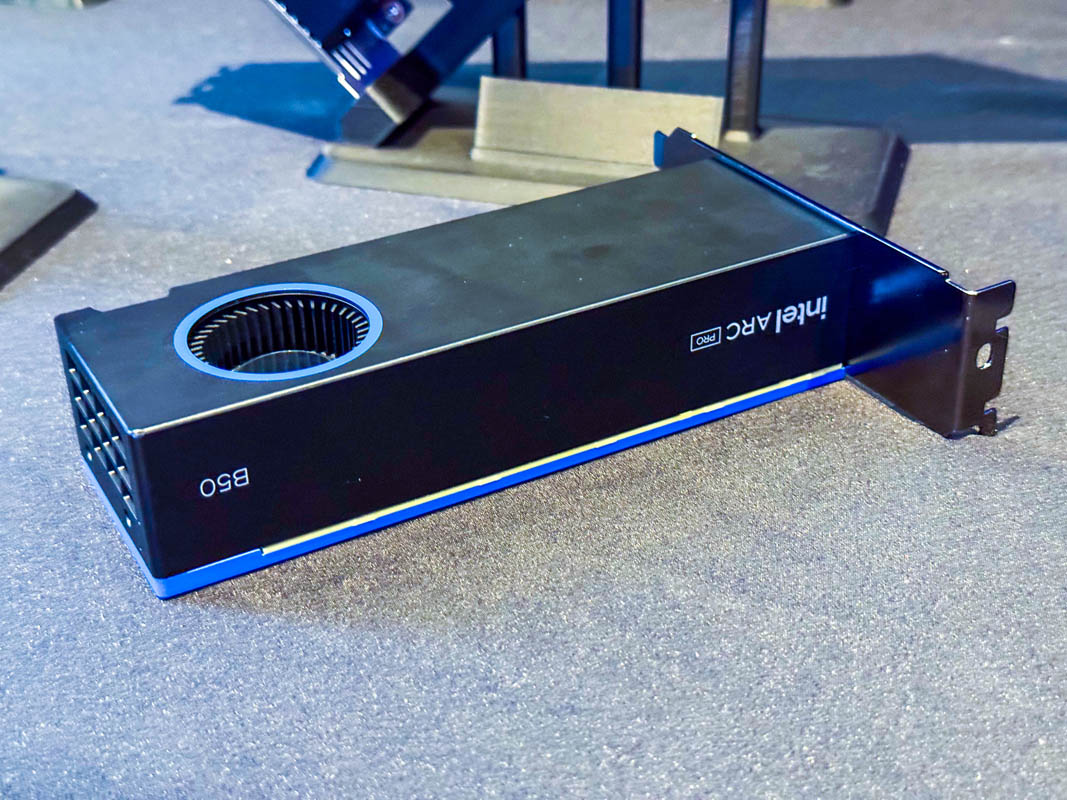
The Arc Pro B50 is one of the lowest-priced GPUs offering:
• 16GB VRAM
• SR-IOV support
• vGPU-style profile creation
• Modern AV1 encode/decode
Each SR-IOV profile presents itself as a separate GPU device that can be passed through directly to individual VMs.
This makes it extremely attractive for Proxmox and multi-VM lab setups.
Potential Issues / Early Adopter Warnings:
- BIOS / Firmware Updates: SR-IOV may require a firmware update that officially must be done on Windows. Some users report success flashing from Linux, but others report bricking their cards when attempting it outside of Windows.
-
Quick Sync / Media Encoding Issues:
QSV / media encoding on SR-IOV profiles can be inconsistent.
Some users report that hardware encoding does not function properly inside GPU profiles.
Reference discussion:
"While the new Xe driver will have SR-IOV it will be useless as it seems to lack HUC firmware so no HW encoding" -
AI / Compute Ecosystem Limitations:
Support for Intel IPEX / XPU tooling is still limited compared to NVIDIA CUDA or even AMD ROCm.
Vulkan and OpenCL performance is improving but still not as mature.
(Experience note: Tested with Arc A310 4GB — performance and driver stability can vary depending on workload.)
Community Discussion (Proxmox 9+):
Proxmox 9.0 + Intel Arc Pro B50 SR-IOV – Early Adopter’s GuideWhen It Makes Sense:
• You want real SR-IOV without NVIDIA licensing
• You need 16GB VRAM per card at lower cost
• You are comfortable being an early adopter
When It Might Not:
• Heavy AI workloads (CUDA ecosystem still dominates)
• Production-critical media servers
• Users wanting "it just works" stability
AMD (SR-IOV / vGPU Support):
AMD offers a hardware virtualization technology similar to NVIDIA’s vGPU and Intel’s SR-IOV called
MxGPU
Unlike consumer Radeon cards, only professional / datacenter GPUs support SR-IOV / hardware virtualization.
Which AMD GPUs Support MxGPU / SR-IOV:
• AMD Radeon Pro series (e.g., WX / W-series)
• AMD MI Series (e.g., MI25, MI50 — Nvidia-equivalent compute cards)
• AMD FirePro (older pro cards with SR-IOV)
Consumer Radeon cards (RX 5000 / 6000 / 7000 series) do NOT support SR-IOV / MxGPU.
Key Things to Know:
- Hardware Virtualization: MxGPU provides SR-IOV capable virtualization, allowing a single physical GPU to present multiple virtual GPUs to guest VMs.
- Driver & OS Support: Strongest support in enterprise Linux distributions (RHEL / CentOS / Ubuntu) and supported hypervisors. Best results are typically seen with AMD’s enterprise drivers and platforms.
- Use Cases: • VDI / graphical desktops • Virtualized compute workloads • Workloads requiring multi-tenant sharing of GPU resources
- Not Like NVIDIA vGPU Licensing: Unlike NVIDIA’s licensed vGPU ecosystem, AMD’s MxGPU/SR-IOV support does *not* currently require the same type of licensing server or software keys.
- Documentation is Limited: Community resources and forum posts are the most detailed sources of information so far — official AMD SR-IOV documentation is not as comprehensive as NVIDIA’s.
Contribution Request:
If anyone in the community has direct experience with AMD SR-IOV (MxGPU) setup, BIOS/firmware fixes, driver configs, or guest compatibility tips, contributions would be very welcome here.
AMD does have a hardware virtualization / SR-IOV capable ecosystem, but:
• It is not available on consumer Radeon cards / It is limited to professional / compute series GPUs
• Documentation and real-world guides are still comparatively sparse
For anyone experimenting with AMD GPUs + vGPU workflows, community experience is a very valuable resource!
i often found myself looking up these details when comparing GPUs to try to find the best option for the price, so i added a table here of most GPUs for quick reference comparisons.
NOTE: Idle est. may not be accurate, different configurations vary widely.
Intel GPUs
| Model | VRAM | FP32 | FP16 | TDP | Est. Idle | Bandwidth | Virtualization | Avg Used eBay.com Price (≈) |
|---|---|---|---|---|---|---|---|---|
| Intel Arc A310 | 4GB GDDR6 | 3.072 TFLOPS | 6.144 TFLOPS | 75W | 8–15W | 124 GB/s | ❌ No SR-IOV | ~$160 – $200 (used & some new listings) |
| Intel Arc A380 | 6GB GDDR6 | 4.198 TFLOPS | 8.397 TFLOPS | 75W | 8–15W | 186 GB/s | ❌ No SR-IOV | ~$160 – $240 (common eBay US range) |
| Intel Arc A580 | 8GB GDDR6 | 12.29 TFLOPS | 24.58 TFLOPS | 185W | 15–25W | 256 GB/s | ❌ No SR-IOV | ~$200 – $300 (used listings vary) |
| Intel Arc A750 | 8GB GDDR6 | 17.20 TFLOPS | 34.41 TFLOPS | 225W | 18–30W | 512 GB/s | ❌ No SR-IOV | ~$160 – $220 (used average) |
| Intel Arc A770 16GB | 16GB GDDR6 | 19.66 TFLOPS | 39.32 TFLOPS | 225W | 18–30W | 512 GB/s | ❌ No SR-IOV | ~$250 – $350 (used & new) |
| Intel Arc Pro A40 | 6GB GDDR6 | 3.482 TFLOPS | 6.963 TFLOPS | 50W | 6–10W | 192 GB/s | ✅ SR-IOV | ~$220 – $280 (rare used eBay sales) |
| Intel Arc Pro A50 | 6GB GDDR6 | 4.813 TFLOPS | 9.626 TFLOPS | 75W | 8–15W | 192 GB/s | ✅ SR-IOV | ~$250 – $320 (used listings) |
| Intel Arc Pro A60 | 12GB GDDR6 | 8.397 TFLOPS | 16.79 TFLOPS | 130W | 10–20W | 384 GB/s | ✅ SR-IOV | ~$350 – $500 (scarcer on eBay) |
| Intel Arc B580 | 12GB GDDR6 | 13.67 TFLOPS | 27.34 TFLOPS | 190W | 15–25W | 256 GB/s | ❌ No SR-IOV | ~$230 – $300 (used & some new pricing) |
| Intel Arc Pro B50 | 16GB GDDR6 | 10.65 TFLOPS | 21.30 TFLOPS | 70W | 7–15W | 224 GB/s | ✅ SR-IOV | ~$350 – $450 (limited used) |
| Intel Arc Pro B60 | 24GB GDDR6 | 12.29 TFLOPS | 24.58 TFLOPS | 200W | 15–30W | 456 GB/s | ✅ SR-IOV | ~$500 – $800 (very limited) |
Nvidia GPUs:
| Older Nvidia Cards | CUDA | VRAM | FP32 | TDP | Virtualization | Avg Used eBay US ≈ |
|---|---|---|---|---|---|---|
| GTX 710 | 192 | 1–2 GB DDR3 | ~0.25 TF | 19W | ❌ | ~$30–$50 |
| GT 720 | 192 | 1–2 GB DDR3 | ~0.30 TF | 23W | ❌ | ~$30–$60 |
| GT 730 | 384 | 1–4 GB DDR3 | ~0.55 TF | 38W | ❌ | ~$40–$70 |
| GT 740 | 384 | 1–4 GB DDR3 | ~0.60 TF | 49W | ❌ | ~$50–$80 |
| GTX 645 | 384 | 1–2 GB GDDR5 | ~0.75 TF | ~64W | ❌ | ~$40–$70 |
| GTX 650 | 384 | 1–2 GB GDDR5 | ~0.80 TF | 64W | ❌ | ~$40–$80 |
| GTX 650 Ti / Ti Boost | 768 | 1–2 GB GDDR5 | ~1.5 TF | 110W | ❌ | ~$60–$110 |
| GTX 660 | 960 | 2 GB GDDR5 | ~2.2 TF | 140W | ❌ | ~$80–$130 |
| GTX 660 Ti | 1344 | 2 GB GDDR5 | ~3.0 TF | 150W | ❌ | ~$90–$150 |
| GTX 670 | 1344 | 2 GB GDDR5 | ~3.1 TF | 170W | ❌ | ~$100–$160 |
| GTX 680 | 1536 | 2–4 GB GDDR5 | ~3.3–3.5 TF | 195W | ❌ | ~$110–$180 |
| GTX 690 (dual GPU) | 2×1536 | 4 GB GDDR5 | ~6.6–7.0 TF | 300W | ❌ | ~$180–$280 |
| GTX 760 | 1152 | 2–4 GB GDDR5 | ~2.8 TF | 170W | ❌ | ~$80–$140 |
| GTX 760 Ti | 1344 | 2 GB GDDR5 | ~3.2 TF | 170W | ❌ | ~$90–$150 |
| GTX 770 | 1536 | 2–4 GB GDDR5 | ~3.5 TF | 230W | ❌ | ~$100–$160 |
| GTX 780 | 2304 | 3 GB GDDR5 | ~4.1 TF | 250W | ❌ | ~$140–$220 |
| GTX 780 Ti | 2880 | 3 GB GDDR5 | ~5.3 TF | 250W | ❌ | ~$180–$260 |
| GTX TITAN (Kepler) | 2688 | 6 GB GDDR5 | ~4.7 TF | 250W | ❌ | ~$130–$200 |
| GTX TITAN Black | 2880 | 6 GB GDDR5 | ~5.1 TF | 250W | ❌ | ~$160–$260 |
| GTX TITAN Z (dual GK110) | 2×2880 | 12 GB GDDR5 | ~10 TF (combined) | 375W | ❌ | ~$300–$500 |
Note: Not recommended.
| GPU (Maxwell) | CUDA Cores | VRAM | FP32 | TDP | Virtualization | Avg Used eBay US ≈ |
|---|---|---|---|---|---|---|
| GTX 750 | 512 | 1–2 GB GDDR5 | ~1.0 TF | ~55W | ✅ | ~$30 – $60 |
| GTX 750 Ti | 640 | 2 GB GDDR5 | ~1.3 TF | ~60W | ✅ | ~$40 – $70 |
| GTX 950 | 768 | 2 GB GDDR5 | ~1.8 TF | 90W | ✅ | ~$50 – $90 |
| GTX 960 | 1024 | 2–4 GB GDDR5 | ~2.4 TF | 120W | ✅ | ~$60 – $110 |
| GTX 970 | 1664 | 4 GB GDDR5 | ~3.9 TF | 145W | ❌ | ~$90 – $160 |
| GTX 980 | 2048 | 4 GB GDDR5 | ~5.0 TF | 165W | ✅ | ~$110 – $190 |
| GTX 980 Ti | 2816 | 6 GB GDDR5 | ~6.1–6.3 TF | 250W | ✅ | ~$150 – $280 |
| GTX TITAN X (Maxwell) | 3072 | 12 GB GDDR5 | ~6.6 TF | 250W | ✅ | ~$250 – $400 |
Note: Also Not recommended. but most of these should work with vGPU unlock at least.
| Model | VRAM | FP16 | FP32 | TDP | Idle Power | Bandwidth | Virtualization | Avg Used eBay.com Price (≈) |
|---|---|---|---|---|---|---|---|---|
| GTX 1050 | 2 GB | 29.10 GFLOPS | 1.862 TFLOPS | 75W | ~8–12W | 112 GB/s | ✅ Unlock | ~$50 – $80 (many used ~75 USD listed) |
| GTX 1050 Ti | 4 GB | 33.41 GFLOPS | 2.138 TFLOPS | 75W | ~8–12W | 112 GB/s | ✅ Unlock | ~$60 – $95 (common used range) |
| GTX 1060 3GB | 3 GB | 61.49 GFLOPS | 3.935 TFLOPS | 120W | ~10–18W | 192 GB/s | ✅ Unlock | ~$70 – $110 (used teen-range sale reports & community pricing) |
| GTX 1060 6GB | 6 GB | 68.36 GFLOPS | 4.375 TFLOPS | 120W | ~10–18W | 192 GB/s | ✅ Unlock | ~$80 – $120 (common actual eBay used prices) |
| GTX 1070 | 8 GB | 101.0 GFLOPS | 6.463 TFLOPS | 150W | ~12–20W | 256 GB/s | ✅ Unlock | ~$90 – $140 (community eBay pricing) |
| GTX 1070 Ti | 8 GB | 127.9 GFLOPS | 8.186 TFLOPS | 180W | ~15–25W | 256 GB/s | ✅ Unlock | ~$110 – $180 (user report and typical used sale) |
| GTX 1080 | 8 GB | 139 GFLOPS | 8.873 TFLOPS | 180W | ~15–25W | 320.3 GB/s | ✅ Unlock | ~$110 – $160 (recent used prices seen) |
| GTX 1080 Ti | 11 GB | 177.2 GFLOPS | 11.34 TFLOPS | 250W | ~18–30W | 484.4 GB/s | ✅ Unlock | ~$140 – $220 (many used listings around $150-$200) |
| NVIDIA TITAN X (Pascal) | 3584 | 12 GB GDDR5X | ~11.0 TF | ~11.0 TF | 250W | ~10W | ✅ Unlock | ~$120 – $200 |
Note: Pascal Series Cards are FP32 ONLY so AI performance is not great, this includes the p4, p40 and quadro gen pascal cards.
| GPU | CUDA | VRAM | FP32 | FP16 | TDP | Idle | Virtualization | Avg Used eBay.com Price (≈) |
|---|---|---|---|---|---|---|---|---|
| GTX 1650 | 896 | 4 GB GDDR6 | ~3.0 TF | ~6.0 TF | 75 W | ~8–10 W | ✅ | ~$75 – $130 |
| GTX 1650 Super | 1280 | 4 GB GDDR6 | ~4.4 TF | ~8.8 TF | 100 W | ~9–12 W | ✅ | ~$90 – $140 |
| GTX 1660 | 1408 | 6 GB GDDR5 | ~5.0 TF | ~10.0 TF | 120 W | ~9–12 W | ✅ | ~$90 – $140 |
| GTX 1660 Super | 1408 | 6 GB GDDR6 | ~5.0 TF | ~10.0 TF | 125 W | ~9–12 W | ✅ | ~$115 – $140 |
| GTX 1660 Ti | 1536 | 6 GB GDDR6 | ~5.4 TF | ~10.8 TF | 120 W | ~9–12 W | ✅ | ~$110 – $160 |
Note: The turing GTX 16 series is the first Nvidia series with solid AI performance. this is basically the oldest card series you want to focus on for AI use cases.
| GPU | CUDA | VRAM | FP32 | FP16 | TDP | Idle | Virtualization | Avg Used eBay.com Price (≈) |
|---|---|---|---|---|---|---|---|---|
| RTX 2060 | 1920 | 6 GB GDDR6 | 6.5 TF | 6.5 TF | 160W | ~8W | ✅ Unlock | ~$170 – $200 |
| RTX 2060 Super | 2176 | 8 GB GDDR6 | 7.2 TF | 7.2 TF | 175W | ~9W | ✅ Unlock | ~$180 – $230 |
| RTX 2070 | 2304 | 8 GB GDDR6 | 7.5 TF | 7.5 TF | 175W | ~9W | ✅ Unlock | ~$200 – $250 |
| RTX 2070 Super | 2560 | 8 GB GDDR6 | 9.1 TF | 9.1 TF | 215W | ~9W | ✅ Unlock | ~$220 – $270 |
| RTX 2080 | 2944 | 8 GB GDDR6 | 10.1 TF | 10.1 TF | 215W | ~10W | ✅ Unlock | ~$240 – $300 |
| RTX 2080 Super | 3072 | 8 GB GDDR6 | 11.2 TF | 11.2 TF | 250W | ~10W | ✅ Unlock | ~$250 – $320 |
| RTX 2080 Ti | 4352 | 11 GB GDDR6 | 13.4 TF | 13.4 TF | 250W | ~11W | ✅ Unlock | ~$300 – $380 |
| NVIDIA TITAN RTX | 4608 | 24 GB GDDR6 | 16.3 TF | 32.6 TF | 280W | ~12W | ✅ Unlock | ~$600 – $800 |
| Model | VRAM | FP32 | FP16 | TDP | Est. Idle | Bandwidth | Virtualization | Avg Used eBay.com Price (≈) |
|---|---|---|---|---|---|---|---|---|
| RTX 3060 12GB | 12 GB | 12.74 TFLOPS | 12.74 TFLOPS | 170W | ~8–12W | 360 GB/s | ❌ | ~$200 – $280 (eBay used listings around $220–$280) |
| RTX 3060 Ti | 8 GB | 16.20 TFLOPS | 16.20 TFLOPS | 200W | ~10–15W | 448 GB/s | ❌ | ~$220 – $300 (pre-owned listings & reports ~$220–$290) |
| RTX 3070 | 8 GB | 20.31 TFLOPS | 20.31 TFLOPS | 220W | ~9–15W | 448 GB/s | ❌ | ~$240 – $300 (community price reports for used) |
| RTX 3080 | 10 GB | 29.77 TFLOPS | 29.77 TFLOPS | 320W | ~9–15W | 760 GB/s | ❌ | ~$320 – $500 (used prices reported ~$320–$500) |
| RTX 3080 Ti | 12 GB | 34.10 TFLOPS | 34.10 TFLOPS | 350W | ~12–16W | 912 GB/s | ❌ | ~$450 – $650+ (reports ~$450+) |
| RTX 3090 | 24 GB | 35.58 TFLOPS | 35.58 TFLOPS | 350W | ~15–20W | 936 GB/s | ❌ | ~$600 – $800+ (pricing trend ~$600+) |
| GPU | CUDA | VRAM | FP32 | FP16 | TDP | Idle | Virtualization | Avg Used eBay.com Price (≈) |
|---|---|---|---|---|---|---|---|---|
| RTX 4060 | 3072 | 8 GB GDDR6 128-bit | 15.1 TF | 15.1 TF | 115W | ~7W | ❌ | ~$220 – $300 (active used listings ~$230–$300) |
| RTX 4060 Ti 8GB | 4352 | 8 GB GDDR6 128-bit | 22.1 TF | 22.1 TF | 160W | ~8W | ❌ | ~$250 – $350 (used/Refurb shows ~$250–$350) |
| RTX 4060 Ti 16GB | 4352 | 16 GB GDDR6 128-bit | 22.1 TF | 22.1 TF | 165W | ~8W | ❌ | ~$280 – $380 (used 16 GB variants ~$280+) |
| RTX 4070 | 5888 | 12 GB GDDR6X 192-bit | 29.1 TF | 29.1 TF | 200W | ~10W | ❌ | ~$350 – $500+ (used pricing broader range on eBay) |
| RTX 4070 Super | 7168 | 12 GB GDDR6X 192-bit | 35.5 TF | 35.5 TF | 220W | ~10W | ❌ | ~$400 – $550+ (used listings suggest ~$400+ typical) |
| RTX 4070 Ti | 7680 | 12 GB GDDR6X 192-bit | 40.1 TF | 40.1 TF | 285W | ~11W | ❌ | ~$450 – $650+ (commonly listed used) |
| RTX 4080 | 9728 | 16 GB GDDR6X 256-bit | 48.7 TF | 48.7 TF | 320W | ~13W | ❌ | ~$700 – $1,000+ (used listings vary widely) |
| RTX 4090 | 16384 | 24 GB GDDR6X 384-bit | 82.6 TF | 82.6 TF | 450W | ~16W | ❌ | ~$1,400 – $2,000+ (many used listings in this range) |
| GPU | CUDA | VRAM | FP32 | FP16 | TDP | Idle | Virtualization | Avg Used eBay.com Price (≈) |
|---|---|---|---|---|---|---|---|---|
| RTX 5050 | 2560 | 8 GB GDDR6 128-bit | 13.17 TFLOPS | 13.17 TFLOPS | 130W | ~12W | ❌ | ~$350 – $450 (used listings like MSI RTX 5050 ~$450) |
| RTX 5060 | 3840 | 8 GB GDDR7 128-bit | 19.18 TFLOPS | 19.18 TFLOPS | 145W | ~13W | ❌ | ~$250 – $350 (used eBay listings for RTX 5060 shown ~$274) |
| RTX 5070 | 6144 | 12 GB GDDR7 256-bit | 30.87 TFLOPS | 30.87 TFLOPS | 250W | ~14W | ❌ | ~$500 – $600 (used eBay listings show ~$550 for RTX 5070) |
| RTX 5080 | 10752 | 16 GB GDDR7 256-bit | 56.28 TFLOPS | 56.28 TFLOPS | 360W | ~15W | ❌ | ~$800 – $1,200+ (used availability limited; high pricing trends) |
| RTX 5090 | 21760 | 32 GB GDDR7 512-bit | 104.8 TFLOPS | 104.8 TFLOPS | 575W | ~20W | ❌ | ~$2,300 – $4,500+ (eBay listings show high priced flagship cards; scalpers reported significantly above MSRP) |
| GPU (Maxwell Quadro / Tesla) | CUDA Cores | VRAM | Approx FP32 | TDP | Use Case | Avg Used eBay US ≈ |
|---|---|---|---|---|---|---|
| Quadro M4000 | 1664 | 8 GB GDDR5 | ~2.6 TF | ~108W | Workstation | ~$65 – $80 |
| Quadro M5000 | ~2048 | 8 GB GDDR5 | ~3.2 TF | ~180W+ | Workstation | $80 |
| Quadro M6000 | 3072 | 12 GB GDDR5 | ~4.5–5.0 TF | ~250W | High-end Workstation | $500 |
| Tesla M4 | 1024 | 4 GB GDDR5 | ~1.8–2.2 TF | ~50–75W | Server / Compute | $45-55 |
| Tesla M6 | 1536 | 8 GB GDDR5 | ~2.2–3.2 TF | ~75–100W | Server / Compute | No active eBay listings found |
| Tesla M10 | 2560 (4×640) | 32 GB GDDR5 | ~5.2 TF | ~225W | Multi-GPU Compute | $75-100 |
| Tesla M40 | 3072 | 12 GB GDDR5 | ~5.8–6.8 TF | ~250W | Compute Accelerator | ~$84 – $108 |
| Tesla M60 | 4096 (2×2048) | 16 GB GDDR5 | ~7.4–9.6 TF | ~225–300W | High-Density Compute | $60-70 |
| Pascal based Quardo | VRAM | FP16 (half) | FP32 (float) | TDP | Idle Power (typical) | Bandwidth | Virtualization | Avg. eBay.com Used Price |
|---|---|---|---|---|---|---|---|---|
| Quadro P5000 | 16GB | 138.6 GFLOPS | 8.873 TFLOPS | 180W | ~15–20W | (256-bit GDDR5X) | ✅ | ~$300 – $450 (many listings around ~$250-$349) |
| Quadro P6000 | 24GB | 197 GFLOPS | 12.63 TFLOPS | 250W | ~20–25W | 432.8 GB/s | ✅ | ~$550 – $700 (common used around ~$548-$694) |
| Quadro GP100 | 16GB HBM2 | 20.69 TFLOPS | 10.34 TFLOPS | 235W | ~25–30W | 732.2 GB/s | ✅ | ~$300-$330 (typical Quadro GP100 used price) |
| Quadro GV100 | 32GB HBM2 | 33.32 TFLOPS | 16.66 TFLOPS | 250W | ~25–30W | 868.4 GB/s | ✅ | ~$900+ (used GV100 listings often near or above ~$900) |
| Quadro RTX 6000 | 24GB GDDR6 | 32.62 TFLOPS | 16.31 TFLOPS | 260W | ~22–30W | 672.0 GB/s | ✅ | ~$1,000 – $1,399 (common used around ~$1,019-$1,390) |
| Turing based Quardo | VRAM | FP16 (half) | FP32 (float) | TDP | Idle Power | Bandwidth | Virtualization | Avg Used eBay.com Price (USD) |
|---|---|---|---|---|---|---|---|---|
| Quadro RTX 8000 | 48 GB GDDR6 | 32.62 TFLOPS | 16.3 TFLOPS | 260W | ~20–30W (est.) | 672 GB/s‡ | ✅ | ~$1,975 – $2,875 |
| Quadro RTX 6000 | 24 GB GDDR6 | 32.62 TFLOPS | 16.31 TFLOPS | 260W | ~20–30W (est.) | 672 GB/s‡ | ✅ | ~$990 – $2,000 |
| Quadro RTX 5000 | 16 GB GDDR6 | 22.30 TFLOPS | 11.15 TFLOPS | 230W | ~15–20W (est.) | 448 GB/s‡ | ✅ | ~$449 - $600 |
| Quadro RTX 4000 | 8 GB GDDR6 | 14.24 TFLOPS | 7.119 TFLOPS | 160W | ~12–18W (est.) | 448 GB/s‡ | ✅ | ~$180 - $220 |
| GPU | VRAM | FP16 (half) | FP32 (float) | TDP | Idle Power | Bandwidth | Virtualization | Avg Used eBay.com Price (USD) |
|---|---|---|---|---|---|---|---|---|
| RTX A400 | 4 GB GDDR6 | 2.706 TFLOPS | 2.706 TFLOPS | 50W | ~6–10W* | 96 GB/s | ✅ | ~$180 – $220 |
| RTX A2000 6GB | 6GB GDDR6 | 7.987 TFLOPS | 7.987 TFLOPS | 70W | ~7–10W | 288 GB/s | ✅ | ~$300–$450 |
| RTX A2000 (12GB) | 12GB GDDR6 | 7.987 TFLOPS | 7.987 TFLOPS | 70W | ~7–10W | 288 GB/s | ✅ | ~$575–$650 |
| RTX A4500 | 20GB GDDR6 | 23.65 TFLOPS | 23.65 TFLOPS | 200W | ~13–18W | 640 GB/s | ✅ | ~$1,295–$1,450 |
| RTX A5000 | 24GB GDDR6 | 27.77 TFLOPS | 27.77 TFLOPS | 230W | ~10–20W | 768 GB/s | ✅ | ~$1,675–$1,900 |
| RTX A6000 | 48GB GDDR6 | 38.71 TFLOPS | 38.71 TFLOPS | 300W | ~8–12W | 768 GB/s | ✅ | ~$4,250–$5,000 |
NOTE: Nvidia dropped the quadro name after turing now they are RTX A-series.
| GPU | VRAM | FP16 (half) | FP32 (float) | TDP | Idle Power (typical) | Bandwidth | Virtualization | Avg Used eBay.com Price (≈) |
|---|---|---|---|---|---|---|---|---|
| Tesla P4 | 8 GB | 89.12 GFLOPS | 5.704 TFLOPS | 75W | ~6–10W | 192.3 GB/s | ✅ | ~$65 – $100 – Tesla P4 listings often show used cards in the $65–$100 range. |
| Tesla P40 | 24 GB | 183.7 GFLOPS | 11.76 TFLOPS | 250W | ~9–12W | 384-bit GDDR5 | ✅ | ~$190 – $300+ – Multiple used Tesla P40 listings available between about $180 and $300. |
| Tesla P100 PCIe 12GB | 12 GB HBM2 | 19.05 TFLOPS | 9.526 TFLOPS | 250W | ~25–27W | 549.1 GB/s | ✅ | ~$90 – $130 – Typical used cards around ~$100+ on eBay. |
| Tesla P100 SXM2 16GB | 16GB HBM2 | 21.22 TFLOPS | 10.61 TFLOPS | 300W | ~25–30W | 732.2 GB/s | ✅ | ~$180 – $300+ – Listings vary based on adapter combos; typical range observed. |
| Tesla V100 PCIe 16GB | 16 GB HBM2 | 28.26 TFLOPS | 14.13 TFLOPS | 300W | ~20–30W | 897.0 GB/s | ✅ | ~$300 – $500+ – Used listings frequently show V100 16GB cards around this range. |
| Tesla V100 PCIe 32GB | 32 GB HBM2 | ~28.26 TFLOPS | ~14.13 TFLOPS | 300W | ~20–30W | 897.0 GB/s | ✅ | ~$700 – $1,000+ – Larger-memory units on eBay.com trend significantly higher. |
| Tesla T4 | 16 GB | 65.13 TFLOPS (8:1) | 8.141 TFLOPS | 70W | ~8–12W | 320.0 GB/s | ✅ | $750 – Used T4 cards often appear in this range on eBay.com. |
| Tesla L4 | 24 GB | 30.29 TFLOPS (1:1) | 30.29 TFLOPS | 72W | ~8–12W | 192.3 GB/s | ✅ | $3,000 |
| Tesla H100 80GB (PCIe / SXM5) | 80 GB HBM3 | 204.9 TFLOPS | 51.22 TFLOPS | 350W | ~30–40W (typical) | ~2,000–3,350 GB/s | ✅ | ~$14,000 – $22,500+ |
| Tesla H100 NVL 94GB | 94 GB HBM3 | 241.3 TFLOPS | 60.32 TFLOPS | 400W | ~30–40W (typical) | ~3,900 GB/s | ✅ | ~$25,000 – $33,000+ |
| GPU | VRAM | BF16 | BF16 | FP16 (half) | FP32 (float) | TDP | Idle Power (typical) | Bandwidth | Virtualization | Avg Used eBay.com Price (≈) |
|---|---|---|---|---|---|---|---|---|---|---|
| Tesla A100 40GB | 40 GB HBM2e | 311.84 TFLOPS | 155.92 TFLOPs | 77.97 TFLOPS | 19.49 TFLOPS | 250W | ~25–30W | 1,555 GB/s | ✅ | ~$4,000 – $9,000 |
| Tesla A100 80GB | 80 GB HBM2e | 311.84 TFLOPS | 155.92 TFLOPs | 77.97 TFLOPS | 19.49 TFLOPS | 300W | ~25–30W | 1,935 GB/s | ✅ | ~$8,500 – $18,500+ |
AMD GPUs:
| GPU | VRAM | FP32 | FP16 | TDP | Idle (Typical) | Bandwidth | Virtualization | Avg Used eBay.com Price (≈) |
|---|---|---|---|---|---|---|---|---|
| Radeon RX 5500 | 4GB GDDR6 128-bit | 5.20 TFLOPS | 10.40 TFLOPS | 110W | ~5–8W | 224 GB/s | ❌ | ~$60 – $90 – early used listings for RX 5500 variants appear around ~$60-$90 on eBay.com (e.g., pre-owned RX 5500 XT/5500 cards). |
| Radeon RX 5500 XT 4GB | 4GB GDDR6 128-bit | 5.20 TFLOPS | 10.40 TFLOPS | 130W | ~6–10W | 224 GB/s | ❌ | ~$70 – $110 – eBay.com used RX 5500 XT 4GB listings often range ~$60-$110+. |
| Radeon RX 5500 XT 8GB | 8GB GDDR6 128-bit | 5.20 TFLOPS | 10.40 TFLOPS | 130W | ~6–10W | 224 GB/s | ❌ | ~$110 – $150 – Many pre-owned RX 5500 XT 8GB listings around ~$120-$130+ on eBay.com. |
| Radeon RX 5600 XT | 6GB GDDR6 192-bit | 7.19 TFLOPS | 14.38 TFLOPS | 150W | ~8–12W | 288 GB/s | ❌ | ~$120 – $200 – eBay.com shows RX 5600 XT used listings commonly around ~$140-$180+, though some show higher. |
| Radeon RX 5700 | 8GB GDDR6 256-bit | 7.95 TFLOPS | 15.90 TFLOPS | 180W | ~10–15W | 448 GB/s | ❌ | ~$140 – $180 – eBay.com used RX 5700 marketplace listings often around ~$150+. |
| Radeon RX 5700 XT | 8GB GDDR6 256-bit | 9.75 TFLOPS | 19.50 TFLOPS | 225W | ~12–18W | 448 GB/s | ❌ | ~$140 – $200 – RX 5700 XT used cards commonly list around $145-$180+ on eBay.com. |
| GPU | VRAM | FP32 | FP16 | TDP | Idle (Typical) | Bandwidth | Virtualization | Avg Used eBay.com Price (≈) |
|---|---|---|---|---|---|---|---|---|
| Radeon RX 6500 XT | 4GB GDDR6 64-bit | 5.77 TFLOPS | 11.54 TFLOPS | 107W | ~5–8W | 144 GB/s | ❌ | ~$70 – $160 – multiple eBay.com used listings show 4GB RX 6500 XT cards commonly ~$60–$150+ USD (e.g., $63.99–$150+). |
| Radeon RX 6600 | 8GB GDDR6 128-bit | 8.93 TFLOPS | 17.86 TFLOPS | 132W | ~6–10W | 224 GB/s | ❌ | ~$140 – $200 – used RX 6600 listings typically around $150–$180+ USD on eBay.com (e.g., $155, $180). |
| Radeon RX 6600 XT | 8GB GDDR6 128-bit | 10.60 TFLOPS | 21.20 TFLOPS | 160W | ~7–12W | 256 GB/s | ❌ | ~$170 – $250 – various RX 6600 XT used listings roughly $175–$250+ USD on eBay.com. |
| Radeon RX 6650 XT | 8GB GDDR6 128-bit | 10.79 TFLOPS | 21.58 TFLOPS | 176W | ~7–12W | 280 GB/s | ❌ | ~$200 – $300 – limited direct data, but common used RX 6650 XT listings appear around ~$200–$300 USD on eBay.com. |
| Radeon RX 6700 | 10GB GDDR6 160-bit | 10.37 TFLOPS | 20.74 TFLOPS | 175W | ~10–15W | 320 GB/s | ❌ | ~$200 – $300+ – representative used RX 6700 XT (similar generation) listings often around $270–$340 (RX 6700 used may trend similar). |
| Radeon RX 6700 XT | 12GB GDDR6 192-bit | 13.21 TFLOPS | 26.42 TFLOPS | 230W | ~12–18W | 384 GB/s | ❌ | ~$250 – $350+ – used RX 6700 XT listings frequently show prices roughly ~$249–$340+ USD on eBay.com. |
| Radeon RX 6750 XT | 12GB GDDR6 192-bit | 13.31 TFLOPS | 26.62 TFLOPS | 250W | ~12–18W | 432 GB/s | ❌ | ~$250 – $350+ – some used listings for RX 6750 XT show ~$270+, suggesting similar mid-upper RDNA2 pricing. |
| Radeon RX 6800 | 16GB GDDR6 256-bit | 16.17 TFLOPS | 32.34 TFLOPS | 250W | ~15–22W | 512 GB/s | ❌ | ~$280 – $380 – used cards from the same generation often list ~$285–$380+ USD on eBay.com (approximate from 6800 XT comparables and 6800 listings). |
| Radeon RX 6800 XT | 16GB GDDR6 256-bit | 20.74 TFLOPS | 41.48 TFLOPS | 300W | ~15–25W | 512 GB/s | ❌ | ~$350 – $450 – common used RX 6800 XT listings around $379–$450+ USD on eBay.com. |
| Radeon RX 6900 XT | 16GB GDDR6 256-bit | 23.04 TFLOPS | 46.08 TFLOPS | 300W | ~18–28W | 512 GB/s | ❌ | ~$400 – $600+ – used listings for RX 6900 XT often show ~$400–$600+ USD on eBay.com. |
| Radeon RX 6950 XT | 16GB GDDR6 256-bit | 23.65 TFLOPS | 47.30 TFLOPS | 335W | ~18–30W | 576 GB/s | ❌ | ~$450 – $650+ – used RX 6950 XT listings commonly around $450–$650 USD on eBay.com. |
| GPU | VRAM | FP32 | FP16 | TDP | Idle (Typical) | Bandwidth | Virtualization | Avg Used eBay.com Price (≈) |
|---|---|---|---|---|---|---|---|---|
| Radeon RX 7600 | 8GB GDDR6 128-bit | 21.75 TFLOPS | 43.50 TFLOPS | 165W | ~7–12W | 288 GB/s | ❌ | ~$160 – $230 – Used RX 7600 ended around $170 USD in recent eBay sold listings. |
| Radeon RX 7600 XT | 16GB GDDR6 128-bit | 22.57 TFLOPS | 45.14 TFLOPS | 190W | ~8–14W | 288 GB/s | ❌ | ~$250 – $320+ – Used RX 7600 XT listings like one at $289.99 USD show typical current ranges. |
| Radeon RX 7700 XT | 12GB GDDR6 192-bit | 35.17 TFLOPS | 70.34 TFLOPS | 245W | ~15–22W | 432 GB/s | ❌ | ~$350 – $480 – eBay shows mixed used listings and price variations; typical offers often cluster around $350–$480+. |
| Radeon RX 7800 XT | 16GB GDDR6 256-bit | 37.32 TFLOPS | 74.64 TFLOPS | 263W | ~18–25W | 624 GB/s | ❌ | ~$450 – $600+ – U.S. eBay used/pre-owned typical prices often seen ~$450–$550+. |
| Radeon RX 7900 GRE | 16GB GDDR6 256-bit | 40.35 TFLOPS | 80.70 TFLOPS | 260W | ~18–25W | 576 GB/s | ❌ | ~$450 – $650 – Used GRE variants likely track similar to other RX 7900 series pricing (e.g., XT) on eBay.com. |
| Radeon RX 7900 XT | 20GB GDDR6 320-bit | 51.48 TFLOPS | 102.96 TFLOPS | 300W | ~20–30W | 800 GB/s | ❌ | ~$600 – $800+ – Pre-owned listings often show around $600–$800+ USD on eBay.com. |
| Radeon RX 7900 XTX | 24GB GDDR6 384-bit | 61.39 TFLOPS | 122.78 TFLOPS | 355W | ~20–35W* | 960 GB/s | ❌ | ~$690 – $1,300+ – Used reference editions have been listed near $690 USD, while higher-end OC units approach $1,300+. |
| GPU | VRAM | FP16 (half) | FP32 (float) | TDP | Idle Power (typical) | Bandwidth | Virtualization | Avg Used eBay.com Price (≈) |
|---|---|---|---|---|---|---|---|---|
| AMD Radeon RX 9600 | 8GB GDDR6 | ~42.9 TFLOPS | ~21.4 TFLOPS | ~132W | ~10–15W | 288 GB/s | ❌ | ~$250 – $350 – while direct used listings are sparse, similar RX 9000-series boards suggest this rough range on eBay.com based on market pricing trends and adjacent model data. |
| AMD Radeon RX 9060 XT 8GB | 8GB GDDR6 | 51.3 TFLOPS | 25.6 TFLOPS | 150W | ~12–18W | 320 GB/s | ❌ | ~$280 – $380 – eBay.com shows various used/near-new RX 9060 XT 8GB listings (e.g., Gigabyte ~$299.99 USD for used) suggesting a ~low-$300s range. |
| AMD Radeon RX 9060 XT 16GB | 16GB GDDR6 | 51.3 TFLOPS | 25.6 TFLOPS | 160W | ~12–18W | 320 GB/s | ❌ | ~$360 – $550 – eBay.com used listings for 9060 XT 16GB show examples around ~$425–$480 USD (pre-owned); higher end reflects condition/brand. |
| AMD Radeon RX 9070 | 16GB GDDR6 | 72.25 TFLOPS | 36.13 TFLOPS | 220W | ~18–28W | ~640–896 GB/s | ❌ | ~$450 – $650+ – similar RX 9070 eBay.com used listings and comparative search results suggest typical used prices around $500+ USD. |
| AMD Radeon RX 9070 XT | 16GB GDDR6 | 97.32 TFLOPS | 48.66 TFLOPS | 260–304W | ~20–30W | 640 GB/s+ | ❌ | ~$600 – $800+ – eBay.com has used/pre-owned RX 9070 XT listings (e.g., PowerColor ~$699 USD) with a broad range depending on condition. |
| GPU | VRAM | FP16 (half) | FP32 (float) | TDP | Idle Power (typical) | Bandwidth | Virtualization | Avg Used eBay.com Price (≈) |
|---|---|---|---|---|---|---|---|---|
| Radeon Instinct MI25 | 16GB HBM2 | 24.58 TFLOPS | 12.29 TFLOPS | 300W | ~30–40W | 436.2 GB/s | 🟡 | ~$90 – $180 |

#1 Proxmox - For virtualization, self-hosting and all around general usage. it can even be used for gaming and other high performance tasks such as AI within VMs/Containers.
QubesOS - For heightened Security / Pirvacy and a compartmented OS on a single PC via the Xen hypervisor base. features some very interesting methods for security and is worth checking out if you value security / privacy as your top priority.
Proxmox VE Helper scripts - Hundreds of scripts to quickly setup a wide range of projects on proxmox.
ProxMenux - Seperate Dashboard / CLI menu with more information & management options handy for proxmox management.
XDA - A beginner's guide to setting up Proxmox
Proxmox Beginner Tutorial: How to set up your first virtual machine on a secondary hard disk.
GPU related:
Simultaneous Intel GVT-G and Nvidia PCIe GPU Passthrough in Proxmox
nvidia:
Jellyfin LXC with Nvidia GPU transcoding and network storage
intel:
Enable Mediated Intel iGPU (GVT-g) for VM's in Proxmox (with Plex)
[Guide] Jellyfin + remote network shares + HW transcoding with Intel's QSV + unprivileged LXC
XDA - I tried gaming on a VM hosted on a Proxmox server – here’s how it went
XDA - Running Proxmox VMs with GPU passthrough is much easier than it used to be
Windows Gaming VM on Proxmox: Performance Optimization in MSFS 2020
Additional Resources:
Qubes - Community Guides - a List of Guides directly from the QubesOS Community.
Qubes network server - Turn your Qubes OS machine into a network server
saltstack configs - This let's you declaratively manage your whole system.
Ansible plugins for QubesOS - Ansible module and connection plugin for Qubes OS
Qubes OS installation guide
XDA - Qubes OS is the perfect operating system for security-conscious users
QubesOS setup & configuration - Instructions, scripts and files for installing and configuring QubesOS (including VPN and Crpto wallet suggestions.)
Disposables:
How to use disposables - A disposable is a stateless qube, it does not save data for the next boot. These qubes can serve various uses cases that require a pristine environment
Windows:
Windows Ansible Playbook - AME Playbooks: AME Wizard NOTE: if you ever need to uninstall a playbook, you'll need to reinstall Windows.
windows-playbooks - Windows setup and configuration via Ansible.
AtlasOS - AtlasOS - Github - An open and lightweight modification to Windows, designed to optimize performance, privacy and usability.
ReviOS Playbook - A lightweight, stable, and performance-focused customized version of Windows that enhances privacy and compatibility
Redress Server PlayBook - Windows server 2022 -
RapidOS - RapidOS is a powerful modification for Windows 10/11 that radically transforms the OS through deep customization, while maintaining rock-solid stability through the AME Beta playbook system.
Rapid - A tailor-made modification of Windows designed for maximize Gaming performance and latencies.
Windows Group Policy:
Group Policy settings to improve privacy/security
30 Critical Group Policy Settings to Secure & Optimize Windows -
Privacy and security baseline for personal Windows 10 and Windows 11 -
Windows On Reins - Wor is a Powershell script to harden, debloat, optimize, enhance privacy, avoid fingerprinting and improve performance on Windows 10 and 11.
PC-Optimization-Hub - collection of various resources devoted to performance and input lag optimization

Beyond what is covered in the article:
- XFS: In my experience, XFS is more reliable for long-term data storage. I’ve lost files to long-term storage on EXT4, particularly media files, so for that purpose, XFS is preferred.
- EXT4: For operating system disks (e.g., laptop), EXT4 works well. However, EXT4 has a space reservation system (typically 5%), which means you automatically lose a chunk of disk space as the disk size grows. XFS, on the other hand, doesn’t reserve space, so you can fill it more efficiently.
Note: Avoid using XFS on top of XFS in virtual machines (VMs). It doesn’t nest/stack well. Instead, use EXT4 on top of XFS if you need to stack file systems.
ZFS is a robust and highly reliable file system with several advanced features:
- Compression: Supports 1z4, gzip, zstd, and more.
- Deduplication: Requires significant memory and RAID setups for optimal performance.
- Self-healing RAID: Uses hashing and is self-healing in RAID configurations.
- Copy-on-write (CoW) Verification: Files are verified before being written to disk and every time they are read, with various checksum options.
- Scalability: Scales incredibly well, ideal for large datasets.
- Raw Filesystems: Allows VM disks to be written directly into the filesystem, functioning like containers.
- Live VM Copying: Can copy live virtual machines.
- Superior Performance Potential: Can deliver high-performance results when properly configured.
- Advanced Configurations: Offers complex options for highly specific use cases.
ZFS is extremely reliable, especially in RAID environments with at least 2+ disks. However, if performance isn’t critical, it can work well on a single disk, though it may be slower and require more RAM.
ZFS is made for data centers, and has a steep learning curve, but its extensive features make it a solid choice for advanced users.
BTRFS offers some similar features to ZFS, such as hash support and ZSTD compression, but it is generally less reliable. It’s easier to use compared to ZFS, but for certain use cases, it may not be as dependable.
For example, a large number of small file writes can cause BTRFS to crash, leading to potential data loss (e.g., for databases, torrents, or VMs). Although BTRFS is a copy-on-write system, it’s not as robust as ZFS.
In testing, I ran a Ubuntu VM with BTRFS and compressed roughly 5.5GB of OS files down to 2.8GB using ZSTD compression (level 9 specified in the /etc/fstab configuration).
- ZSTD Compression:
- Optimal Levels: Use ZSTD level 3 or higher for meaningful compression. Levels 9-11 increase compression time exponentially with minimal benefits.
- Recommended Levels: A level of 5-7 provides a good balance between performance and compression ratio.
All these filesystems (XFS, ZFS, and BTRFS) can be utilized on Proxmox, a homelab virtualization server platform.
ZFS:
ZFS Guide for starters and advanced users. Concepts, pool config, tuning, troubleshooting
Solaris 10: ZFS Evil Tuning Guide
ZFS - how to use a file as a ZIL
OpenZFS Summit highlights Fast Dedup and RAIDZ Expansion
Fast Dedup, tested and reviewed
Fast Dedup Review Guide
- Curated List of Awesome Lists - A collection of curated "awesome" lists covering a wide variety of topics, providing valuable resources and tools for almost every field of interest.
- Awesome Programs and Tweaks for Windows, macOS, and Linux - A curated collection of programs and tweaks to enhance the functionality, performance, and usability of Windows, macOS, and Linux systems.
- Awesome List of Windows Software - A curated list of useful and essential software for Windows users, covering a wide range of categories and needs.
- Awesome List of Linux Software - A comprehensive list of open-source software and tools for Linux users, including productivity, development, and system management applications.
- Awesome List of macOS Software - A curated collection of software and tools for macOS, ranging from productivity applications to development utilities and system enhancements.
- Awesome Privacy - A curated collection of privacy-focused software and tools designed to enhance your online and offline privacy and security.
- Awesome Piracy - A curated list of resources and tools related to piracy, including websites, software, and services for accessing pirated content.
- Apollo Sunshine fork
- Original Sunshine
- Moonlight
- Windows: BetterRDP for Windows - Enables 60fps and GPU acceleration on RDP connections, creating a seamless and native-like experience for intensive or latency-dependent software, including games.
- Windows: RdpGamepad - a Remote Desktop Plugin for Xbox Gamepads - Use Xbox 360/One controllers over RDP/Moonlight/Sunshine.
- Windows: SSHFS-Win Manager - A GUI for SSHFS on Windows.
- Linux: SSHFS.
- croc - Easily and securely send files between computers.
- 7-Zip - A popular open-source file compression tool that supports various archive formats and offers high compression ratios.
- 7-Zip ZSTD - A fork of 7-Zip that adds support for the Zstandard (ZSTD) compression algorithm, offering faster speeds and higher compression ratios.
- Compactor - A tool for compressing files and directories, designed for efficiency and easy use with high-quality compression techniques.
- CompactGUI - A graphical user interface for the Compact tool, which allows users to compress files and folders using the Windows built-in compression features.
- Windows: Primo Cache.
- Linux: OpenSnitch - Network monitoring and rule-based control.
- Windows: SimpleWall - Windows firewall management and rules.
- Mac: LittleSnitch - Network monitoring and control.
- Win/Linux: Safing Portmaster.
- Windows: NetLimiter - Per-application bandwidth limits.
- Linux: PowerTop - Tweak host for power savings.
- Hybrid - A multi-purpose video conversion tool that integrates various encoders and applications, allowing easy media conversion from various formats.
- HandBrake - A widely-used open-source video transcoder that supports GPU acceleration for faster encoding and includes support for modern codecs like AV1.
- Recoll - A powerful, open-source desktop search tool that can index and search the contents of various document formats. It supports a wide range of file types and is great for organizing and retrieving personal documents locally.
- Windows 10/11 Optimization & Customization Guide - A comprehensive guide that helps optimize and customize Windows 10/11 for improved performance, privacy, and overall system experience.
- Microsoft Edge Removal - A tool to fully remove Microsoft Edge from Windows, ensuring it is completely deleted and no longer part of your system.
- OneDrive-Uninstaller - A tool for completely uninstalling OneDrive from your system, preventing it from syncing and taking up system resources.
- Dism++ - A powerful system tool for managing Windows image files, providing options for system cleanup, privacy tweaks, and optimizations.
- Blackbird - A privacy-focused tool that disables tracking, telemetry, and other unwanted data collection by Windows, offering enhanced privacy on your system.
- 10AntiSpy - A privacy-focused tool for disabling unwanted Windows 10 features such as telemetry, Cortana, and other data collection mechanisms.
- UWT4 - A comprehensive tweak tool for Windows 10 that allows you to customize various system settings and privacy options, improving performance and security.
- Win10BloatRemover - A tool that helps you remove bloatware and unwanted apps from Windows 10, freeing up space and improving system performance.
- Intelligent Standby List Cleaner - A tool to reduce system stuttering and improve performance by clearing the standby memory list, optimizing RAM usage.
- Destroy Windows 10 Spying - A privacy tool designed to disable telemetry, tracking, and data collection features in Windows 10 for improved privacy and control.
- Windows 7 ESU Patching - A guide for patching Windows 7 Extended Security Updates (ESU) to keep receiving updates and security patches after official support ends.
- Windows 7 Service Pack 2 - A community-driven project to create an unofficial Windows 7 Service Pack 2, adding new features, bug fixes, and improvements to Windows 7.
- Windows 7 SP4 Unofficial - An unofficial Service Pack 4 for Windows 7, designed to enhance the system with additional updates and fixes after the official support ended.
- Windows-7 on Modern Hardware - A guide for installing and running Windows 7 on modern hardware, with advice on drivers, patches, and compatibility tweaks.
- Windows 7 Fan-Made Survival Guide - A fan-made survival guide for using Windows 7 in the modern era, offering tips, tweaks, and tools to keep Windows 7 functional and secure.
- WinBtrfs - A Windows driver for the Btrfs filesystem, allowing access to Btrfs partitions and data from a Windows environment.
- OpenZFS on Windows - A project to bring OpenZFS support to Windows, enabling ZFS filesystems to be used on Windows systems.
- EXT4 for Win - A driver for accessing EXT4 partitions on Windows, offering full read/write support for EXT4-formatted drives.
Warning: These drivers are experimental and may not be stable. There is a risk of data corruption, crashes, or other issues when using Linux filesystems on Windows. It is highly recommended to use these tools only with backup copies of your important data, and avoid using them for critical or production environments.
Why Self-Host: A Philosophy
Self-hosting isn’t just a technical exercise—it’s a deliberate choice to reclaim agency in a world where digital infrastructure increasingly dictates how we live, learn, and connect. This section explores the philosophical underpinnings of running your own services, drawing on decades of critical thought about education, technology, and power. The goal is to help you understand why self-hosting matters beyond the practical benefits of privacy and control.
In 1947, Dorothy L. Sayers delivered a prescient lecture at Oxford titled “The Lost Tools of Learning.” She argued that modern education had abandoned the medieval trivium, grammar, dialectic, and rhetoric, which taught students how to think rather than merely what to think. The result, she warned, was a population easily swayed by propaganda, unable to distinguish fact from opinion, and incapable of independent reasoning. ( Sayers, Dorothy L. “The Lost Tools of Learning.” Oxford, 1947. [Reprinted in The Lost Tools of Learning (Methuen, 1948).])
Sayers’ critique resonates today. The internet, once hailed as a democratizing force, has become a battleground for attention, where algorithms shape our beliefs and platforms monetize our confusion. Self-hosting is a way to reclaim the tools of learning: you decide what software to run, what data to keep, and what communities to engage with. It’s an exercise in grammar (knowing your hardware and software), dialectic (understanding network architecture and security trade‑offs), and rhetoric (sharing your setup and knowledge with others). In essence, self-hosting is a practical return to the trivium.
A growing body of internet folklore—often called the “Dead Internet Theory”—suggests that much of what we encounter online is not human-generated at all. Posts, comments, even entire news articles may be produced by bots or AI, designed to manipulate discourse and manufacture consent. While the theory remains speculative, its core observation is undeniable: automated accounts flood social media, astroturf campaigns shape political narratives, and search results are gamed by SEO spam.
When you self-host, you step out of this hall of mirrors. Your file server, your chat system, your media stream—these are real interactions with real data, untouched by algorithmic curation. You no longer need to wonder whether the comment praising a product is a bot or the article you’re reading was written by a language model. Self-hosting restores a sense of authenticity to your digital life.
IlluminatiPirate. “Dead Internet Theory: Most of the Internet is Fake.” Agora Road, 2021. Archived at https://forum.agoraroad.com/index.php?threads/dead-internet-theory-most-of-the-internet-is-fake.3011/
R. Buckminster Fuller, in his 1983 book Grunch of Giants, described the rise of supranational corporations as an invisible “gross universe cash heist”—a system designed to concentrate wealth and power by exploiting humanity’s ignorance of its own technological potential. Fuller argued that the real wealth of the world is not money but know-how, and that corporations had monopolized that know‑how for their own benefit.
Fuller’s analysis extends naturally to the internet. A handful of companies control the platforms we use daily, the data we generate, and the algorithms that decide what we see. They have the know‑how—and the incentive—to shape our behavior for profit. Self-hosting is a way to reclaim that know‑how, to build your own small corner of the network using open tools and shared knowledge. It’s a practical act of decentralization, a counterweight to the Grunch.
Fuller, R. Buckminster. Grunch of Giants. St. Martin’s Press, 1983.
Government and corporate overreach are not theoretical. In 2024, DARPA launched the TRACTOR program to automatically translate legacy C code into Rust, citing memory‑safety vulnerabilities as a national security concern.[1] While the goal is laudable, it also illustrates how deeply the state invests in controlling the software that underpins critical infrastructure. Meanwhile, platforms like YouTube have explicitly called for governments to pass laws enabling more aggressive censorship of “harmful” content,[2] and Google has been caught demoting search results for sites that discuss Islamic terrorism.[3]
These examples show that centralized platforms are not neutral conduits; they are active participants in shaping discourse. When you host your own services, you insulate yourself from arbitrary content moderation and surveillance. Your data stays on your hardware, accessible only to those you trust.
-
Lemos, Robert. “DARPA Aims to Ditch C Code, Move to Rust.” Dark Reading, Aug. 13, 2024. https://www.darkreading.com/application-security/darpa-aims-to-ditch-c-code-move-to-rust
-
Nolan, Lucas. “Google Speech Code: YouTube CEO Susan Wojcicki Calls on Governments to Censor the Internet.” Breitbart, Feb. 16, 2022. Archived at https://web.archive.org/web/20240810192332/https://www.breitbart.com/tech/2022/02/16/google-speech-code-youtube-ceo-susan-wojcicki-calls-on-governments-to-censor-the-internet/
-
Greenfield, Daniel. “Google Warns Freedom Center to Censor Mentions of Islamic Terror.” FrontPage Magazine, Mar. 29, 2024. https://www.frontpagemag.com/google-warns-freedom-center-to-censor-mentions-of-islamic-terror/
Beyond personal benefit, self-hosting carries an ethical dimension. Centralized platforms have been used to facilitate human trafficking, child exploitation, and other crimes. A 2021 report found that Facebook was the primary recruitment tool for sex traffickers in the United States, with 59% of online recruitment occurring on the platform.[1] Lawsuits have forced courts to recognize that platforms can be held liable when they knowingly benefit from such exploitation.[2]
By running your own services, you avoid supporting a system that profits from—or at least fails to adequately prevent—these abuses. You also gain the ability to create safe, private spaces for communities that might otherwise be vulnerable to harassment or exploitation on mainstream platforms.
-
De Chant, Tim. “Facebook is a hub of sex trafficking recruitment in the US, report says.” Ars Technica, June 10, 2021. https://arstechnica.com/tech-policy/2021/06/facebook-is-a-hub-of-sex-trafficking-recruitment-in-the-us-report-says/
-
Cipriano, Andrea. “Facebook Liable for Human Trafficking Connections: Court Ruling.” The Crime Report, June 28, 2021. Archived at https://web.archive.org/web/20240810163040/https://thecrimereport.org/2021/06/28/facebook-liable-for-human-trafficking-connections-court-ruling/
Modern software is often far larger and slower than necessary. As Isaac Lyman noted in a Stack Overflow blog post, “apps are slower than they used to be. And exponentially larger without a corresponding increase in value.” The reasons are complex: market pressure to add features, the expectation that software should be free (leading to ad‑supported models that consume resources), and the sheer convenience of using bloated frameworks.
Self-hosting lets you choose lean, well‑crafted software. The homelab community values efficiency—witness the popularity of Alpine Linux, minimalist Docker images, and lightweight services like Audiobookshelf or Jellyfin. By running your own stack, you reject the “more is better” mentality and embrace software that respects your hardware and your time.
Lyman, Isaac. “Is software getting worse?” Stack Overflow Blog, Dec. 25, 2023. https://stackoverflow.blog/2023/12/25/is-software-getting-worse/
Self-hosting is not merely a technical hobby; it is a way of thinking and living. It requires you to learn the grammar of your system—the hardware specs, the configuration files, the network topology. It demands dialectic—the ability to troubleshoot, to reason about security, to weigh trade‑offs. And it invites rhetoric—the sharing of your knowledge through documentation, forums, and open‑source contributions.
In an age of manufactured consent, algorithmic manipulation, and corporate surveillance, self-hosting is an act of resistance. It is a declaration that you will not be a passive consumer of digital services, but an active participant in building the kind of internet you want to inhabit.
This section is meant to be a living document—add your own insights and references as you discover them. The homelab is not just a collection of hardware; it’s a statement about how you choose to live in the digital world.
- Audiobookshelf - An open-source self-hosted solution for managing and listening to audiobooks. It offers a clean interface and supports syncing across devices.
- Android App: Audiobookshelf Android App - An official Android app for accessing your Audiobookshelf library, providing seamless audiobook management and playback.
- iOS Apps:
- Audiobooth - An iOS app for listening to audiobooks from Audiobookshelf. Note: Currently does not support podcasts.
- Plappa - A podcast app that integrates with Audiobookshelf, providing support for podcasts as well. Note: Can be glitchy and has heavy battery drain issues when managing large libraries, but podcasts work at least.
- Text: Ollama - A tool to run LLMs (Large Language Models) on your own machine, enabling private and customizable AI instances.
- Images: EasyDiffusion - A user-friendly interface for running Stable Diffusion locally to generate high-quality images.
- Images: Forge-WebUI - A web-based interface for managing and controlling AI model deployments on your own server.
- multi: Koboldcpp - KoboldCpp is an easy-to-use AI text-generation software for GGML and GGUF models, inspired by the original KoboldAI.
- TTS: Kokoro FastAPI - A Text-to-Speech service built with FastAPI, allowing fast and efficient text-to-speech conversion using AI models.
- DeepResearch: Local Deep Research - Local Deep Research achieves ~95% on SimpleQA benchmark (tested with GPT-4.1-mini). Supports local and cloud LLMs (Ollama, Google, Anthropic, ...). Searches 10+ sources - arXiv, PubMed, web, and your private documents. Everything Local & Encrypted.
Text:
UGI/Uncensored General Intelligence Leaderboard - Measures a model's knowledge of sensitive topics and its ability to follow instructions when faced with controversial prompts.
UGI Scoring:
UGI is the combination of:Knowledge of sensitive information:
Hazardous: Knowledge of topics that LLMs probably shouldn't assist with.
Entertainment: Knowledge of adult or controversial entertainment and media.
SocPol: Knowledge of sensitive socio-political topics.
W/10 👍 (Willingness/10): How far a model can be pushed before it refuses to answer or deviates from instructions.
W/10-Direct: Measures if the model directly refuses to respond to certain prompts.
W/10-Adherence: Measures if a model deviates from instructions, which can be a form of refusal or a lack of instruction following capabilities.
A model with a high UGI, but low W/10 for example may be able to help provide you with an significant amount of accurate information on sensitive topics, but will see it as educational and will refuse to form the information into something against its values.
NatInt 💡: Natural Intelligence
Measures a model's general knowledge and reasoning capabilities across a range of standard and specialized domains. NatInt is the combination of:
Textbook: Measures knowledge of standard, factual information like history, statistics, math, and logic.
Pop Culture: Knowledge of specific details from things like video games, movies, music, and internet culture.
World Model: Tasks that test a model's understanding of real-world properties and patterns.
    Cooking (% Error): Predicts needed ingredient amounts for recipes.
    GeoGuesser (km Error): Identifies a location based on a description of its surroundings.
    Weight (% Error): Estimates the weight of various objects based on their description.
    Music (Error): Predicts a song's musical attributes (like bpm and loudness) based on its lyrics.
    Show Recommendation Score: A model's ability to predict what rating out of ten a person will rate a TV show based on their previous ratings.
        Show Rec MAE: The mean absolute error between the model's predicted ratings and the user's true ratings.
        Show Rec Correlation: Measures how well the model's predictions trend with the user's true ratings.
        Show Rec Std Dev Error: The absolute difference between the spread of the model's predictions and the spread of the true ratings.
Writing ✍️
A score of a model's writing ability, factoring in intelligence, writing style, amount of repetition, and adherence to requested output length. The score attempts to match the average person's preferences. Optimal values are displayed in parentheses in the column headers for the metrics used in the formula (e.g., 'Readability Grade (~5.5)'). These values were estimated using human feedback through model preference.
Models that are not able to consistently produce writing responses due to irreparable repetition issues, broken outputs, or constant refusals are not given a writing score. Writing Metrics
NSFW/Dark Lean: Measures the tonal direction a model takes when doing creative writing, from SFW to explicit (NSFW) and from lighthearted to violent/tragic (Dark). NOTE: A high or low number does not mean it is high or low quality. These two metrics solely measure frequency.
Stylistic Metrics:
    Readability Grade: The estimated US school grade level needed to understand the text.
    Verb/Noun Ratio: The ratio of action words (verbs) to naming words (nouns).
    Adj&Adv %: The percentage of descriptive words (adjectives and adverbs) out of total words.
    Dialogue %: The percentage of sentences in the model's response that is dialogue when writing stories.
Repetition Metrics:
    Lexical Stuckness: Measures if the model gets 'stuck' using a limited vocabulary in parts of its writing.
    Originality: Measures how unique a model's writing outputs are by comparing the word usage and themes used across different writing prompts.
    Semantic Redundancy: Detects when the same concept is expressed multiple times with different wording.
Length Adherence:
    Length Error %: The average percentage difference between a user-requested word count and the generated word count.
    Exceeded %: The percentage of times the model responds with more words than requested.
Style Adherence: How closely the model is able to match the writing style of a given example.
Political Lean 📋
Political MetricsPolitical Lean 📋: Measures a model's political alignment based on its responses to the 12axes test. The Political Lean metric uses a simplified version with the Assimilationist-Multiculturalist, Average(Collectivize-Privatize & Planned-LaissezFaire), and Progressive-Traditional axes. The score ranges from -100% (Left) to 100% (Right).
12axes Ideology: The closest matching political ideology from the 12axes test.
Aggregate Scores:
Govt: Higher = State authority, Lower = Individual liberty
Dipl: Higher = Global outlook, Lower = National interests
Econ: Higher = Economic equality, Lower = Market freedom
Scty: Higher = Progressive values, Lower = Traditional values
☁️ Cosmos - Secure and Easy Selfhosted Home Server. Take control of your data and privacy without sacrificing security and stability (Authentication, anti-DDOS, anti-bot)
CryptPad - Open Source E2EE Collaborative office suite
NextCloud - Self-Hosted Cloud
- Jellyfin - An open-source media server for managing and streaming your media content to various devices.
- Plex - A media server platform that allows you to stream and organize your media collection from your own server.
- Emby - Another media server platform, offering advanced features for content management and streaming.
- seerr - free and open source software application for managing requests for your media library. It integrates with the media server of your choice: Jellyfin, Plex, and Emby. In addition, it integrates with your existing services, such as Sonarr, Radarr.
- Radarr - An automatic movie collection manager that works with your media server for a seamless experience.
- Sonarr - A TV series manager for downloading, organizing, and streaming your favorite shows automatically.
- Tautulli - A monitoring tool for your Plex server, providing detailed analytics and statistics on your media server's usage.
- Ubooquity - A lightweight and easy-to-use home server for managing and streaming eBooks and comics. Ideal for personal digital libraries.
- OpenReader-WebUI - Read documents in realtime with high-quality TTS; or extract audiobooks. Use your own Kokoro-FastAPI, Deepinfa API, or Open AI API endpoint. .
- Tdarr - A distributed media transcoding system designed to automate and optimize the conversion of your media collection, running on your own server.
- SearXNG - SearXNG is a free internet metasearch engine which aggregates results from various search services and databases. Users are neither tracked nor profiled.
- Malice - Malice's mission is to be a free open source version of VirusTotal that anyone can use at any scale from an independent researcher to a fortune 500 company. (officially archived but still worth a mention.)