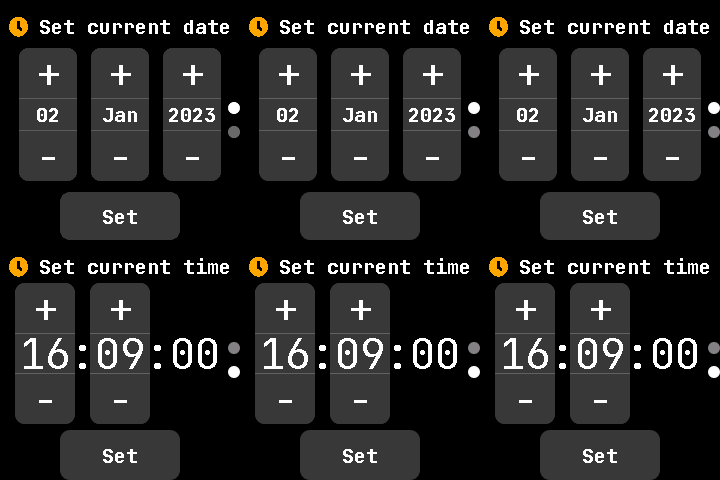
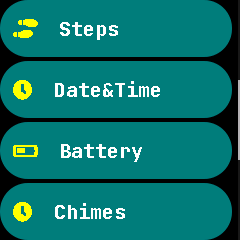
Combine Date and Time Settings #1465
Conversation
renames SettingSetDate.cpp to SetingSetDateTime.h & SettingSetDate.h to SettingSetDateTime.h

deletes SettingSetTime
|
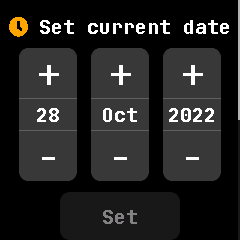
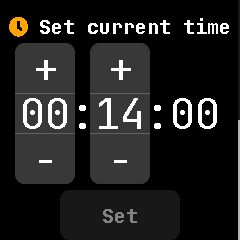
These screens are related so condensing the options seems like a good idea, however I'm not sure about the scrollbar being the only indicator here. How about pressing the option first brings up SetDate, and when you press Set, it moves to the SetTime screen, which then exits back to the settings menu? |
Something like this? PXL_20221202_003146180_2.1.mp4I could not figure out a way to get it to exit to the settings screen once the time is set(I'm still a noob). There is, however, one possible issue(more like just a nuisance). What if a user wanted to just set the date? After pressing Set it would go to SetTime, then the user would have to do two down gestures to exit, instead of only one. In my opinion the scrollbar is sufficient, but im more than happy to change it if y'all think its not enough :) |
|
Actually I think the issue is that swiping to move to another screen that is not a list seems a bit off to me. By making it proceed by pressing Set, you also wouldn't need the scrolling at all. I can implement this idea to try if you don't mind. |
Ok, so i was able to get it to work. what I have is |
|
@Riksu9000 If you could check out the last commit that would be great :) |
|
It's close to what I had in mind. The disabling of the button should be removed and I personally wouldn't make these screens a screenlist. I think it adds to the clutter when you could just press the set button to proceed. Then this feature shouldn't require many lines changed either. |
|
true, if its not a screenlist then its unnecessary clutter. I made a kind of draft commit of another way of doing this here. This way there is minimal changes, no file renames, and very simple. However there may be a few issues with this approach. First, it might be confusing looking through to find two files for seemingly one application(at least it would be for me). Second, since there is no scrollbar there is a lack of indication that SetTime exists(besides the title "Date&Time"). I could combine SetDate and SetTime into one file like in this PR, but unfortunately i cant figure out how to. I could also add something like the page indicator widget to fix the second possible issue i mentioned, but i think it would turn out pretty janky. |
|
Now that I think about it, I think what felt weird about this was just the scrollbar. What if instead we had page indicator dots on the side? I think we should try and see how that would look. We might be able to keep this code. |
|
so keep it as a screenlist and add dots like this? |
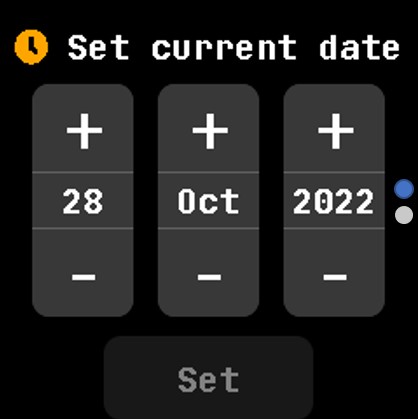
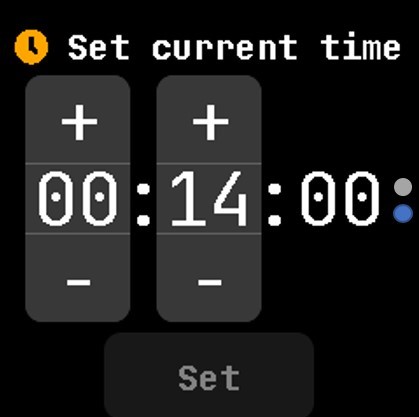
|
Yeah something like that. Maybe using white and gray for the colors. |
so heres it with the dot indicators. However, i put these indicators in the setdatetime file. I tried really hard to make it a widget but i cant seem to find how to do make it work(especially making multiple of the same lv objects), if you could work on it or show me what to do that would be great :) Im really sorry im not proficient enough to work on the dot indicators further and I fully understand if you dont have the time to work on this. |
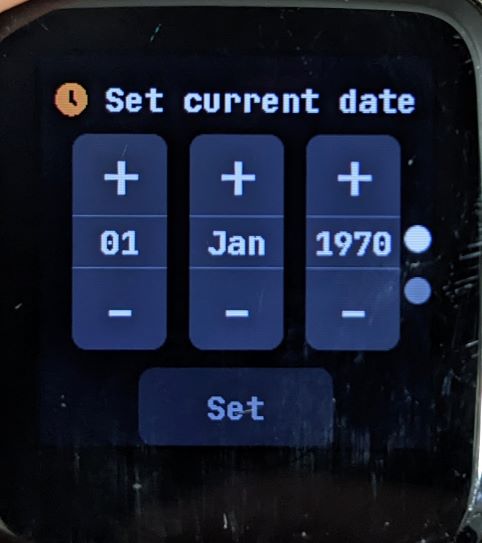
|
That's okay. I understand it may have been too much to ask. I can work on the widget at some point and I'll report back once it's ready. |
|
@Riksu9000 so i had sort of an epiphany and was able to figure it out after i took a fresh look at it, turns out it was pretty simple. It still has to be fine tuned to make it center it more. I dont know if it should be in a separate file(how it is in the commit) or as one file in DotLabel, it works either way. Anyway, I hope you see this before you start working on it! |
This reverts commit 6145a7d.
1fabdb5 to
0f784ff
Compare
adds dot indicators and removes disabled set button. previous commit contained unwanted changes.
adds set scroll and removes SetDate from displayapp
|
@Riksu9000 done :) |
move from setdate and settime to setdatetime also optimize DotIndicators

Co-Authored-By: Riku Isokoski <riksu9000@gmail.com>
|
@Riksu9000 is it good now? |
 Riksu9000
left a comment
Riksu9000
left a comment
There was a problem hiding this comment.
Looks good, just one comment. I'll approve this ahead of time. Thanks for the PR.
|
I've just tested this PR. Combine those 2 settings in a single one is a good idea, and it looks good! However, the app did not jump automatically to "set time" when I tap the button "Set" under the date setting. I also cannot see the page indicator in those settings and the new widget |
|
@JF002 Did you use an older version of this PR? There's no issue for me. |
Works for me. Also DotLabel was removed in 992333c |
|
Oh... I kinda forgot to update my local branch... sorry for the confusion! Everything seems to work as expected! |
|
Thanks for all your help and patience on this @Riksu9000, i really appreciate it! I learned alot :) |
Update to develop branch after InfiniTimeOrg/InfiniTime#1465
got merged.
Previous PR #1386
changes since previous PR:
197371890-4d6f5958-62b3-413c-aa6c-1323f0c64b9b.mp4
(please excuse my clumsy hands)
Works with InfiniSim after a few small changes. ill open a PR over there later.
Thanks :)
FINAL: